How to Modify DNS Records for Your Domain
You can manage your domain's DNS records (A records, CNAMEs, MX, TXT, and more) directly from your Dependent Media Hosting client area. This guide walks you through finding the DNS Management screen and editing your records.
Before you start: DNS Management is only available when your domain is using our default nameservers. If you've pointed your domain to Cloudflare or another provider's nameservers, you'll need to manage DNS there instead.
Step 1 — Open your domain list
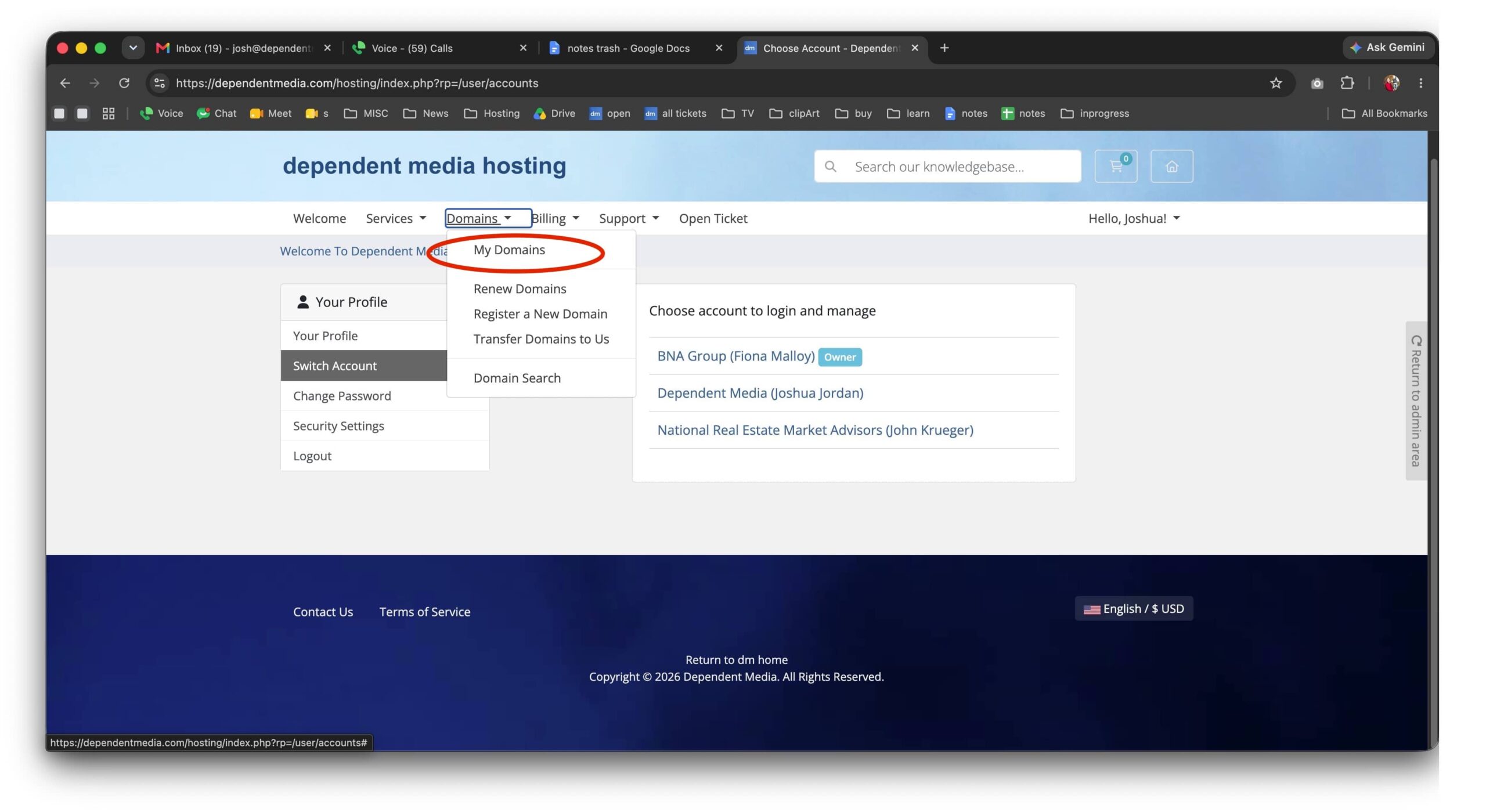
Log in to your client area at dependentmedia.com/hosting. From the top menu, click Domains → My Domains.
Step 2 — Select your domain
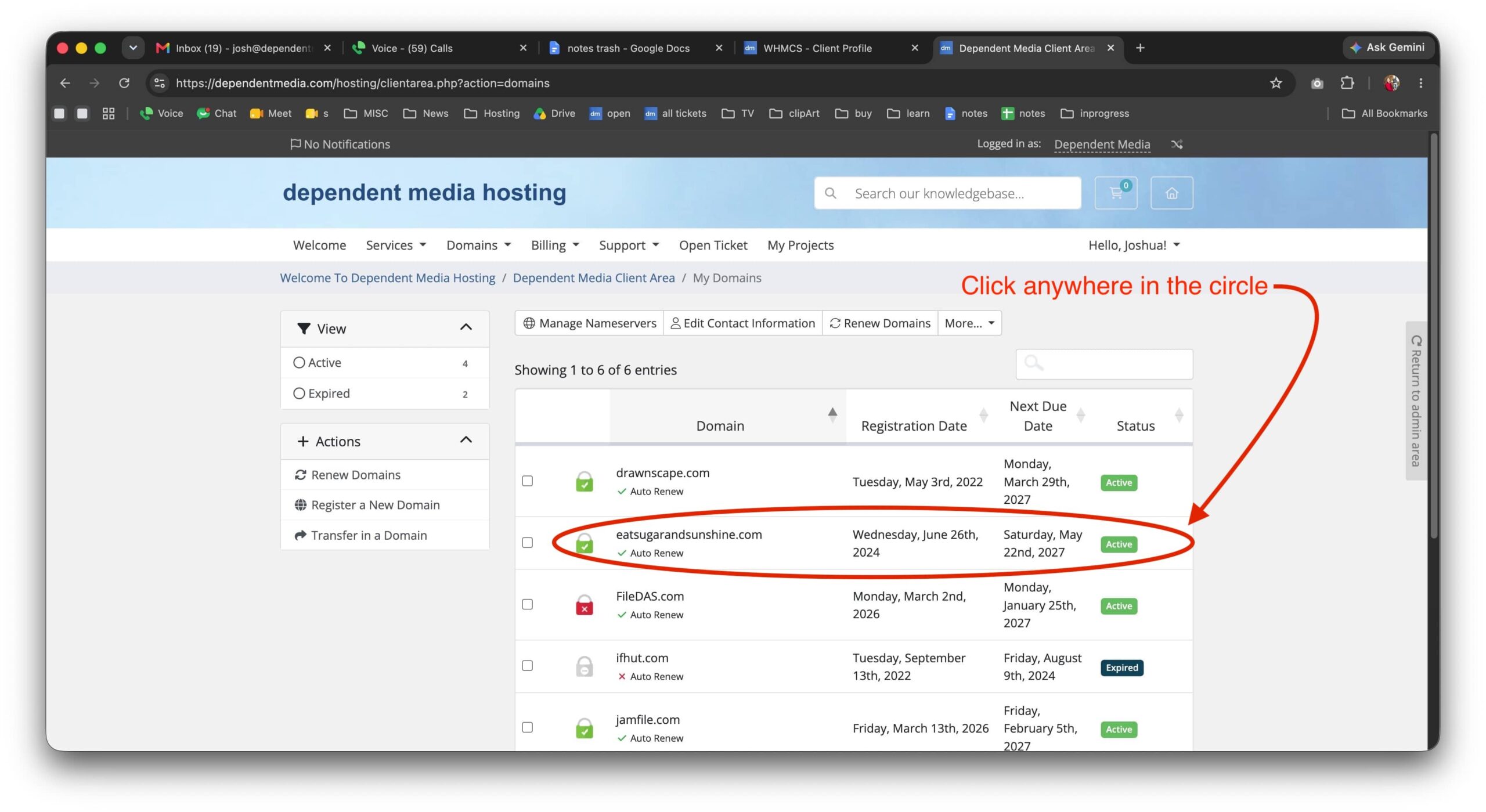
You'll see a list of all your domains. Click anywhere on the row for the domain you want to edit.
Step 3 — Open DNS Management
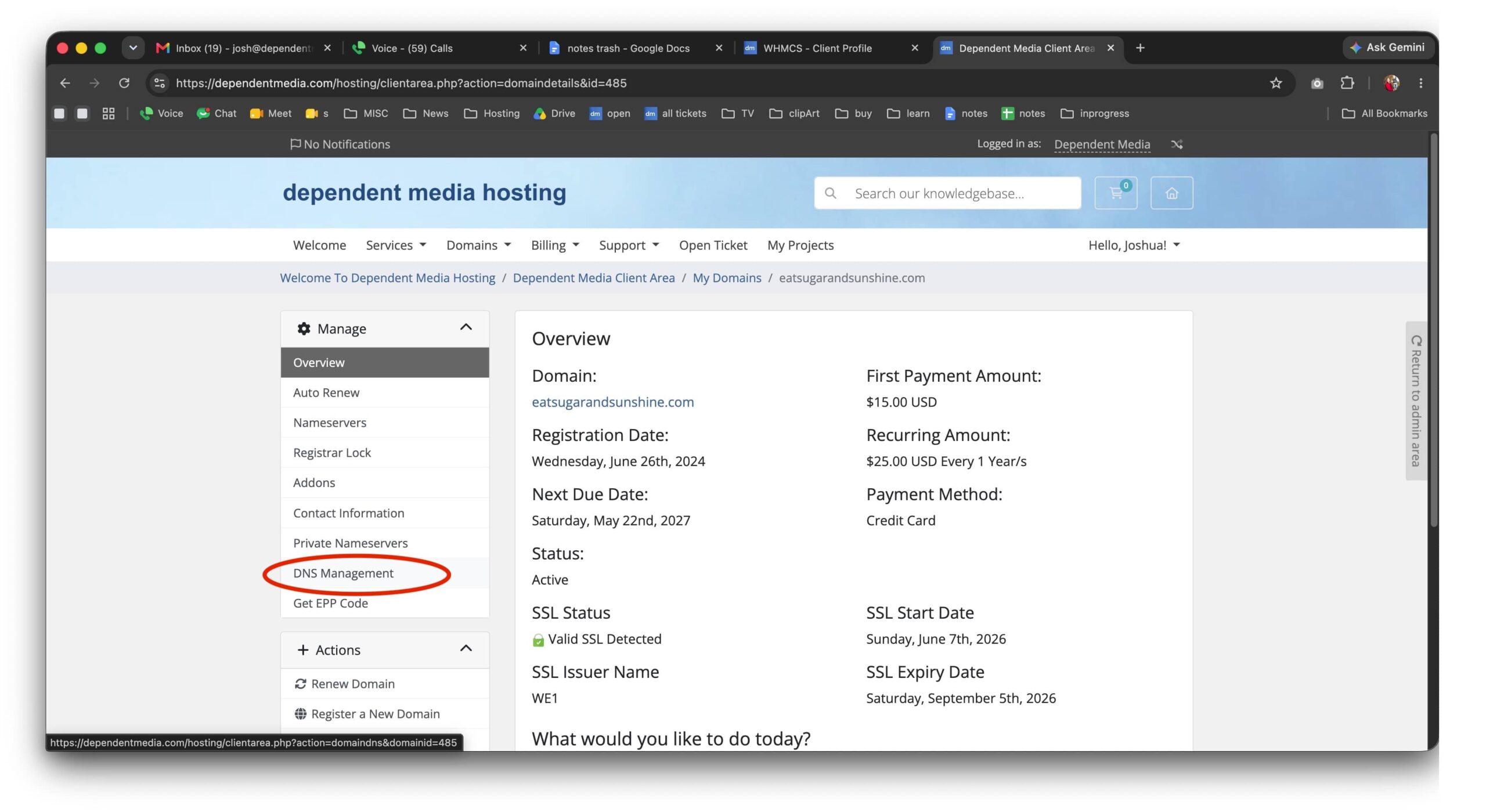
On the domain's overview page, find the Manage menu on the left and click DNS Management.
Step 4 — Edit your DNS records
Here you can view and change your domain's DNS records. Each record has four parts:
- Host Name — the subdomain or record name. Use
@for the root domain (example.com) and*for a wildcard.wwwis a common entry for the www version of your site. - Record Type — the kind of record: A (Address) points a name to an IP address, CNAME (Alias) points one name to another name, MX routes email, and TXT/SPF holds text values (used for email verification, domain validation, etc.).
- Address — the value the record points to (an IP address, hostname, or text string).
- Priority — used only for certain record types like MX; leave as N/A for others.
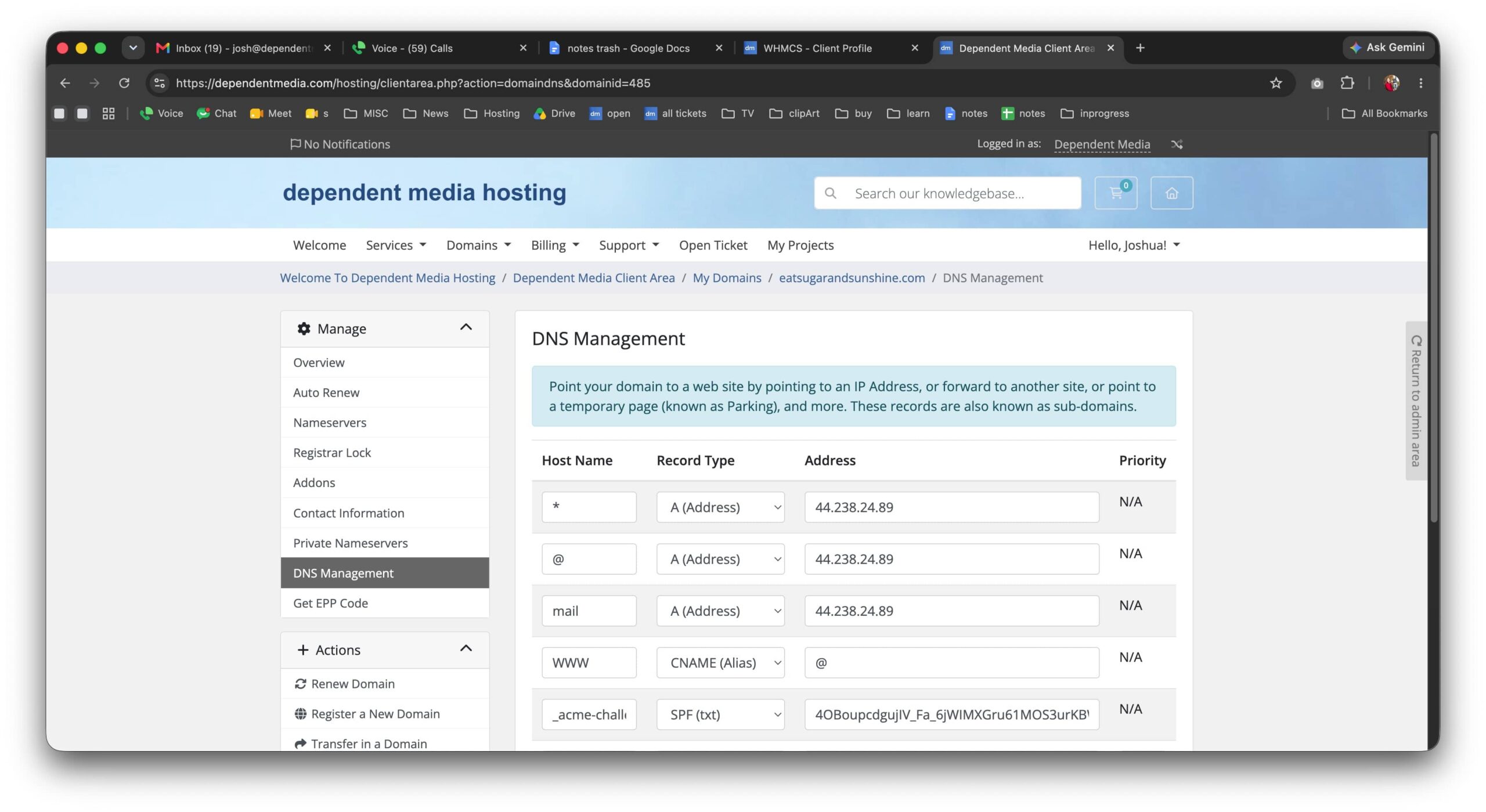
To make a change, edit the value in the field you want to update, or fill in a blank row to add a new record. When you're finished, scroll to the bottom of the page and click Save Changes.
A few things to keep in mind
- Changes aren't instant. DNS updates can take anywhere from a few minutes to 24–48 hours to fully take effect across the internet (this is called propagation).
- Double-check before saving. A small typo in an A record or MX record can take your website or email offline.
- Not sure what to change? DNS misconfigurations are one of the easiest ways to break a site or email. If you're unsure, open a support ticket and we'll be glad to help.