DEVELOPER & AUTOMATION HOSTING
Your developer — or your AI agent — is welcome here.
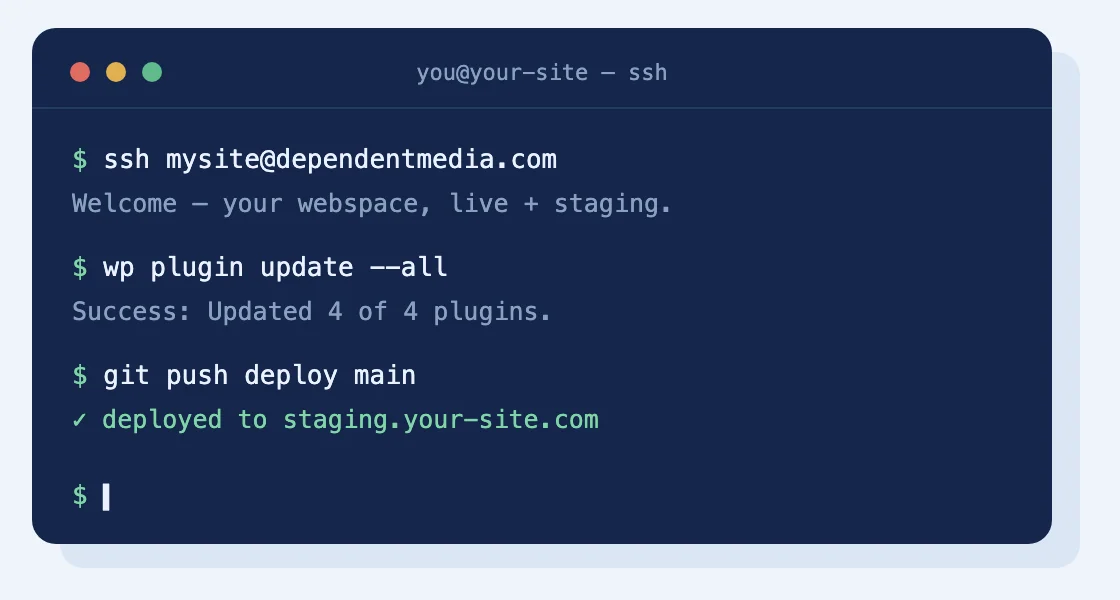
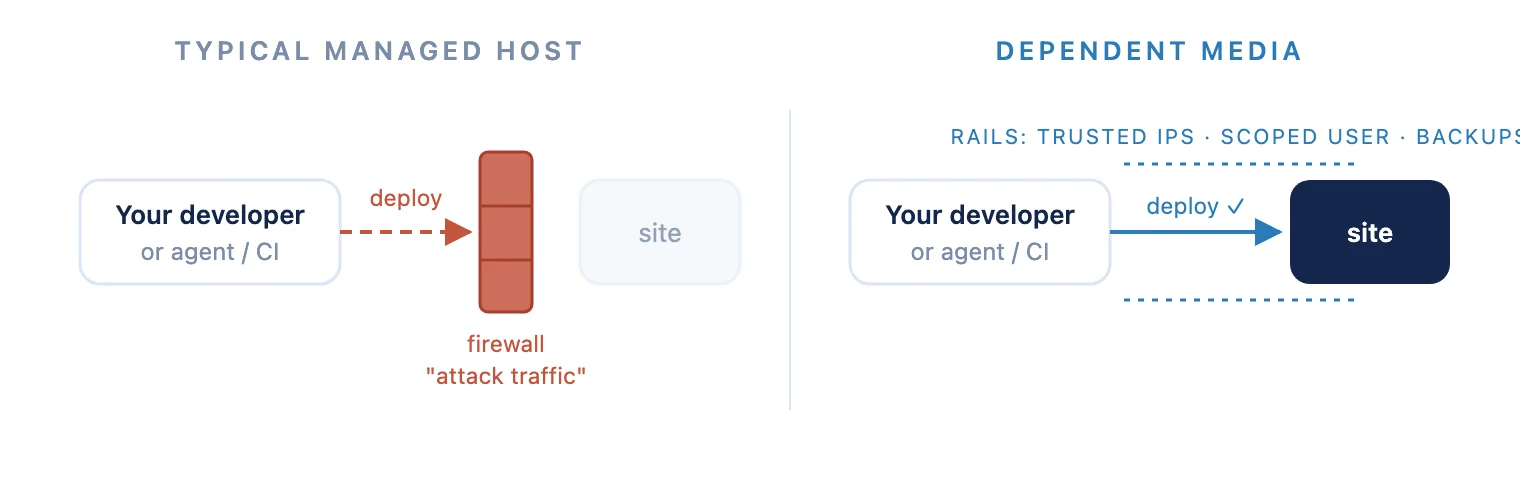
Most managed WordPress hosts treat automation as attack traffic: CI deploys get banned, agents get blocked mid-task, and “no SSH” is policy. We took the opposite bet. Dependent Media hosts WordPress sites where developers, deployment pipelines, and AI agents get real access — with rails that keep the site safe while they work.
The problem with “managed” hosting
Managed hosting usually means only we may touch it. That’s fine until you hire a developer, wire up GitHub Actions, or point an AI agent (Claude, a local LLM, your own toolchain) at your site — and the host’s firewall decides your own automation is an intruder. We’ve watched competent developers lose days to exactly this.
WHAT YOU GET INSTEAD
Real access, on rails.
SSH & SFTP
A real shell with git, rsync, and WP-CLI. Deploy scripts and CI pipelines just work.

REST API, properly supported
WordPress application passwords enabled, so tools and agents can create content programmatically.

Trusted IPs
Up to two static addresses registered with the server’s security — legitimate automation never reads as an attack.

A staging copy of your site
A private clone where code changes happen freely. We promote to live when you’ve reviewed, and refresh staging on request.

A dedicated automation user
Your agent gets its own limited Author-level account, never an admin login. A misbehaving tool can at most affect posts.

DNS your way
Self-service, or your own Cloudflare account with us invited to the zone.
HOW IT WORKS
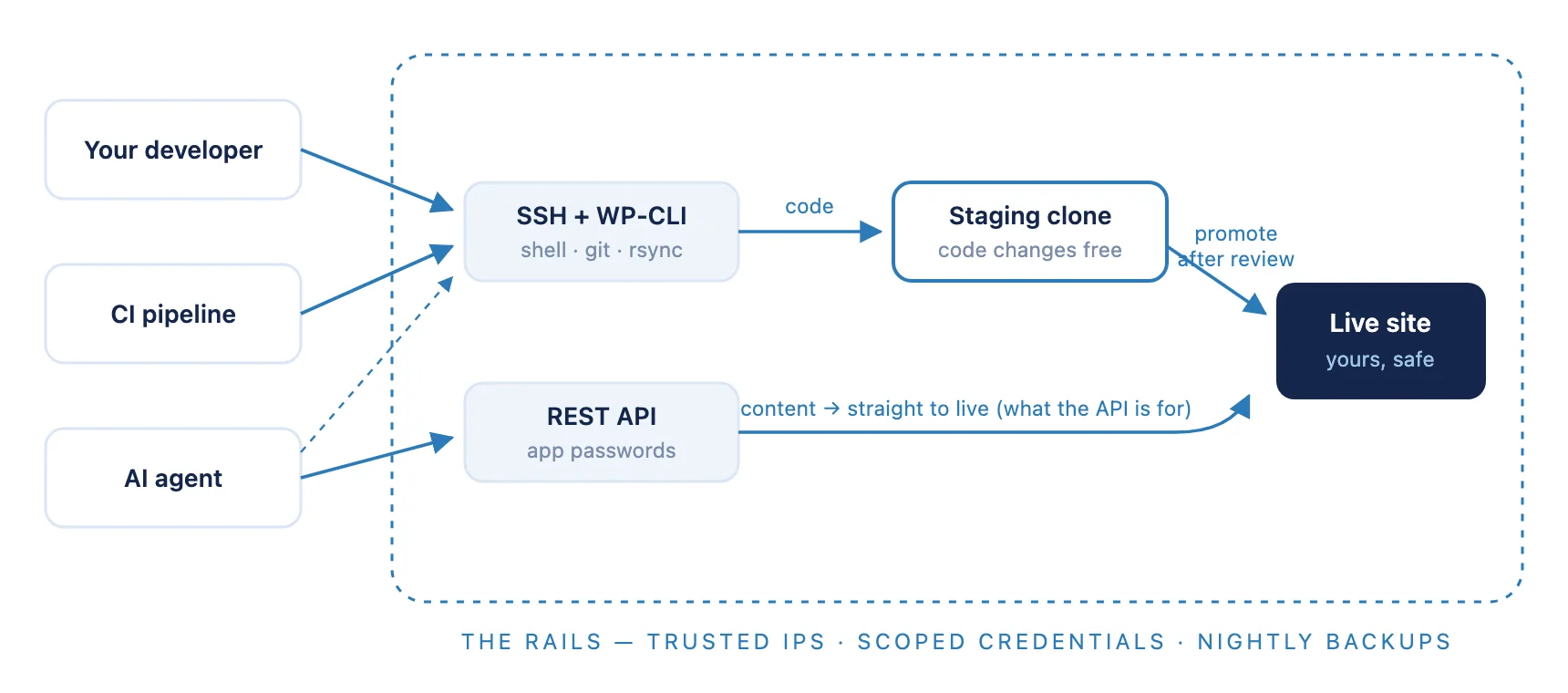
Code goes through staging. Content goes through the API.
Nothing touches live code except through the staging clone and your review. Content posting on live is exactly what the REST API is for. The rails — trusted IPs, scoped credentials, nightly backups — wrap the whole path.
THE GROUND RULES
Why this is safe.
- ✓ Code changes happen on staging, not the live site. Content via the API on live is exactly what it’s for.
- ✓ Nightly backups, always — with one included restore a month if an experiment goes sideways.
- ✓ Named access — every person and tool gets its own credentials. No shared logins.
- ✓ We support the platform (server, PHP, WordPress core); what you build with the access is yours, and we’ll happily help with it at our standard rate.
PRICING, PLAINLY
$79 hosting + care + $19 Developer Access = $98/month
We don’t sell bare hosting — every site gets updates, security, backups, and a human who answers. Developer Access is a $19/month add-on, so a fully managed site your developer or agent can actually work on starts at $98/month. Already host with us? Developer Access adds to your current plan for $19.
From order to building — before you close the tab.
The moment your card is accepted, a private WordPress workspace provisions itself and the login lands in your onboarding ticket a few minutes later. No waiting for business hours, no scheduling — access is granted on payment.
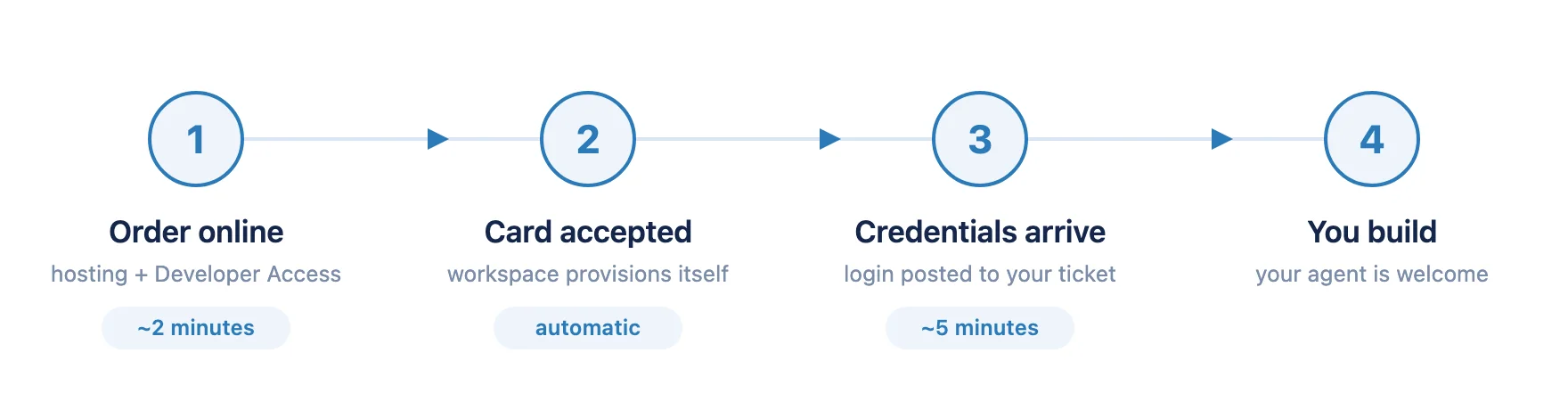
- Order online — hosting + Developer Access (~2 minutes)
- Card accepted — your workspace provisions itself (automatic)
- Credentials arrive — login posted to your ticket (~5 minutes)
- You build — your agent is welcome
WHO THIS IS FOR
Who this is for.
Small-business WordPress since 2010 — automation-friendly is not a bolt-on for us, it’s how our own systems run.
Businesses with a developer
Your developer needs more than a file manager. A real shell, real deploys, no support tickets to move a file.
Agencies
Managed infrastructure under your own workflow — staging, git, and CI that just work under your process.
AI-agent operators
Your “developer” is an agent that posts content, runs deployments, or maintains code. It gets a safe, real seat.
TELL US WHAT YOUR SETUP NEEDS
A paragraph about your stack is plenty.
What you run, what your developer or agent needs to do, and where it’s hosted now. Real answer, same day.
Prefer email or phone? josh@dependentmedia.com · (775) 238-3425