Archive for April 2026
Live USPS Shipping Rates for WooCommerce, Direct from USPS

Get Live USPS Shipping Rates for WooCommerce, Direct from USPS for free, I am not charging you, nor is USPS, not WooCommerce. This is free, like a gift on your birthday.
If you run a WooCommerce store that ships physical goods, you’ve probably tried to get accurate USPS rates into checkout and discovered three things:
- The shipping methods built into WooCommerce only do flat or weight-based rates. Your customer in Maine and your customer in California pay the same number, even though USPS charges very different prices for the same package.
- Most “live rates” plugins on the market either charge a monthly subscription, route every rate request through a proprietary proxy server, or both.
- The older USPS Web Tools API that a lot of plugins still depend on is being shut down. The current REST API is what production stores need to be on, and the migration story has been quiet.
We built Dependent Media Live Rates for USPS to address all three at once. It’s a free, open-source WordPress plugin that talks directly to the current USPS REST API at apis.usps.com using your own developer credentials — no middleman, no monthly fee, no per-request charge.
It’s now available in the WordPress Plugin Directory: wordpress.org/plugins/dependent-media-live-rates-for-usps
What it does
When a customer reaches checkout, the plugin sends each package’s weight, dimensions, origin ZIP, and destination postal code straight to USPS. USPS returns the actual rates, and your customer sees real shipping costs at the moment of purchase.
Supported services:
Domestic US
- USPS Ground Advantage
- USPS Priority Mail
- USPS Priority Mail Express
International
- USPS First-Class Package International
- USPS Priority Mail International
- USPS Priority Mail Express International
What’s different about it
A few design decisions worth calling out:
Bring your own USPS credentials. You register your store as a USPS Developer Portal application once (it’s free), paste the Consumer Key and Consumer Secret into the plugin settings, and rate requests go directly from your site to USPS. Nothing passes through Dependent Media or any other third party. There’s no monthly fee because there’s nothing for us to charge for — you’re talking to a free public API.
No personal data is sent to USPS. The plugin transmits only what’s needed to calculate a quote: package geometry, the origin ZIP, and the destination postal code. No customer name, email address, or IP. OAuth tokens are cached locally in a WordPress transient.
Multi-box packing by default. Most “live rates” plugins lump every cart item into one virtual box, which produces wrong totals as soon as a customer orders more than one heavy item. We rate each cart line as its own package, sum the costs, and automatically split lines that exceed USPS’s per-package weight caps. There’s a “combined” mode too, for stores that genuinely ship everything in a single box.
Only services that price every box are offered. If a customer’s cart triggers a service that USPS only quotes for some of the packages (e.g. Express isn’t valid for one of the lines), we hide the service rather than show a partial total. A misleading number is worse than a missing option.
Optional fallback flat rate. If the USPS API is unreachable at the moment of checkout, you can configure a flat rate that kicks in instead of failing the cart.
Debug logging through WooCommerce → Status → Logs. Every request and response can be inspected when something looks off.
How to install
- In WordPress admin, go to Plugins → Add New and search for Dependent Media Live Rates for USPS
- Click Install, then Activate
- Register a USPS Developer Portal application at developers.usps.com (free)
- Go to WooCommerce → Settings → Shipping, open a shipping zone, and add USPS Live Rates (DM) as a method
- Paste your Consumer Key and Consumer Secret, choose which services to offer, save
- Test with a real cart to confirm rates come back
Open source, contributions welcome
The plugin is GPL-licensed and developed in the open. Issues, feature requests, and pull requests are welcome on GitHub:
- WordPress Plugin Directory: wordpress.org/plugins/dependent-media-live-rates-for-usps
- Source on GitHub: github.com/Dependent-Media/dm-usps-shipping
If you ship USPS through WooCommerce and you’re tired of paying a subscription fee for a plugin that’s basically wrapping a free public API, give it a try.
Beaver Builder mp3 player

-
 1
01 Darlene
Skip Gillette
1
01 Darlene
Skip Gillette
-
 2
04 Some Kids Never Grow Up (Cover) (Edit)
Skip Gillette
2
04 Some Kids Never Grow Up (Cover) (Edit)
Skip Gillette
-
 3
09 Raindrops Falling On My Heart
Skip Gillette
3
09 Raindrops Falling On My Heart
Skip Gillette
Beaver Builder mp3 player
BB MP3 Player — Audio Player Module for Beaver Builder
A drag-and-drop MP3 player module built specifically for Beaver Builder. Add a fully customizable audio player with playlist support to any page — no shortcodes, no plugin conflicts, no hassle.
Built for Musicians, Podcasters & Creators
Whether you're a musician sharing tracks, a podcaster hosting episodes, a voice-over artist showcasing demos, or a wellness site streaming guided meditations — BB MP3 Player gives you a professional audio experience inside the page builder you already use.
Features
- Native Beaver Builder Module — Drag it from the module panel, configure in the sidebar. No shortcodes, no separate settings pages. Works with BB's live preview.
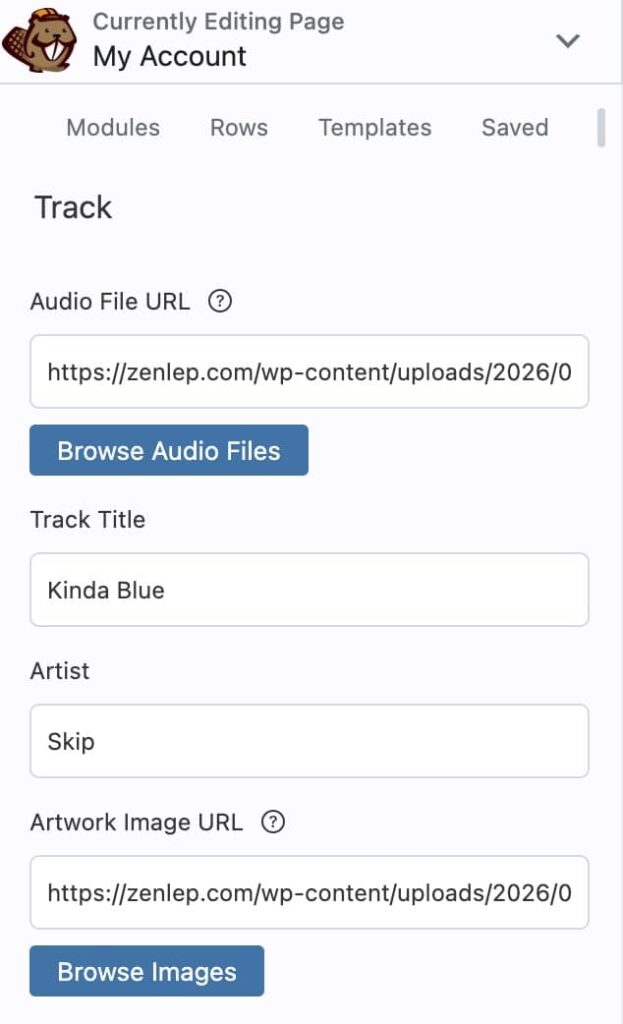
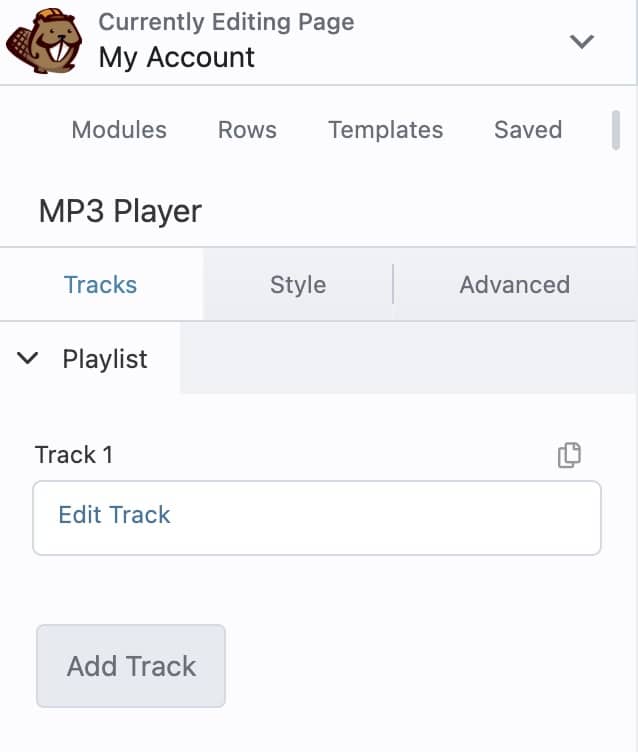
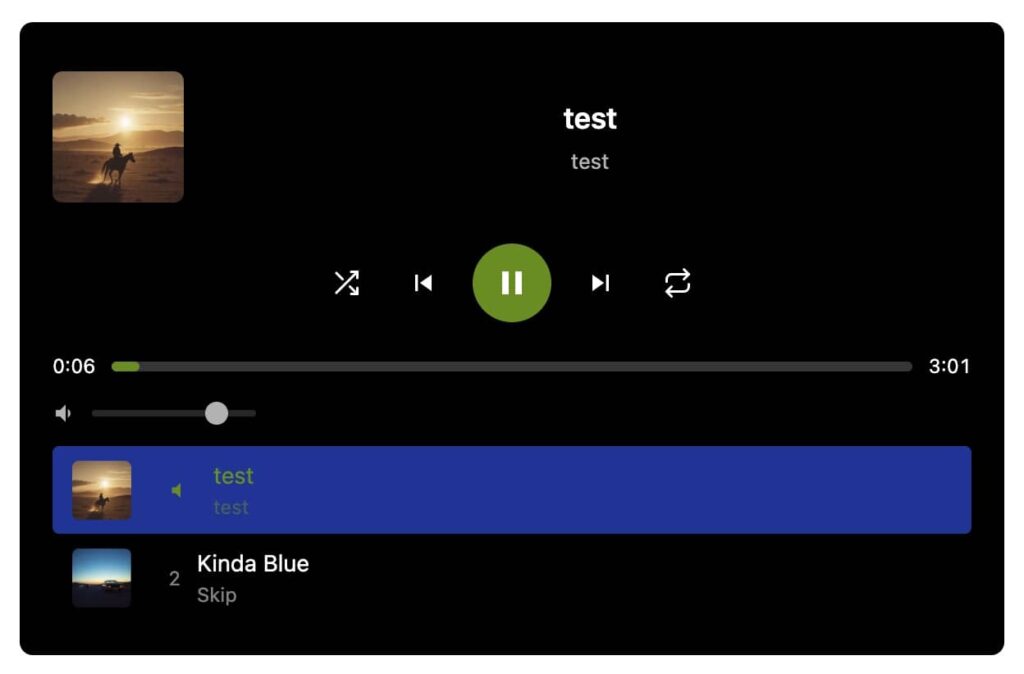
- Playlist Support — Add unlimited tracks with title, artist, and album artwork. Tracks auto-advance to the next song when playback ends.
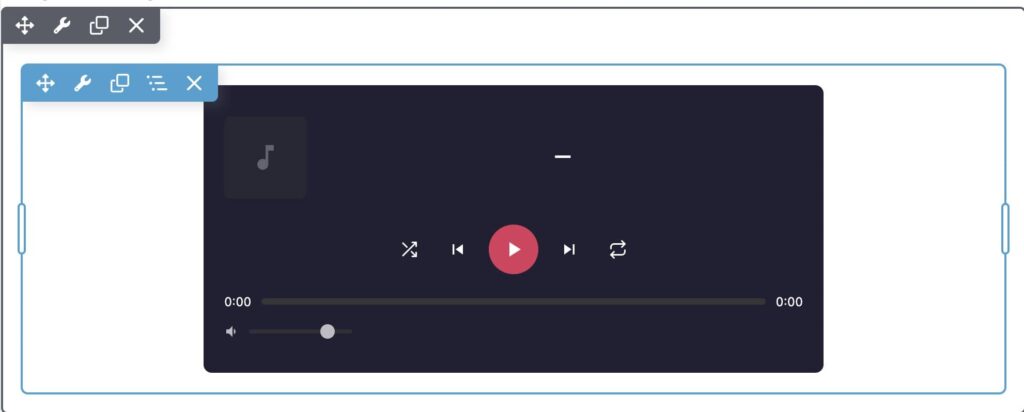
- Shuffle & Repeat — Shuffle your tracklist, repeat all tracks, or loop a single song. Your listeners stay in control.
- Album Art — Display cover artwork in the now-playing area and as thumbnails in the tracklist. Upload directly from the WordPress Media Library.
- Full Playback Controls — Play/pause, previous/next, clickable progress bar with elapsed and total time, and a volume slider.
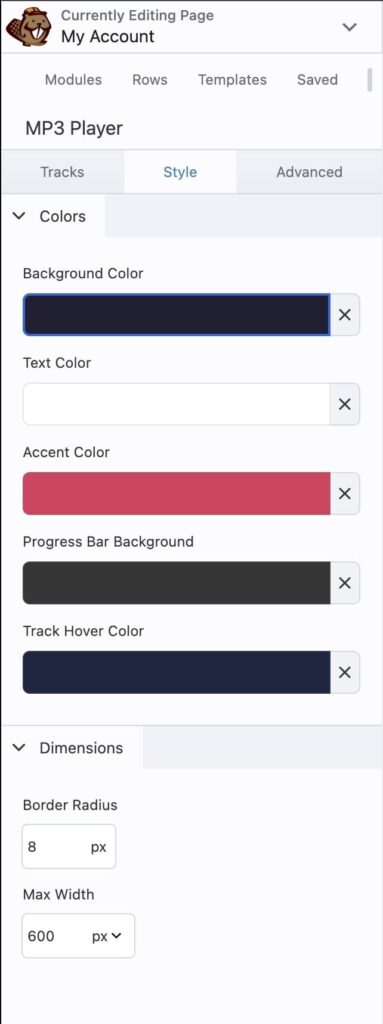
- Fully Customizable Styling — Set background color, text color, accent color, progress bar color, track hover color, border radius, and max width — all from the BB Style tab with live color pickers.
- Responsive & Mobile-Ready — Scales cleanly on phones, tablets, and desktops. Touch-friendly controls for mobile listeners.
- Lightweight & Fast — Pure vanilla JavaScript with zero jQuery dependency. Uses the native HTML5 audio element. No bloated libraries, no render-blocking scripts.
- Multiple Players Per Page — Each instance runs independently. Place separate playlists for different albums or categories on the same page.
- Secure — All output is escaped and sanitized. Color values are regex-validated, URLs are sanitized with WordPress core functions, and editor scripts require proper user capabilities.
- Media Library Integration — Browse and select audio files and artwork images directly from the WordPress Media Library without leaving the Beaver Builder editor.
Why Not Use the WordPress Playlist Shortcode?
The built-in shortcode causes a known JavaScript conflict inside the Beaver Builder editor, preventing pages from saving. BB MP3 Player was built from the ground up as a native BB module to avoid this entirely. No template conflicts, no save errors — it just works.
Installation
- Upload the plugin zip via Plugins > Add New > Upload Plugin
- Activate the plugin
- Open any page in Beaver Builder
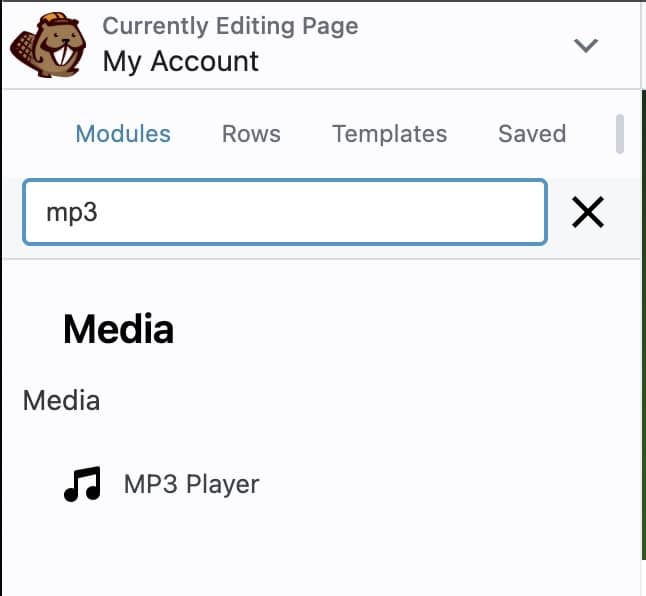
- Find MP3 Player in the module list under Media
- Add tracks, customize colors, and publish
Requirements
- WordPress 5.0 or later
- Beaver Builder Plugin (Lite or Pro)
- PHP 7.4 or later
Get Started
Download BB MP3 Player and add a professional audio player to your Beaver Builder site in under a minute.