Describe It, Get a Flowchart — DM Flowchart Designer for Mac & iPad
Some ideas only make sense once you can see them. A process with a decision in the middle. A support flow with three escalation paths. The way your CI pipeline actually works, as opposed to the way everyone assumes it works. DM Flowchart Designer is a native app for Mac and iPad built for exactly those moments — and if drawing boxes isn’t your thing, you can just describe the diagram in plain language and let the built-in AI assistant draw it for you.
Describe it, get a flowchart
Type “an onboarding flow for a new hire, with an IT-equipment branch and a manager sign-off at the end” and a complete, styled, connected flowchart appears on the canvas — ready to edit like you’d made it yourself. The AI assistant is bring-your-own-key: plug in your own Anthropic, OpenAI, Google, or xAI API key, stored safely in your Keychain and sent only to the provider you chose. No subscription to us for the privilege.
A real editor, not a toy
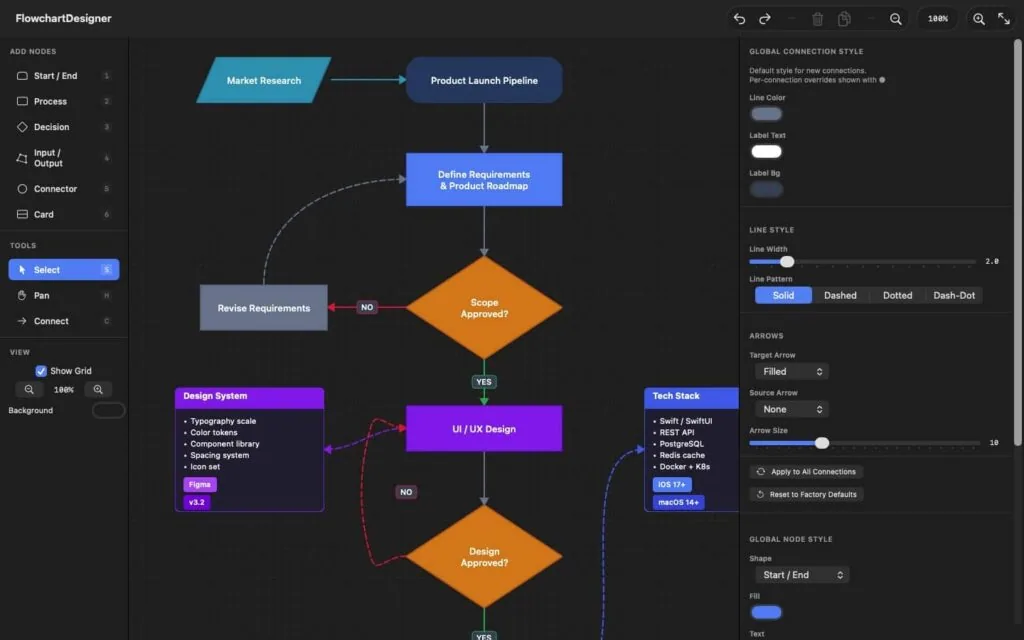
Seven node shapes with number-key shortcuts, an infinite canvas with a minimap, smart connection routing that walks around obstacles, gradients, patterns, per-shape global styles, card nodes with badges, image and PDF import that keeps vector data, grouping, layers, and fifty levels of undo. Keyboard-first on the Mac, touch-friendly on iPad, and your files are plain local documents — no account, no cloud, nothing leaves your machine.
Start from a template
Eight built-in templates — basic flowcharts, decision trees, troubleshooting guides, CI/CD pipelines, hiring processes, and more — give you a polished starting point instead of a blank page.
Free to use, fair to upgrade
The free version is a complete flowchart editor with PNG export. A one-time $9.99 Pro purchase — not a subscription — adds AI generation, PDF & SVG export, multiple tabs, and every template.
Want the full tour? The complete User Guide is on the web (and built into the app), with a printable PDF manual. Or see the product page for screenshots and the feature rundown.