DM TV Remote: Control Your Apple TV From Your Mac
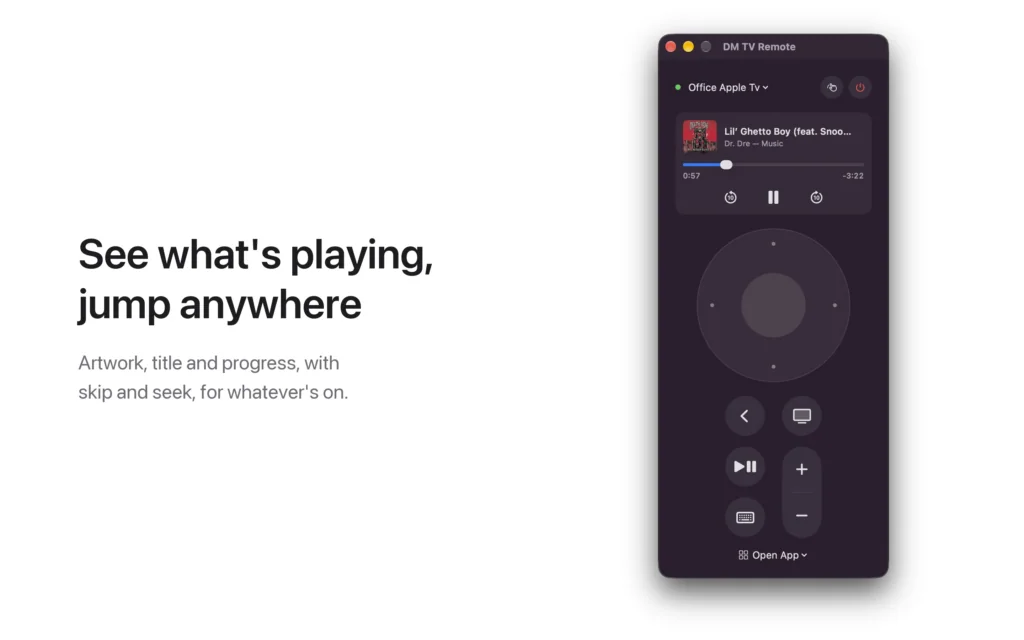
The Apple TV remote is small, silver and somewhere in the couch. DM TV Remote puts it on your Mac instead: pair once with the code your TV shows, then get around with a clickpad on screen, your keyboard or your trackpad. It’s free, with no ads.
See it in action
Everything the remote does
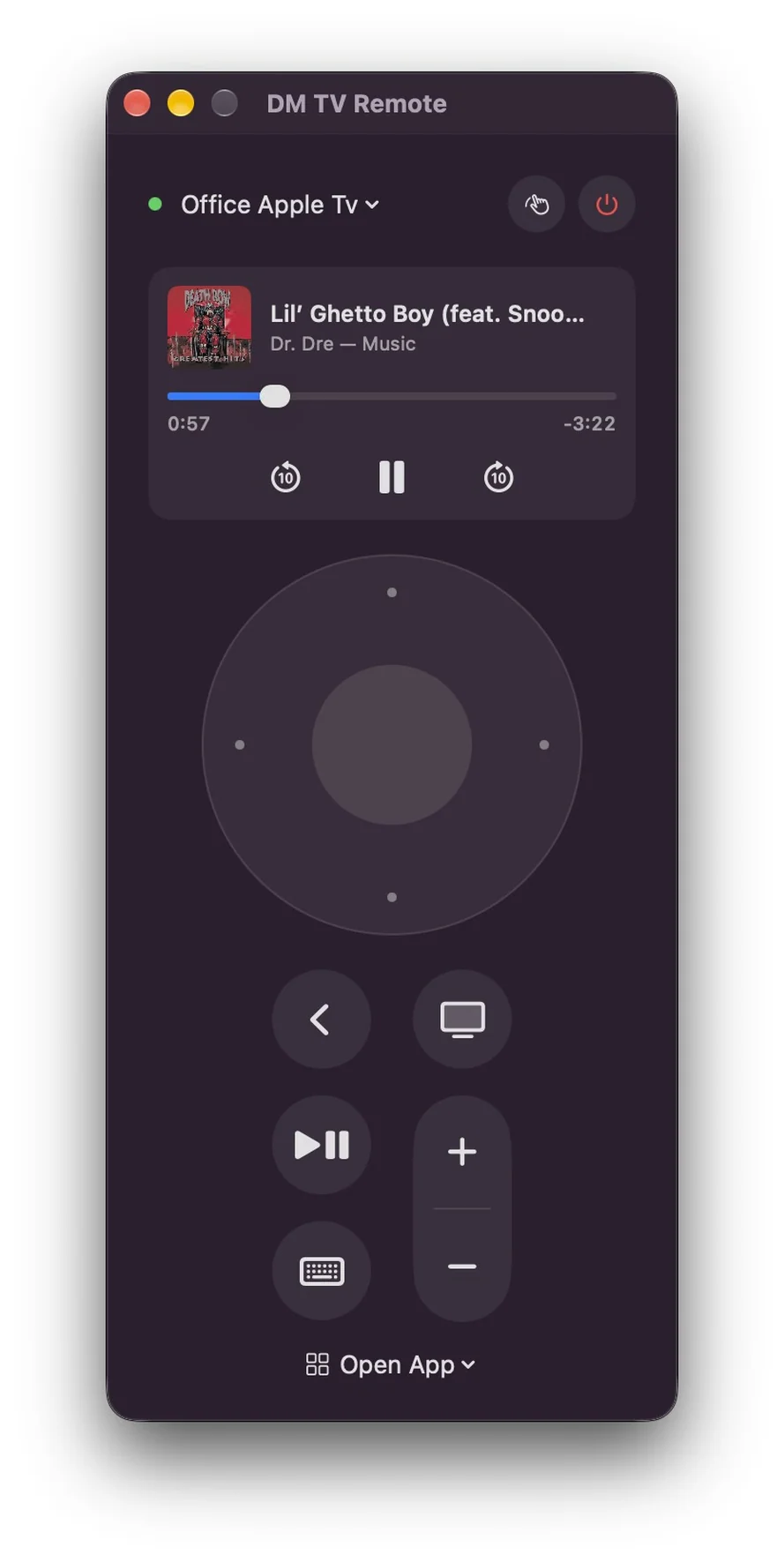
Click the edges of the clickpad to move and the centre to select. Back, TV/Home, Play/Pause and volume are there too, and every button holds for as long as you hold it, just like the real remote. You can also put your Apple TV to sleep and wake it.
Or use your keyboard and trackpad
With the remote in front, the arrow keys move, Return selects, Esc goes back and Space plays and pauses. H takes you home, and + and − change the volume. Swipe with two fingers on the clickpad to fly through long lists, or press T for trackpad mode, where the pad becomes the remote’s touch surface: drag to move the highlight, click to select.
Type searches on a real keyboard
When a search box or other text field is selected on your TV, a text field opens on your Mac. Type there and the text appears on the TV, with no more picking letters one at a time.
See what’s playing
When something is playing on the TV, the remote shows its artwork, title and progress. Skip back or forward ten seconds, pause, or drag the progress bar to jump anywhere. Prefer a plain remote? Right-click the card to hide it.
Open any app, on any Apple TV in the house
The Open App menu lists every app installed on your Apple TV; pick one and it opens. Have more than one Apple TV? Switch between them from the menu at the top. Keep the remote in its own window, or open it from the menu bar.
Private by default
No account, no ads, no analytics. The app talks only to the Apple TVs on your own network, over an encrypted connection, and its pairing keys stay in your Mac’s keychain. See the privacy policy.
Coming to the Mac App Store
DM TV Remote is free, and is with Apple for review now. It needs macOS 14 or later and an Apple TV on the same network. The volume buttons work when your Apple TV controls your TV’s volume. Apple TV is a trademark of Apple Inc.; this app is not made or endorsed by Apple.