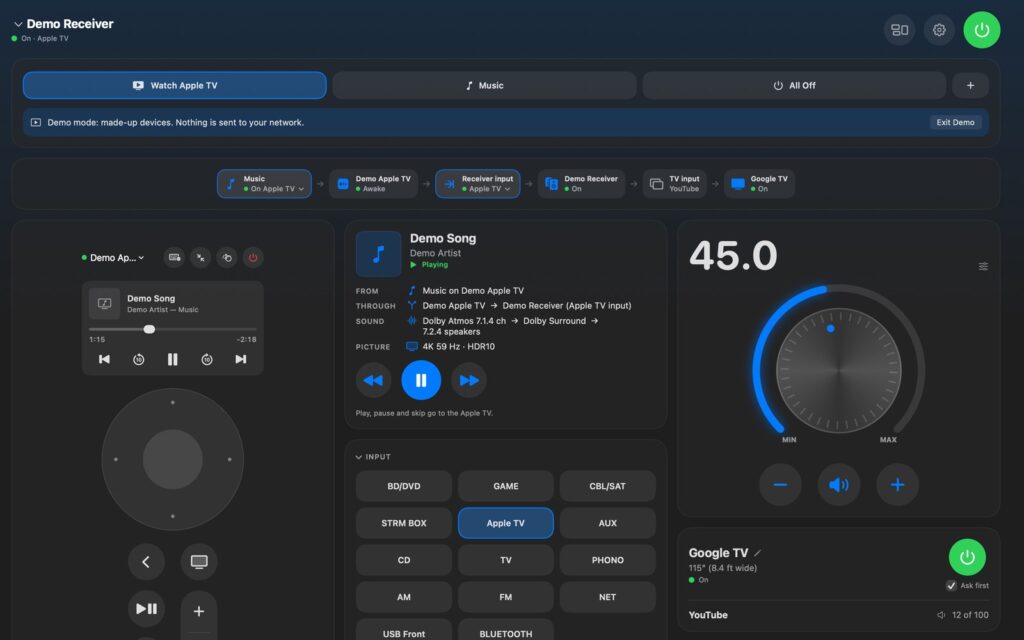
DM Home Theater Remote
DM Home Theater Remote: one window for your Apple TV, your AV receiver and your TV. Press Watch Apple TV and it turns everything on, picks the input and opens your app; press All Off and it all turns off.
Know where the sound comes from
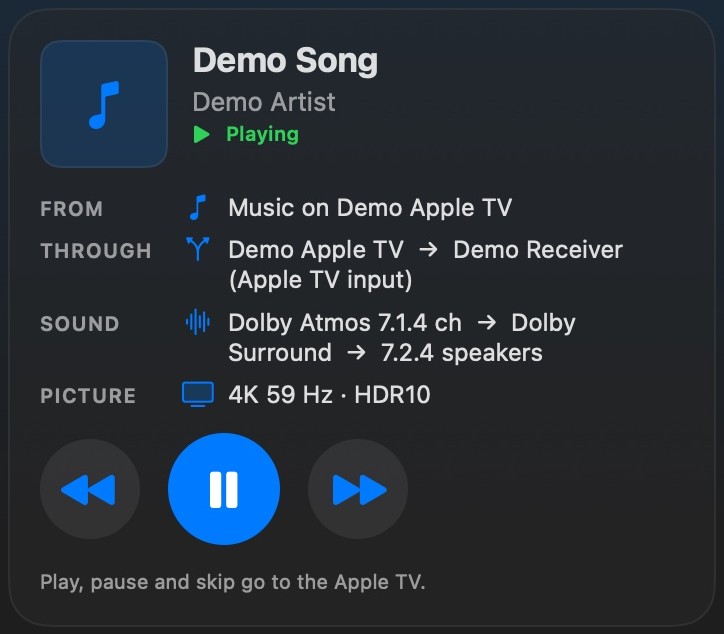
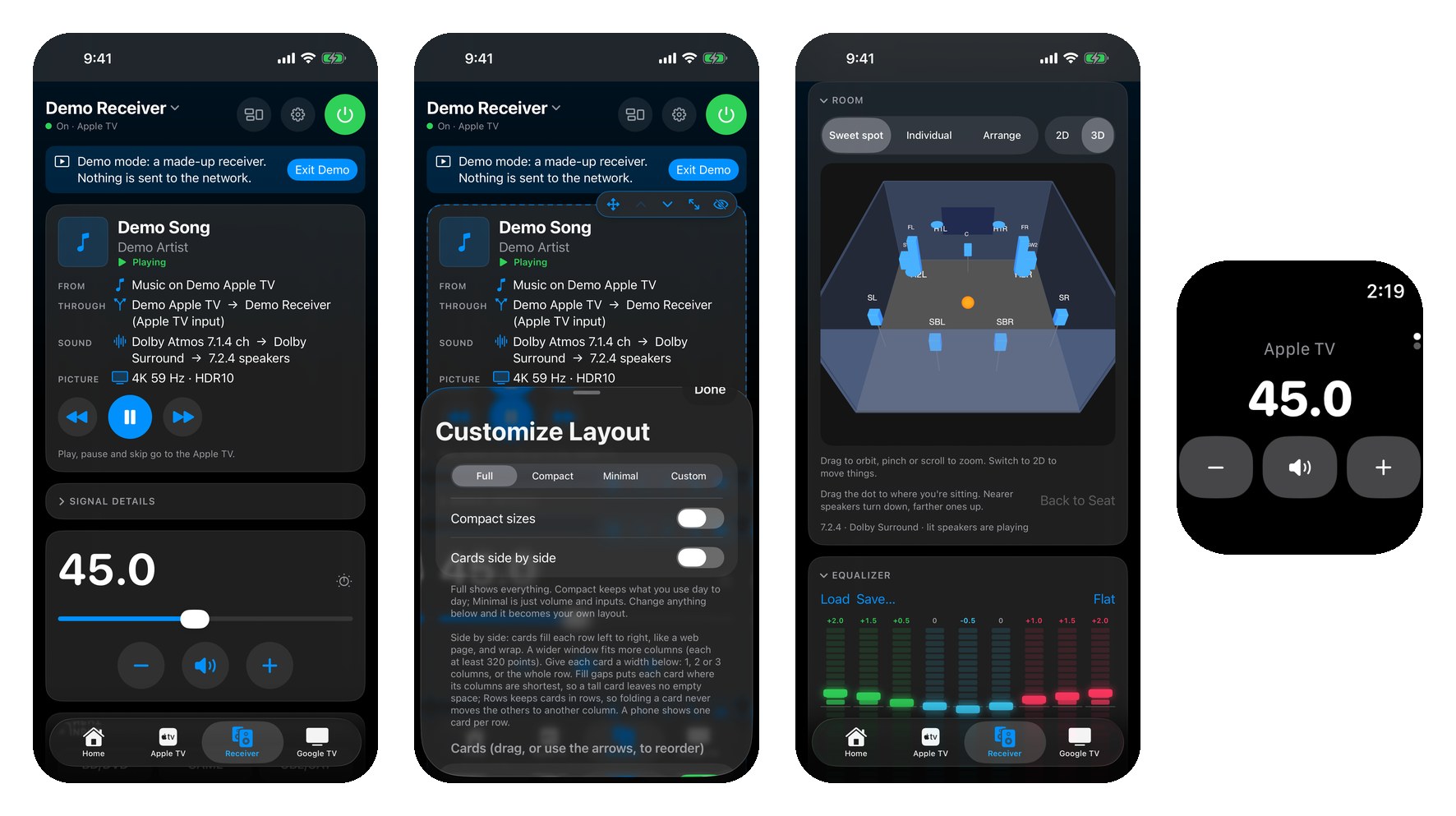
Now Playing shows what is playing and where it comes from: an app on the Apple TV, music AirPlayed from your Mac or phone, the TV’s own apps, or the receiver’s own player. It shows the whole path to your speakers, with the format, listening mode and speaker layout, and its play, pause and skip buttons go to the device that is really playing.
Every room in the house
Give each room its own Apple TV, receiver, TV and buttons. Switch rooms at the top of the window on the Mac, or on the Home tab on iPhone. The House Map shows every room on one floor plan, and one press turns off a room or the whole house.
Your music
Music shows what’s playing in Music on your Mac or iPhone, or on your Apple TV, with big artwork, Up Next, your playlists, shuffle and repeat. On the Mac, choose which AirPlay speakers it plays to and pin your favorites to the top. Having people over? Turn on Party Mode (Mac): big, labeled buttons any guest can use to find a song, play it next, see what has already played and pick the speakers.
Arrange it your way
Open Customize Layout and every card gets its own controls. Drag a card where you want it, even into an empty spot, and give it a width of one, two or three columns, a zoom and a control size. Cards sit side by side in as many columns as your window fits, like a web page. Make the buttons you use most Large and the rest Small. A wider volume card gets a bigger knob, and sliders and the equalizer grow too, which helps on a touch screen. Set it up once and it stays that way. On the Mac, move any card to a column at the right edge of the window, where it stays on every tab, and right-click any card to set the size of its buttons and sliders.
Everything in one panel (Mac)
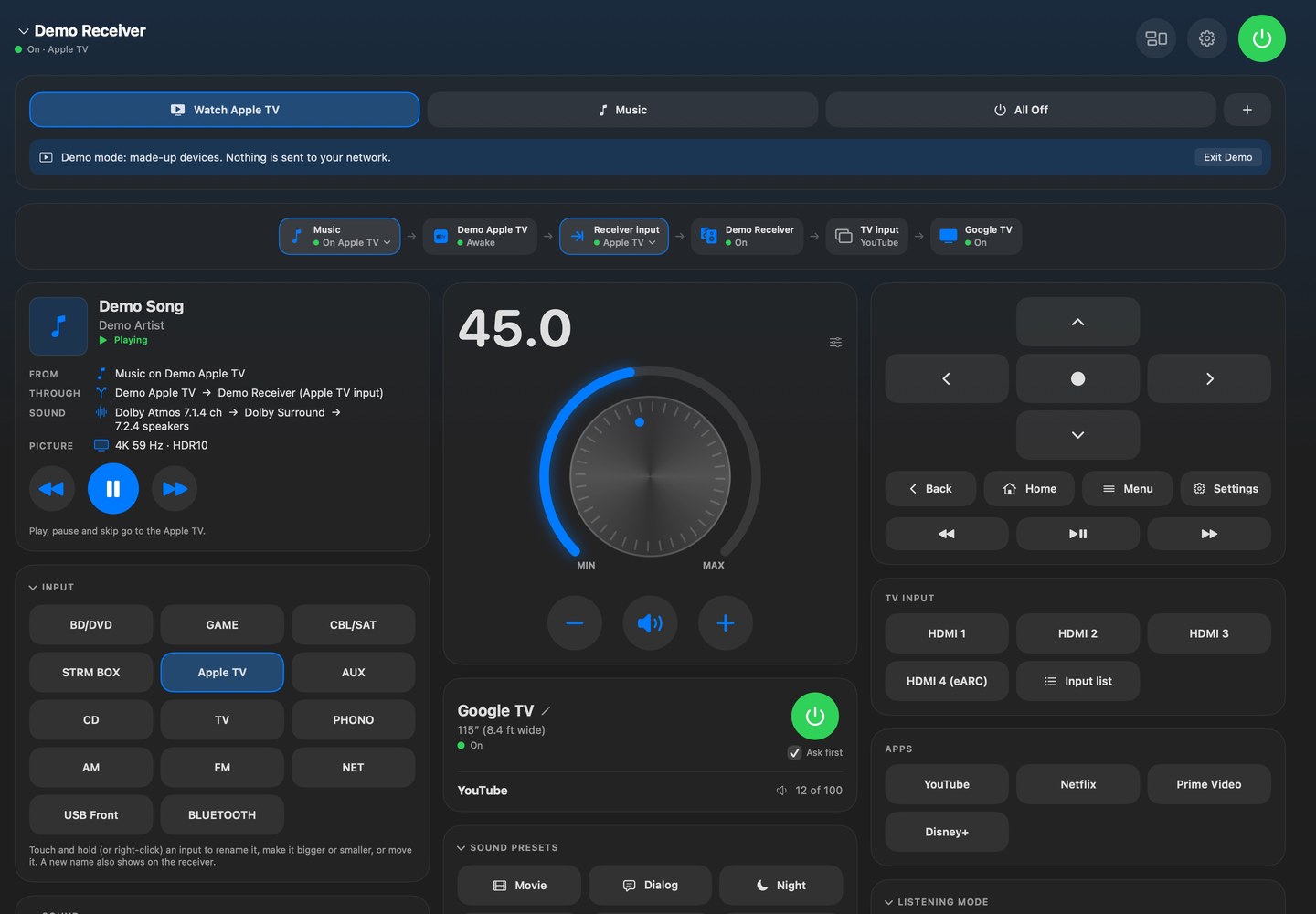
Prefer one view? Turn on Everything in One Panel in the View menu (Option-Command-0) and the Apple TV remote, the TV, your buttons and the signal path become cards beside the receiver’s, to show, hide, move and size like the rest. Hide the Apple TV remote if you never use it, or keep the TV’s buttons next to the receiver’s.
Your Apple TV remote, your way (Mac)
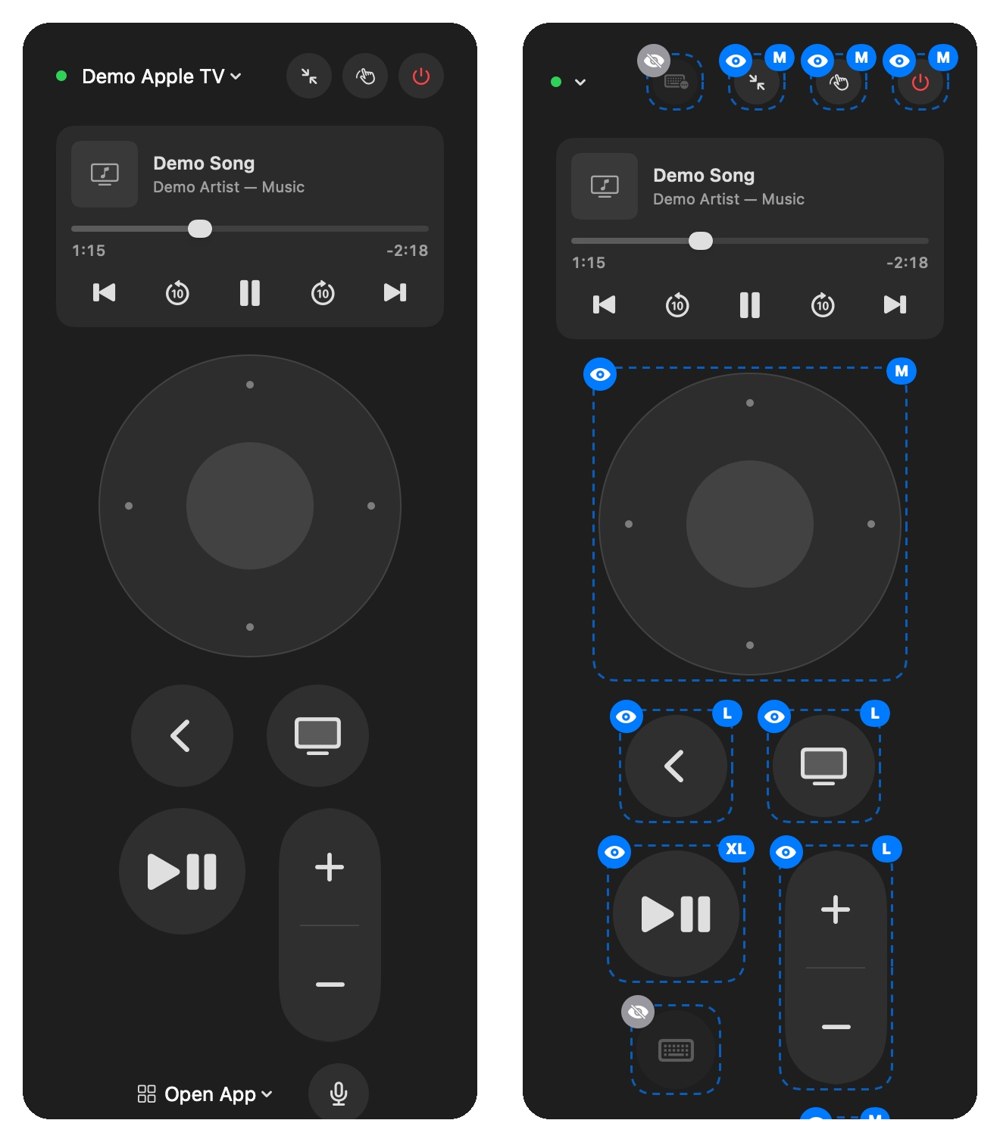
Make any button of the Apple TV remote bigger or smaller, hide the ones you never press, and zoom the whole remote. Right-click a button, or click it while Customize Layout is open; hidden buttons come back with View > Apple TV Remote > Show All Remote Buttons.
Plan your room
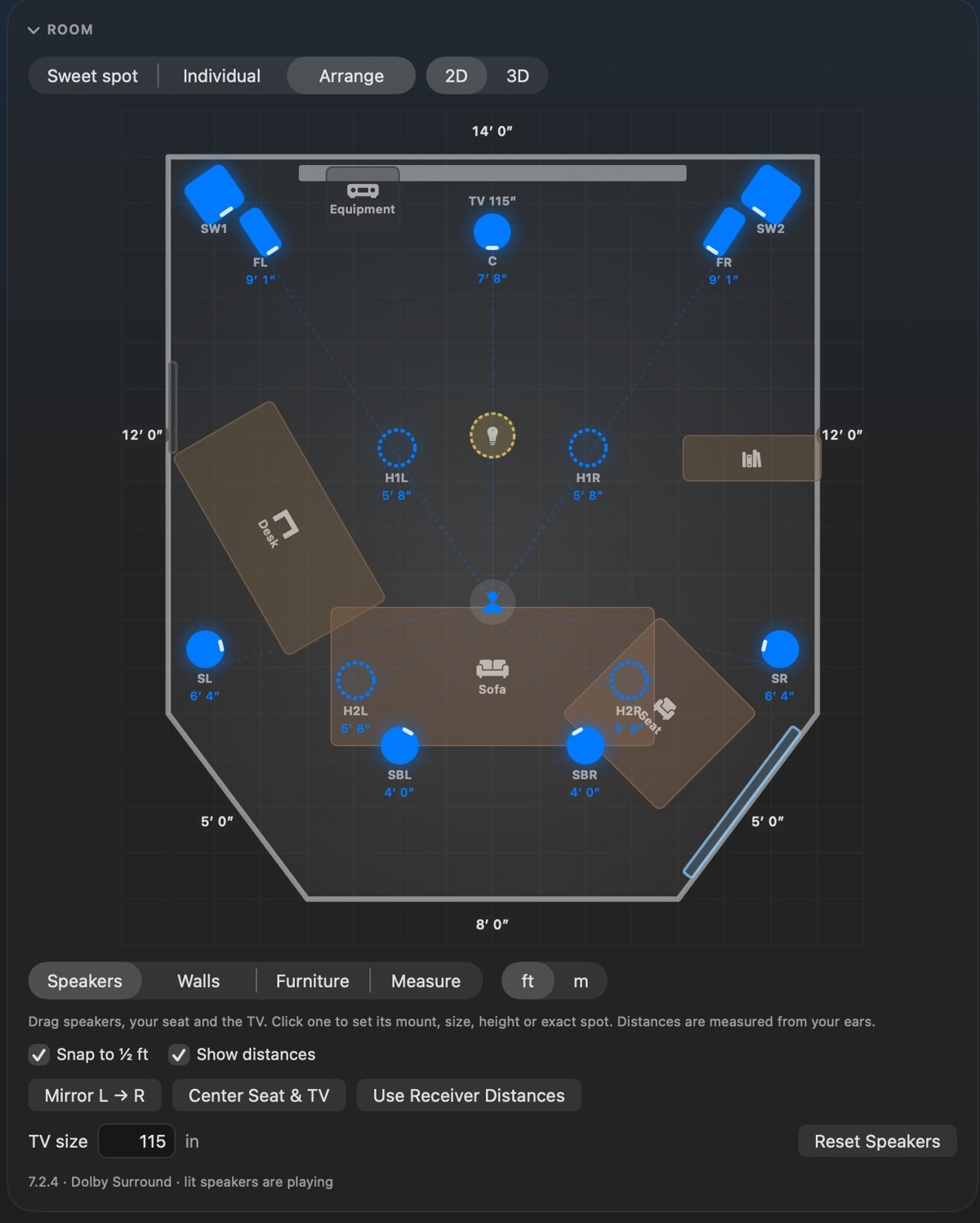
Draw your room, angled walls too, add your furniture and the TV, and turn furniture and speakers to any angle; windows stick to the walls. Type exact measurements, like 3′ 10″ or 1.2 m, or nudge them an inch at a time. Then see it in 3D: turn the room around, zoom in, and click a speaker to select it and set its level. Drag the sweet-spot dot to where you sit and nearer speakers turn down, farther ones up.
On iPhone, the TV in the 3D room shows the artwork of what your Apple TV is playing, and the speakers that are playing glow. Show your front speakers as one sound bar, pick each speaker’s type, turn it a degree at a time, or bring in a house you scanned with DM Scanner 3D.
See what your room hears
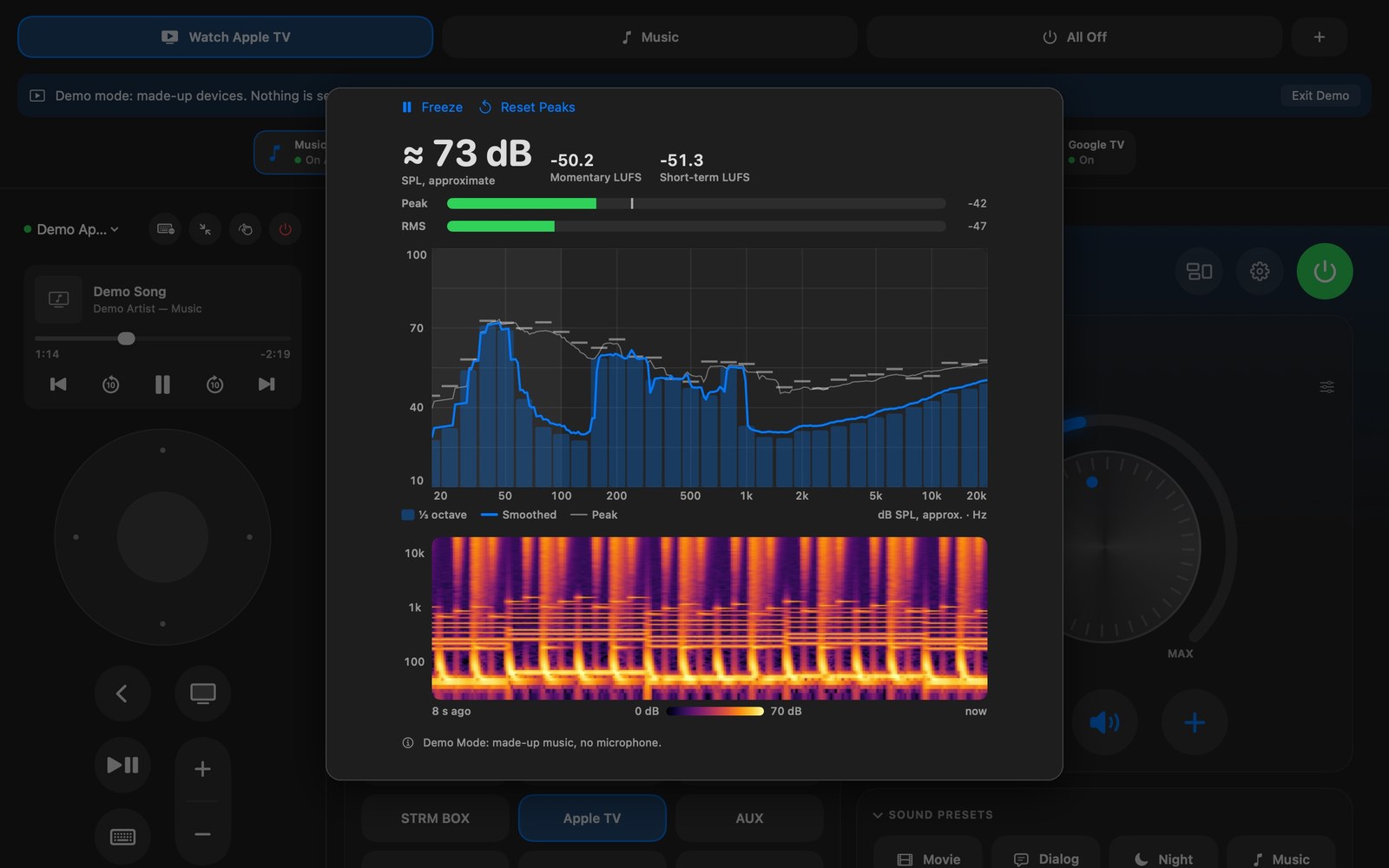
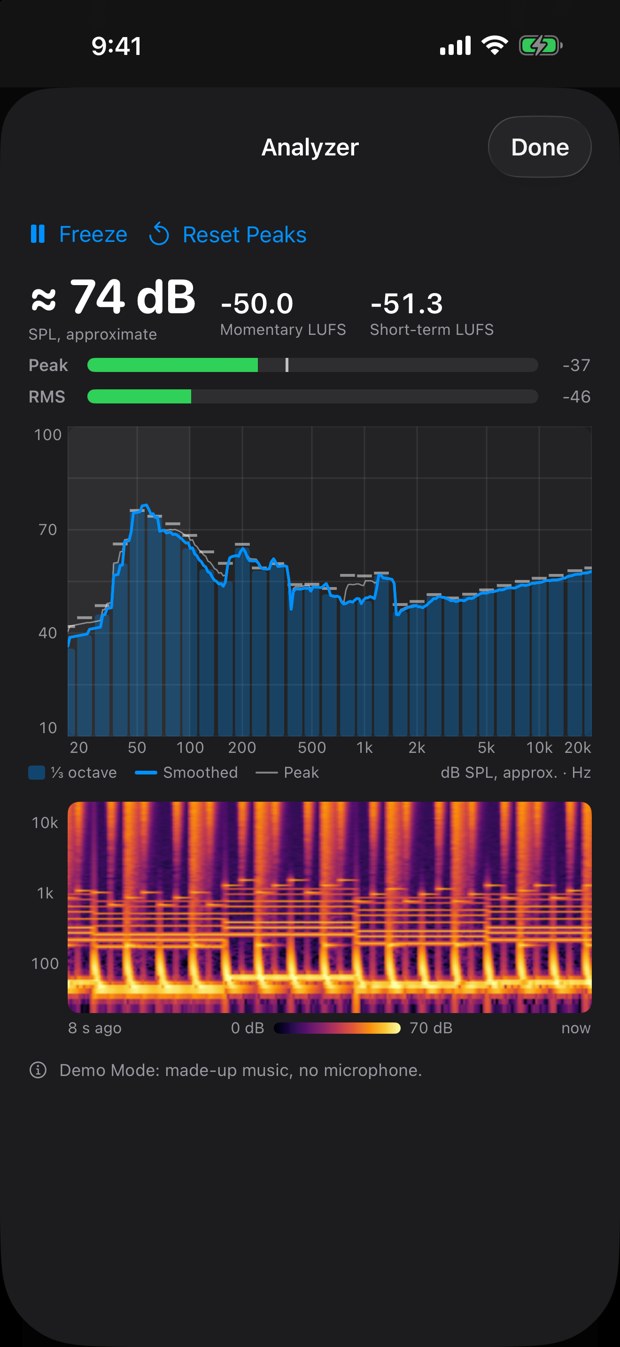
Open the Analyzer on the Mac, or tap Listen on the iPhone’s Home tab, and it becomes a sound analyzer: a live spectrum in third-octave bars with peak hold, peak and RMS level meters with an approximate sound level and loudness (LUFS), and a scrolling spectrogram. Play music and watch where the bass builds up and which frequencies stand out. It only listens: nothing is recorded, and nothing is sent to your receiver. Phone and laptop microphones aren’t measurement microphones, so treat the deep bass as a guide.
iPhone and Apple Watch
The iPhone app has the same cards, layouts and room planner, plus widgets and Control Center controls. The Apple Watch remote runs your buttons from your wrist, and the Digital Crown sets the volume. Siri and Shortcuts can press any of your buttons. Your room and sound settings follow you between Mac and iPhone through your own iCloud.
Make your own buttons
Each button is yours to design: the devices to turn on, the receiver input, the listening mode, the volume, the Apple TV app to open, and a Shortcut (Mac) or the lights you choose (iPhone). Name it, pick an icon, and one press does the whole routine.
Your remotes and your lights, in one app
- Apple TV: directions, now playing with scrubbing, apps, keyboard and volume.
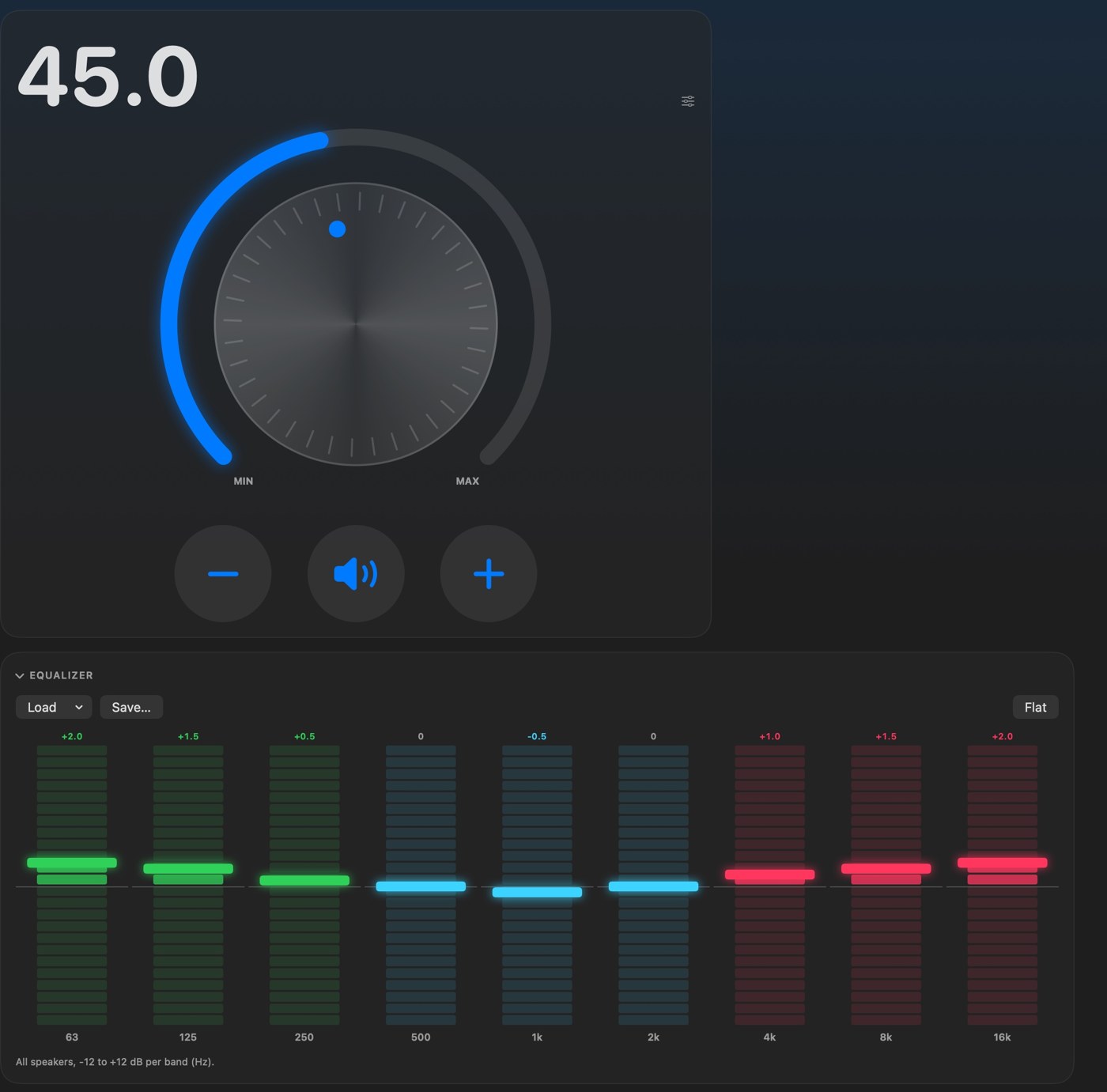
- Receiver: power, precise volume with a slider or a knob, inputs by name, listening modes with the live audio and video format, bass and treble, sound presets, a 9-band equalizer, every speaker’s level, lip sync, zones and the setup menu. Works with many Pioneer, Onkyo and Integra network receivers.
- Google TV: directions, Back, Home, media keys, HDMI inputs, app shortcuts and power.
- Blu-ray player (iPhone): power, menus, arrows and playback for a player connected to your receiver, sent through the receiver over HDMI.
- Lights: a button can also turn lights, switches and outlets in Apple Home on or off, or dim a light to the brightness you pick, in any of your homes (iPhone). On the Mac, a button runs a Shortcut that sets them.
A strip across the top shows the whole path from Apple TV to receiver input to TV; tap any device to wake it.
Mac and iPhone
One app for both. On the Mac you also get menu-bar controls and keyboard shortcuts for volume, mute and power. Everything talks to your devices directly over your home Wi-Fi, so it is fast and keeps working without an internet connection.
Try it with no devices
Tap Try Demo Mode on the first screen to explore everything with made-up devices. Nothing is sent to your network. Every picture and video on this page was made in Demo Mode.
Free, and private
Free, no ads, no account, and it collects no data. Read the privacy policy or get support.
Get DM Home Theater Remote on the App Store for Mac and iPhone. It is free.
DM Home Theater Remote is an independent app and is not affiliated with or endorsed by Apple, Google or any receiver or TV manufacturer.