DM Track Timer — Run the Whole Meet from One iPad
A track meet is a scheduling problem wearing a stopwatch. Eleven events, four divisions each, eight lanes at a time, and a clipboard that has to survive the whole afternoon. DM Track Timer puts the entire scoring table on one iPad — the schedule, the roster, the heats, the timing, and the results — and it works start to finish with no network connection and no account.
Start with a real schedule, not a blank page
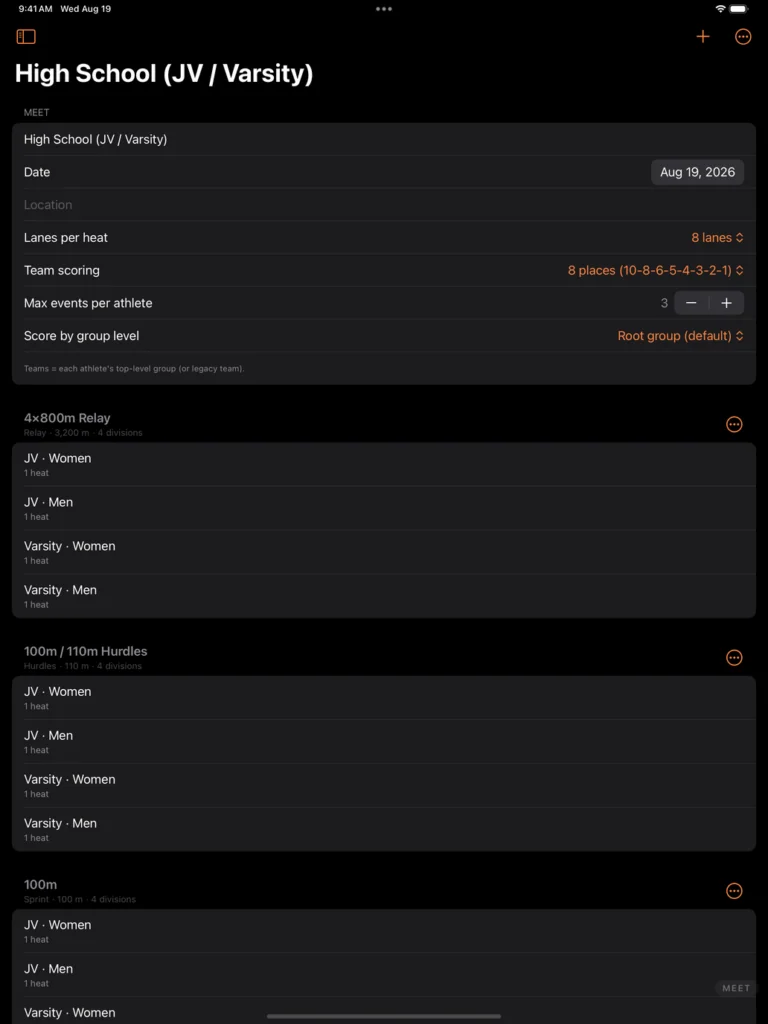
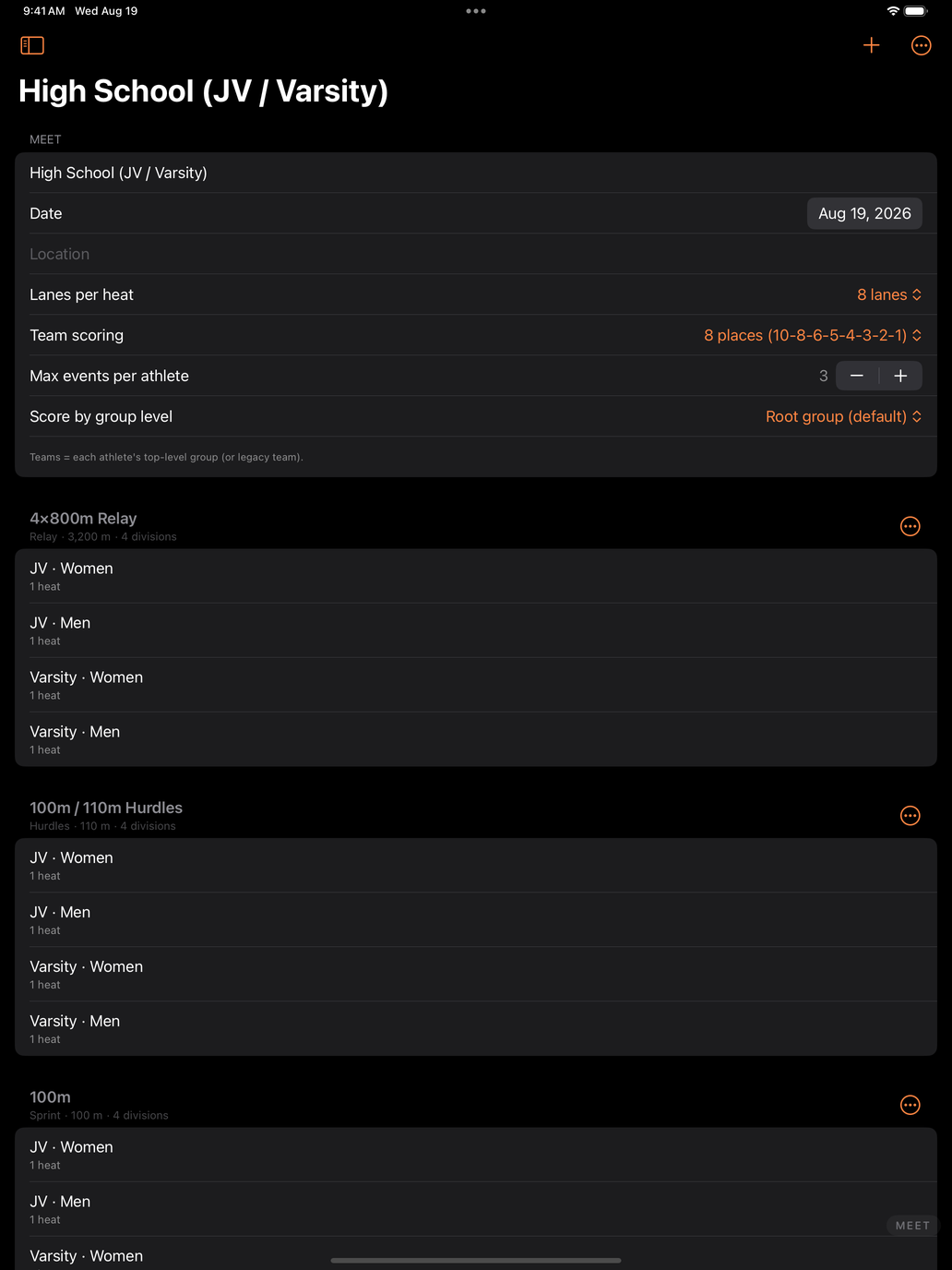
Create a meet from a built-in template — High School (JV / Varsity), Middle School with divisions, or sprints and relays for a practice meet. Each one builds the full event list, split by division and gender, with a heat under every division. You are editing a meet within seconds instead of typing one out.
Build the roster once, use it all season
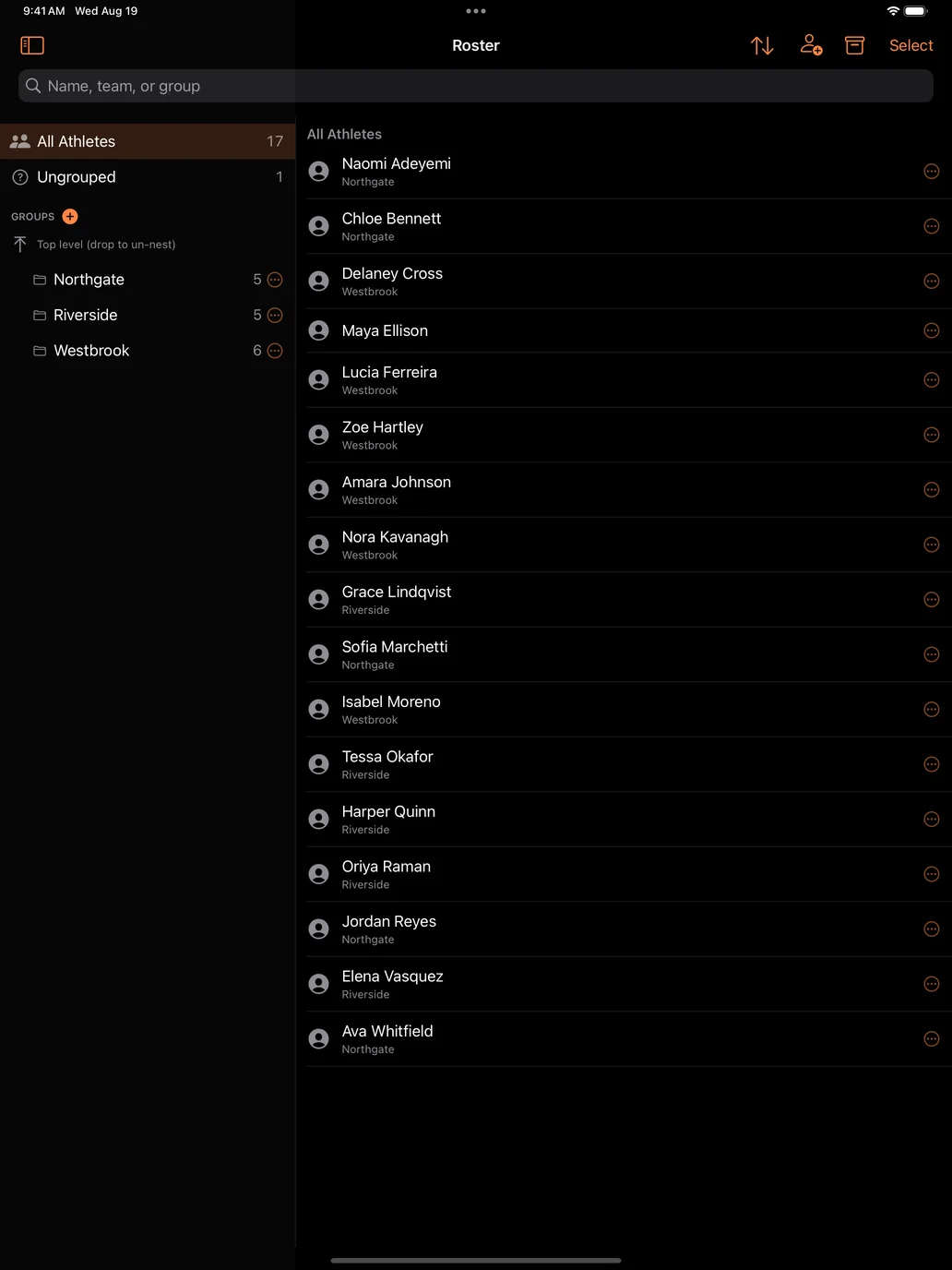
Athletes live in teams and groups that carry across the season. Paste a whole roster in at once, assign event entries, mark who is out and why, and reuse the same list meet after meet. Heats can seed themselves from past marks, so lanes are filled sensibly instead of by hand at the scoring table.
Time every race
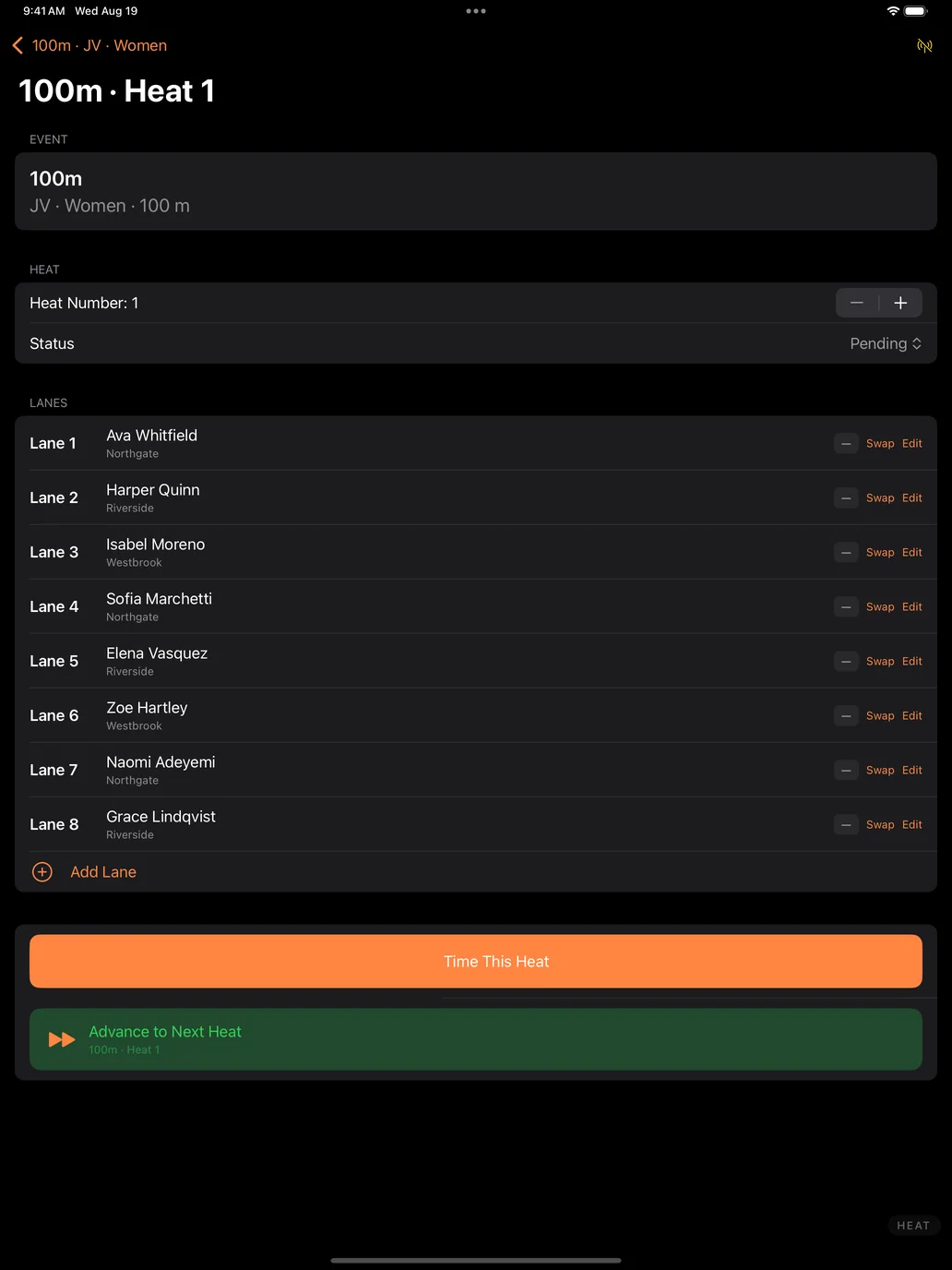
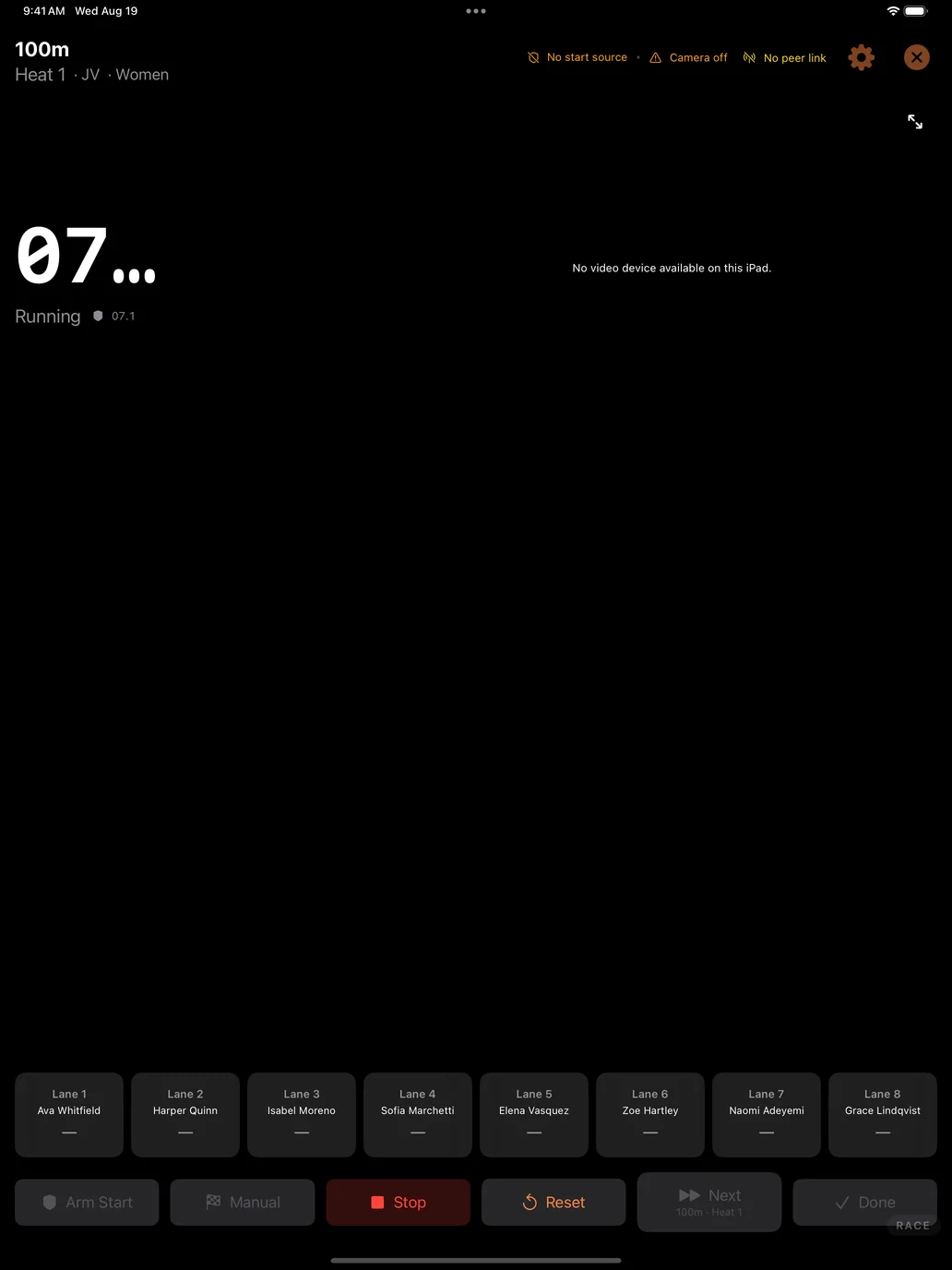
Arm the race, start on the gun, and tap lanes as athletes cross. Point the iPad’s camera at the finish line and it can detect the crossings for you. Camera and detection are set at the meet level, so you calibrate once at the start of the afternoon and every heat after that inherits it — there is nothing to redo between races.
Results and team scoring keep themselves current
Places, times, and team points update as heats finish, with configurable scoring depth. Field events are supported with proper tie handling. Standings are always up to date, so nobody is waiting on a spreadsheet to find out where the meet stands.
Put it on the big screen
Send live results and heat information to an Apple TV so athletes, coaches, and parents can follow along between races — the meet stops being a rumour in the bleachers.
Add cameras when you want them
Bring in iPhones running DM Track Remote as extra camera angles for finish-line video and review. Add a Mac to run a full broadcast with graphics and replays. Start with just the iPad and add pieces only when a bigger meet asks for them.
Private by default
Meet and roster data stays on your iPad. There are no ads and no trackers, and cloud sync — for sharing a team’s data across your own devices — is opt-in and off until you turn it on. The full DM Track Privacy Policy has the details, including how athlete records are handled for schools.
Video belongs to the meet, and the meet belongs to the school
Cameras at a track meet record everyone in the race, not just one athlete. A finish-line clip of your daughter also contains five other people’s children. We think that fact should decide how the video is handled, so it does.
Recording is authorised by the host school, not assumed from the crowd. The school or organisation running the meet decides whether cameras are used, what is kept afterwards, and whether race video may ever be offered to families. It is the same basis schools already use for team photographs, yearbook coverage, and streamed games — and the same basis every sports-video company works on. We are not in the business of asking one parent for permission to film another parent’s child.
What that means in practice:
- The school sets the terms. No cameras, cameras for timing only, or cameras plus video families can see — their call, meet by meet.
- Nothing from the crowd reaches a screen on its own. Any message or video a spectator submits waits for a meet official to approve it. There is no path from a stranger’s phone to the venue screen that skips a person.
- Your own cameras are directed from the booth. During a race the booth can cut between the meet’s cameras and post replays hands-free, so one person can run a whole afternoon. That automation covers the school’s own cameras, pointed where the school pointed them — and it can be switched off entirely, so that nothing reaches the screen until an official approves each shot.
- The footage stays the school’s. We do not sell meet video to third parties, license it for advertising, or use it to train anything.
- If race video is ever offered to families, the school agrees to it first — and shares in it. A meet’s video is the school’s asset, not ours.
Athletic directors are welcome to ask for this in writing before a single camera is set up. We would rather have that conversation early than explain ourselves afterwards.
Coming to the App Store
DM Track Timer for iPad is heading to TestFlight and the App Store, alongside DM Track Remote for iPhone and the Mac control-room app, DM Track Booth. If you coach or officiate and want early access, get in touch at [email protected]. Setup questions are answered on the support page.