Uncategorized
Terms of Service

Effective October 12, 2026 for new orders. For clients whose account existed before that date, these terms take effect 30 days after we email you notice of them; until then our previous terms apply. These terms are an agreement between you and Dependent Media
(“we”, “us”) for the website hosting, website care, design, marketing and related services you order
from us. By ordering or using our services you agree to them. They are written to be read; if anything
is unclear, ask us before you order.
1. Our services
We host, maintain, design and market websites for small businesses. What each service includes is
described on its product page and your order: for example your Site Care plan, a website project quote,
or Google Ads management. If a quote or signed proposal says something different from these terms,
the quote or proposal wins for that project.
2. Your account
You must give us accurate contact and billing details and keep them current. You are responsible for
your client-area login and for anyone you give access to (staff, developers, or automation tools).
Tell us right away if you think your account has been accessed without permission.
3. Billing and payment
- Plans are billed in advance, monthly or annually as you choose. We send each invoice a few days
before it is due and, if you have a card on file, charge it on the due date. - Prices for an active plan stay the same for the current billing term. We give at least 30 days’
notice by email before any price change takes effect for your next term. - If an invoice is unpaid 14 days after it is due, we may suspend the service until it is paid.
A suspended website shows a maintenance page; your files and email are kept. If an account stays
unpaid for more than 90 days, we may close it and delete its data after emailing you first. - One-time work (setups, website projects, hourly work) is invoiced as quoted. Larger projects may
require a deposit before work starts. - Prices do not include any sales tax that applies; we add it where required.
4. Cancelling, refunds and minimum terms
- You can cancel any plan at any time from your client area or by emailing us. Cancellation takes effect
at the end of the period you have already paid for; we do not refund partial months. - Annual plans cancelled in the first 30 days are refunded less any months used at the monthly price.
- One-time work is not refundable once we have started it. Domain registrations and renewals are not
refundable once submitted to the registry. - Minimum terms. Some offers include a minimum term in exchange for something we give up front:
- Free migration requires keeping your plan for at least 6 months.
- A free website requires the commitment term in the
Free Website Offer terms, including its early-cancellation charge.
These are stated on the order before you buy.
5. What your plan includes — and what is billed separately
The simple rule we use for every request:
If a request keeps your site running and safe — uptime, security, software updates, backups,
technical help — it is included. If it changes what your site says or does — content,
design, features — it uses your plan’s update time or is quoted separately.
- Your plan’s update time is listed on your plan (for example 15 minutes, 1 hour or 3 hours a month).
Unused time does not roll over. - Work beyond your plan’s time is $120 per hour with a 30-minute minimum, and we always tell you
the cost before we start. - Redesigns, new features, integrations, migrations and marketing projects are quoted separately.
6. Support and response times
Support is by ticket (client area or email to [email protected]) and by phone during business
hours, Monday–Friday, Pacific time, excluding US holidays. Turnaround for update requests is the one
listed on your plan. A site that is down or hacked is always handled as an emergency.
7. Uptime, backups and your own copies
We work hard to keep your site online and we monitor it around the clock, but we cannot promise
uninterrupted service; outages caused by maintenance, third parties, attacks or events outside our
control can happen. We make regular backups as described on your plan and restore from them when
something we maintain breaks. Backups are a safety net, not a guarantee: keep your own copy of anything
you cannot afford to lose, and ask us any time for a copy of your site.
8. Acceptable use
You may not use our services for anything illegal, for spam or unsolicited bulk email, for phishing or
malware, to infringe someone else’s rights, or in a way that harms our servers or other customers
(for example running software that overloads shared resources). We may suspend a site immediately to
stop harm, and will tell you why. Repeated or serious violations end the service without refund.
9. Ownership
- Yours: your domain name, your content (text, photos, logos, data), and, once it is paid for in
full, the website we build for you. - Ours or licensed: our own code, design templates and tools, and third-party themes, plugins and
fonts we license. You may keep using these as part of your website; licences we hold for you may need
to be bought separately if you move your site elsewhere. - When you leave: if your account is paid up, we will give you a complete copy of your website and
help point your domain to your new host.
10. Third-party services
Some services rely on companies we don’t control: domain registries, Google (including Google Ads,
whose ad budget you pay directly to Google), email providers, payment processors and plugin vendors.
Their own terms apply, and we are not responsible for their outages, policy changes or charges.
11. Domain names
Domain registrations are provided through our registrar partner and are also governed by the
Domain Registration Agreement, which you accept when you register,
renew or transfer a domain with us. You are the registrant of your domain. Renewals are your
responsibility; we send reminders before expiry.
12. Developer access and automation
If you have Developer Access (SSH, the WordPress REST API or an automation user), you are responsible for
what you, your developer or your tools do with it. Code changes belong on your staging copy. We support
the server and WordPress itself; help with your own code or tools is billable at our hourly rate.
13. Privacy
We use your information only to provide and bill for our services, as described in our
Privacy Policy. We do not sell it. Where your website collects information from your
own visitors (for example a contact form), you are responsible for how your business uses it and for any
privacy notice your site needs; we can help set that up.
14. Limits of our responsibility
We provide our services with reasonable skill and care. Beyond that, and to the extent the law allows,
we are not liable for indirect or consequential losses such as lost profits, lost business or lost data,
and our total liability for any claim is limited to the amount you paid us for the affected service in
the 3 months before the claim. Nothing in these terms limits liability that cannot be limited by law.
15. Ending service
Either of us may end a service by giving notice as described in section 4. We may end service
immediately for serious breach of these terms, non-payment after the periods in section 3, or if
required by law. Sections 3 (amounts owed), 4, 9, 14 and 17 continue after service ends.
16. Changes to these terms
We may update these terms. We will email you at least 30 days before a material change takes effect;
continuing to use the services after that means you accept the change. If you don’t agree, you can
cancel before it takes effect.
17. Governing law and disputes
These terms are governed by the laws of the State of California. If a problem comes up, contact us first
and we will try to solve it directly. Any dispute that we cannot resolve will be handled in the courts of
Sacramento County, California, unless a small-claims court is available.
18. Contact
Dependent Media · Sacramento, California
[email protected] · client area: https://dependentmedia.com/hosting/
DM Track Spectator — Follow a Meet
DM Track Spectator lets anyone at a track meet follow along on their phone — live results as races finish, and the announcer’s audio in your pocket. There is no account and nothing to sign up for. You scan a code posted at the track and you are in.
Try it on a sample meet
This page hosts a live join code for a sample meet, so you can see exactly what a spectator sees without waiting for race day.

Or open the app and type the code:
MC5UVV2LER
What you will see
- The running order — events and heats for the meet, with the current heat marked.
- Results as they land — finish times by lane, updated from the timing booth as each race is confirmed.
- The announcer — when the booth is broadcasting, a play button gives you the call live. It keeps playing with the phone in your pocket.
How it works at a real meet
The meet organizer prints a sign with the QR code and posts it at the gate or the fence. Spectators scan it with their own phones over their own cellular data — the app never joins the venue’s network or the timing equipment. Each code has an expiry set by the organizer and can be switched off at any time.
Coaches setting up a meet in advance can generate the code ahead of time and put it straight on the invitation, so families arrive already able to follow along.
Privacy
No account, no name, no email address. The camera is used only to read the QR code, and the scan happens on your device. Full details are in the DM Track Privacy Policy.
Meet DM Track Remote — Time a Race with Just Your iPhone
Every race has a moment you wish you’d caught cleanly — who crossed first, and exactly when. Most of the time you’re one person with a stopwatch, watching lane 4 while lanes 6 and 7 finish behind your eyes. DM Track Remote is a track & field timer for iPhone built for exactly that: it hears the gun, runs the clock, records the finish on video, and lets you fix everything afterward against the footage.
Time a race with just your phone
Point the phone at the finish and tap Arm gun. When the starter fires, the clock starts on its own — the phone is listening. Tap the lane numbers as athletes cross. Tap Stop. That’s a timed race, and it needs nothing but the phone in your hand: no other equipment, no network, no account.
Prefer to trigger it yourself? A manual Start button is right there. Want the run-up on tape? Hit Record first and the video rolls before the gun — the app remembers exactly where the start falls inside the footage.
Then true it up against the video
This is the part a stopwatch can never do. Every race is saved with its video and an audio waveform, so you can see the gun as the loudest spike in the clip. Open a finish and the video jumps to that moment. Off by a hair? Nudge it a hundredth at a time, or scrub to the exact frame and set it there.
- Add a finish you missed — scrub to the crossing and drop it in; it sorts into its real place.
- Fix the start — find the gun in the waveform and re-zero every time at once.
- Shoot at up to 240 fps — that’s about 4 milliseconds per frame, roughly eight times finer than ordinary 30 fps video.
Built to grow with your program
The Solo Timer is the front door. The same app is one device in a larger DM Track system — several camera phones, an iPad running DM Track Timer or a Mac coordinating the meet, an Apple TV scoreboard, live results, and video review across angles. Start with one phone at practice; add pieces when a full meet asks for them. Team and meet data can sync privately across your own devices when you choose to turn it on.
Private by default
Solo Timer recordings and times stay on your phone. Nothing is uploaded, there are no ads and no trackers, and cloud sync is opt-in and off until a coach deliberately enables it. You can read the full DM Track Privacy Policy for the details.
Coming to the App Store
DM Track Remote is heading to TestFlight and the App Store now, alongside DM Track Timer for iPad and the Mac control-room app, DM Track Booth. If you coach or officiate and want early access, get in touch at [email protected]. Setup questions are answered on the support page.
DM Flowchart Designer
Flowcharts that build themselves.
Describe a process and watch it draw itself, styled and connected. Or start from a template and shape every box by hand. A native app with a fast, keyboard-friendly canvas and no learning curve.
Free to download · Pro is a one-time $9.99, not a subscription
See it in under a minute
Templates, AI that draws for you, and swimlanes for work that crosses teams.
With narration · Captions available in the player
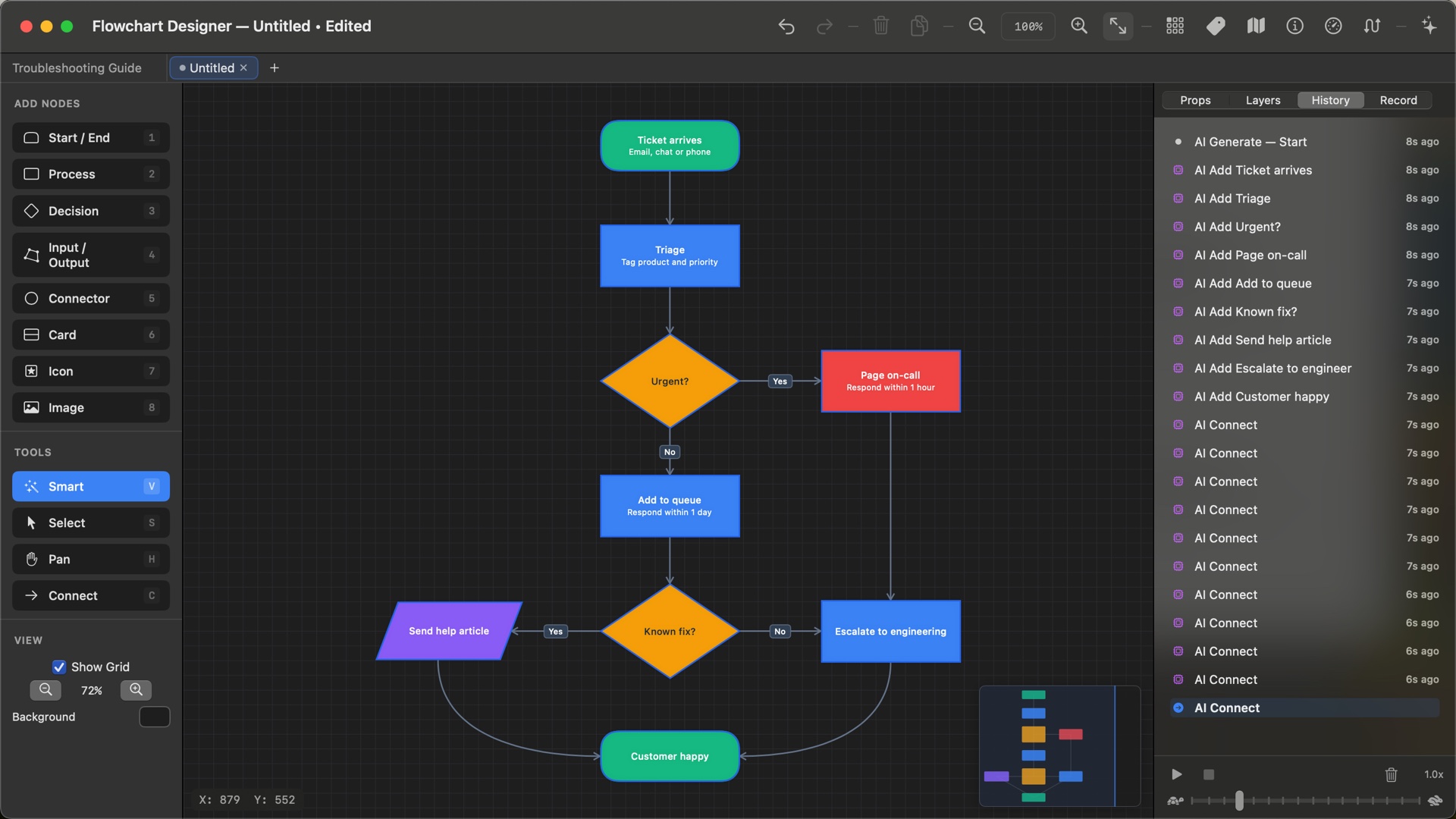
Tell it what you need. It draws the chart.
The AI lays out the boxes, picks the shapes, colours the decisions and connects everything, right on your canvas, one step at a time. Every step can be undone.
Use the chat AI you already have
Copy the prompt the app writes, paste it into ChatGPT, Gemini, Claude or Copilot, even the free versions, and paste the answer back. No account and no key.
No extra cost
Built in, nothing to set up
We run the AI for you: generate and modify charts right inside the app, without leaving it and without an API account.
$14.99 a month · first week free
Bring your own provider
Use your own Anthropic, OpenAI, Google or xAI key. It stays in your Keychain and is sent only to the provider you choose.
You pay the provider directly
The AI Assistant is part of Pro. Pick any of the three, and switch whenever you like.
Who does what, at a glance
When a process crosses teams, give each team its own lane. Resize lanes by dragging the dividers, add or reorder them in the panel, and give the whole container a title.
- Boxes move with their lane
- Connections always draw on top of the lanes
- Columns or rows, with your own lane colours
A finished chart in one click
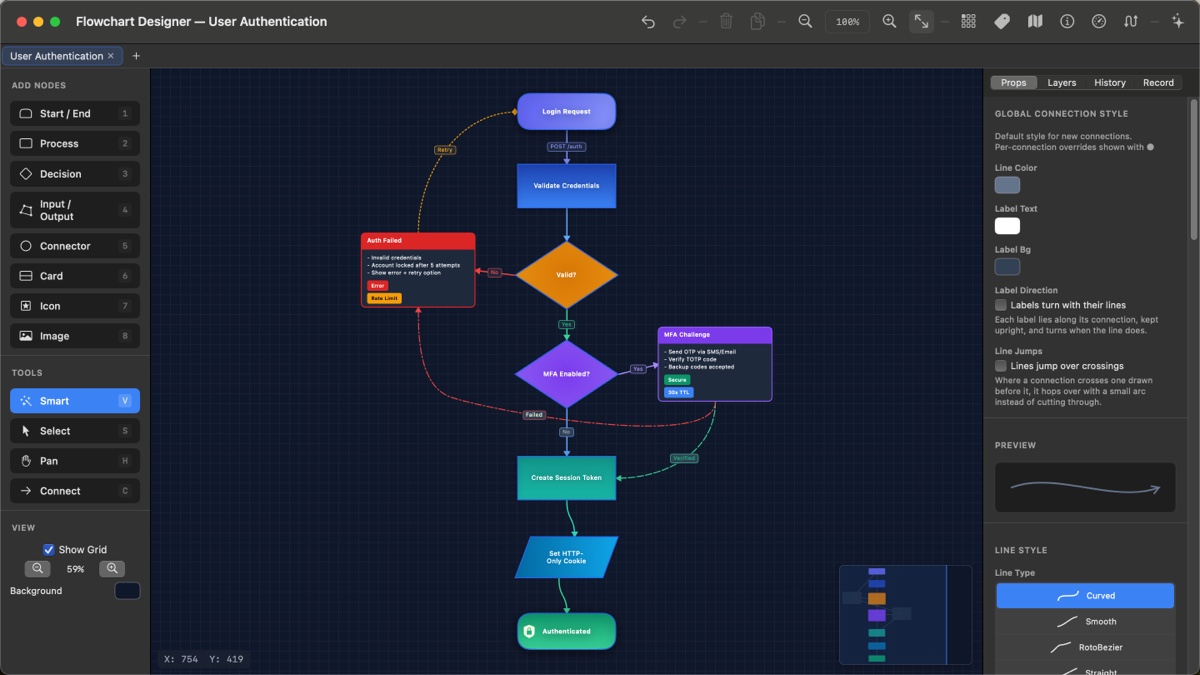
Start from a polished template, from a basic flowchart to a decision tree, a troubleshooting guide or a CI/CD pipeline, then make it yours. Rich cards, badges, gradients and dashed retry paths are all there to borrow.
Lines that read clearly
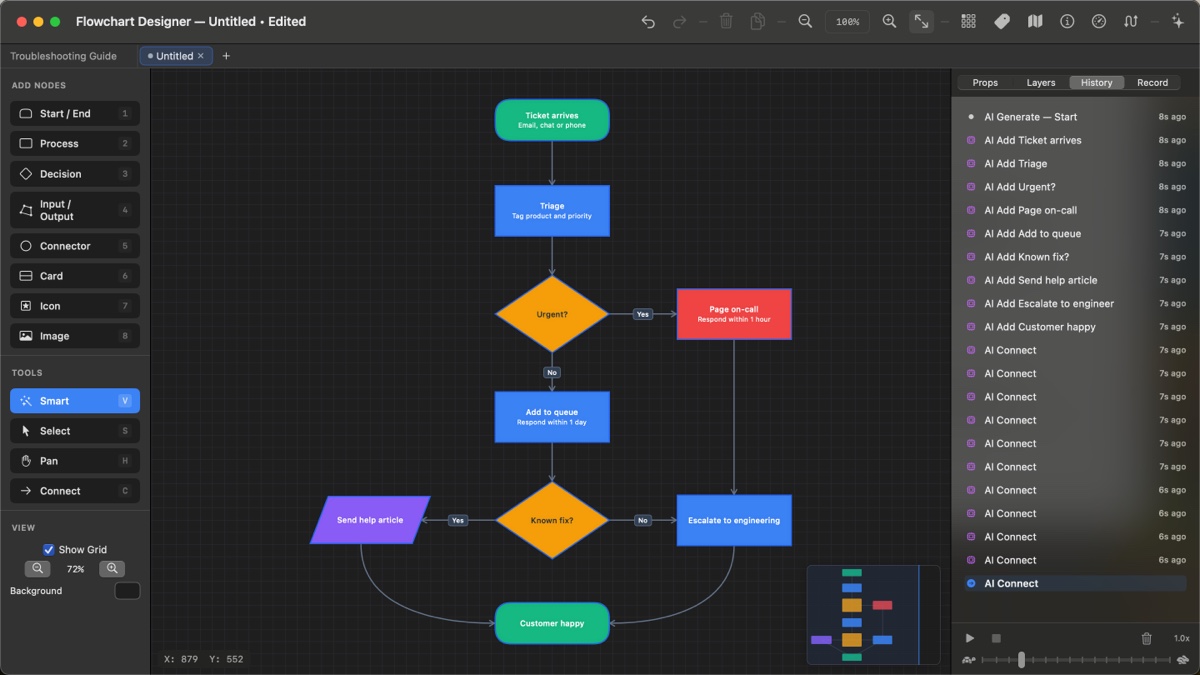
Draw from any edge of a box. Route with waypoints or let the app re-route for you, and label every branch.
- Curved, straight or right-angle lines
- Labels, with an optional icon beside the text
- Line jumps: a small hop where lines cross
- Split a line with a junction and branch off it
Every template, building itself
Fourteen ready-made charts come with the app, four of them new in version 2.54. Hover or tap one to watch it draw, then open it in Flowchart Designer and make it yours.
Professional tools, none of the clutter
Take a closer look
Click any screen to see it full size.
Every action at your fingertips
Hold the spacebar to pan, press a number to drop a box, and never reach for a menu.
Free to start. Pro once, forever.
Free
- Unlimited flowcharts on an infinite canvas
- Every shape and all the styling
- 13 of the 14 templates
- PNG export
Pro
- The AI Assistant, with Any AI or your own key
- Record & Transcribe
- PDF and SVG export
- Multiple tabs and every template
- Restore on your other devices
Hosted AI
- AI that works inside the app with no key
- Generate and modify charts in one click
- Cancel anytime in your Apple account
Questions & answers
Does it work on iPad?
Yes. One app runs natively on Mac (macOS 14 or later) and iPad (iPadOS 17 or later). Buy Pro once and Restore Purchases brings it to your other devices.
Do I need an API key to use the AI?
No. With Any AI you copy a prompt into any chat AI, including free ones, and paste the answer back. Hosted AI runs the AI for you inside the app. If you already have an Anthropic, OpenAI, Google or xAI key, you can use that instead. The AI Assistant is part of Pro.
Is Pro a subscription?
No. Pro is a one-time $9.99 purchase. The only subscription is Hosted AI, and it is optional.
Where are my files stored?
Your flowcharts are plain .json files saved wherever you choose. There is no account and no cloud storage: your work stays on your device unless you share it. When you use AI, only the request goes to the AI you picked.
Can it really turn a lecture into a diagram?
Yes, with Record & Transcribe in Pro. Record a lecture, lesson or meeting and watch the words appear as they are spoken. When you stop, the AI lays the recording out as notes or a flowchart. Every note remembers the moment it came from, so clicking it plays the audio from exactly there. Recordings stay on your device; transcription uses Apple’s speech recognition.
What can I export and import?
PNG for free, and vector PDF and SVG with Pro. You can import PNG, JPEG, GIF and TIFF images, or a PDF page, which keeps its vector data when you export back to PDF.
Is there a manual?
Yes, three: the User Guide built into the app, the full guide on the web, and a downloadable PDF manual.
Where do I get help?
Use the contact form. A real person answers, usually within a business day.

DM Mobile Location

Let Customers Find Your Food Truck(s)
Let Employers Track Employees
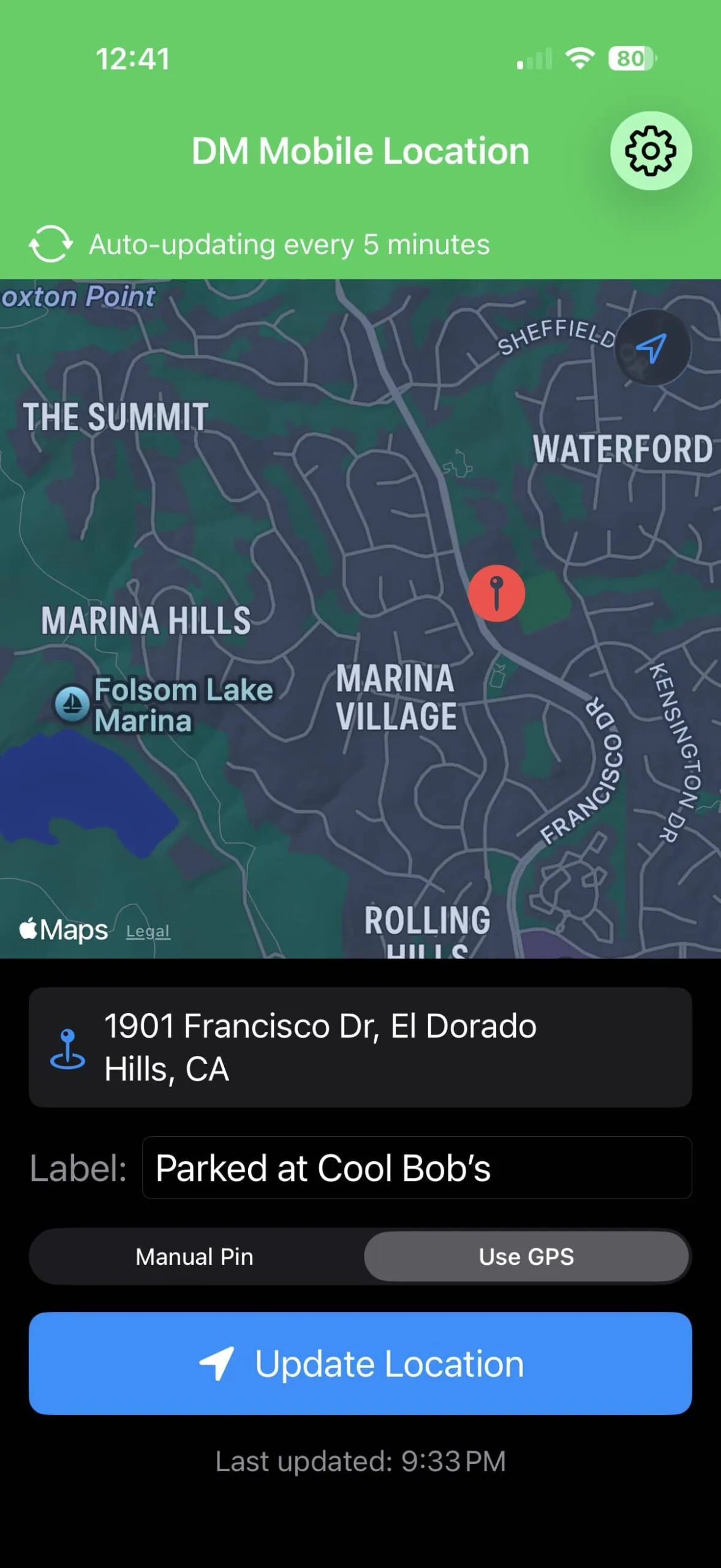
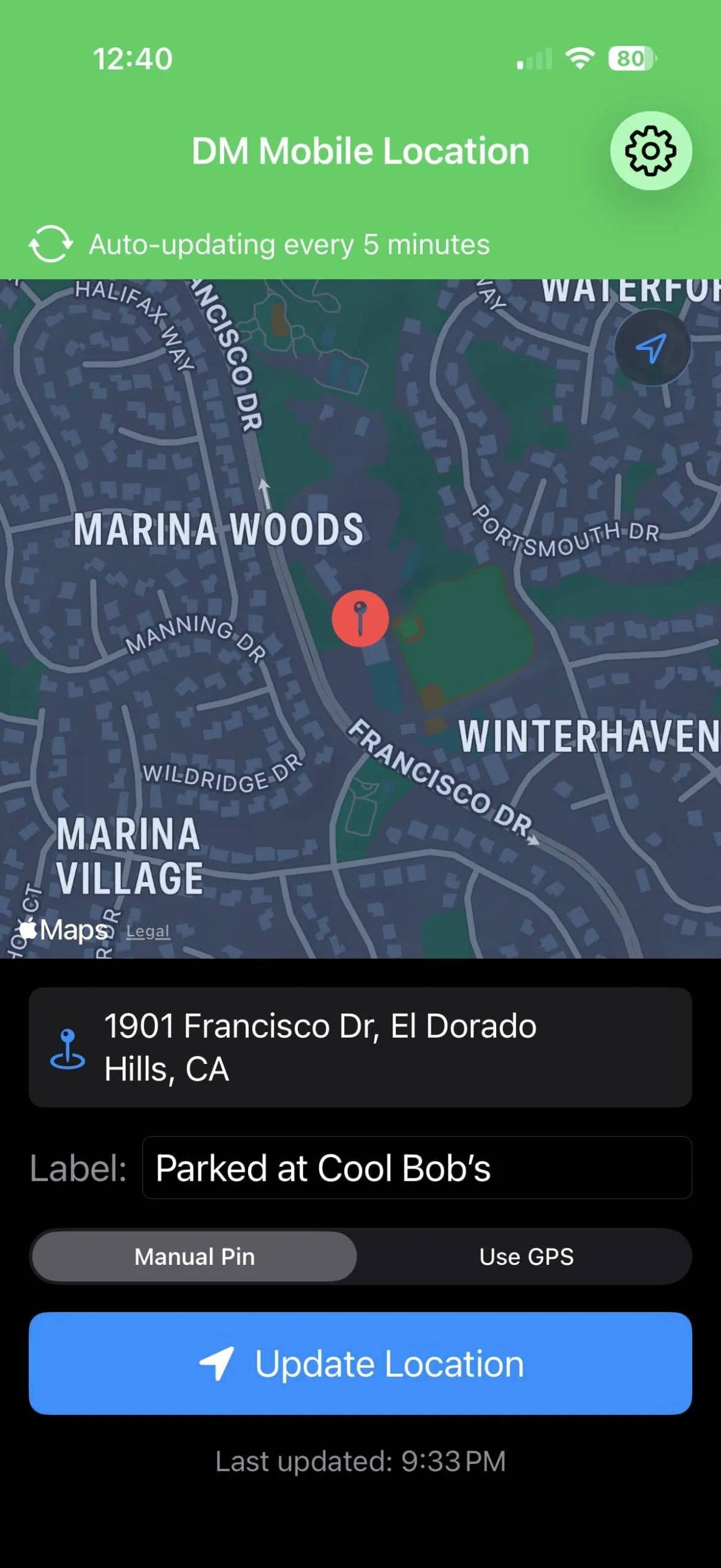
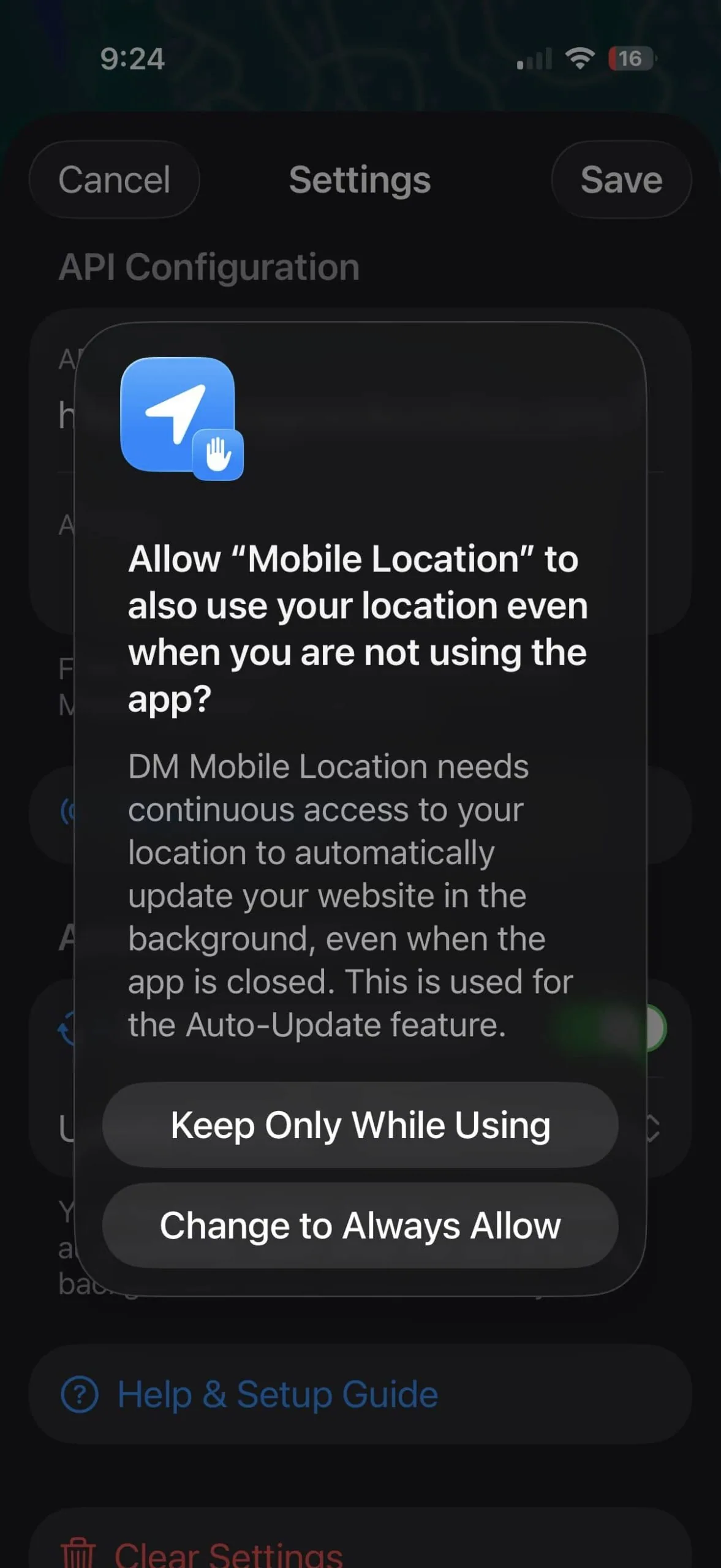
Running a mobile business shouldn't mean your customers can't find you. DM Mobile Location is a simple solution that connects your iPhone to your WordPress website, letting you update your location with a single tap. Whether you're a food truck rolling to a new corner, a mobile groomer heading to the next appointment, or a field technician moving between job sites, your website instantly shows customers exactly where you are. No more answering "where are you today?" calls or updating social media every time you move—just tap, and your website handles the rest. With optional auto-update, your location even tracks automatically in the background while you focus on running your business.
Everything You Need
📍
One-Tap Updates
Set your location by tapping the map or using GPS. Update your website in seconds, not minutes.
🗺️
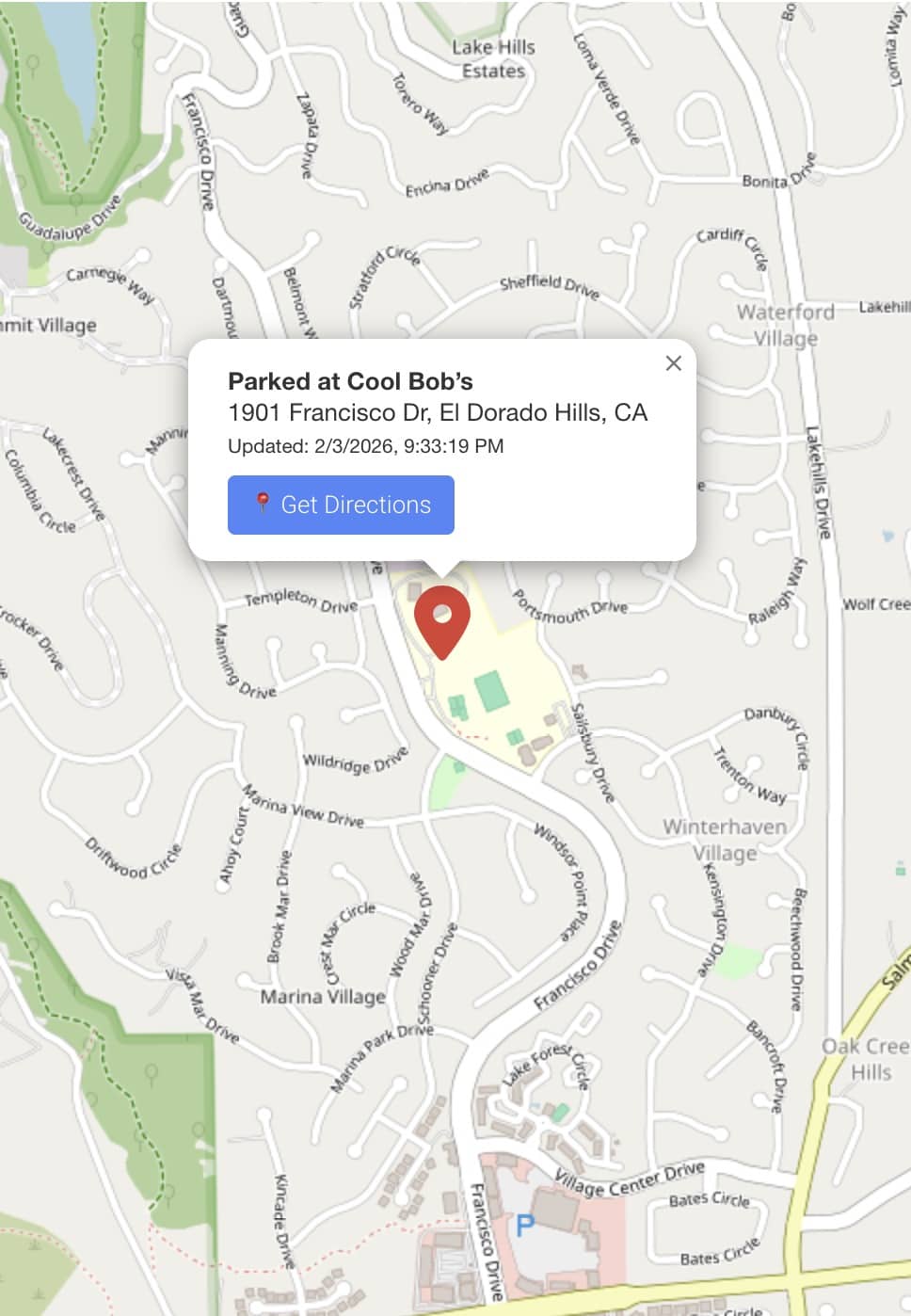
Interactive Map
Beautiful, customizable map on your website. Customers can get directions with one click.
📝
Custom Messages
Add labels like "Lunch special today!" or "Open until 3pm" that display on your map.
Auto Address Lookup
The app automatically finds the street address. No typing required.
Fully Customizable
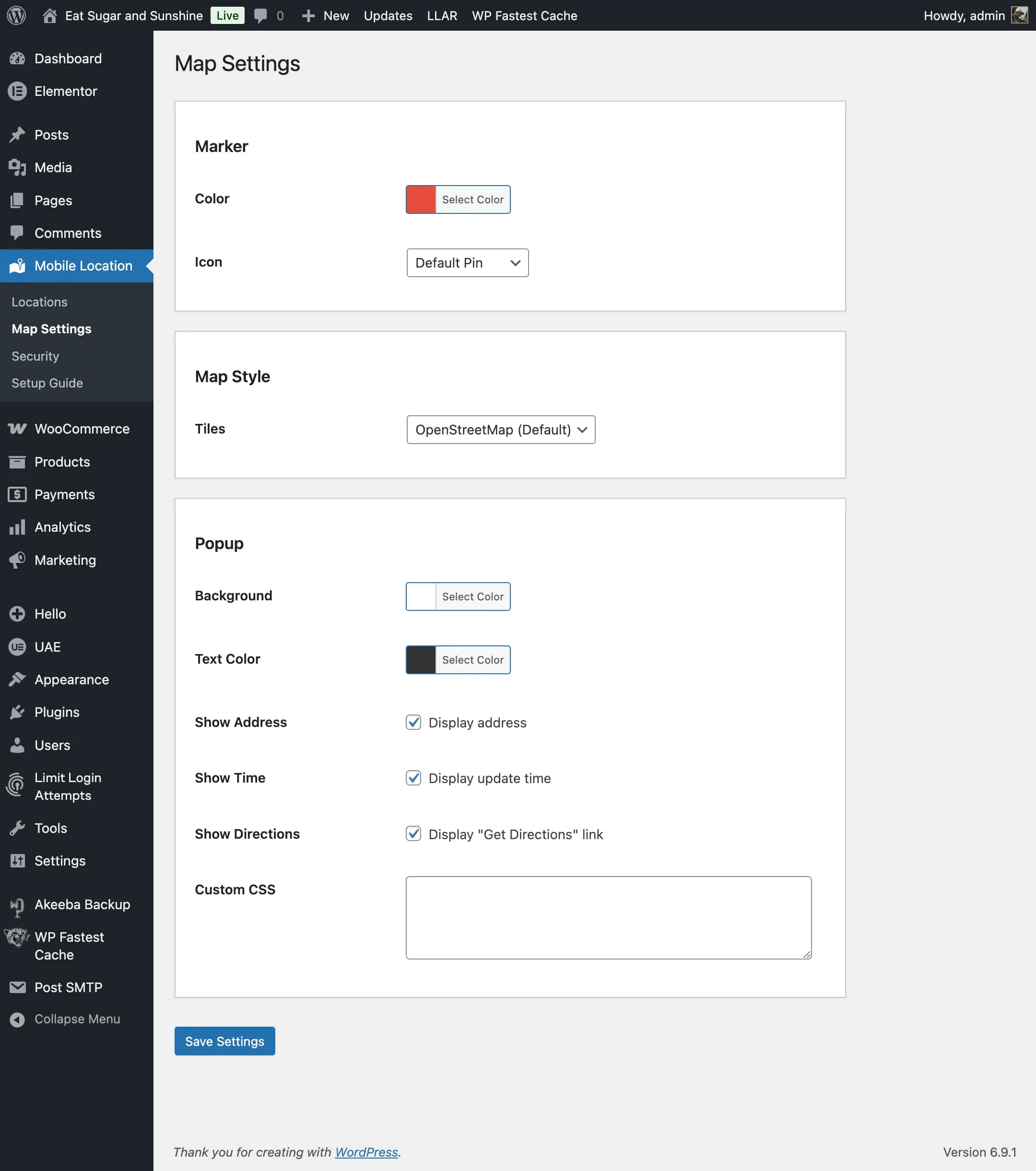
Choose map styles, marker colors, popup designs. Match your brand perfectly.
🔒
Secure & Private
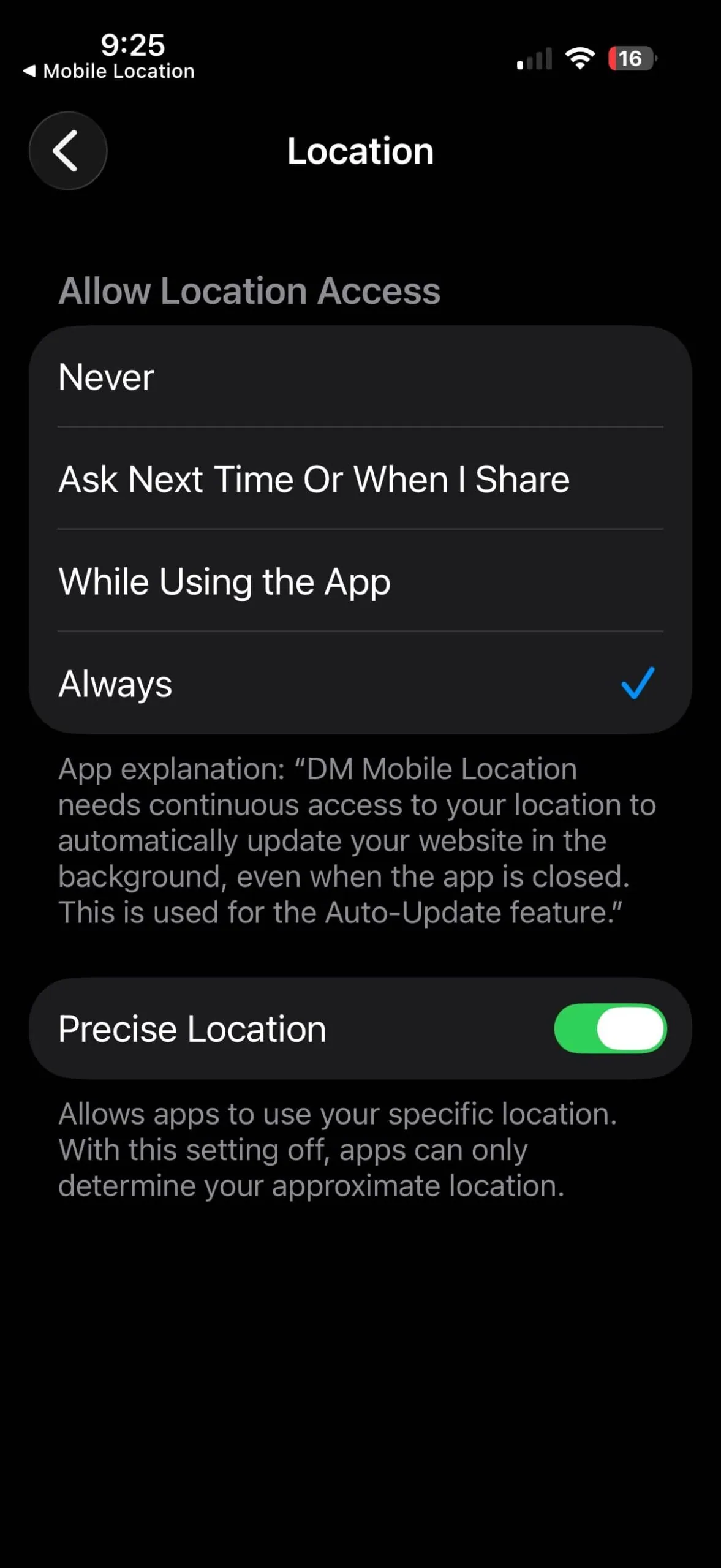
Your data goes to your website only. No tracking, no third parties, no ads.
How It Works
❶
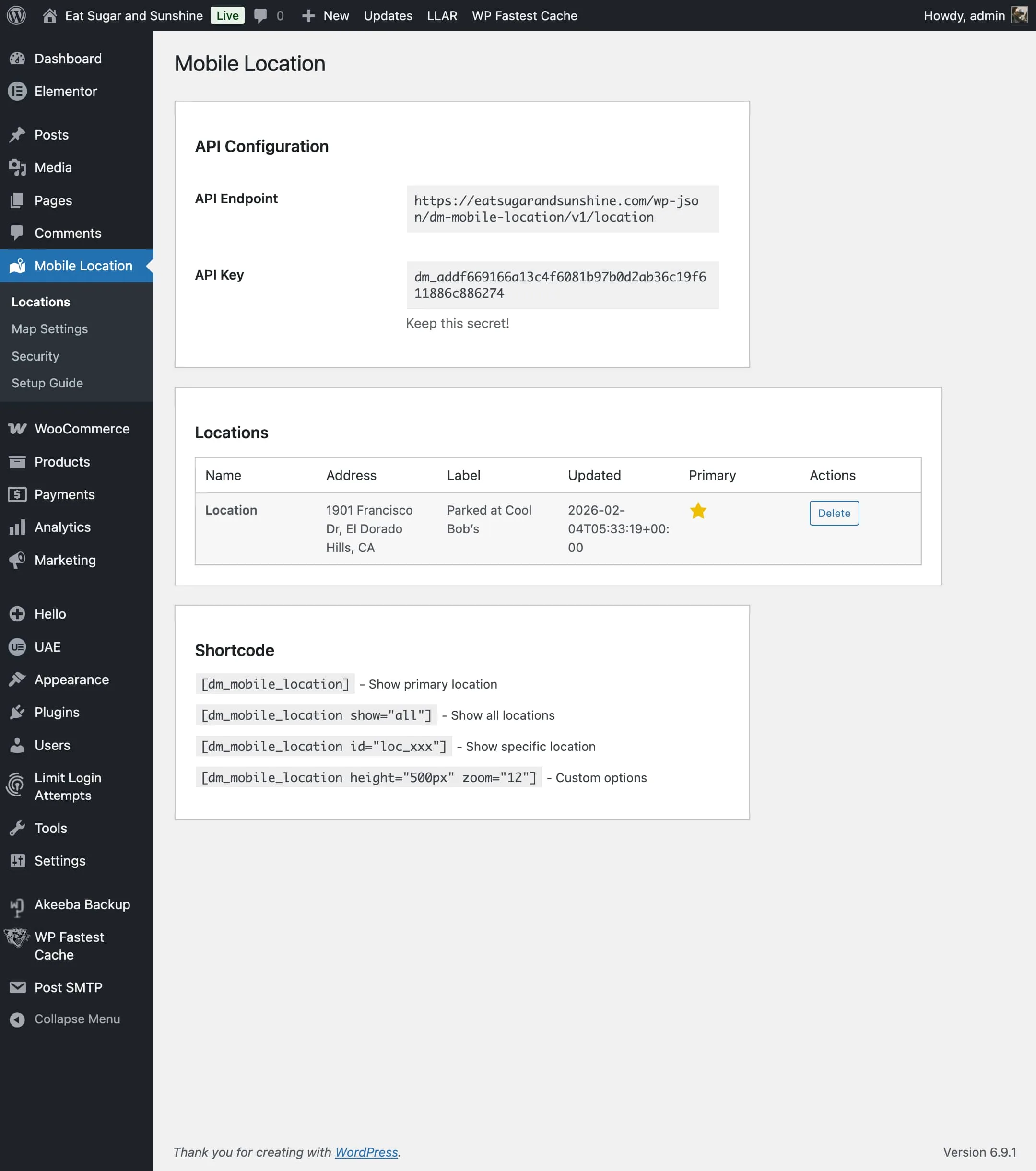
Install the Plugin
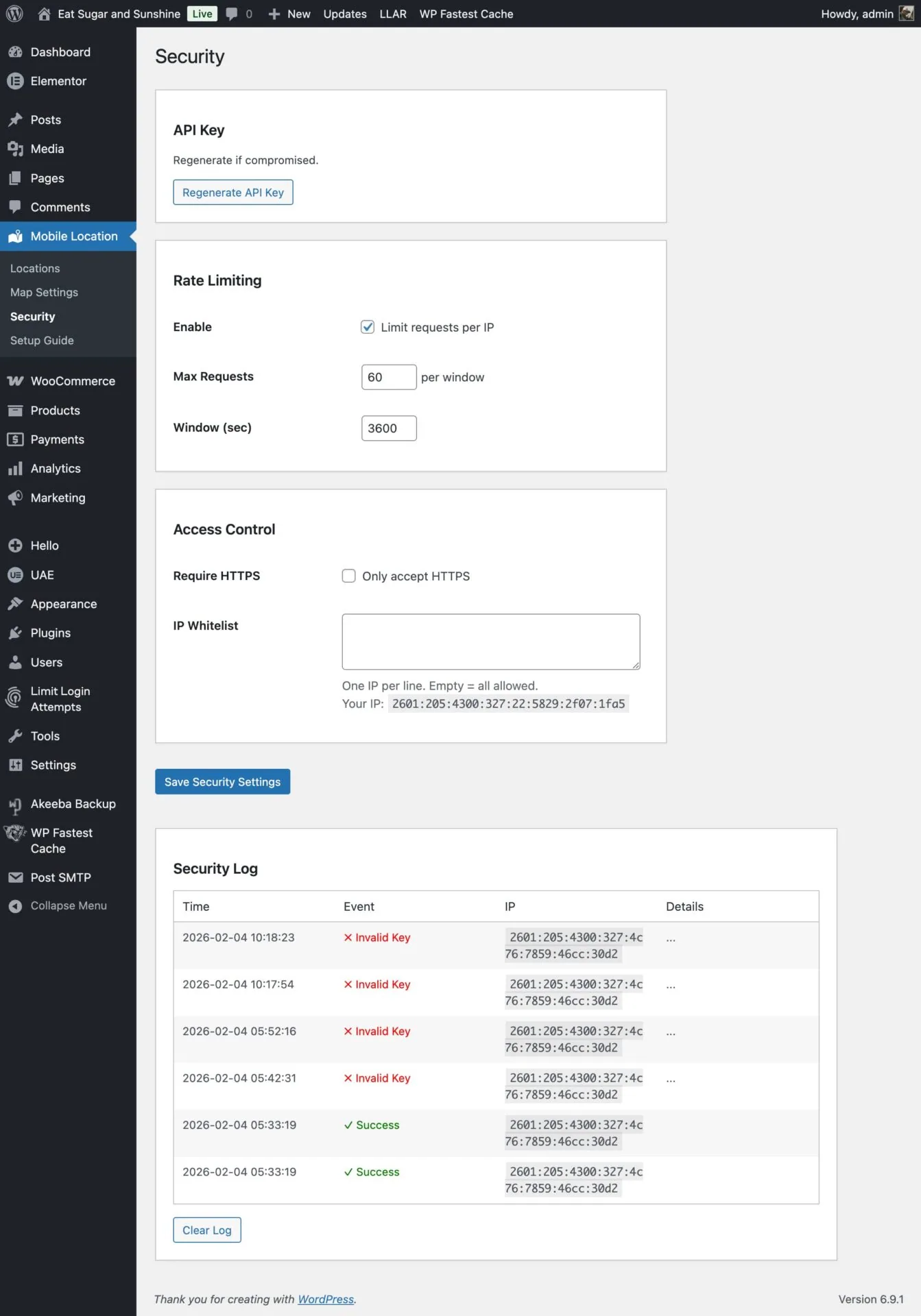
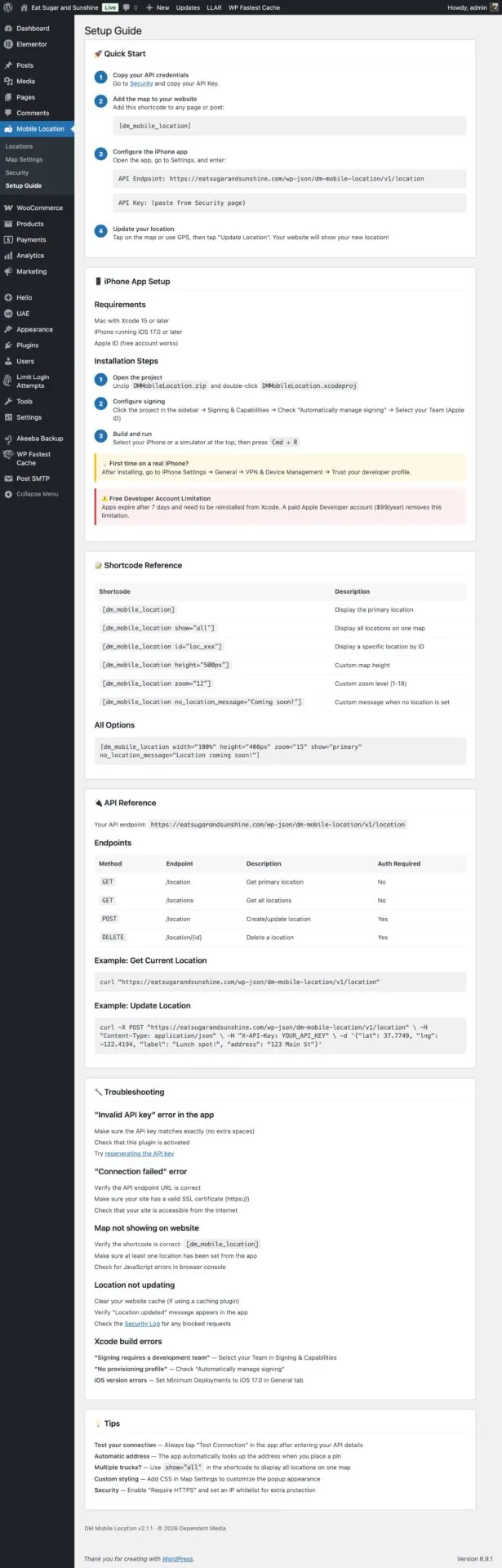
Add the free WordPress plugin to your website in minutes.
❷
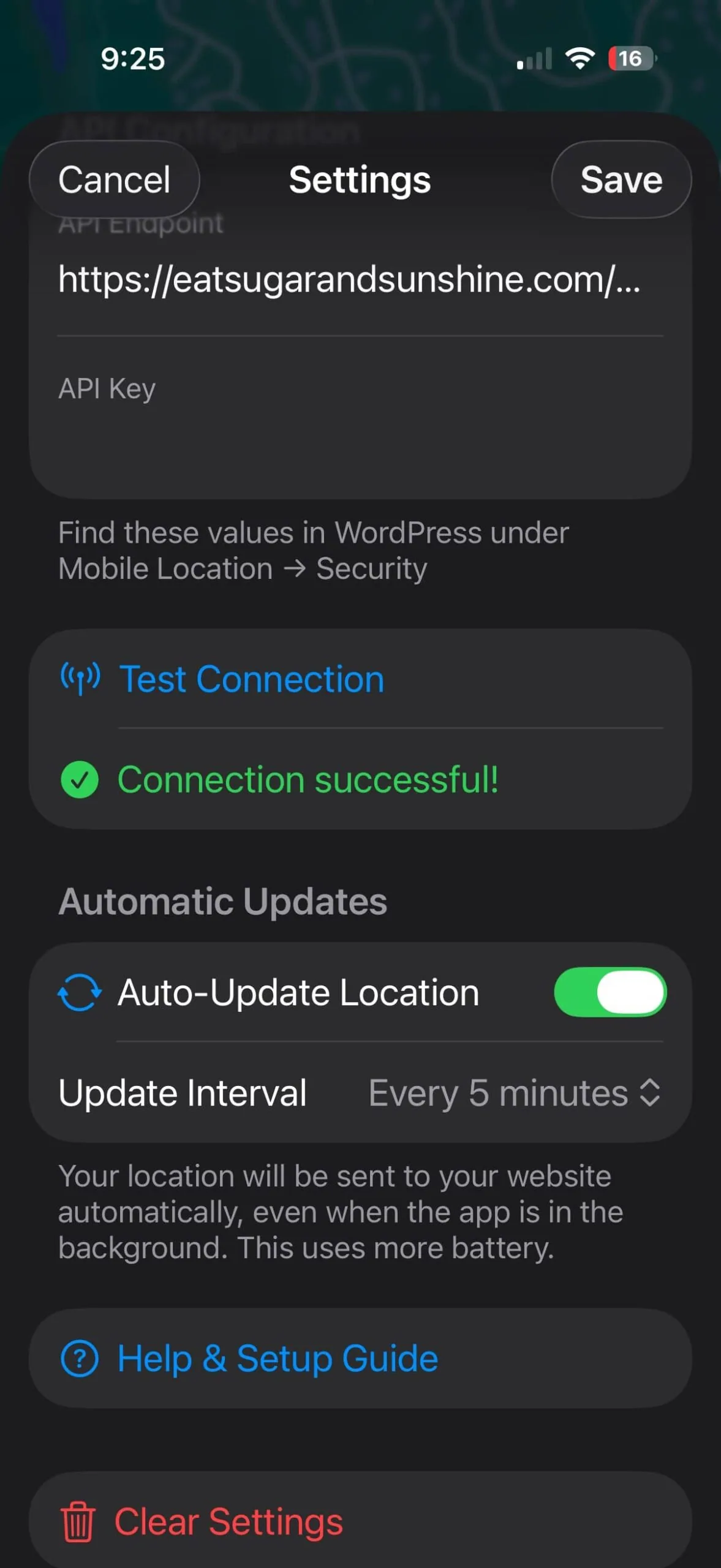
Get the App
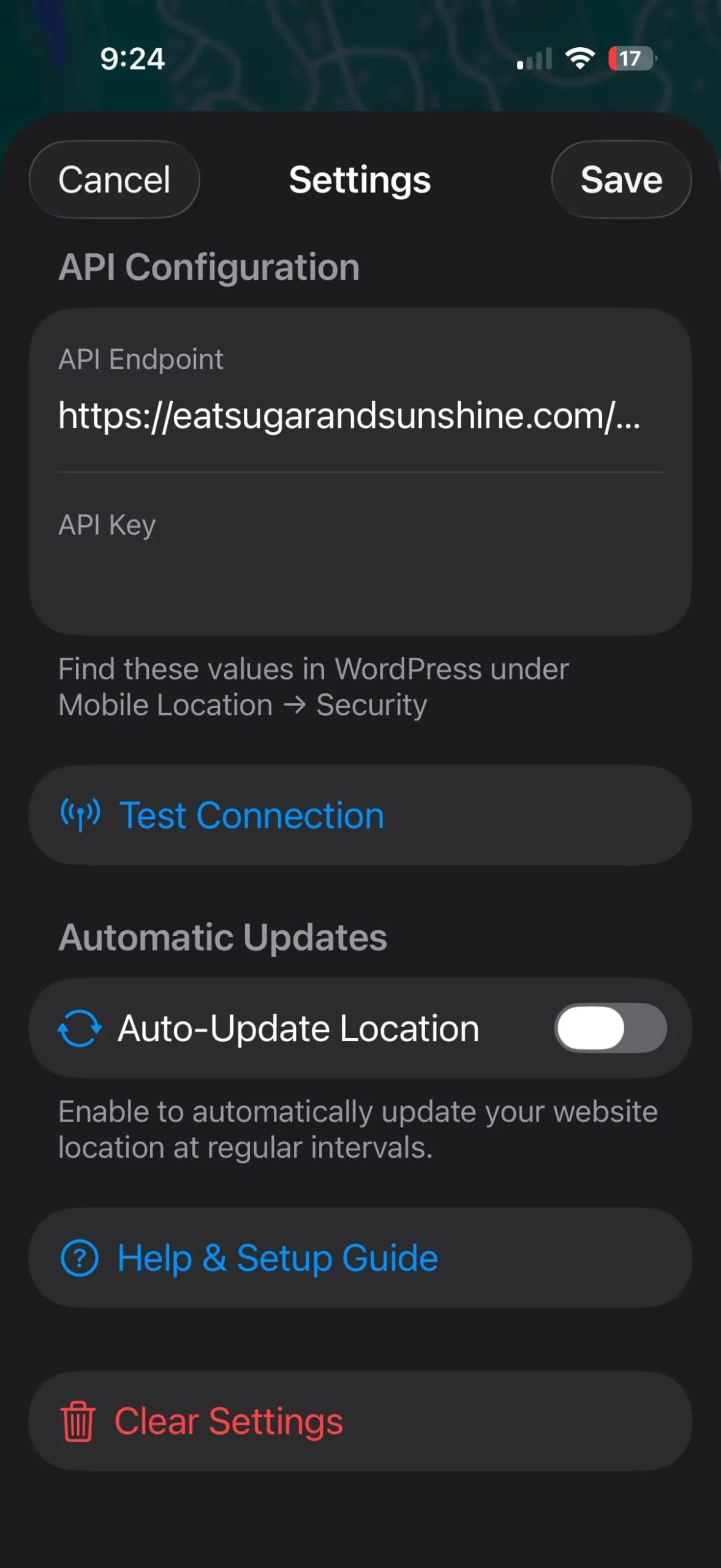
Download the iPhone app and connect it to your website.
❸
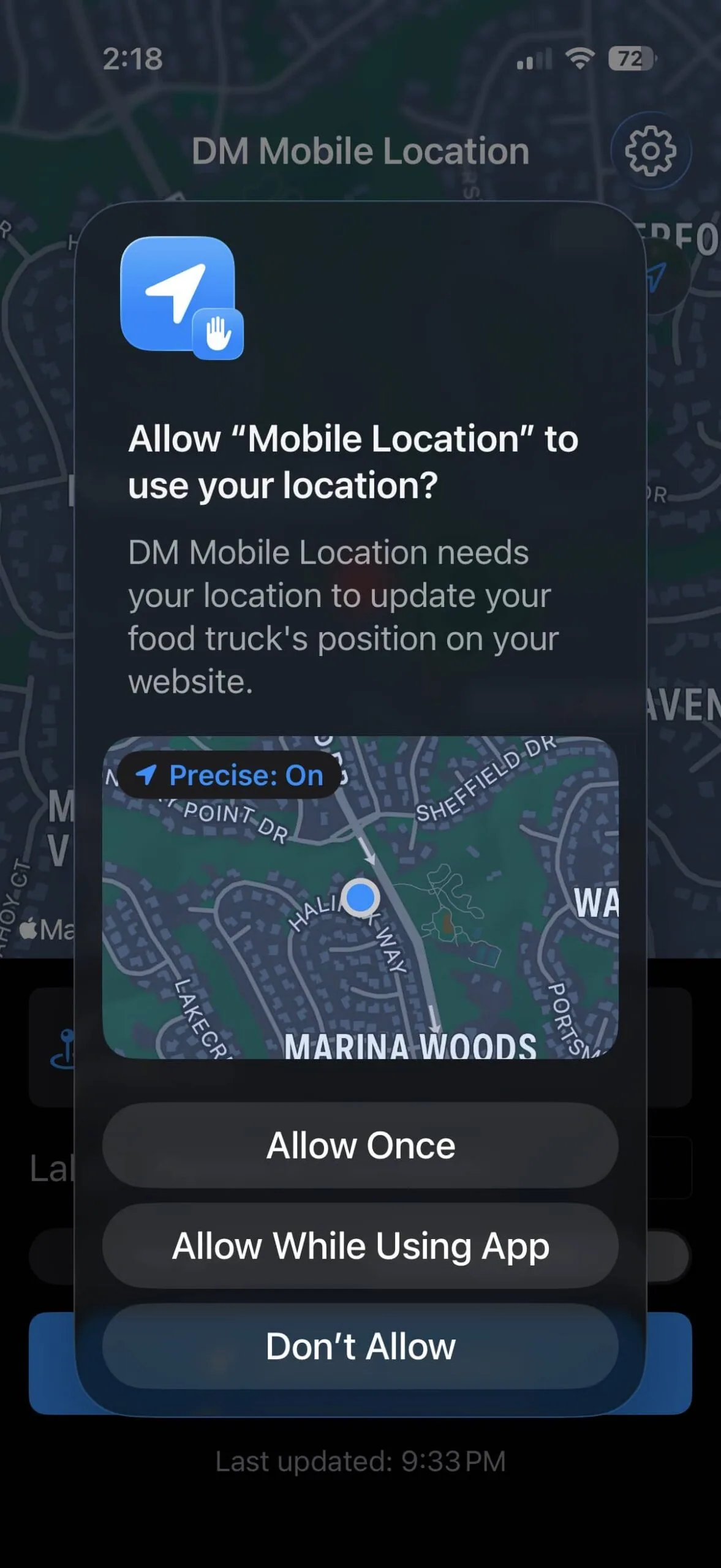
Set Your Location
Tap the map or use GPS to set where you are.
❹
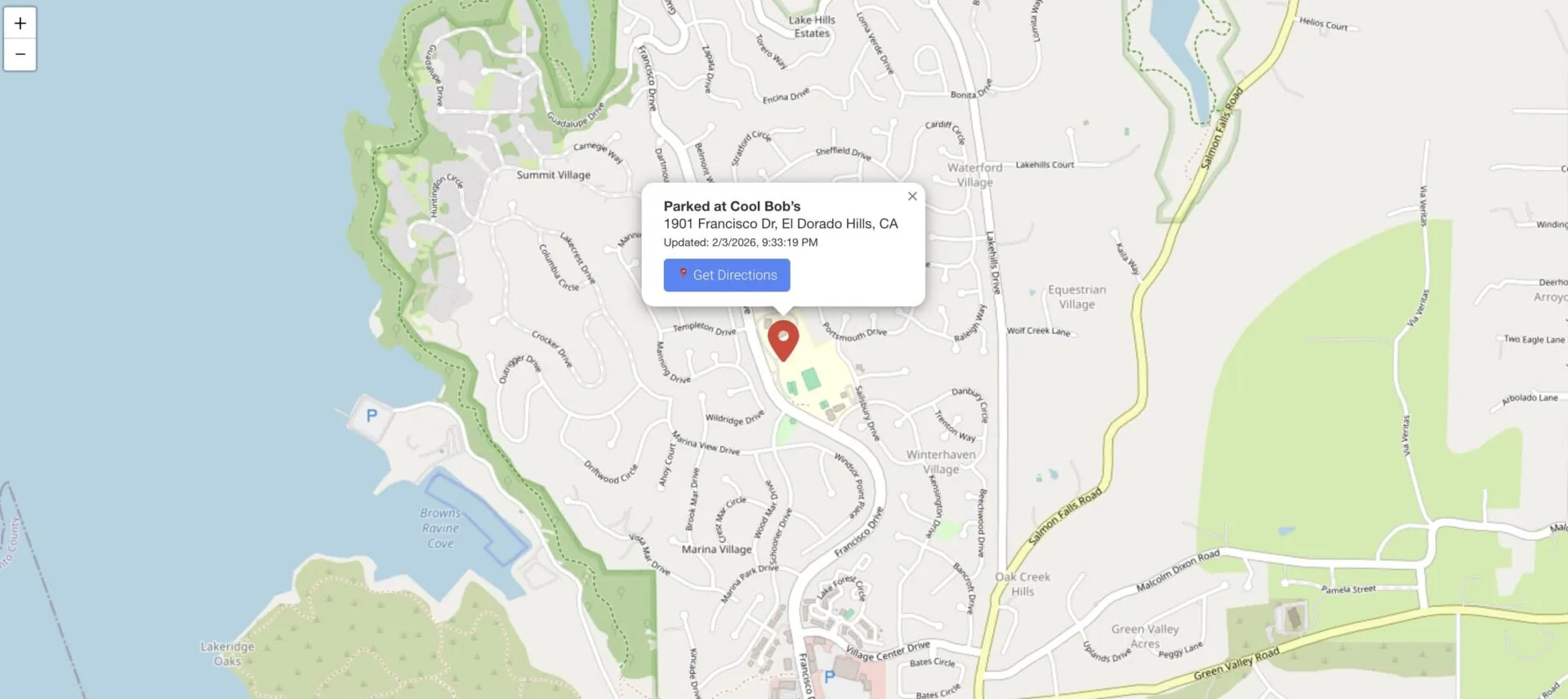
Customers Find You
Your website shows your location with directions.
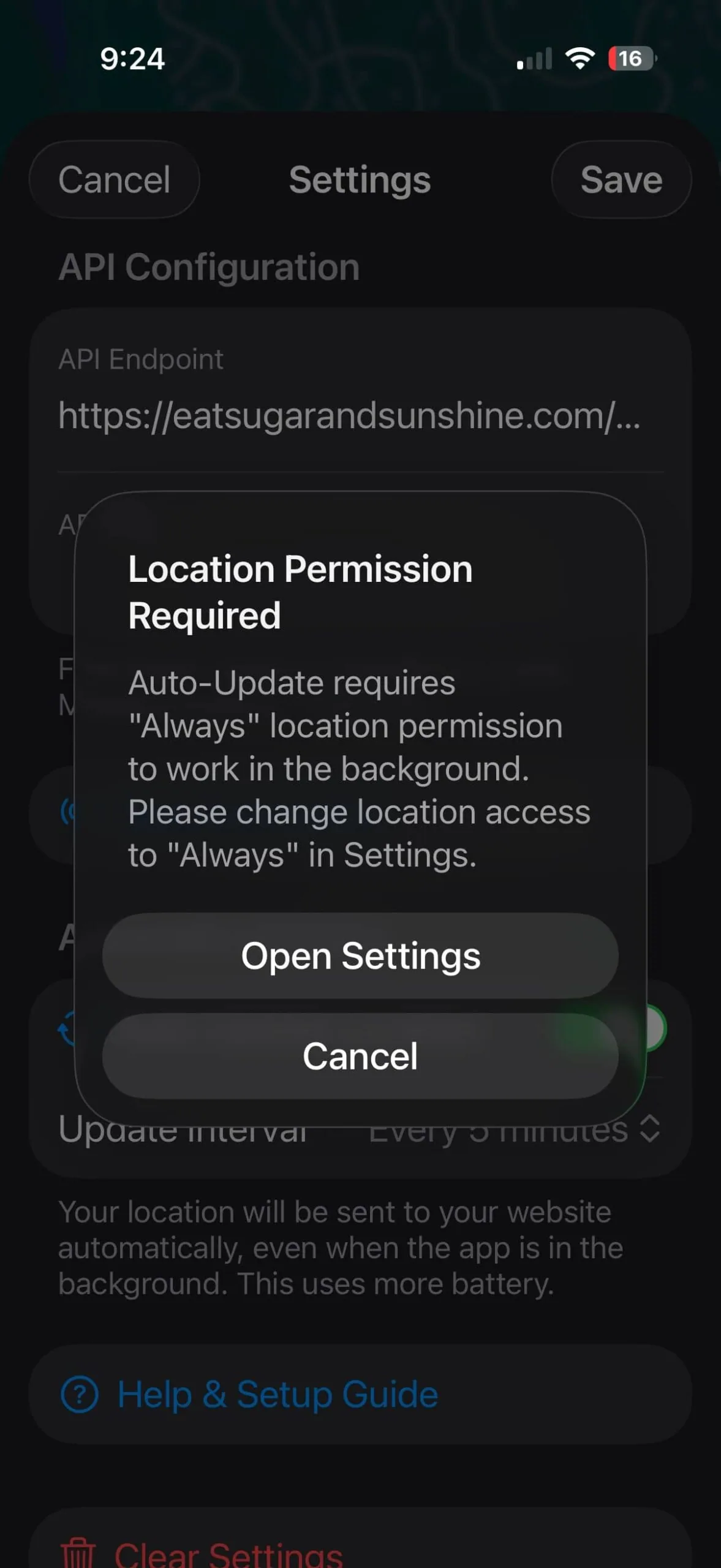
Perfect For:
Whether you're running a food truck, managing a cleaning crew, or dispatching service technicians, DM Mobile Location helps your customers and team know exactly where to go. One tap updates your website map—no complicated software, no monthly fees.
Food trucks. Field crews. Delivery drivers. Sales reps. If your business moves, your customers and team need to know where you are. One tap. Updated. Done.
🚚 Food Trucks
☕ Coffee Carts
🥬 Farmers Markets
🛍️ Pop-Up Shops
🐕 Mobile Pet Groomers
🔧 Mobile Mechanics
🍦 Ice Cream Trucks
📦 Delivery Staging
🎪 Event Vendors
🔧 Field Service Technicians
🚿 Plumbers
⚡ Electricians
❄️ HVAC Technicians
🏠 Home Inspectors
🧹 Cleaning Crews
🌳 Landscaping Teams
🚛 Delivery Drivers
💼 Sales Reps
🏥 Home Health Aides
🔐 Security Patrols
🏗️ Construction Supervisors
🐜 Pest Control
💻 IT Support Techs
📸 Photographers
🍽️ Catering Teams
📦 Moving Crews
🏡 Real Estate Agents
📚 Mobile Tutors
✍️ Notary Services
Advanced SEO (Search Engine Optimization)

Advanced SEO (Search Engine Optimization) involves a comprehensive strategy to improve your website’s visibility on search engines like Google. Here’s what it typically includes:
1. Keyword Research and Analysis
- In-depth Keyword Research: Identifying high-value keywords and phrases that your target audience uses to find services like yours.
- Competitor Analysis: Analyzing competitors’ keywords and strategies to identify opportunities.
2. On-Page Optimization
- Content Optimization: Creating and optimizing high-quality content that includes targeted keywords naturally.
- Meta Tags: Crafting compelling meta titles and descriptions for each page to improve click-through rates.
- Header Tags: Structuring content with appropriate header tags (H1, H2, H3, etc.) to enhance readability and SEO.
- Image Optimization: Adding alt text and optimizing images for faster loading times and better search visibility.
3. Technical SEO
- Site Speed Optimization: Ensuring your website loads quickly on all devices, which is crucial for both user experience and SEO.
- Mobile Optimization: Making sure your website is fully responsive and performs well on mobile devices.
- SSL Certificate: Ensuring your site is secure with HTTPS, which is a ranking factor for Google.
- Schema Markup: Implementing structured data to help search engines understand your content and enhance search results (e.g., rich snippets).
4. Content Strategy and Development
- Content Creation: Developing a content calendar and creating valuable, engaging content (e.g., blog posts, articles) that attracts and retains visitors.
- Content Marketing: Promoting your content through various channels to increase visibility and drive traffic.
5. Link Building and Off-Page SEO
- Backlink Strategy: Acquiring high-quality backlinks from reputable websites to improve your site’s authority and ranking.
- Social Media Integration: Leveraging social media platforms to increase engagement and drive traffic to your site.
6. Local SEO (if applicable)
- Google My Business Optimization: Setting up and optimizing your Google My Business profile to improve local search visibility.
- Local Citations: Ensuring your business information is consistent across local directories and review sites.
7. Analytics and Reporting
- Performance Tracking: Using tools like Google Analytics and Google Search Console to monitor your site’s performance.
- Regular Reports: Providing detailed reports on key metrics (traffic, rankings, conversions) and actionable insights for ongoing improvement.
Client Onboarding Outline

Understanding Business and Goals:
- Can you provide an overview of your business and the services you offer?
- What are your primary goals for the new website? (e.g., attracting new clients, providing information, offering online services)
- Who is your target audience? (demographics, interests, needs)
- Do you have any specific branding guidelines or elements you want to incorporate?
Current Website and Design Preferences:
- Do you currently have a website? If so, what do you like and dislike about it?
- Are there any websites that you admire or would like to model your site after? (Gather URLs and specific features they like)
- What kind of content will you need on the website? (e.g., blog, portfolio, client testimonials, contact forms)
- Do you have any preferences regarding the website’s design and layout? (color scheme, style, images)
Functional Requirements:
- What specific features or functionalities do you need? (e.g., appointment booking, client portal, e-commerce, newsletter signup)
- Do you need integration with any specific tools or platforms? (e.g., CRM, email marketing, social media)
Technical and Logistical Details:
- Do you already have a domain name and hosting provider?
- Who will be responsible for updating the content on the website? (you, your team, or will you need ongoing support)
- What is your budget for this project?
- What is your desired timeline for the project? (start date, launch date)
SEO and Marketing:
- Do you have an existing SEO strategy, or will you need help with SEO?
- How do you plan to promote your website once it’s live? (e.g., social media, online ads, email marketing)
Post-Launch Support:
- What level of ongoing support will you need after the website is live? (maintenance, updates, troubleshooting)
- Are there any other services you might need assistance with? (e.g., graphic design, copywriting, social media management)
Next Steps:
- Are there any other stakeholders involved in the decision-making process?
- When would you like to schedule a follow-up meeting to discuss the proposal and next steps?
EDIC logo
Source 1 Studios logo
Waxie Logo