Posts by adminjosh
DM TV Library: Your Purchased TV Shows by Season, for Mac
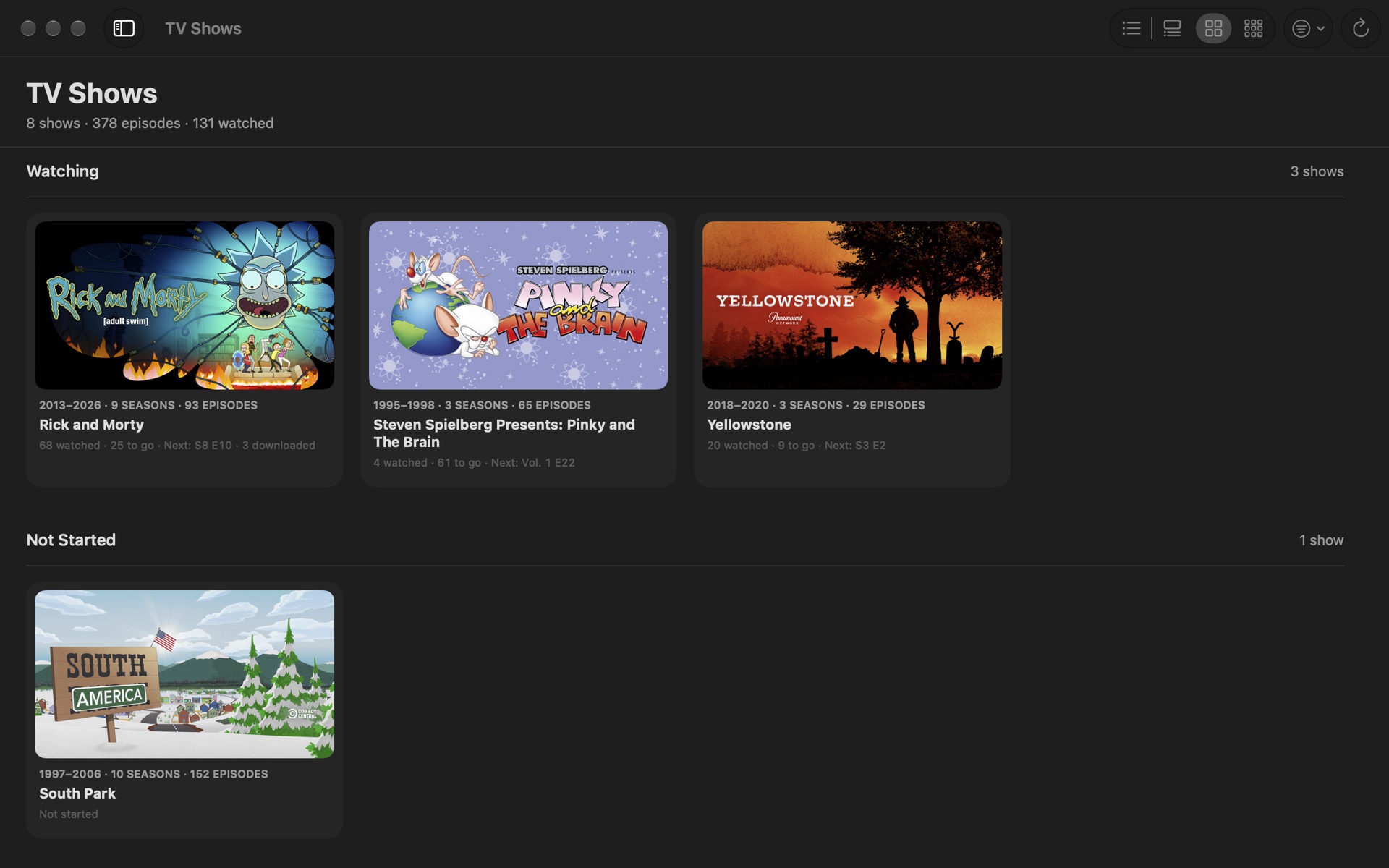
The TV app groups the shows you’ve bought by how they were sold, so a series bought as “Seasons 1–3” plus a few single seasons turns into one long scroll of bundles. DM TV Library is a Mac app that shows your purchased TV shows and movies the way you’d expect: by real season, one season at a time.
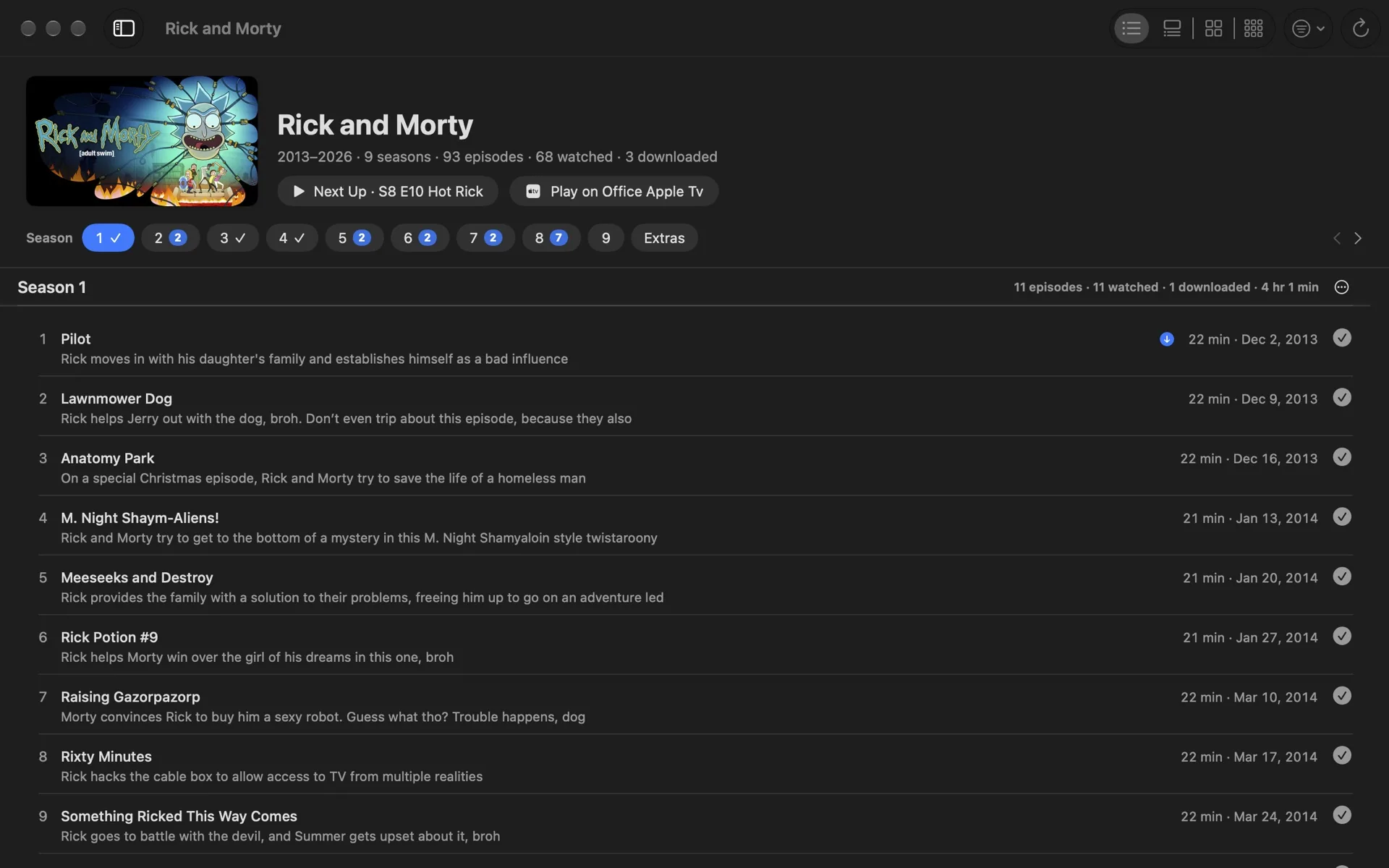
Seasons, not bundles
DM TV Library rebuilds the real seasons from your library, moves trailers and behind-the-scenes clips into Extras, and drops the “Season 1, Episode 2:” clutter from episode titles. A season picker shows one season at a time, with a check on the seasons you’ve finished and a count on the ones you’re partway through.
Four ways to look at it
A compact List, a Detailed view with a preview for every episode, Cards, and Tiles. Switch with ⌘1 to ⌘4; the arrow keys move and Return plays.
Up Next, collections and watched marks
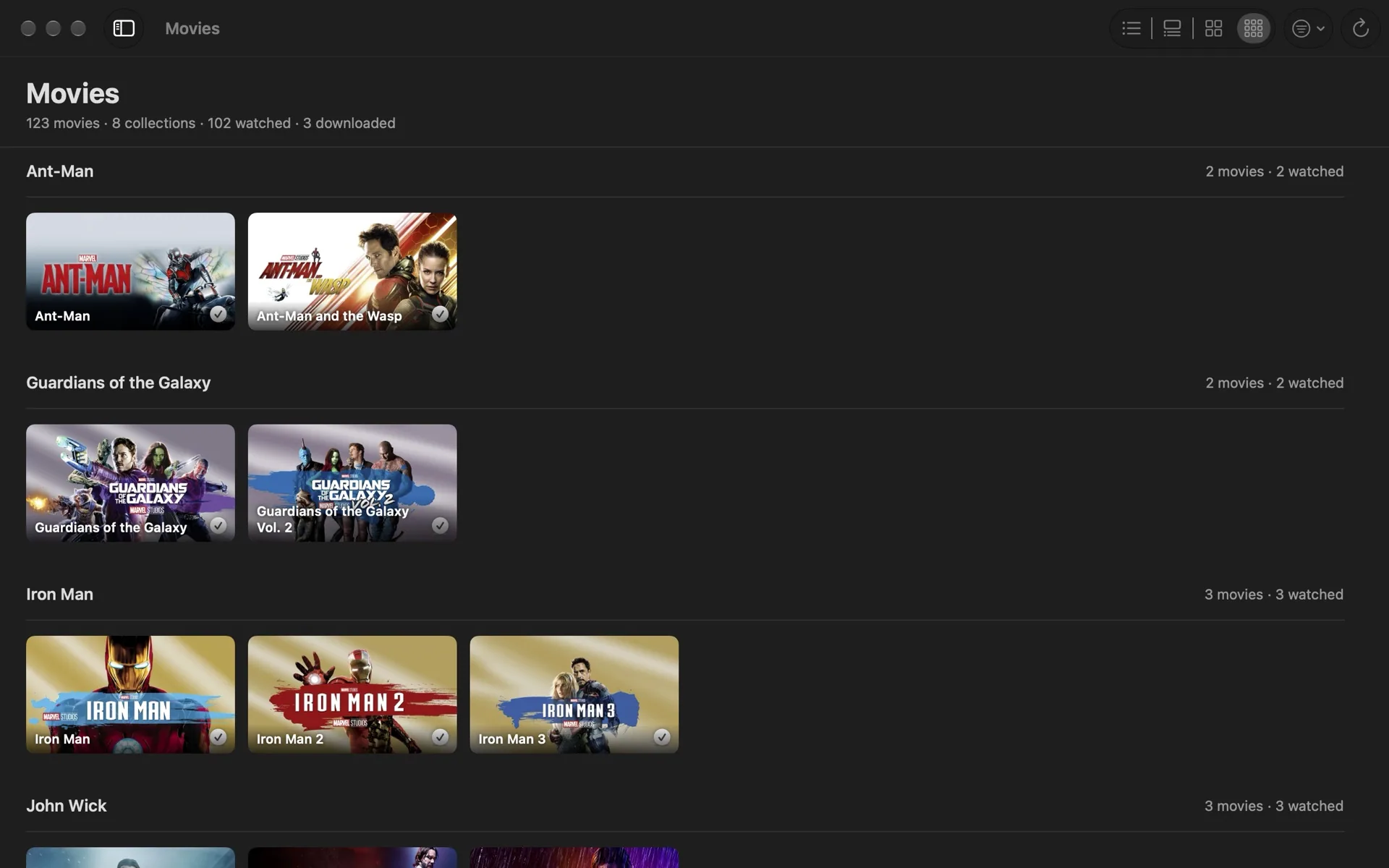
Up Next puts every show’s next episode in one place, along with the movies you haven’t watched. Movies are grouped into collections by title (every Star Wars, Iron Man or John Wick film together), and you can add your own. Mark an episode, a season or a whole show watched or unwatched, see what’s downloaded to your Mac, and download a season before a trip.
Play on your Apple TV
Pair DM TV Library with an Apple TV on your network once, then send any purchased movie or episode to it from the Mac. The Apple TV opens it, and if you like, DM TV Library starts it and confirms it’s playing. Playback always happens in Apple’s TV app; DM TV Library never streams or copies video.
Private by default
No account, no ads, no analytics. Your library, watched marks and settings stay on your Mac. See the privacy policy, and the support page for help.
Coming to the Mac App Store
DM TV Library is free and waiting for Apple’s review. It needs a Mac with movies or TV shows bought from Apple in the TV app.
DM TV Library Privacy Policy
Effective October 7, 2026.
DM TV Library is a Mac app by Dependent Media that organizes the movies and TV shows you’ve bought from Apple.
What the app collects
Nothing. DM TV Library has no account and contains no analytics or advertising, and Dependent Media receives no data from it.
What it reads and sends
It reads the TV app’s library on your Mac to display your purchases. To show show artwork and to open movies and episodes on your Apple TV, it looks up their public pages on tv.apple.com and itunes.apple.com; those requests contain only an item’s public store number or a show’s name. When you use Play on Apple TV, it talks to the Apple TV on your local network.
What stays on your Mac
Your settings, watched marks, collections and the Apple TV pairing key (kept in your keychain) never leave your Mac.
Contact
Questions: dependentmedia.com/hosting/contact.php.
DM TV Library Support
Support for DM TV Library, the Mac app that shows the movies and TV shows you’ve bought from Apple by real season. If you don’t find your answer here, email [email protected] and a human will reply.
It says “Couldn’t read the TV library”
Open System Settings › Privacy & Security › Media & Apple Music, turn on DM TV Library, then quit and reopen it. DM TV Library shows purchases from the TV app on this Mac, so it needs movies or TV shows bought from Apple.
Play in TV App, Mark as Watched or Download doesn’t work
Allow DM TV Library to control TV in System Settings › Privacy & Security › Automation.
Why some watched marks have an outlined check
The TV app only lets other apps mark downloaded items as watched. For items still in iCloud, DM TV Library keeps the mark itself and shows it with an outlined check. Marking something unwatched works for everything.
Play on Apple TV
- Open DM TV Library › Settings › Apple TV and click Pair… next to your Apple TV.
- Type the 4-digit code the TV shows.
- Right-click a movie or episode and choose Play on your Apple TV, or use the Apple TV button that appears on a picture when you point at it.
The Apple TV opens the movie or episode’s page. Turn on Press Play automatically to have DM TV Library start it too, but only if that Apple TV is signed in to the Apple ID that bought your movies: signed in to anyone else, the first button on the page is Buy.
Layouts and keys
- ⌘1–⌘4 switch between List, Detailed, Cards and Tiles.
- ⌘[ and ⌘] move between seasons. Arrow keys move between items; Return or Space plays.
- View Options (the filter button) hides watched episodes or extras, shows only downloaded items, and sets what Next Up means.
DM Digital Rain Privacy Policy
Effective October 1, 2026.
DM Digital Rain is a screen saver and app for Mac, iPhone and iPad by Dependent Media that shows falling “digital rain” characters.
What the app collects
Nothing. DM Digital Rain has no account and contains no analytics or advertising. It makes no network connections, and Dependent Media receives no data from it.
What stays on your device
The app and the screen saver remember the style you chose (colour, glyphs, speed, density and size) and, on iPhone and iPad, whether to keep the screen awake. These settings never leave your device.
Contact
Questions: dependentmedia.com/hosting/contact.php.
DM Digital Rain Support
Support for DM Digital Rain, the falling-code screen saver for Mac, iPhone and iPad. If you don’t find your answer here, email [email protected] and a human will reply.
Mac: turn on the screen saver
- Open DM Digital Rain and click Install Screen Saver…. System Settings asks whether to install it for you only or for all users.
- On macOS 26 and later, open System Settings › Wallpaper and click Screen Saver…. On macOS 14 and 15, open System Settings › Screen Saver.
- Scroll to the bottom of the list. DM Digital Rain is in the Other group.
- Click Options… to choose the colour, glyphs, speed, density and size, or set them in the DM Digital Rain app, which also has a colour picker. Test starts the screen saver straight away.
- To change how soon it starts, use System Settings › Lock Screen › “Start Screen Saver when inactive”.
You can also click Play Full Screen in the app. Press any key or click to exit.
iPhone and iPad
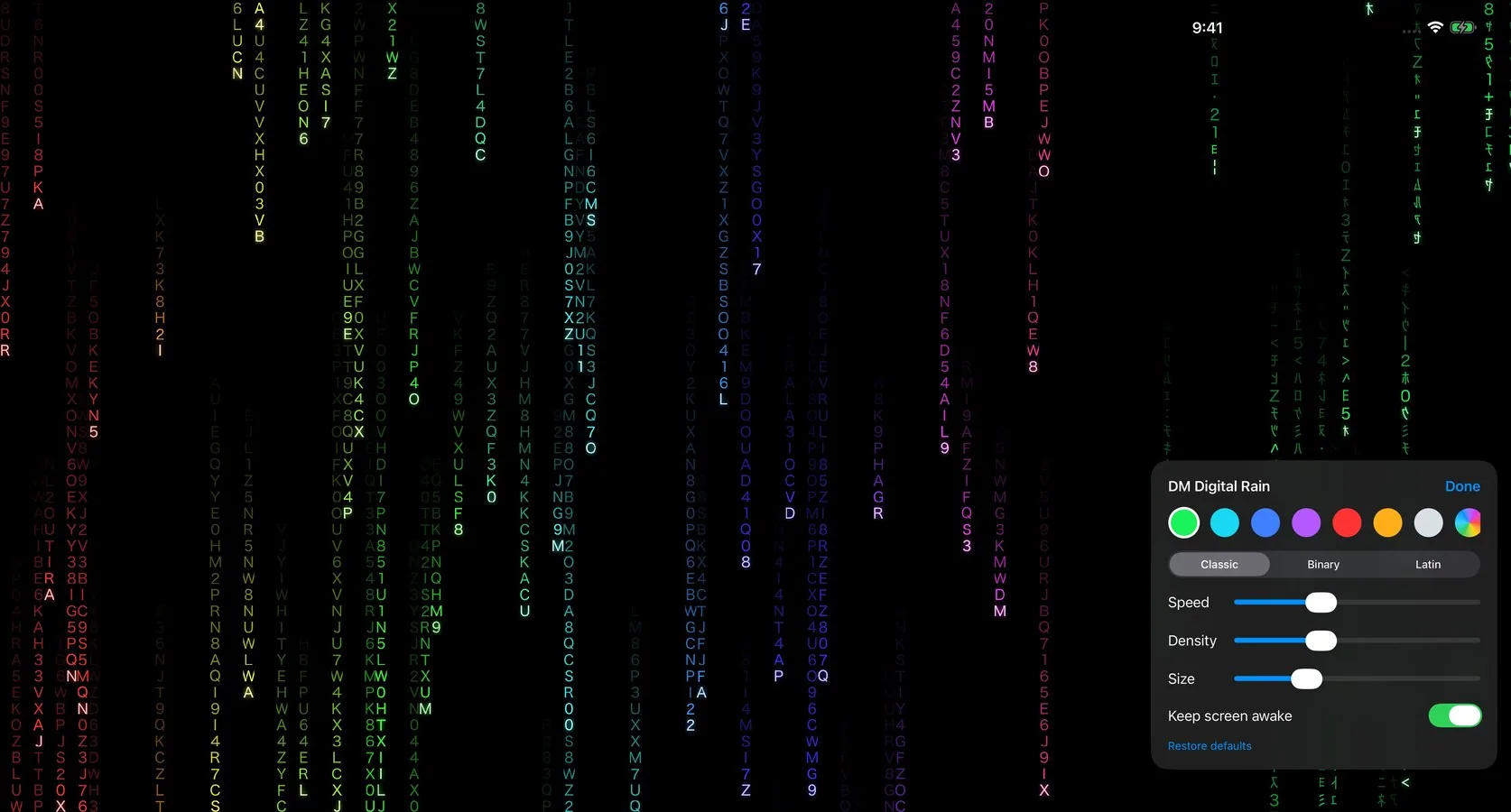
- The rain starts as soon as you open the app. Tap the screen for options, and tap Done to hide them.
- Keep screen awake (on by default) stops the device from locking while the app is open. Plug the device in if you leave it running for a long time.
- iOS has no system-wide screen saver, so the rain runs while the app is open.
Styles
- Colours: Green, Cyan, Blue, Purple, Red, Amber, White, Rainbow, or any colour from the colour picker.
- Glyphs: Classic (mirrored katakana and numerals), Binary (0 and 1), or Latin (A–Z and 0–9).
- Speed, Density and Size sliders. Restore defaults puts everything back.
Privacy
The app collects nothing and makes no network connections. See the privacy policy.
DM Digital Rain: A Falling-Code Screen Saver for Your Mac
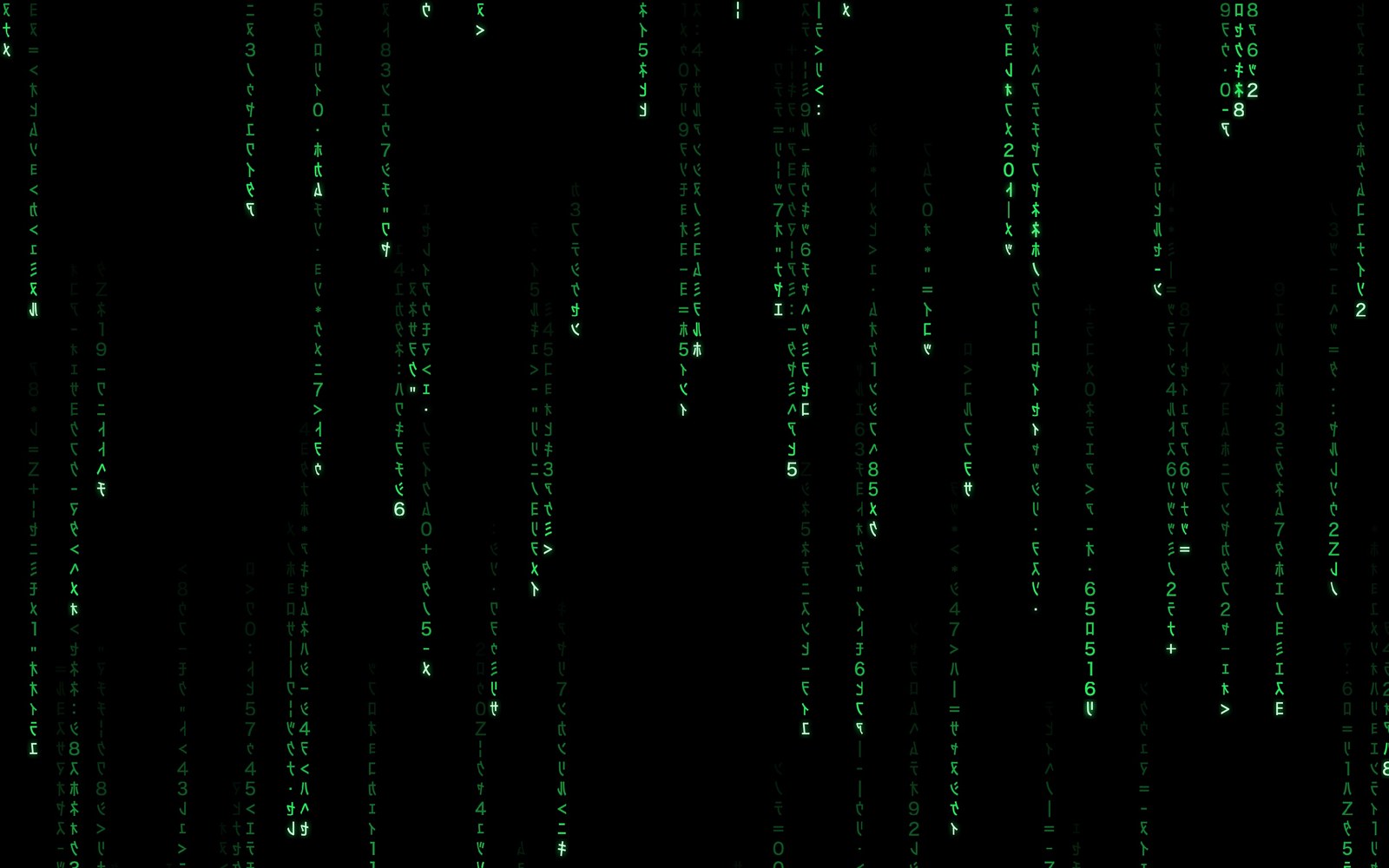
Streams of glowing characters pour down a black screen, drawn live and never repeating. DM Digital Rain is a real macOS screen saver, and an app that plays the same rain on your Mac, iPhone and iPad.
Watch it run
The opening as the screen saver starts: black, a single stream, a few more, then the full rain. After that, the Rainbow colour, Binary glyphs, and a colour of your own.
Try it here
This is the same rain, running in your browser. Change the colour, glyphs, speed, density and size, replay the opening, or go full screen.
A screen saver, set up in a minute
Open the app and click Install Screen Saver…. macOS asks once, then you pick DM Digital Rain under Other in System Settings › Wallpaper › Screen Saver… (or System Settings › Screen Saver on macOS 14 and 15). When your Mac goes idle, the screen fades to black, a single stream starts to fall, a few more join it, and then the rain fills every display. Test Screen Saver in the app starts it right away.
Make it yours
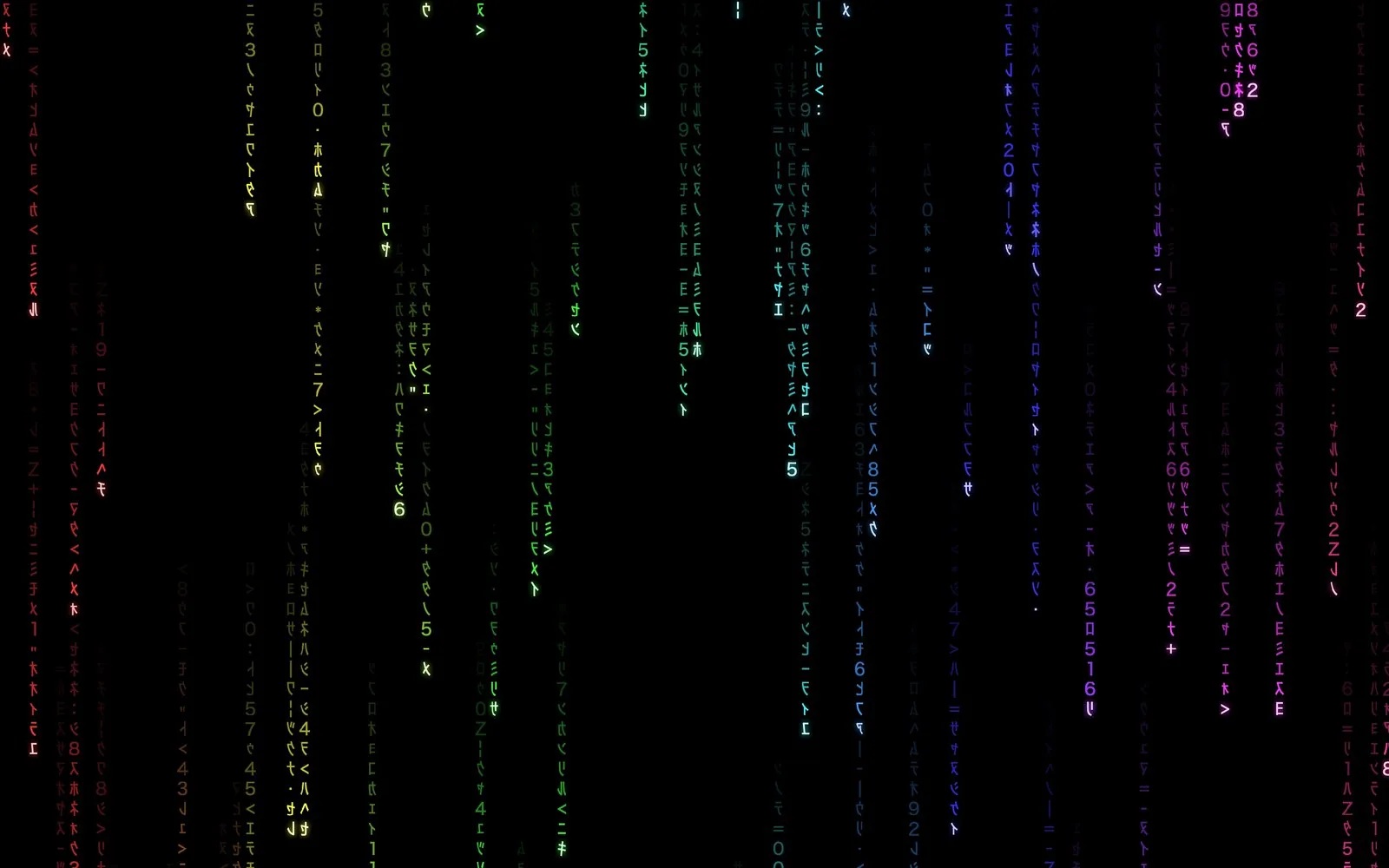
Eight colours including Rainbow, or any colour you like from the colour picker. Classic glyphs (mirrored katakana and numerals), Binary, or Latin letters. Sliders for speed, density and glyph size. Set them in the app, or from Options… in System Settings.
Smooth on every display
The rain is drawn on your Mac’s graphics chip at 60 frames per second, so it stays smooth across several large displays and barely touches the processor. It runs on Apple silicon and Intel Macs.
Coming to iPhone and iPad
iOS has no system-wide screen saver, so the iPhone and iPad app, coming to the App Store, starts the rain as soon as you open the app and keeps the screen awake while it runs: a good fit for a stand, a spare device, or a display on a shelf. Tap the screen for the same style options.
Private by default
No account, no ads, no network connections, no analytics. Your style choices stay on your device. See the privacy policy, and the support page for set-up help.
Download it free
Download DM Digital Rain for Mac (version 1.0.0, 1.2 MB, free). It needs macOS 14 or later and is signed and notarized by Apple: unzip it, drag it to your Applications folder, and open it. App Store versions for Mac, iPhone and iPad are on the way.
DM TV Remote: Control Your Apple TV From Your Mac
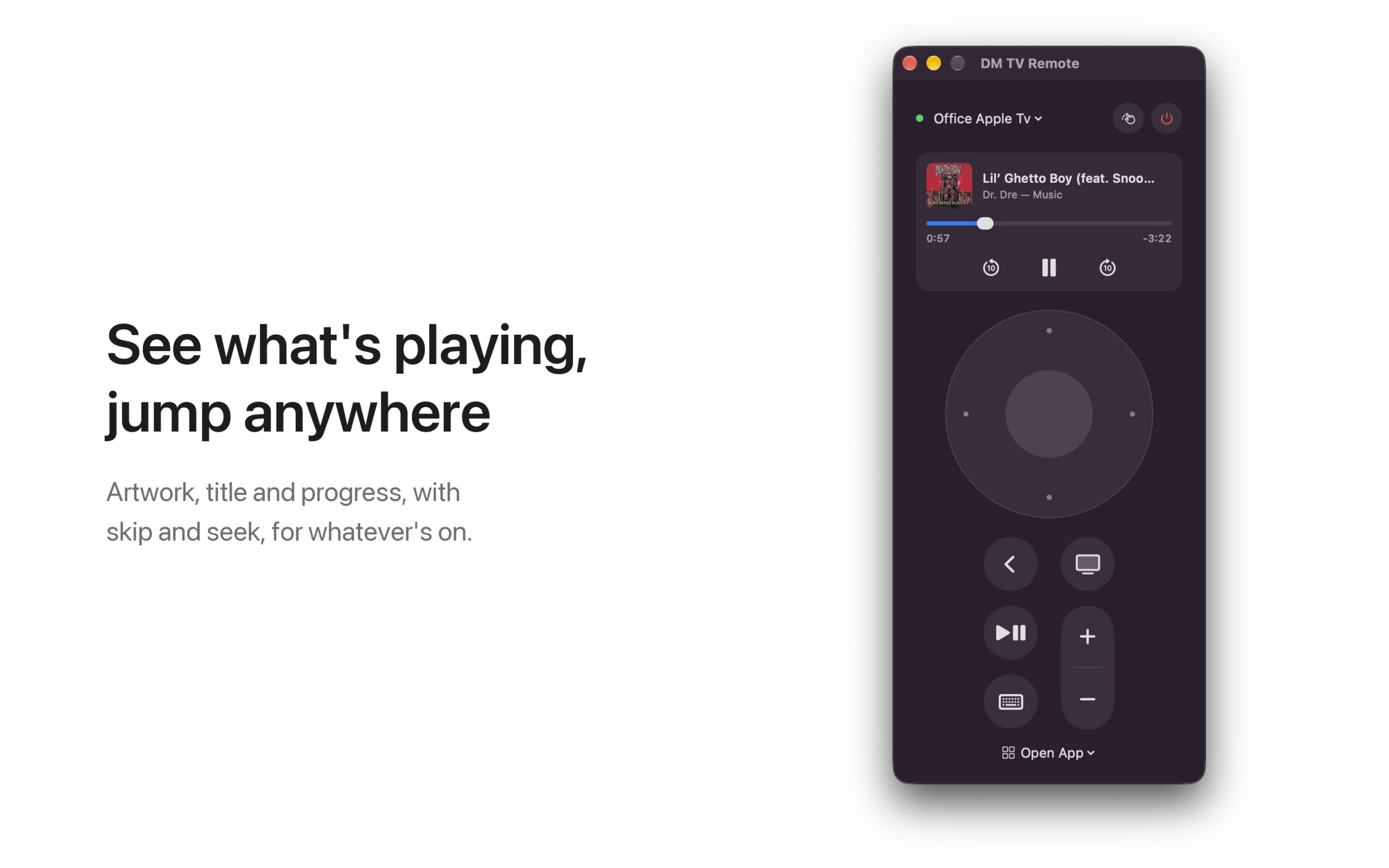
The Apple TV remote is small, silver and somewhere in the couch. DM TV Remote puts it on your Mac instead: pair once with the code your TV shows, then get around with a clickpad on screen, your keyboard or your trackpad. It’s free, with no ads.
See it in action
Everything the remote does
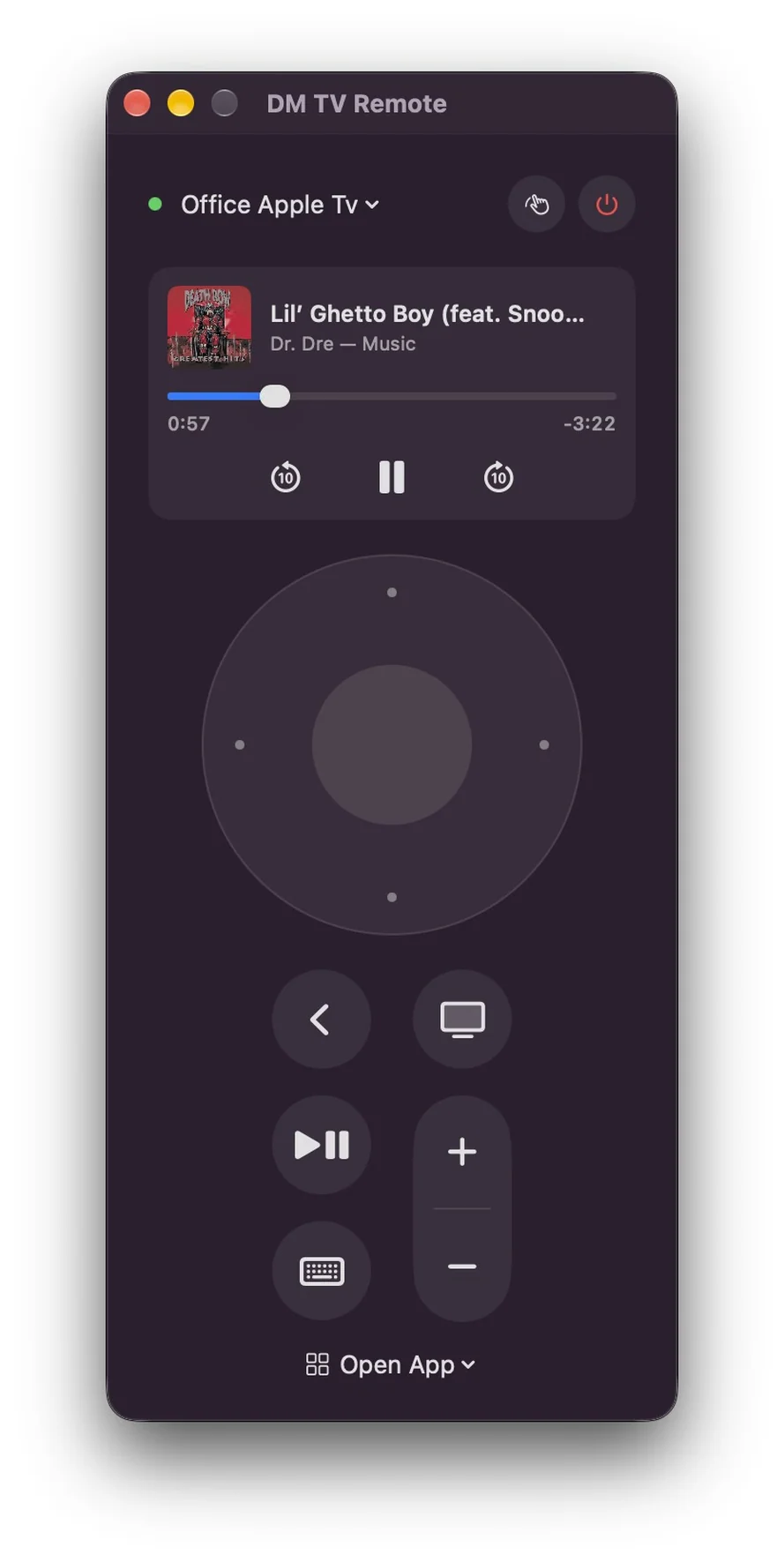
Click the edges of the clickpad to move and the centre to select. Back, TV/Home, Play/Pause and volume are there too, and every button holds for as long as you hold it, just like the real remote. You can also put your Apple TV to sleep and wake it.
Or use your keyboard and trackpad
With the remote in front, the arrow keys move, Return selects, Esc goes back and Space plays and pauses. H takes you home, and + and − change the volume. Swipe with two fingers on the clickpad to fly through long lists, or press T for trackpad mode, where the pad becomes the remote’s touch surface: drag to move the highlight, click to select.
Type searches on a real keyboard
When a search box or other text field is selected on your TV, a text field opens on your Mac. Type there and the text appears on the TV, with no more picking letters one at a time.
See what’s playing
When something is playing on the TV, the remote shows its artwork, title and progress. Skip back or forward ten seconds, pause, or drag the progress bar to jump anywhere. Prefer a plain remote? Right-click the card to hide it.
Open any app, on any Apple TV in the house
The Open App menu lists every app installed on your Apple TV; pick one and it opens. Have more than one Apple TV? Switch between them from the menu at the top. Keep the remote in its own window, or open it from the menu bar.
Private by default
No account, no ads, no analytics. The app talks only to the Apple TVs on your own network, over an encrypted connection, and its pairing keys stay in your Mac’s keychain. See the privacy policy.
Coming to the Mac App Store
DM TV Remote is free, and is with Apple for review now. It needs macOS 14 or later and an Apple TV on the same network. The volume buttons work when your Apple TV controls your TV’s volume. Apple TV is a trademark of Apple Inc.; this app is not made or endorsed by Apple.
DM Game Swarm Privacy Policy
Last updated: September 29, 2026
DM Game Swarm is made by Dependent Media. It is a knockout party game that runs on iPhone, iPad and Mac. This policy explains what the game stores, what leaves your device, and what we can see.
The short version
DM Game Swarm collects nothing. There is no account, no sign-in and no server. The game runs entirely on your device and never connects to the internet. It contains no advertising, no analytics and no tracking, and it does not follow you across other apps or websites.
1. What is stored on your device
The game remembers three small things so you do not have to set them again: the name you typed on the title screen, the difficulty you chose, and whether music and sound effects are on. These stay on your device. Nothing is uploaded, and deleting the game removes them. The game does not store your scores or progress; each show is played once and forgotten.
2. What the game can access
DM Game Swarm does not ask for access to your photos, contacts, location, camera, microphone or files. It plays sound through your device’s speakers. That is all.
3. What leaves your device
Nothing. The other sixty players in the show are computer-controlled and run on your device, so there is no online play and no chat. The name you type is shown only to you.
4. Children
DM Game Swarm is suitable for children. Because it collects no data at all, there is nothing for us to gather from a child playing it, and no way for us to identify any player. There are no ads, no in-app purchases and no links out of the game.
5. Changes to this policy
If the game ever gains a feature that sends data anywhere, this page will be updated before that version ships, and the change will be described plainly rather than buried.
Contact
Questions about this policy: [email protected].
DM Game Swarm — Support
DM Game Swarm is a knockout party game for iPhone, iPad and Mac. You and 59 bots race and survive through five rounds, and the last bean standing gets the crown.
Controls
iPhone and iPad: put your left thumb anywhere on the left side of the screen and drag to move. Drag on the right side of the screen to look around. Tap JUMP to jump; hold it for a higher jump. Tap DIVE to launch forward and knock over beans in your way.
Mac: W A S D or the arrow keys move. Space jumps. Shift (or E) dives. Drag with the mouse to look around, and scroll to move the camera closer or further away. Esc pauses.
The five rounds
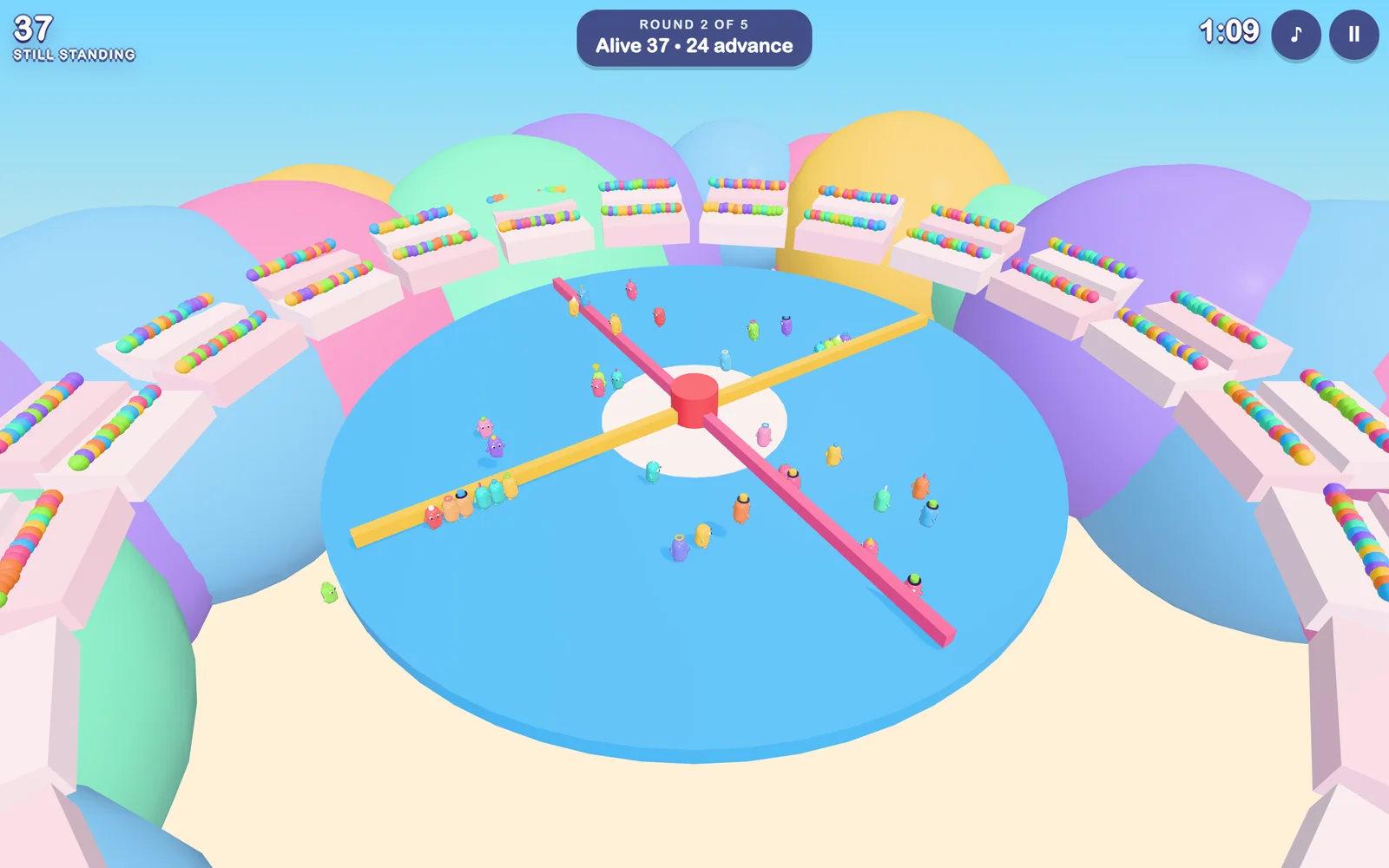
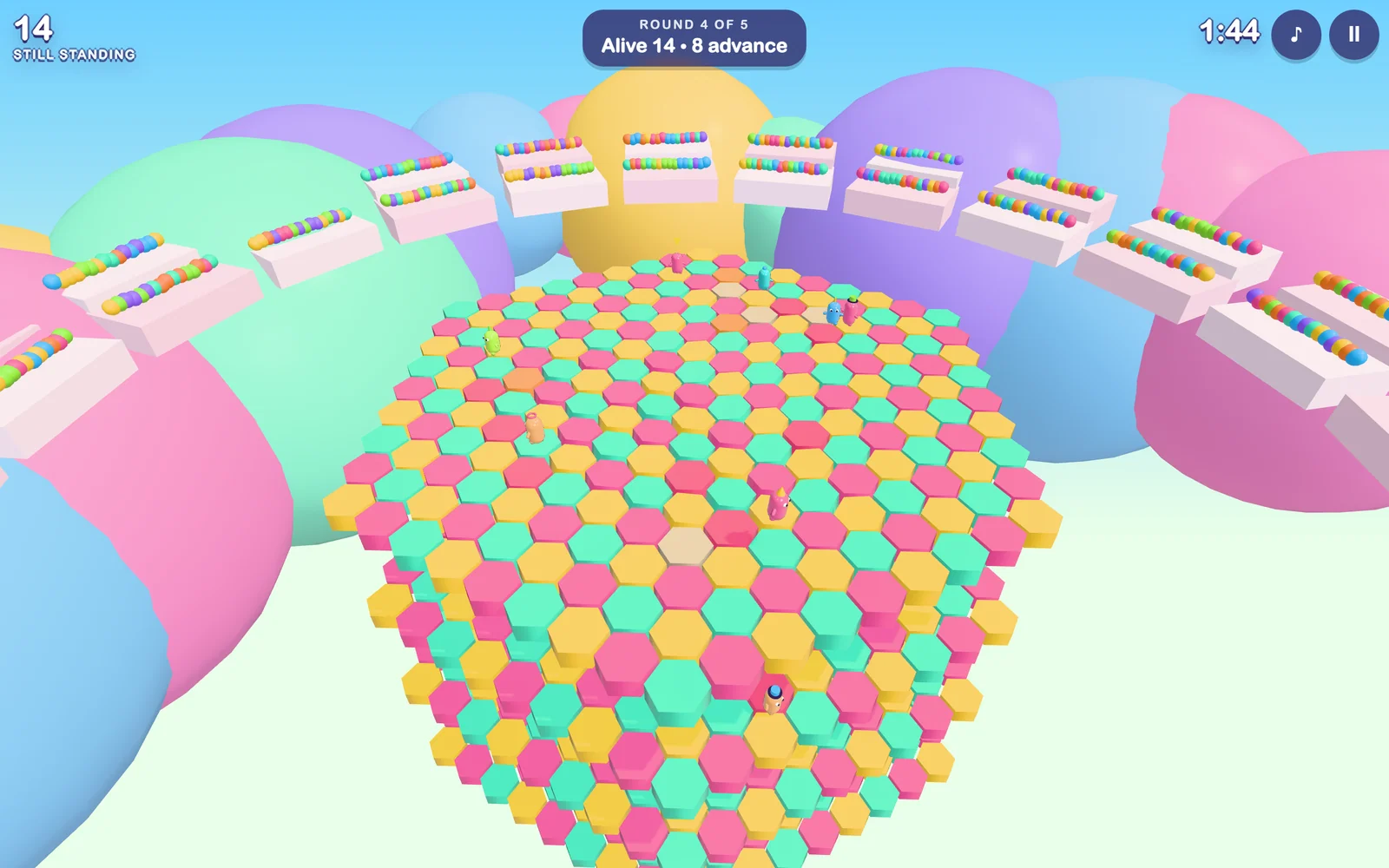
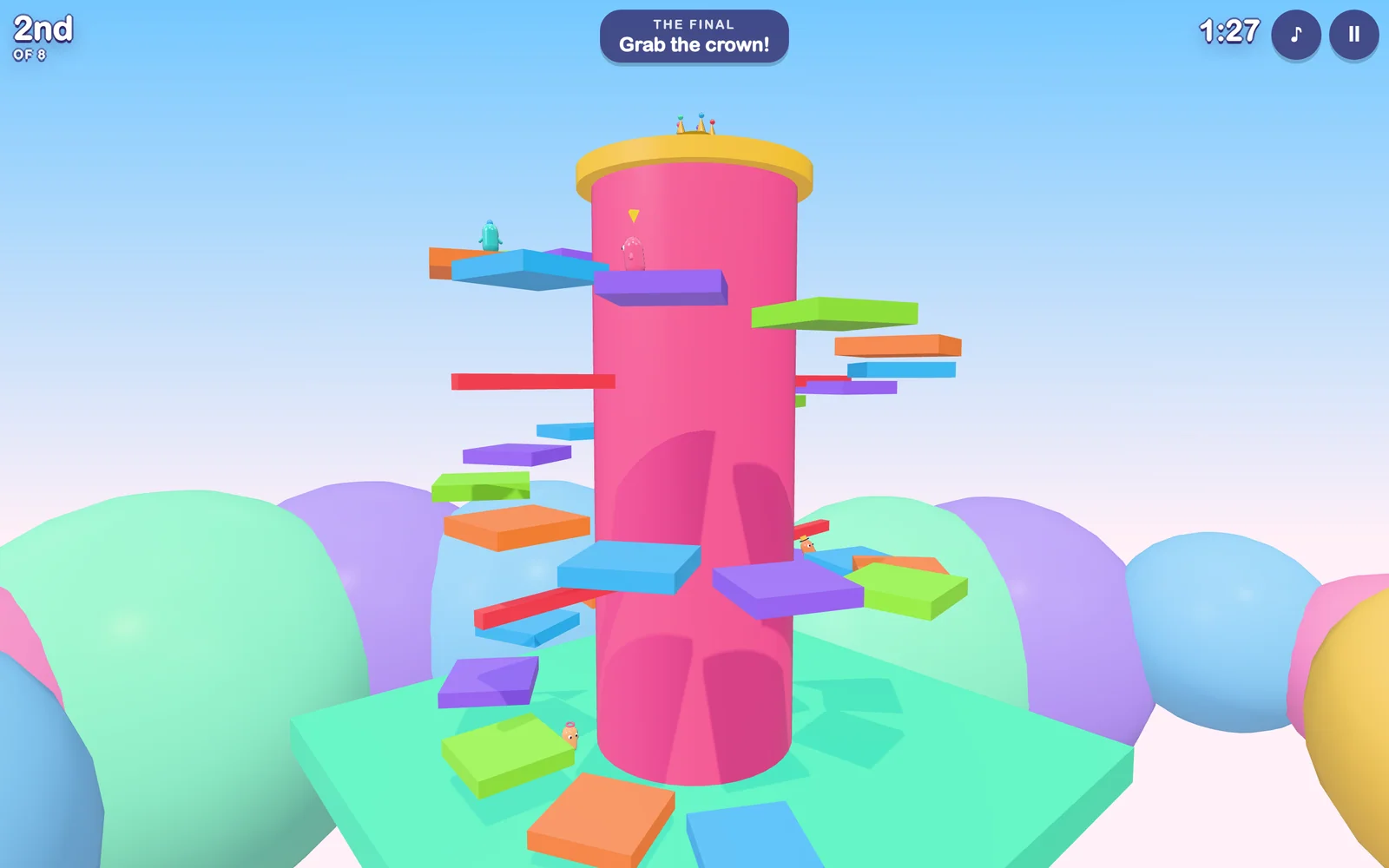
Round 1 (Gumdrop Gauntlet) is a race: finish in the top 40 of 60. Round 2 (Sweeper Sprinkles) is survival on a spinning disc: stay on it until only 24 remain. Round 3 (Bumper Boulevard) is a race: finish in the top 14 of 24. Round 4 (Hex-a-Gum) is survival on crumbling tiles: be one of the last 8. Round 5 (Crown Climb) is the final: be first to the crown.
If you fall in a race, you come back at the last checkpoint. In a survival round, falling knocks you out. If you are knocked out you can watch the rest of the show, skip to the next bean, or fast forward to the finish.
Difficulty
Choose Easy, Medium or Hard on the title screen before you press Play. Easy is the default: hazards are slower and the bots make more mistakes. Harder settings speed up the hazards and make the bots sharper.
If something goes wrong
The game runs slowly. The game lowers its own picture sharpness to hold a smooth frame rate. On iPhone and iPad, Low Power Mode limits the frame rate to 30, so turn it off for the smoothest play. Closing other apps helps too.
There is no sound. Check the ring/silent switch and the volume, then tap the note button at the top right of the game to make sure sound is on.
I want to start over. Pause the game and choose Quit to menu, then press Play for a fresh show.
Contact
Questions, bugs or ideas: [email protected].
DM Game Swarm
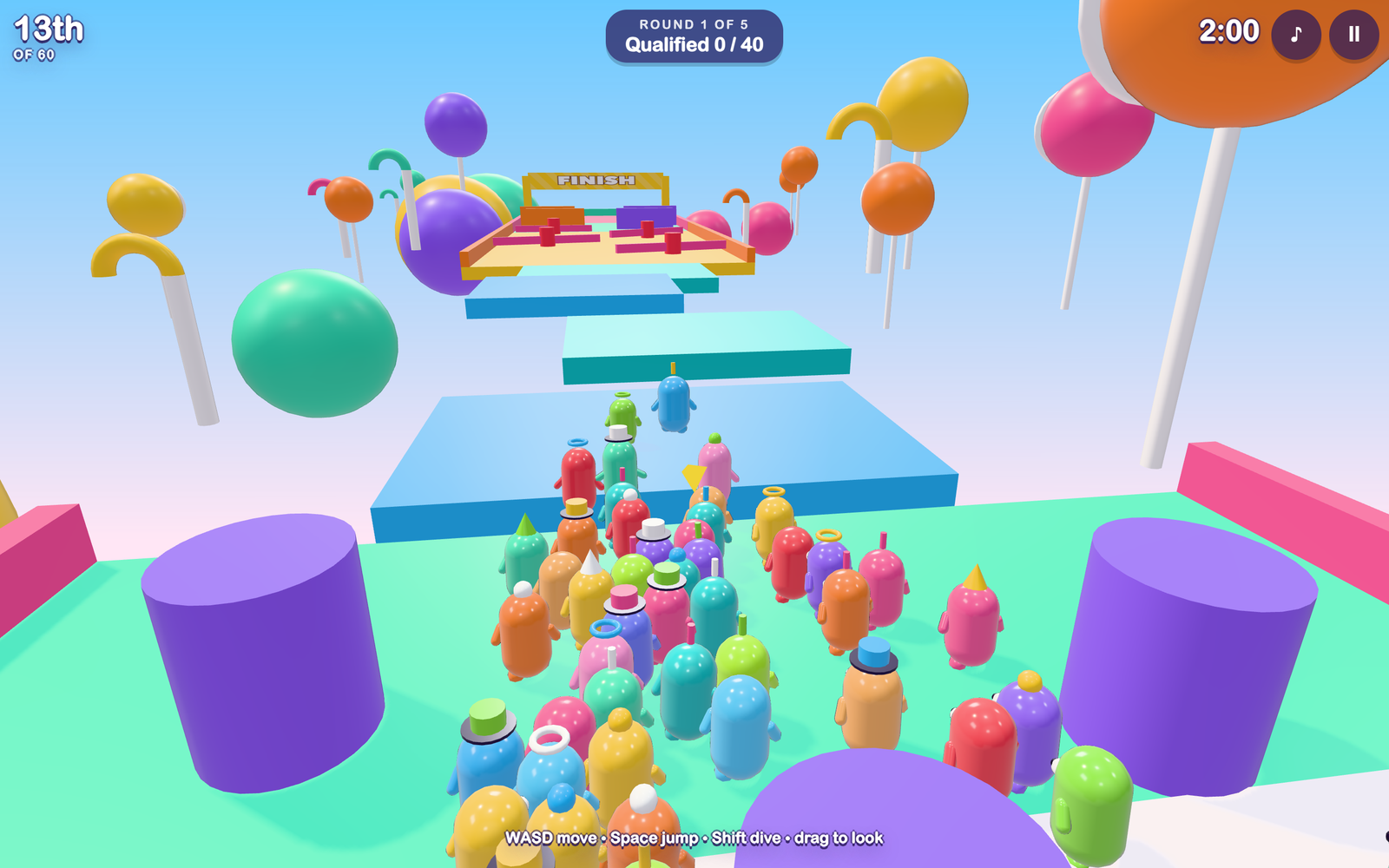
Sixty jellybeans walk onto a game show. Five rounds later, one of them is wearing the crown. DM Game Swarm is a colourful knockout party game for iPhone, iPad and Mac where you are one of the sixty and the other fifty-nine are goofy bots who stumble, mistime their jumps and get bumped just like you do.
Five rounds, one crown
Every round knocks out more beans, and every round plays differently.
- Gumdrop Gauntlet is a race: hurdles, gaps, spinning bars and sliding walls. The first forty across the line move on.
- Sweeper Sprinkles is survival on a spinning disc. Jump the arms and stay on, and do not ride an arm: every few seconds it flashes a warning and pops out spikes. Twenty-four survive.
- Bumper Boulevard is a race across conveyor belts, bouncy bumpers and a slippery downhill ramp.
- Hex-a-Gum is survival on tiles that crumble once you touch them, over four layers. The last eight standing move on.
- Crown Climb is the final: race up a candy mountain and be the first to grab the crown.
A world map to pick your level
Between rounds your bean hops across an overworld map, in the spirit of the classic platformer maps. Clear a level and it gets a check mark. Win the final and your bean gets a crown on the map. You can also go back to the map to practise any level you have reached.
Easy by default, so anyone can win
The game starts on Easy: hazards move slower and the bots make more mistakes, so a casual player has a real shot at the crown. Medium and Hard are one tap away when you want a fight. The bots are not scripted to lose. They look for gaps and swinging hazards the way you do, and they make human mistakes: a late jump, a wobbly turn, a moment of not paying attention.
Weighty, wobbly, fun to move
Beans are glossy, squishy and a little heavy. They lean into turns, squash when they land, tumble when a spinner clips them and flatten anyone they dive into. The courses are bright candy colours, and all of the music and sound effects are made in code as you play.
Play it your way
On iPhone and iPad you steer with a thumb stick, drag the right side of the screen to look around, and use the JUMP and DIVE buttons. On a Mac it is the keyboard and mouse: WASD or the arrow keys to move, Space to jump, Shift to dive, drag to look.
Free, and private by default
DM Game Swarm is free. There are no ads, no in-app purchases and no accounts. The game runs entirely on your device and never connects to the internet, so it collects nothing about you. All it remembers is your name, your difficulty and your sound settings, and those stay on the device.
Coming to the App Store
DM Game Swarm for iPhone, iPad and Mac is being submitted to the App Store now.