Posts by adminjosh
DM Theremin Support
Support for DM Theremin, the iPhone app you play by moving your hands in the air. If you don’t find your answer here, email [email protected] and a human will reply.
What you need
- An iPhone with a LiDAR scanner: iPhone 12 Pro or any later Pro model. On other iPhones the app shows “This device has no LiDAR scanner”.
- Something to stand the phone on, such as a stand, a stack of books, or a phone propped against a mug.
Quick start
- Stand the phone up sideways, with the back camera facing you. Allow camera access when asked.
- Step back so your hands are about half a metre (a couple of feet) from the phone.
- Raise your left hand to turn the sound on. The further it is from the phone, the louder it plays. Drop it out of view to go quiet.
- Move your right hand toward the phone and away from it. Closer is higher, further is lower, just like a real theremin.
Modes
- Pentatonic is the easiest place to start. Every note you land on sounds good with every other, so children can make a tune straight away.
- Major and Minor snap to those scales, in any key you pick in Settings.
- Chromatic snaps to every semitone.
- Free is a real theremin: no snapping, so you find each note by ear. The meter under the note name shows how many cents sharp or flat you are.
The Find the note game
Tap Game. The app names a note and plays it. Find it with your right hand and hold it steady until the ring fills. You score more for being in tune and for being quick, and a streak multiplies your points. Tap Hear it to listen to the note again, and Stop to finish.
Questions
Pitch and volume are the wrong way round
Open Settings with the gear button and turn on Swap hands. Left-handed players often prefer it that way too.
There is no sound
Your left hand controls the volume, so make sure it is in view and not too close to the phone. Check the phone’s volume buttons, and the Volume slider in Settings.
The note jumps around
Keep other people and objects out of the space between you and the phone, since the app follows the nearest thing on each side. Play in normal room light, and keep your hands between about 15 and 80 cm from the phone. You can change those distances under Sensitivity in Settings.
Where exactly is each note?
Turn on Ladder shows centimetres in Settings. The ribbon on the right then shows how far from the phone each note sits.
Can I play a synth or another app with it?
Yes. Turn on Send MIDI in Settings. The app appears as “DM Theremin” to music apps on the same iPhone, can pair with Bluetooth MIDI instruments from the same screen, and joins network MIDI so a Mac can connect from Audio MIDI Setup. Notes are sent with pitch bend, so set the receiving instrument’s bend range to 2 semitones. Volume is sent as expression (CC 11). Turn on Mute built-in sound to hear only the synth.
Does the app record me?
No. The camera is used only to find your hands, and nothing is recorded, saved or sent anywhere. See the privacy policy.
Contact
Email [email protected] or call (775) 238-3425.
DM Theremin Privacy Policy
Last updated: September 25, 2026
DM Theremin is made by Dependent Media. It is an app that turns an iPhone into a theremin: you play it by moving your hands in the air in front of the phone. This policy explains what the app looks at, what it keeps, and what leaves your device.
We do not sell your data. We do not use advertising or analytics SDKs, and we do not track you across other apps or websites.
The short version
DM Theremin collects nothing. There is no account, no sign-in and no server. The camera picture is used only to find your hands, and it is never recorded, saved or sent anywhere.
1. Camera and LiDAR
While you play, the app reads the rear camera and LiDAR scanner many times a second to measure how far each hand is from the phone. Each frame is processed in memory on your device and then discarded. The app does not take photos, record video, or store any camera or depth image. Nothing from the camera is sent to Dependent Media or to anyone else.
2. Data stored only on your device
The app remembers your settings, such as the scale, sound and hand swap, in its own private storage. Nothing else is saved, and game scores are not kept between sessions. Deleting the app removes the settings.
3. MIDI out
MIDI out is off until you switch it on in Settings. When it is on, the notes you play are sent as MIDI messages to music apps on the same device, to a Bluetooth MIDI instrument you pair, or to a computer on your local network that you connect. These are musical notes only, with no personal information. They go directly to the devices you choose, never to us.
4. Device permissions
| Permission | Why |
|---|---|
| Camera | Seeing where your hands are, using the rear camera and LiDAR scanner |
| Local network | Only if you turn on MIDI out: sending notes to a computer or synth on your network |
| Bluetooth | Only if you open Bluetooth MIDI in Settings: pairing with a Bluetooth MIDI instrument |
The app asks for nothing else: no microphone, no location, no contacts, no photo library, and no internet connection.
5. Children’s privacy
DM Theremin was made with children in mind. It does not collect personal information from anyone, including children. It has no accounts, no chat, no ads and no links out of the app, and it sends nothing to us.
6. Changes to this policy
If we change this policy we will update the date at the top.
7. Contact
Questions or concerns: Dependent Media — [email protected]
DM TV Remote Privacy Policy
Effective September 24, 2026.
DM TV Remote is a Mac app by Dependent Media that lets you control an Apple TV from your Mac.
What the app collects
Nothing. DM TV Remote has no account and contains no analytics or advertising. Dependent Media receives no data from the app.
Your network
The app finds the Apple TVs on your local network and connects directly to the one you choose, to send the buttons you press, the text you type for the TV, and requests such as the list of apps to open. These connections stay on your local network and are encrypted. The app makes no connections to the internet.
What stays on your Mac
When you pair with an Apple TV, the app keeps the pairing keys in your Mac’s keychain so it can reconnect without a new code, and remembers which Apple TV you last used. Choose Forget in the app’s settings to remove a pairing.
Contact
Questions: dependentmedia.com/hosting/contact.php.
Scan It, Open It in Blender — DM Scanner 3D Is Coming to the App Store
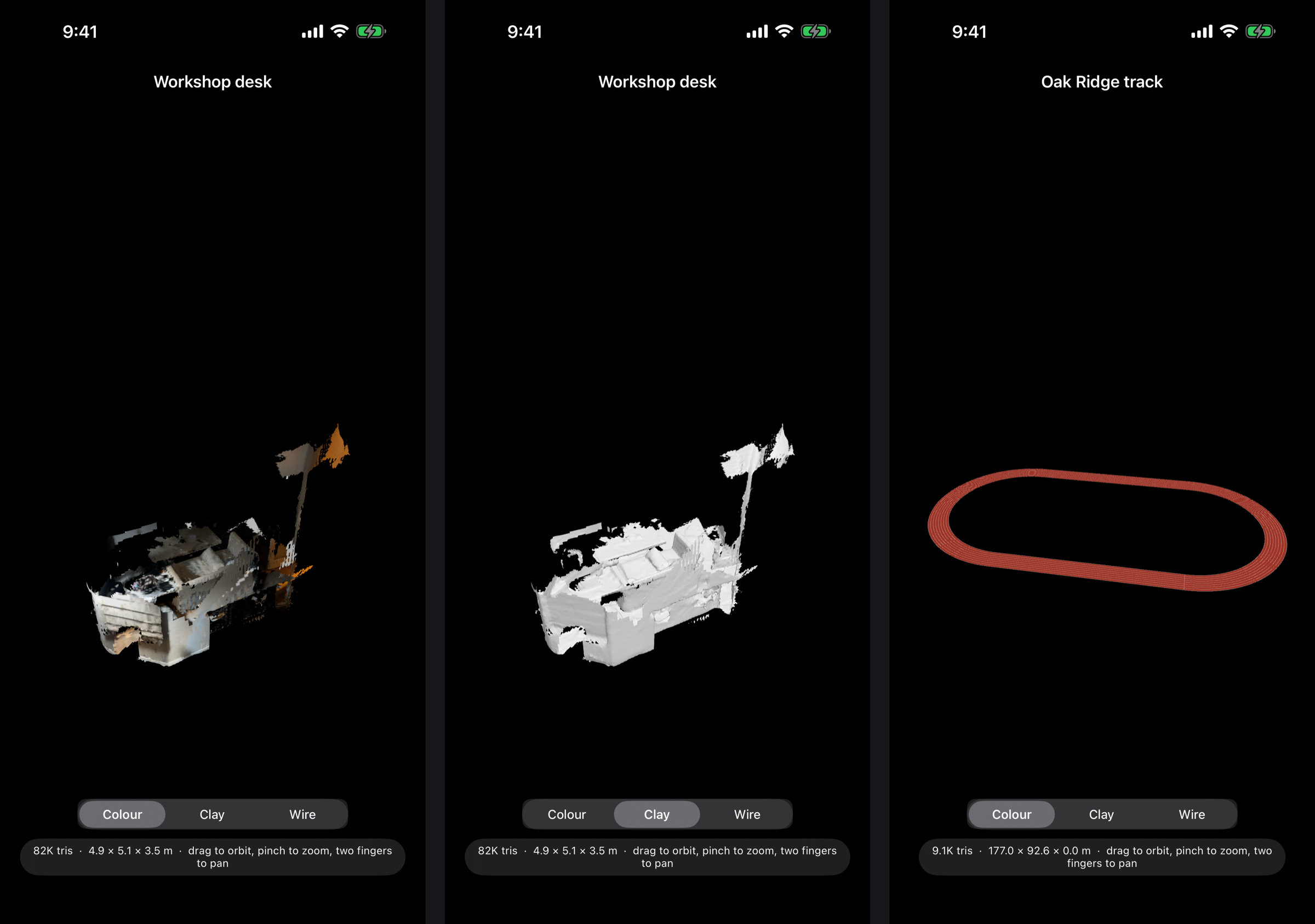
Every 3D scanning app can make a mesh. The trouble starts when you bring it into Blender: it arrives on its side, a hundred times too big, and you spend the first ten minutes fixing the file instead of using it. DM Scanner 3D is an iPhone app built for people who finish their work in Blender. Everything it exports is Z-up and in metres, so a room, an object or a face lands the right way round, at real-world scale, with nothing to fix up.
Scan a scene
Sweep a room or a venue with the LiDAR sensor and watch the mesh build live on the camera view, coloured from the camera as you go. It takes seconds, not minutes.
Capture an object
For a single thing rather than a space, guided photogrammetry walks you around it and builds a fully textured model on the device.
Scan a face
The TrueDepth camera captures a textured face mesh with the same topology every time — ready for rigging, and for swapping between characters — plus the surrounding head fused from depth. Face scans are processed and kept on the phone, as the privacy policy spells out.
Made for Blender
Scene scans export as OBJ, PLY or USDZ, and object captures as USDZ. Share a scan by AirDrop or pick it up from the Files app, then File → Import in Blender and it’s there — Z-up, in metres, right side up.
Built for accuracy
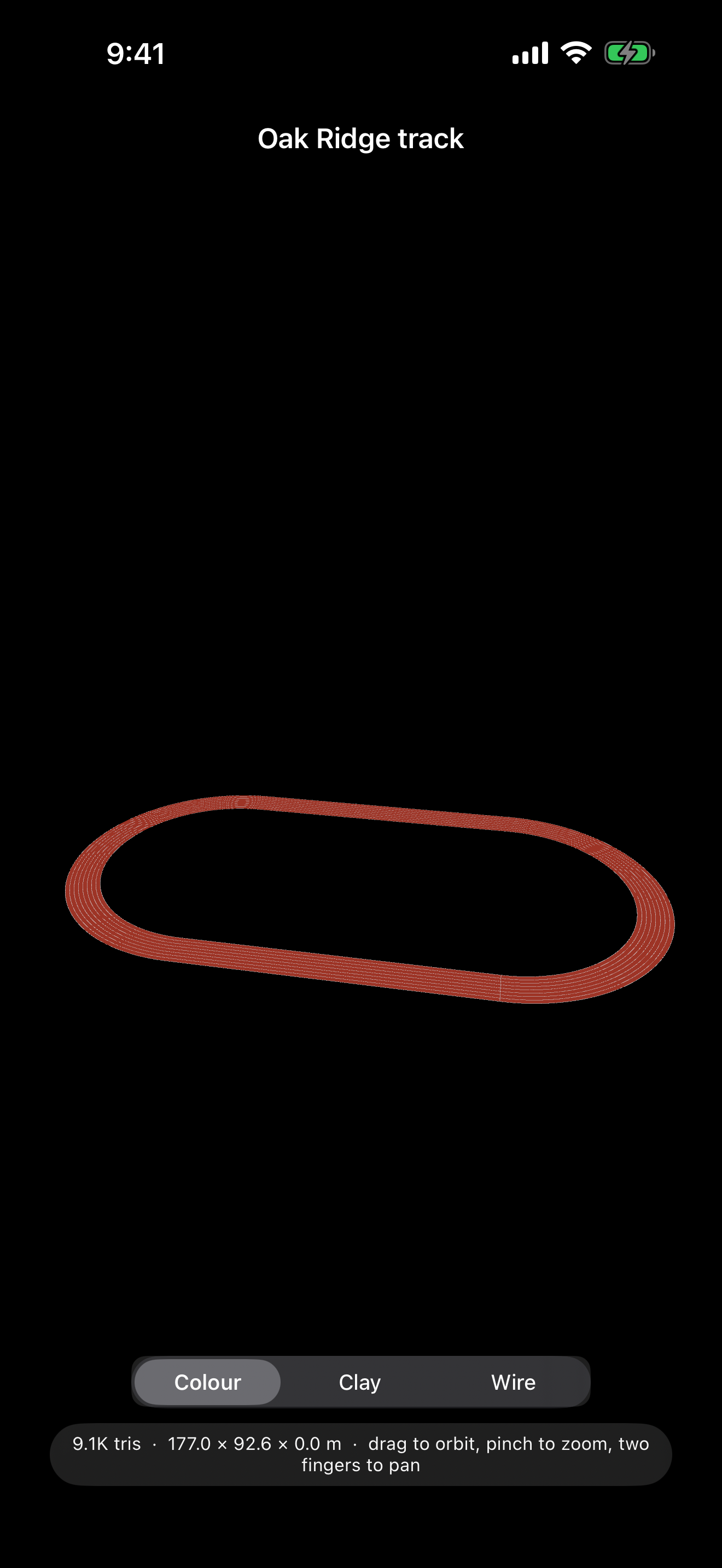
Tap-to-measure checks a scan against a real tape measure. A printable control marker gives separate scans a shared origin, so they merge without any alignment step. And if the venue is a running track, register the scan to the standard 400 m layout by tapping painted landmarks, and export the exact rulebook track alongside it.
View and organise
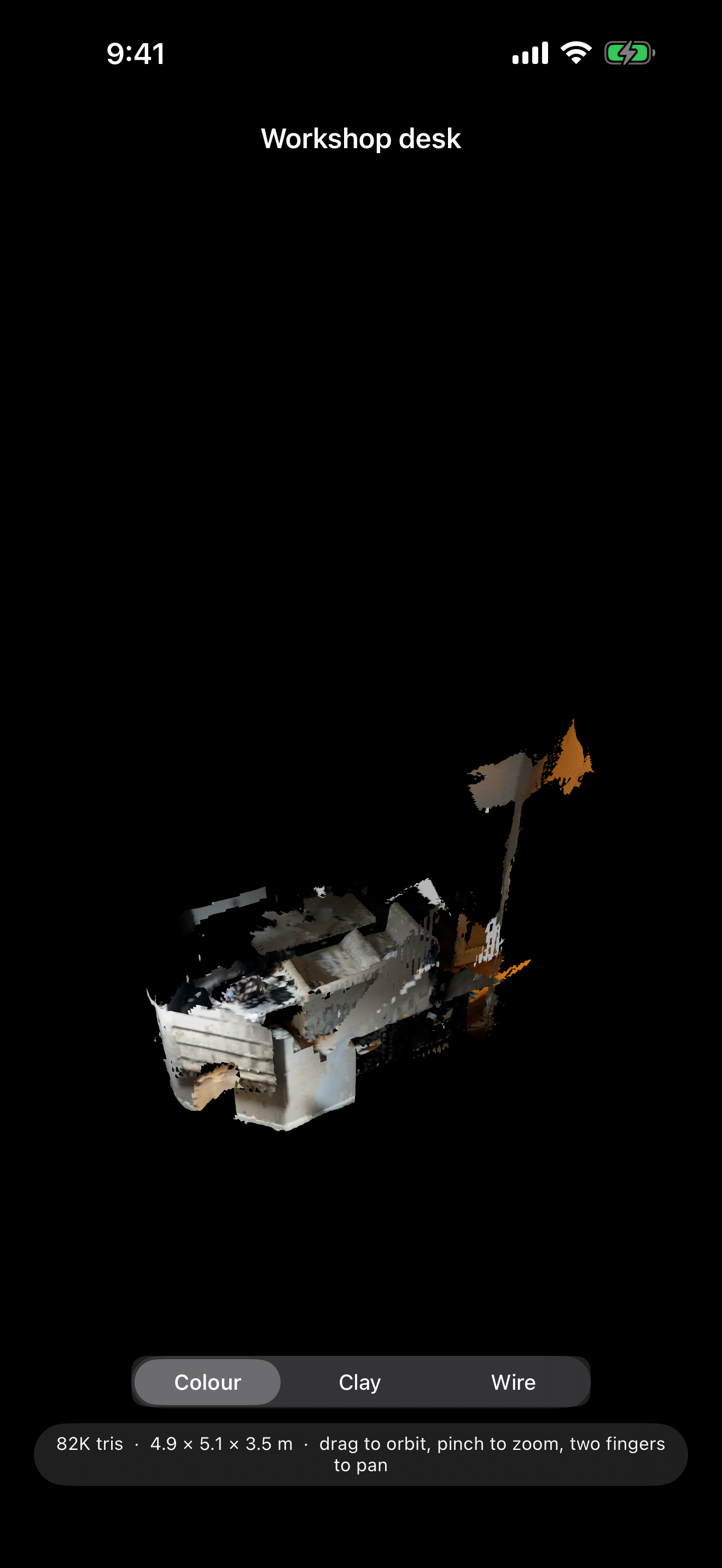
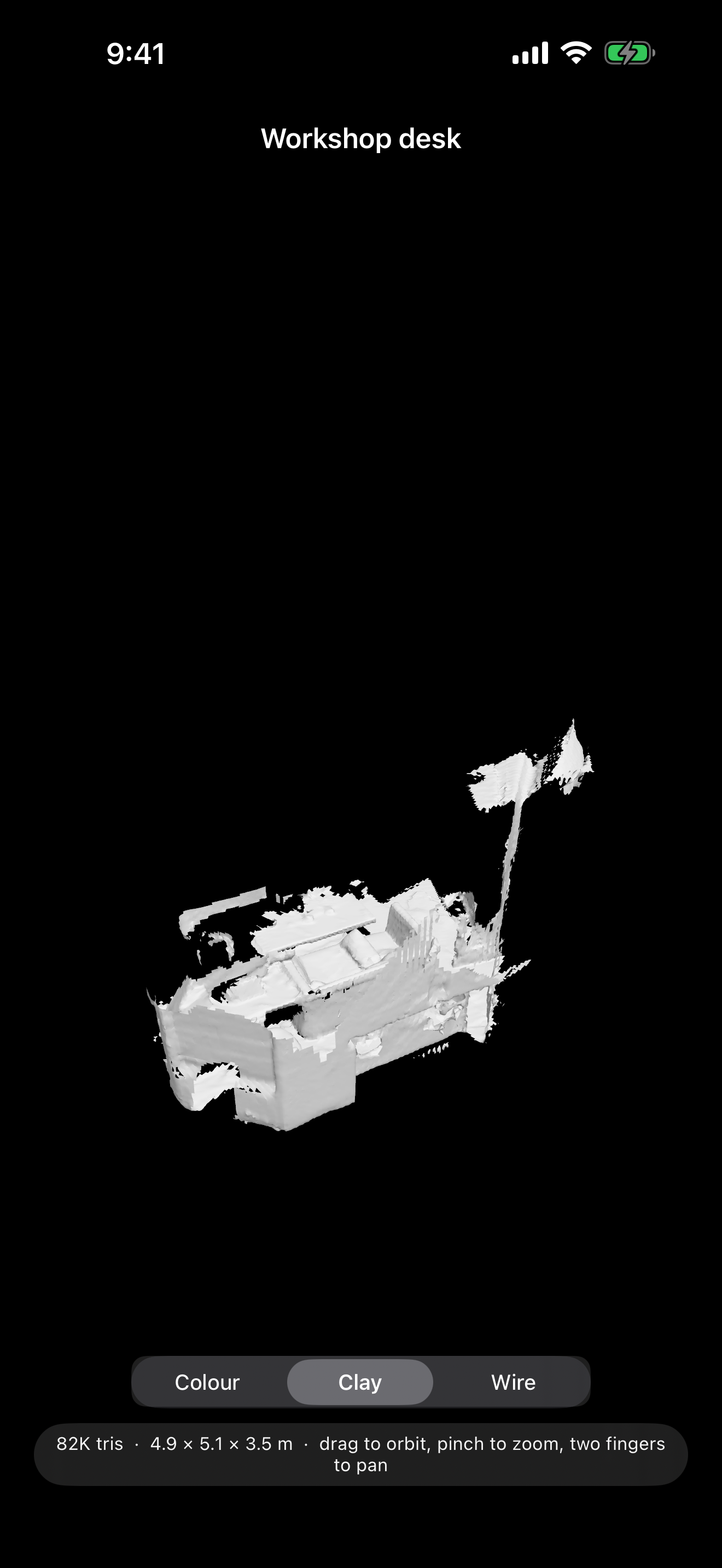
Orbit any scan in full colour, as bare clay to judge the shape, or as wireframe. Search your library by name, type or date.
Private by default
Your scans stay on your device unless you choose to share them. No account, no ads, no tracking, and no network access at all. Questions are answered on the support page.
Coming to the App Store
DM Scanner 3D is free, and is with Apple for review now. Scene scanning needs an iPhone with a LiDAR scanner (the Pro models). Face scanning needs a TrueDepth (Face ID) camera.
Hear Every Reply — DM Read Aloud Is Coming to the Mac App Store
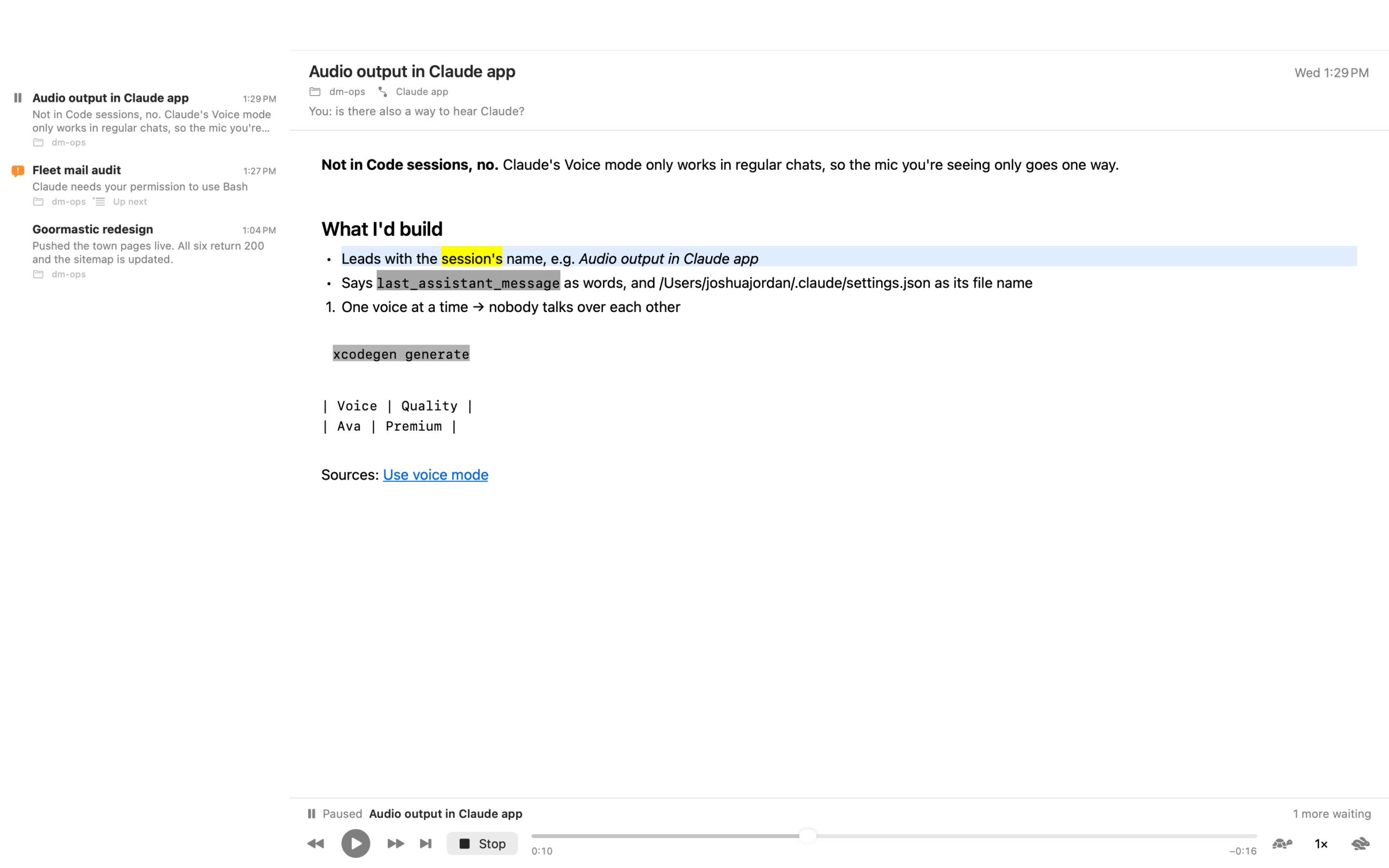
You start a task in Claude Code, and then you do the sensible thing and go do something else. Now you’re glancing back at the screen every minute to see whether it has finished. DM Read Aloud is a Mac app that reads each reply to you the moment it lands, in your Mac’s own voice, highlighting every word as it’s spoken — so you can keep your hands and eyes elsewhere, and glance back only when it says something worth a look.
Built for Claude Code
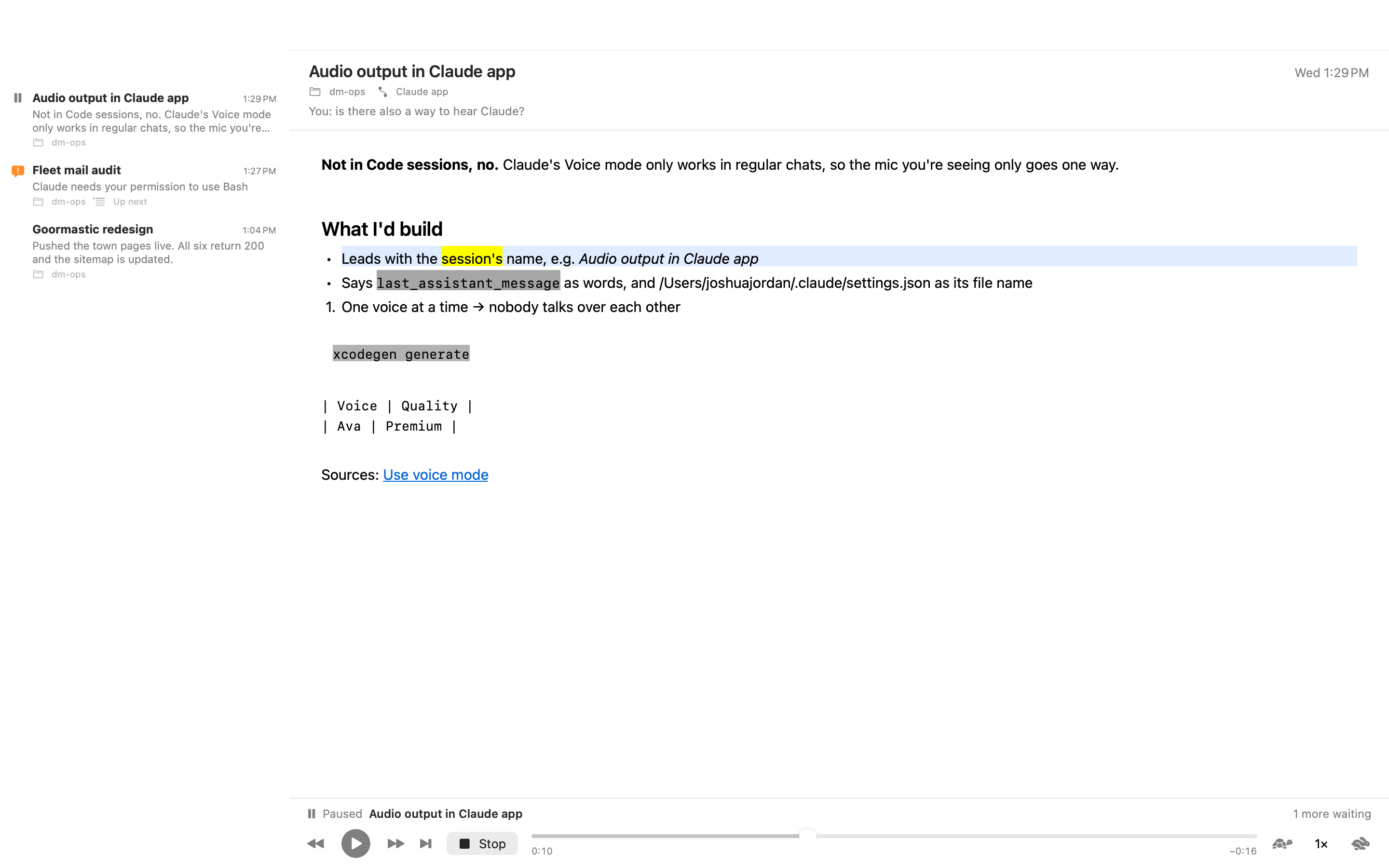
Set-up is one step: point the app at your ~/.claude folder and it installs its hook and adds it to your settings. From then on, every reply Claude finishes is read to you — the session’s name first, then the reply, with code blocks read or skipped as you prefer. When a session needs your permission or has a question, a short notice interrupts the reading and the reply picks up where it stopped. Answer a session, and its reply stops being read.
Listening on your terms
Play, pause, stop, step back or forward a sentence, or jump to the next reply — from the window, the menu bar player, the Dock menu or the keyboard. Speed runs from 0.75× to 3.5×, with a Slower / Faster / Normal shortcut. Use any voice installed on your Mac; Premium and Enhanced voices are listed first. Click any word to read from there. A stopped reply remembers where it was.
Mute a session you don’t need to hear from. Mark replies read, copy their text. The app can open itself when a reply arrives, and open at login.
It reads anything else, too
Press Read Clipboard, open a text or Markdown file, or drop one on the app’s icon. Same voice, same word-by-word highlighting.
Private by default
No account, no network, no analytics. Everything is read by macOS’s built-in speech, on your Mac. Replies are kept only in the app’s own history, which you can clear. See the privacy policy.
Coming to the Mac App Store
DM Read Aloud is free, and is with Apple for review now. It needs macOS 14.4 or later. Claude Code is a product of Anthropic; this app is not affiliated with Anthropic.
Move What You’ve Drawn, Keep It Sharp — DM Warp for iPad, Free on the App Store
You finish the face and one eye is sitting lower than the other. Every drawing app gives you two ways to fix it, and both are bad: cut and paste leaves a hole with a hard edge, and the nudge brush turns the eye to mush. DM Warp is a drawing app for iPad built around a third way. Loop the eye, drag it into place. It keeps its shape exactly, the skin around it stretches to follow, and nothing goes soft.
Drawn in DM Warp
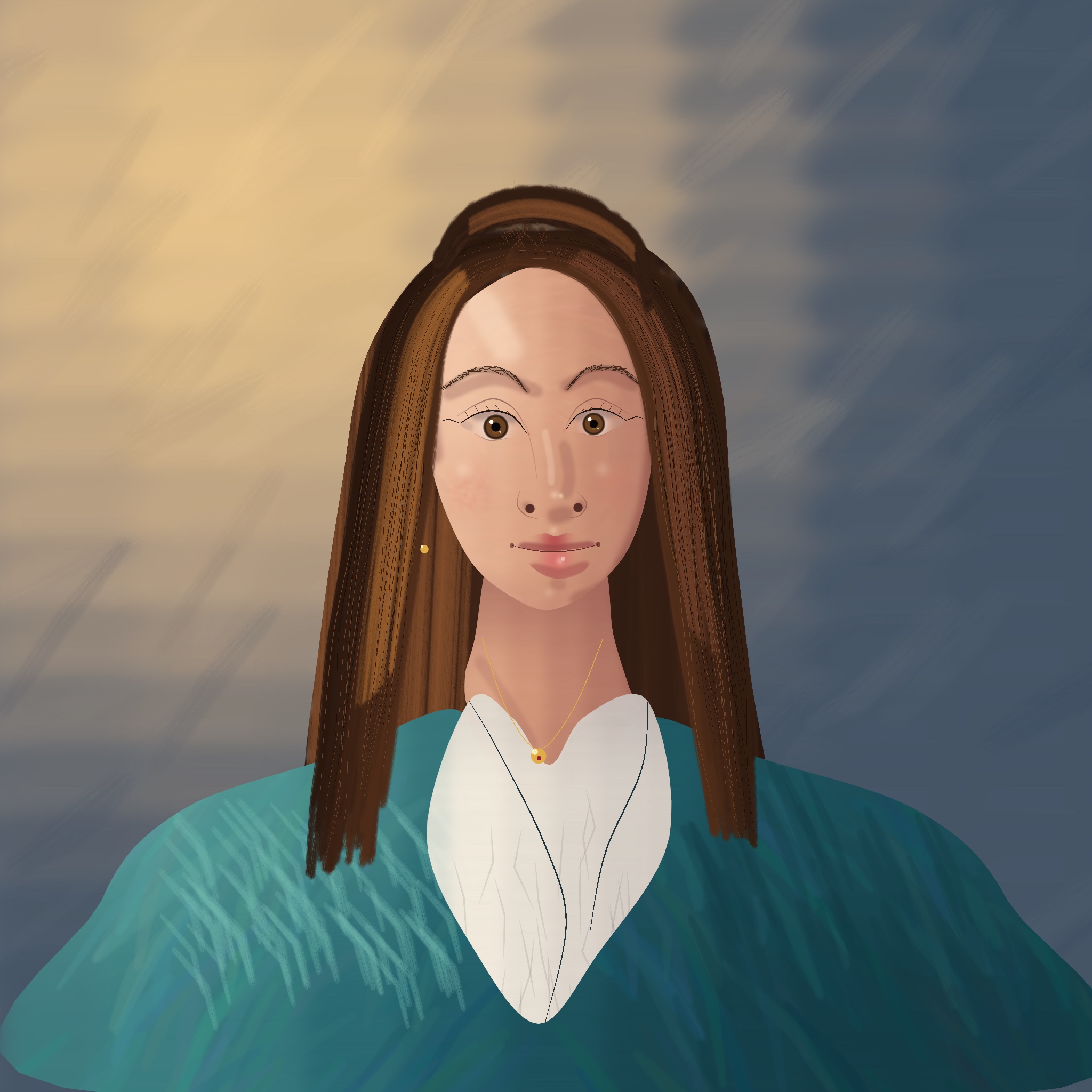
A portrait painted stroke by stroke with the app’s own brushes and layers: soft and bristle brushes for the skin and hair, a fine pen for the lashes and brows, and a separate layer for the backdrop, the hair, the coat, the face and the details.
And here is the whole portrait being painted, from the first wash of the backdrop to the last highlight in the eyes.
Nine more, drawn the way a teacher shows it
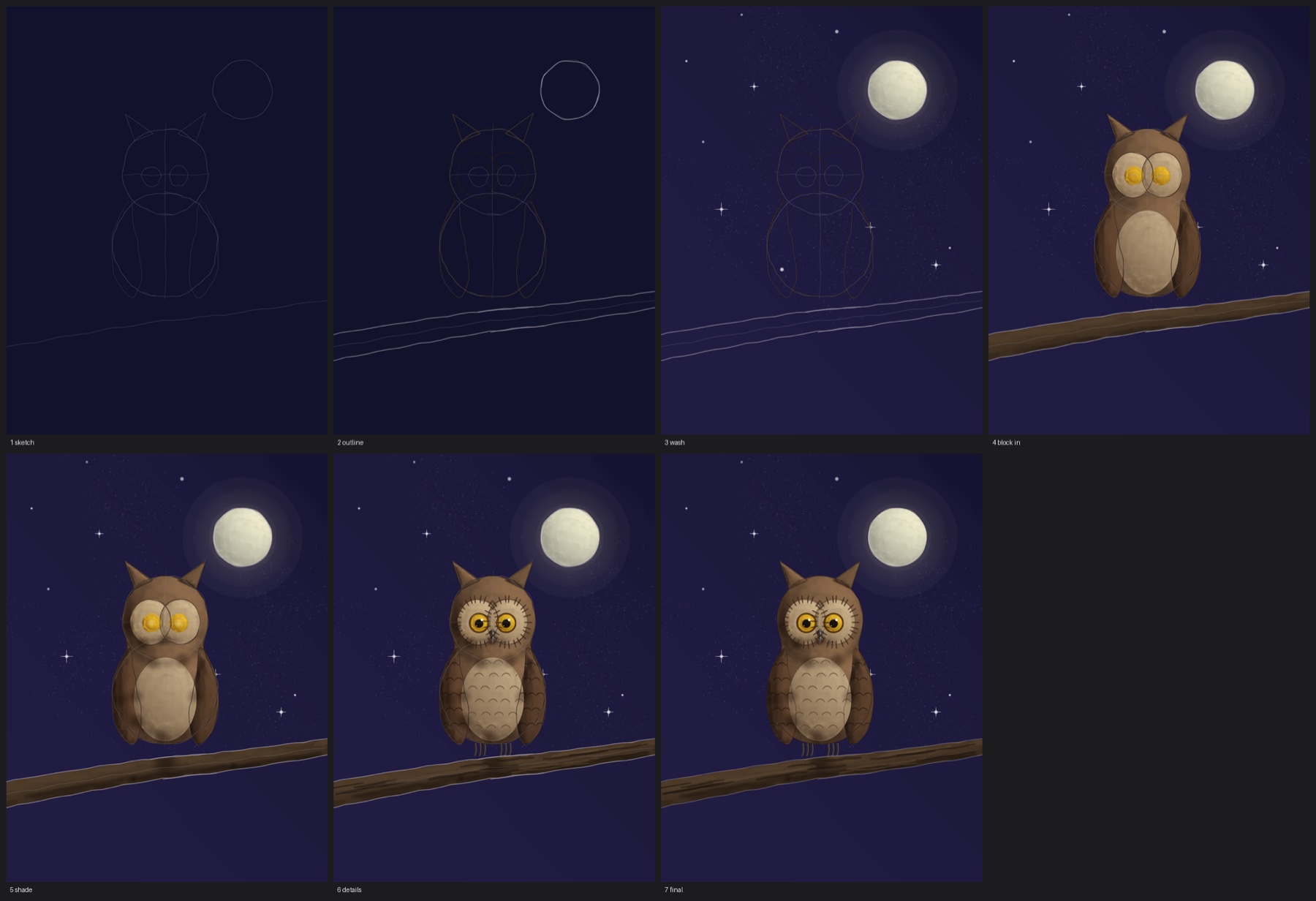
Each of these was drawn in DM Warp in the order an art teacher demonstrates: a light sketch of the shapes, the outline, a wash for the background, the big shapes blocked in, then the shading, the details, and the construction lines rubbed out at the end. The soft shading is done the airbrush way, by holding the brush still and letting the paint build up; that is a brush setting coming in the next update. Every stroke and every hold is kept in the drawing’s history, so the timeline plays each one back and the time-lapse comes straight out of the app.

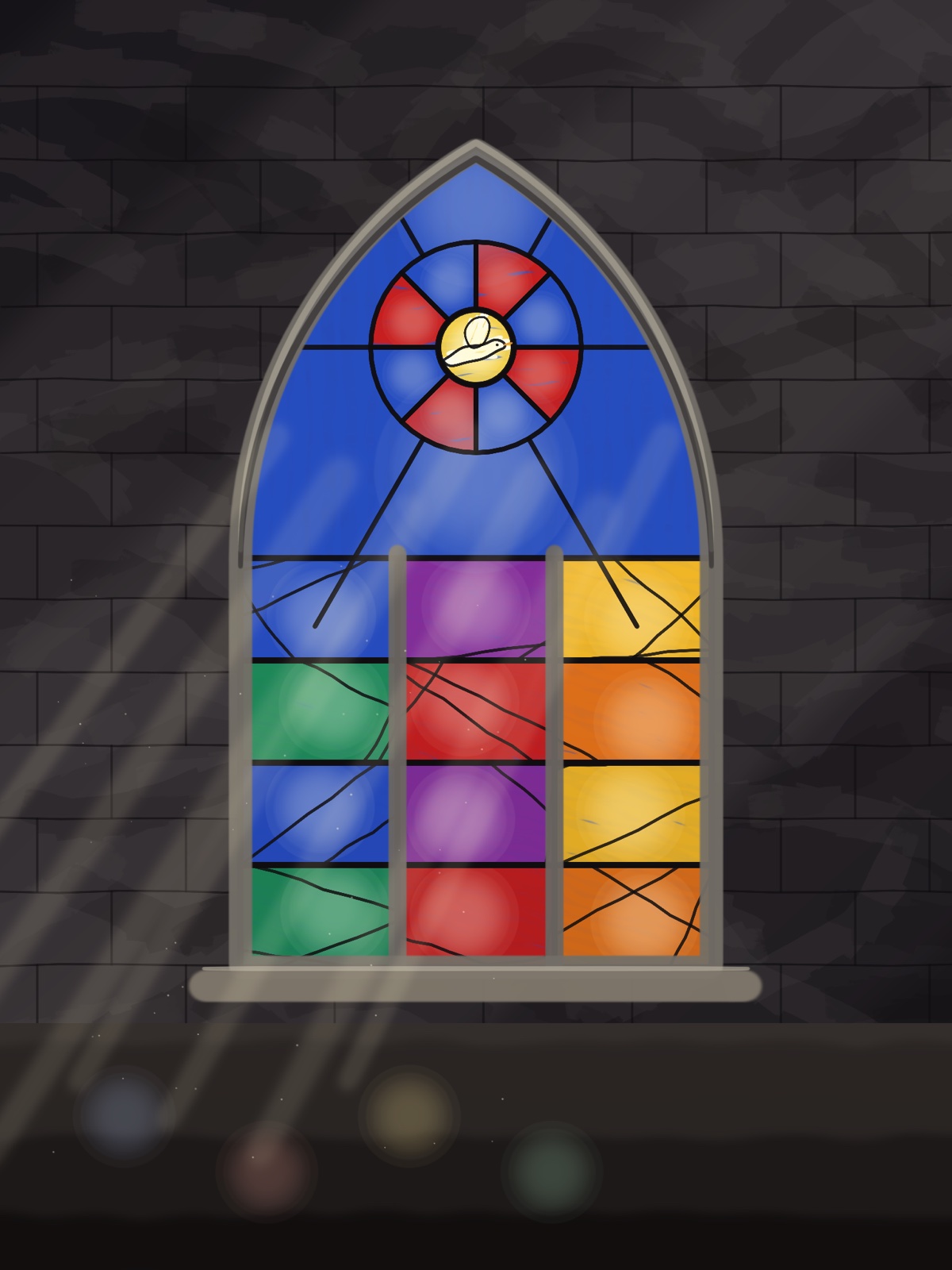
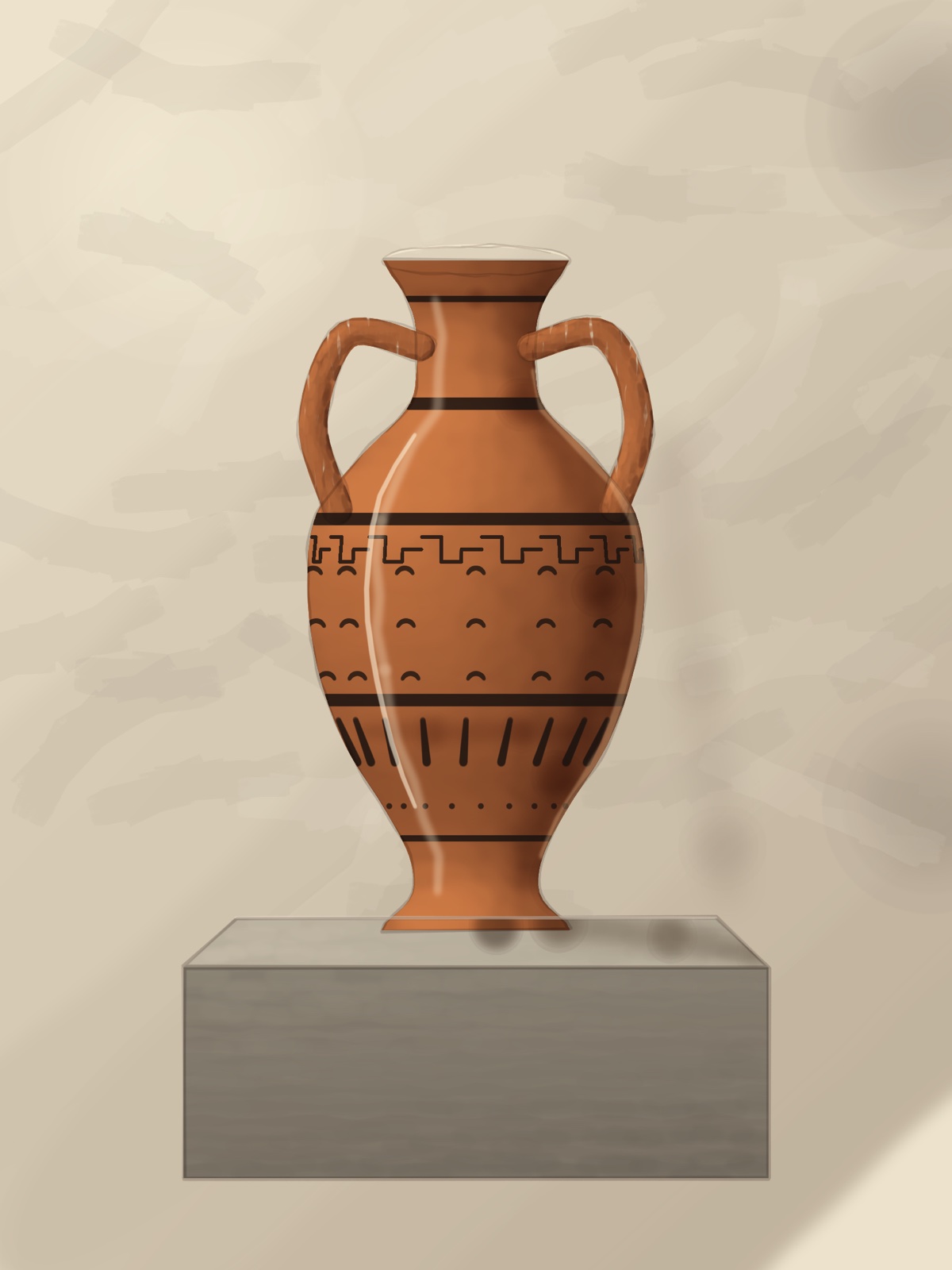



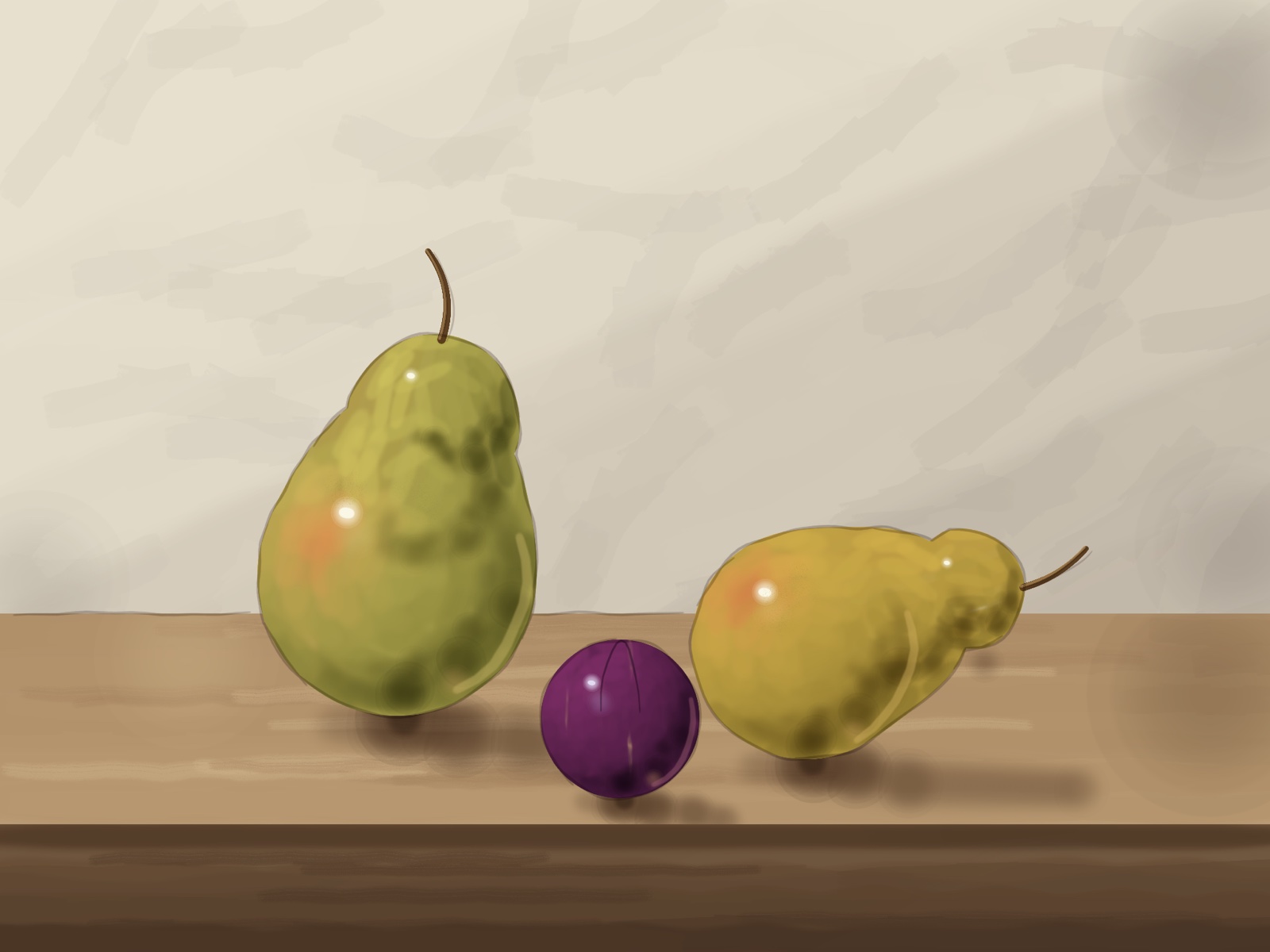
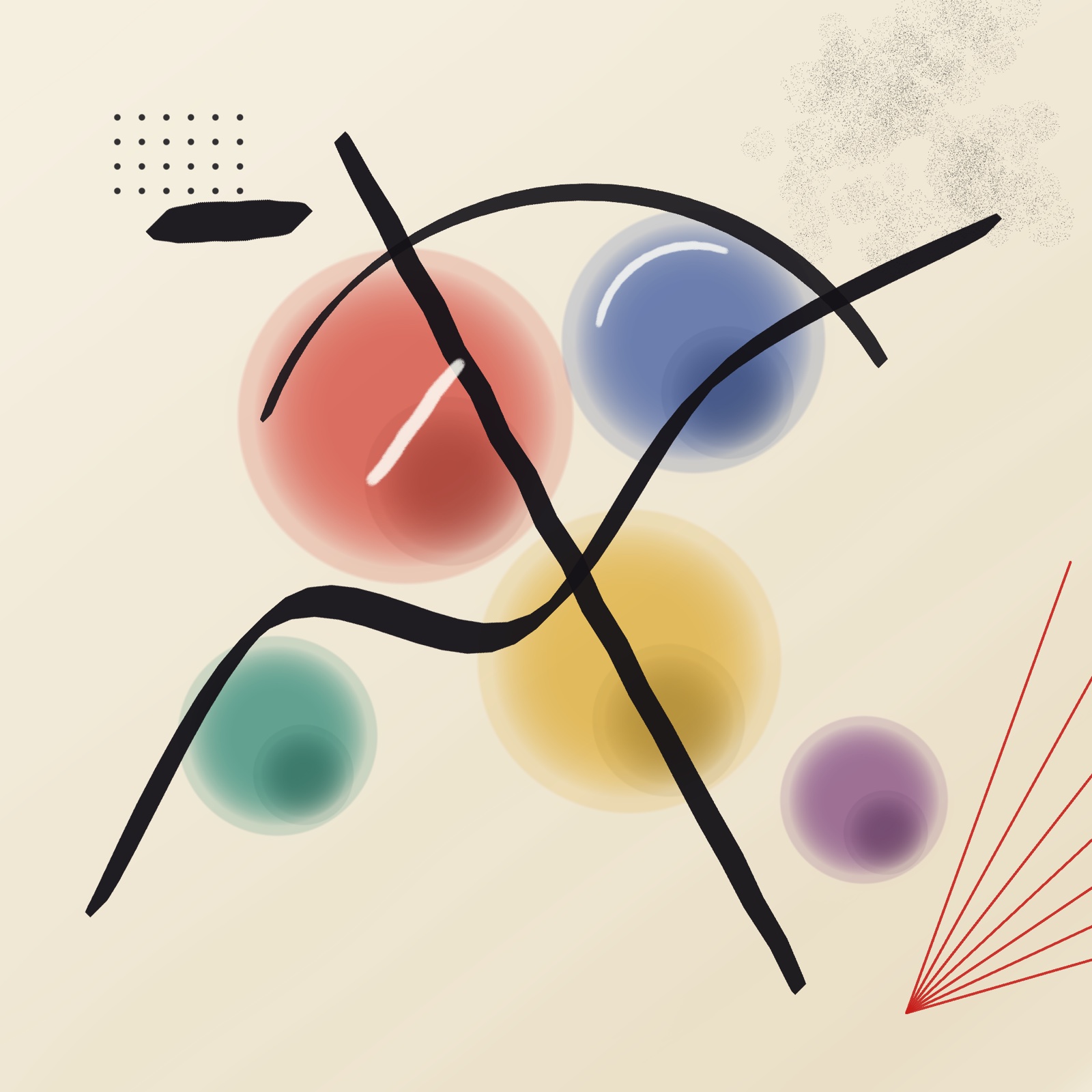
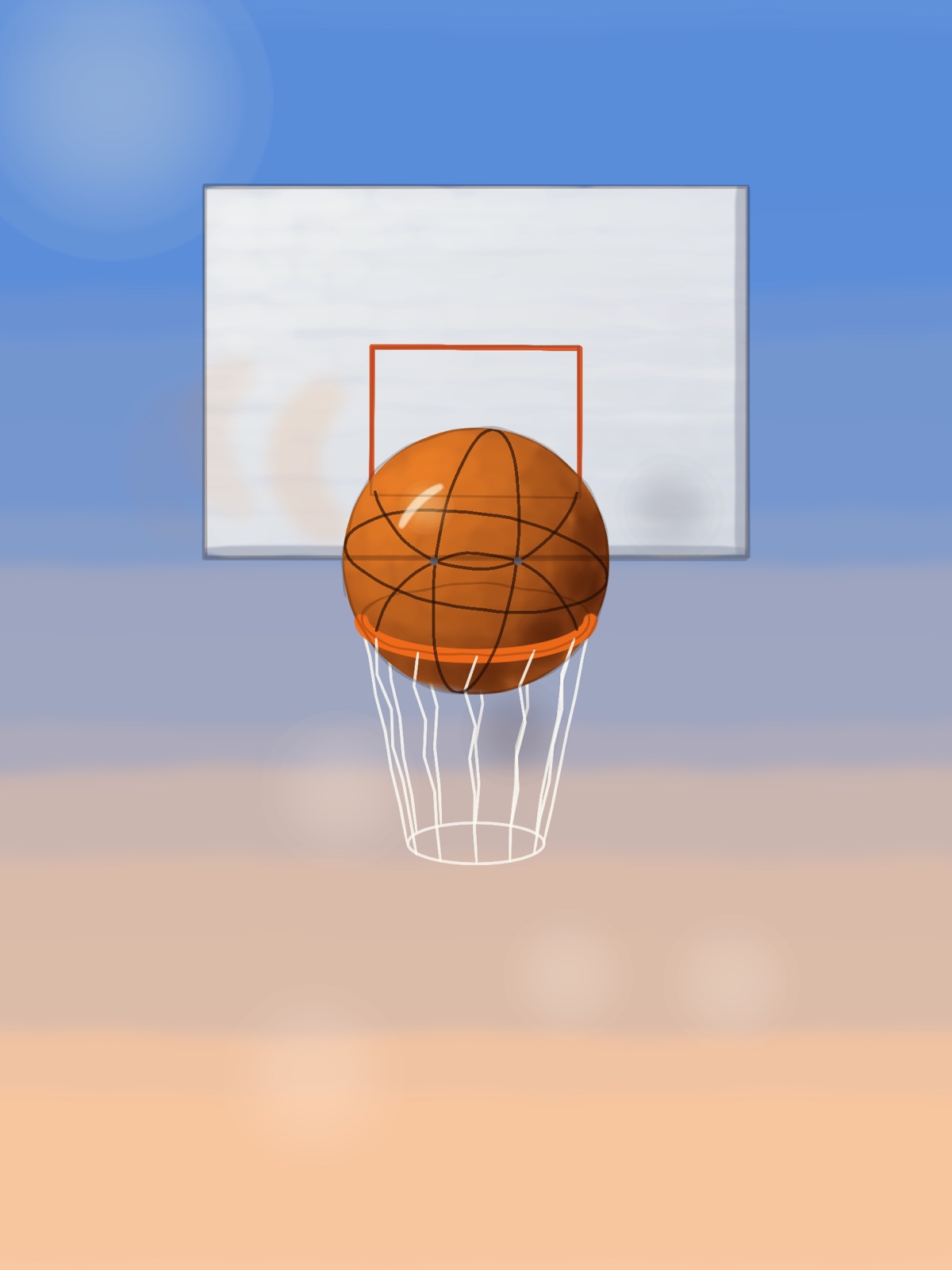
The owl, stage by stage, from the first two circles to the finished bird:
Three of them being drawn, start to finish:
The others: the pears, the planet, the rocket, the shore, the abstract and the basketball.
Move what you’ve already drawn
Pick Move, draw a loop around anything, and drag. Inside the loop the pixels travel as one piece. Outside it, a feather band you set in real pixels stretches the surroundings to meet them. There is no hole, because nothing was cut out, and no seam, because nothing was pasted.


Nudge does the same thing with a brush instead of a loop. Its middle moves as a solid core while only the outer ring bends — the control the nudge tools in other apps are missing, and the reason theirs soften while this one doesn’t. Protect lets you paint over anything that must stay put.
It stays sharp because it never resamples twice
Smudge and liquify tools blur because they redraw the pixels on every step of the stroke. Two hundred steps is two hundred rounds of interpolation, and detail dies a little each time. DM Warp never redraws the pixels at all. Your strokes build up a map of where each pixel should go, and the picture is read from the untouched original through that map exactly once. However many times you push something around, it is as crisp as the day you drew it.
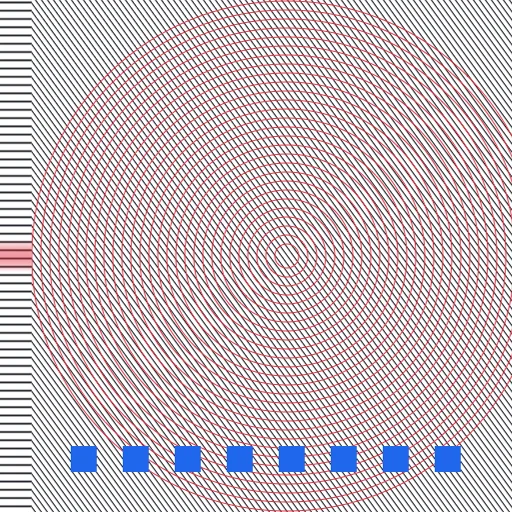
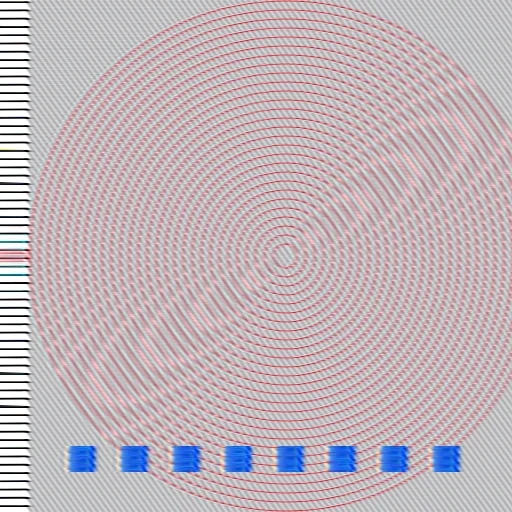
Measured, not claimed: on a 30-pixel move applied in 200 stroke steps, DM Warp keeps 94% of the original’s fine detail. The conventional approach keeps 24%.
Your Photoshop brushes come with you
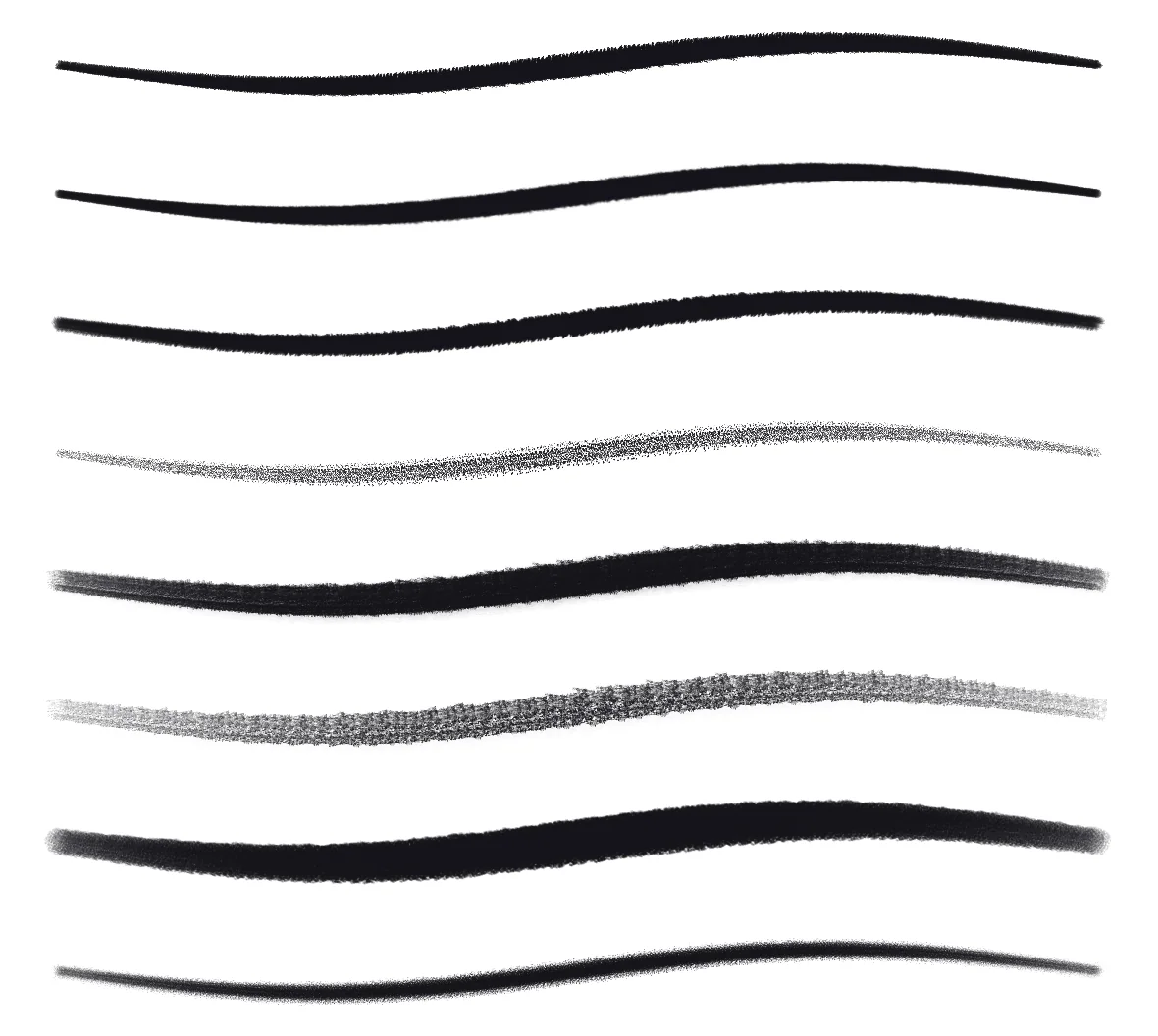
DM Warp reads Photoshop .abr brush sets directly. Drop a file into its folder in Files and every tip in it is ready to paint with — its shape, size, spacing and angle intact. It also reads the brush panel file Photoshop keeps in its own settings, so the brushes you already have loaded come across without exporting anything.
A library that fits the job in hand
Twenty-two brushes are built in — pencils, inks, markers, paint, textures and erasers — grouped the way you would expect. Star the handful a project needs and switch the panel to Favorites; the rest get out of the way. Each brush remembers its own colour, so moving between a dark liner, a pale shader and the eraser does not mean picking the colour again every time.
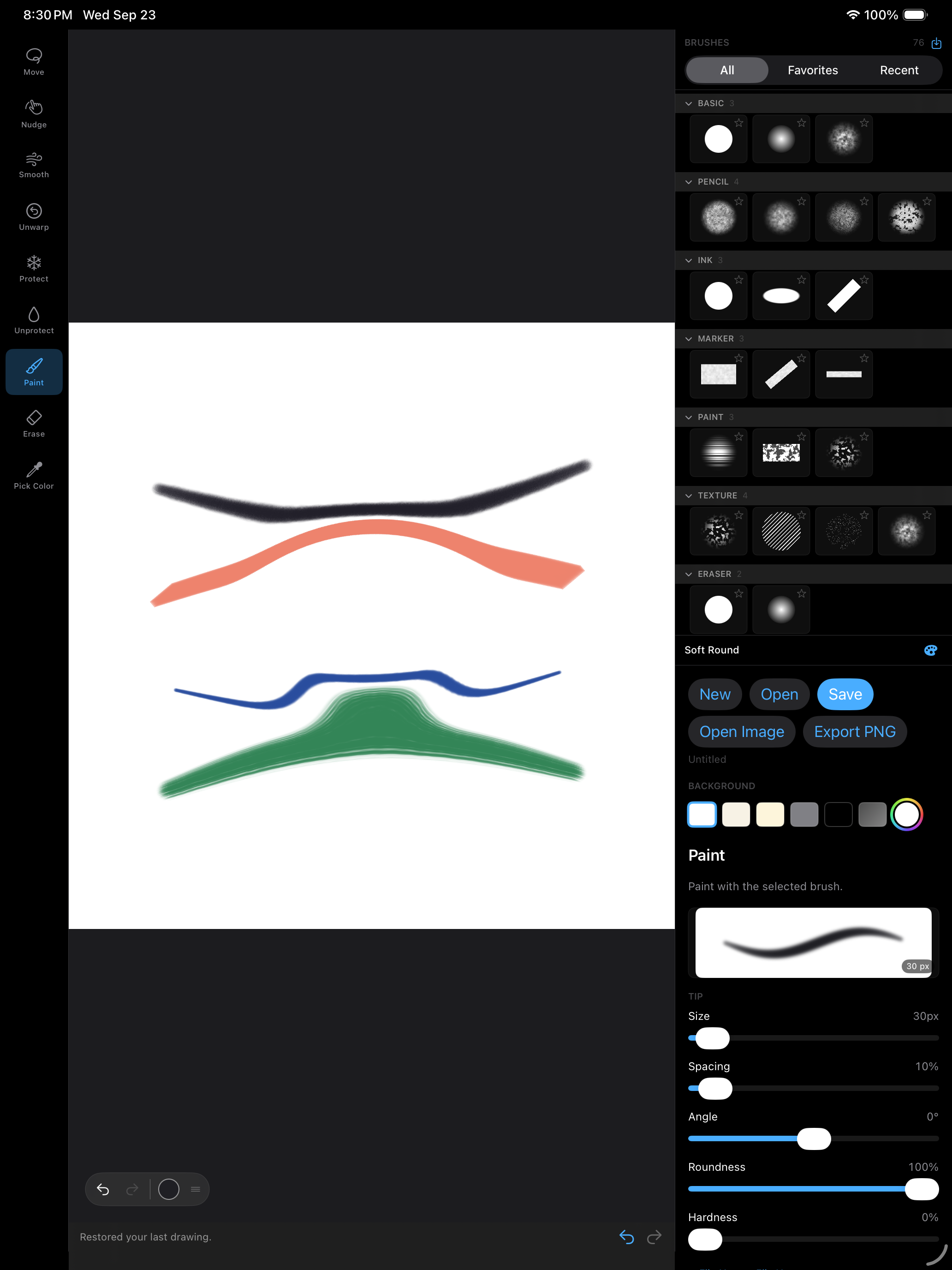
Every slider has a live stroke preview above it, painted by the same engine as the canvas, so you can see what spacing, roundness or scatter will do before you touch the paper.
Layers, the way you already know them
Layers with all sixteen standard blend modes, opacity, reorder, duplicate and merge. Each layer carries its own warp, so you can shift a feature on one layer while the sketch underneath sits still.
More made with DM Warp
Sample artwork made with the app: a night landscape built from nine layers, with Screen blends for the stars and the glow around the moon, and a mandala of inked petals.


Every move stays a move
A DM Warp document does not bake your edits into the pixels. It keeps them as the strokes that made them. Open a drawing a week later and the eye you moved is still a thing you can move again, or undo — not a flattened picture of where it ended up. Documents are small for the same reason; a full canvas of warping is a few kilobytes on top of the image.
Private by default
There is no account and no server. The app contains no networking code at all, so it cannot send your work anywhere. Drawings live on your device or wherever you put them in Files, and the only thing that ever leaves is a file you chose to export.
Available now on the App Store
DM Warp for iPad is on the App Store now, and it’s free. A Mac version is coming.
DM Read Aloud — Support
Support for DM Read Aloud, the Mac app that reads Claude Code’s replies aloud and highlights each word as it’s spoken. If you don’t find your answer here, email [email protected] and a human will reply.
What you need
- A Mac running macOS 14.4 or later.
- For reading Claude Code replies, Claude Code installed and a
~/.claudefolder. Everything else — reading the clipboard or a text file — works without it.
Quick start — hear your Claude Code sessions
- Open the app, then Settings → Claude Code and press Set Up Claude Code…
- Choose your
~/.claudefolder. You do this once. The app is sandboxed, so it cannot reach the folder until you point it there. - The app installs its hook script and adds three hooks to your Claude Code settings, keeping any hooks you already have. A copy of your previous settings file is saved beside it.
- Claude Code picks the change up without a restart. The next reply a session finishes is read to you: the session’s name first, then the reply.
Prefer to edit your settings yourself? Copy Settings Block, in the same place, puts the hooks on the clipboard to paste in.
Reading anything else
File → Read Clipboard (⌘⇧V) reads whatever is on the clipboard. File → Open Text File… (⌘O) reads a text or Markdown file, and so does dropping one on the app’s icon.
Controls
The controls at the bottom of the window always act on the reply being read, even when a different reply is on screen. Show, next to its name, brings it on screen.
| Action | How |
|---|---|
| Stop (also clears the queue) | Esc or ⌘. — or the Stop button at the bottom, the toolbar’s stop button, the menu bar player, or right-click the Dock icon |
| Mute | The Auto-Read toolbar button, the menu bar player, the Dock menu, or ⌘⇧A. Muting also stops what’s playing; new replies are still listed. |
| Play / pause | Space, or the play button at the bottom |
| Back / forward one sentence | ← / → |
| Next reply | ⌘→ |
| Read the selected reply from the start | ⌘R |
| Slower / faster / normal speed | ⌘[ / ⌘] / ⌘0 (0.75× to 3.5×) |
| Read from any word | Click it, or right-click → Read from Here |
A stopped reply remembers where it was: select it and press Play to carry on. Right-click a reply to mute that session, mark it read, copy the text or delete it.
Settings
- Reading: the voice (Premium and Enhanced voices are listed first), speed, whether to read the whole reply or only its first paragraph, whether to say the session name first, and whether to read code blocks.
- Claude Code: whether to receive replies at all, read them automatically, stop a session’s reply once you’ve answered it, read scripted
claude -pruns (off by default), open the app when a reply arrives, open at login — and the hook’s current status.
Frequently asked
Nothing is being read
Check Settings → Claude Code. It shows whether the hook is installed and running; if not, press Set Up Claude Code… and choose your ~/.claude folder. Make sure receive replies and read them automatically are both on, and that the session isn’t muted. Replies that were more than ten minutes old when they arrived — for example ones that piled up while the app was closed — are listed but not read; select one and press Play to hear it.
How do I stop it right now?
Press Esc or ⌘. — from any window, the menu bar player, or the Dock icon. That stops the reply being read and clears anything queued behind it.
It reads the whole reply and I only want the gist
Settings → Reading can read only the first paragraph of each reply, and can skip code blocks.
Can I use a better voice?
Any voice installed on your Mac is available, with Premium and Enhanced voices listed first. More can be downloaded in macOS’s System Settings → Accessibility → Spoken Content → System Voice.
Does it send my replies anywhere?
No. There is no account and no network. Everything is read by macOS’s built-in speech, on your Mac, and replies are kept only in the app’s own history, which you can clear. See the privacy policy.
Contact
Email [email protected]. Claude Code is a product of Anthropic; DM Read Aloud is not affiliated with Anthropic.
DM Warp — Support
DM Warp is a drawing app for iPad and Mac. It paints with pressure-sensitive brushes, works in layers, and can move part of a finished drawing without leaving a hole or softening it.
Moving something you have already drawn
Pick Move, draw a loop around the thing you want to shift, then drag inside the loop. What you selected keeps its shape exactly, and the pixels around it stretch to follow. Nothing is cut out, so there is no hole behind it and no hard edge around it.
The Feather band slider sets how far, in pixels, that stretching reaches. A narrow band keeps the change local; a wide one spreads it out. Protect lets you paint over anything that must not move at all.
Using your Photoshop brushes
DM Warp reads Photoshop .abr brush sets. Put them in the DM Warp folder in the Files app and they load the next time you open the app, or use the import button at the top of the brush panel.
An .abr file stores a brush’s tip and its shape, but not its dynamics — Photoshop keeps scatter, jitter and pressure curves somewhere else. Imported brushes therefore arrive with settings chosen to suit the tip, and every one of them is a slider you can change.
Keeping your tools together
Tap the star on any brush to pin it, then switch the brush panel to Favorites to see only those. Each brush also remembers its own colour, so moving between a dark liner, a light shader and an eraser does not mean picking the colour again each time.
Gestures
Two fingers pan and zoom. Two-finger tap undoes, three-finger tap redoes. When an Apple Pencil is detected the app stops drawing with your finger so a resting palm cannot paint — you can turn that back on in the panel.
Saving
Drawings save as DM Warp documents, which keep your layers and keep every move you made still adjustable — reopen a drawing a week later and you can undo a nudge from the first session. Export PNG produces a flat image for sharing.
The app also keeps a working copy of whatever you have open, so closing it or running out of memory does not lose your drawing.
Contact
Questions, bugs or requests: [email protected].
DM Warp Privacy Policy
Last updated: September 23, 2026
DM Warp is made by Dependent Media. It is a drawing app for iPad and Mac. This policy explains what the app stores, what leaves your device, and what we can see.
The short version
DM Warp collects nothing. There is no account to create, no sign-in, and no server. The app contains no networking code at all — it cannot send your drawings anywhere, because it has no way to send anything anywhere. We do not use advertising or analytics SDKs, and we do not track you across other apps or websites.
1. What is stored on your device
Your drawings, saved as DM Warp documents, live in the app’s own storage or wherever you choose to put them in the Files app. The app also keeps a working copy of whatever you have open, so a crash or a force-quit does not lose it.
Alongside that, the app remembers your preferences: which brushes you have pinned, the colour assigned to each brush, which brushes you used recently, and your canvas settings. Any brush sets you import stay on your device.
All of this stays on your device. None of it is uploaded. Deleting the app removes it.
2. Files you open
When you open an image or import a brush set, you pick the file yourself through the system file picker. The app can only read the file you chose. It does not browse your photo library or your documents, and it does not ask for access to either.
3. What leaves your device
Only what you deliberately export. Saving a document or exporting a PNG puts the file where you tell the system to put it. That is the only way anything moves, and it is always something you started.
4. Children
DM Warp is suitable for all ages. Because it collects no data whatsoever, there is nothing for us to gather from a child using it, and no way for us to identify any user.
5. Changes to this policy
If the app ever gains a feature that sends data anywhere, this page will be updated before that version ships, and the change will be described plainly rather than buried.
Contact
Questions about this policy: [email protected].
DM Read Aloud Privacy Policy
Effective September 23, 2026.
DM Read Aloud is a Mac app by Dependent Media that reads text aloud using the speech voices built into macOS.
What the app collects
Nothing. DM Read Aloud has no account, makes no network connections, and contains no analytics or advertising.
What stays on your Mac
The text the app reads — replies handed to it by Claude Code, text you paste, or files you open — is stored only in the app’s own history on your Mac, so you can listen again. You can delete any entry or clear the history from the app’s settings. The app never sends this text anywhere.
If you set up the Claude Code hook, the app writes a small script and its hook settings into your ~/.claude folder, with your permission, so that Claude Code can hand it replies. It reads nothing else from that folder.
Speech
Speech is produced by macOS on your Mac. No audio or text is sent to Dependent Media or to any third party.
Contact
Questions: dependentmedia.com/hosting/contact.php.