Software
DM Digital Rain: A Falling-Code Screen Saver for Your Mac
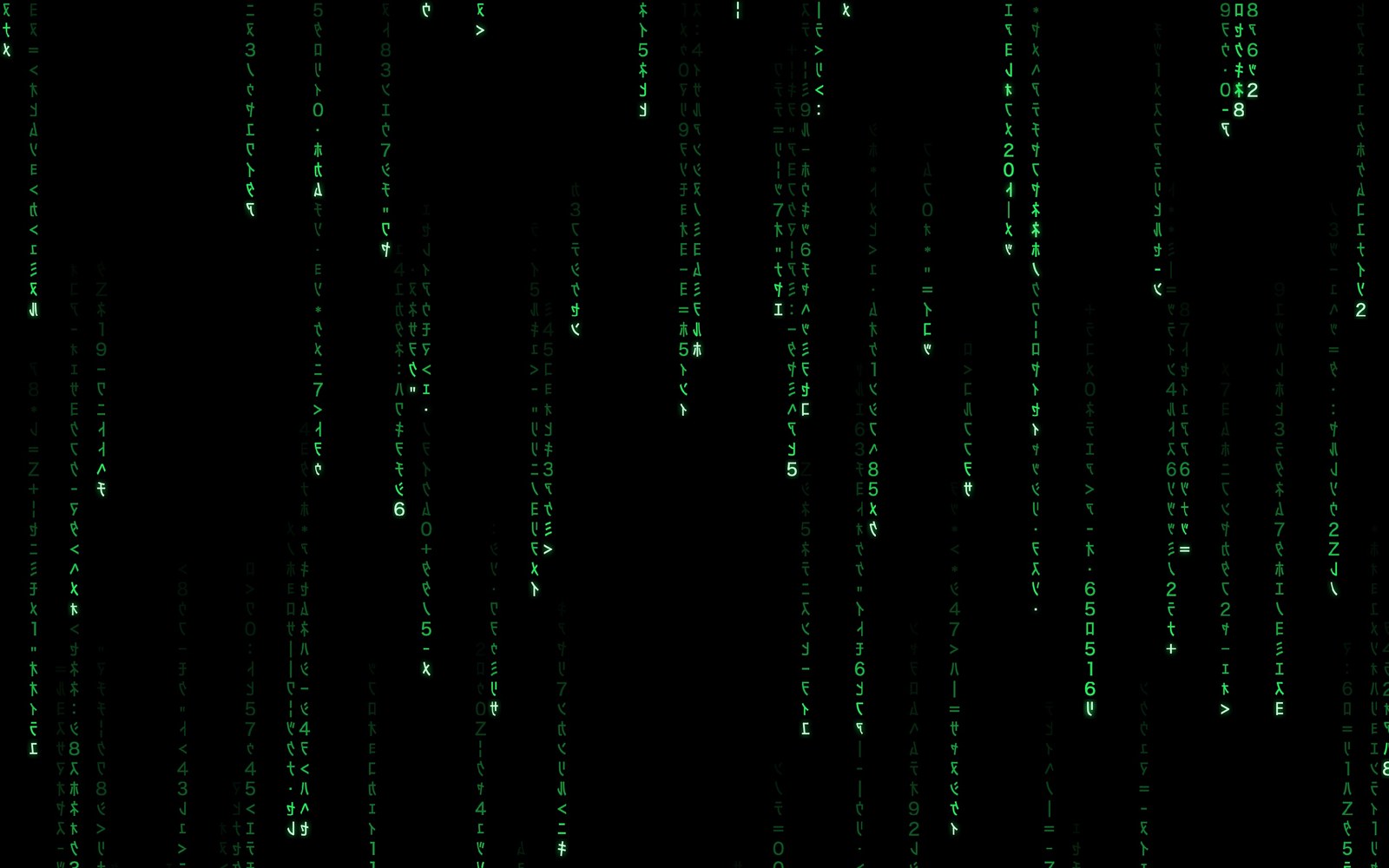
Streams of glowing characters pour down a black screen, drawn live and never repeating. DM Digital Rain is a real macOS screen saver, and an app that plays the same rain on your Mac, iPhone and iPad.
Watch it run
The opening as the screen saver starts: black, a single stream, a few more, then the full rain. After that, the Rainbow colour, Binary glyphs, and a colour of your own.
Try it here
This is the same rain, running in your browser. Change the colour, glyphs, speed, density and size, replay the opening, or go full screen.
A screen saver, set up in a minute
Open the app and click Install Screen Saver…. macOS asks once, then you pick DM Digital Rain under Other in System Settings › Wallpaper › Screen Saver… (or System Settings › Screen Saver on macOS 14 and 15). When your Mac goes idle, the screen fades to black, a single stream starts to fall, a few more join it, and then the rain fills every display. Test Screen Saver in the app starts it right away.
Make it yours
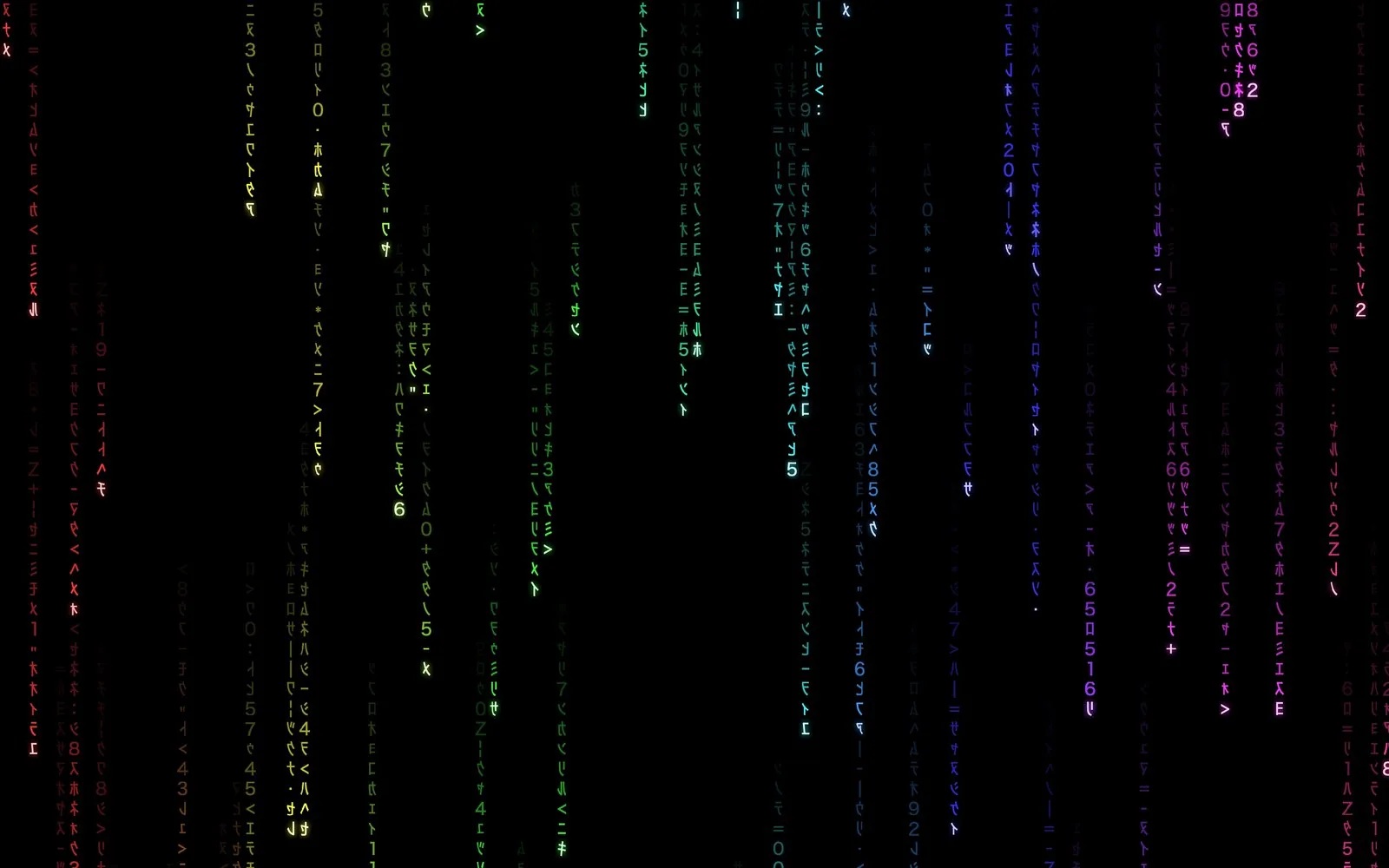
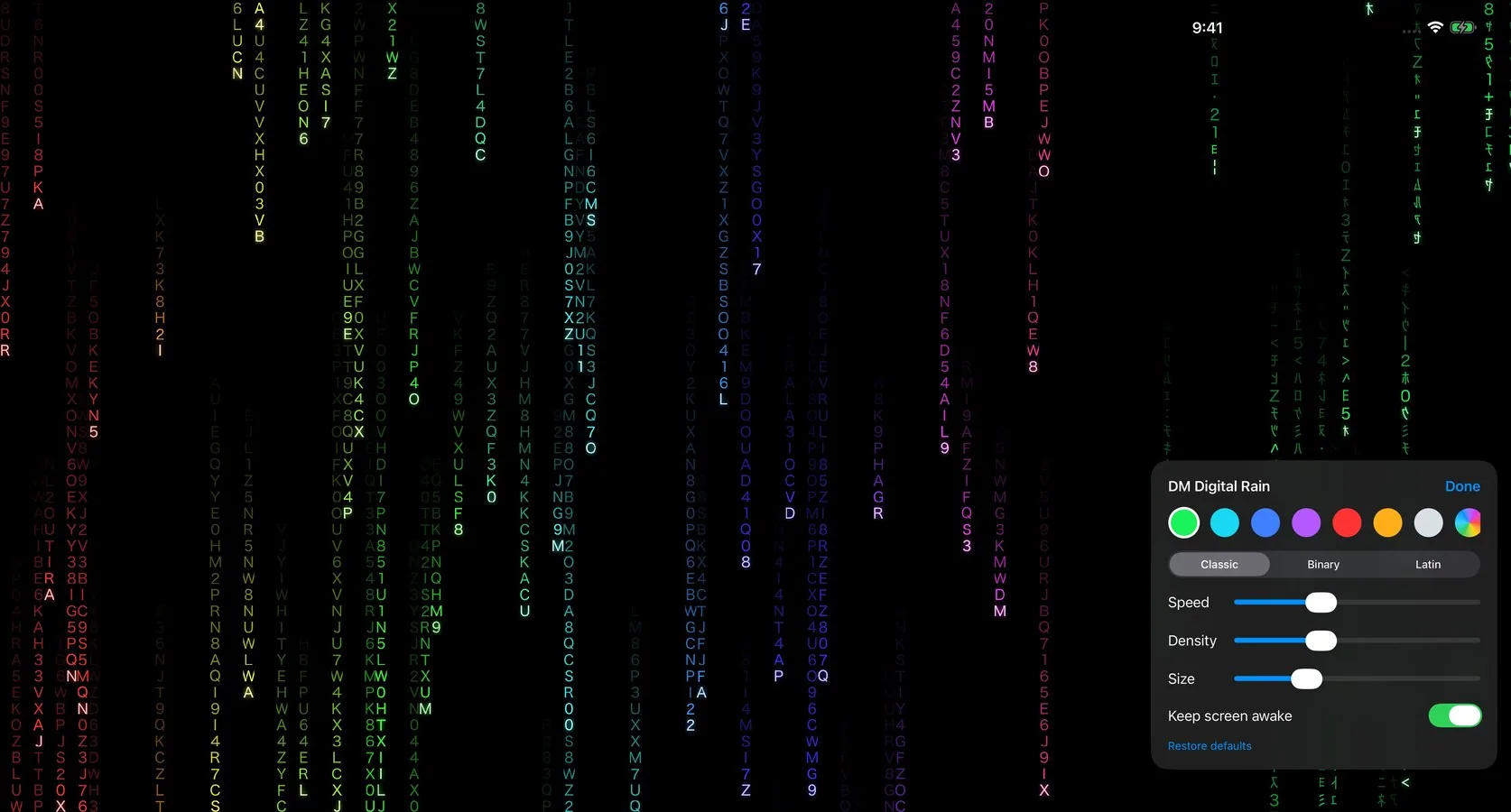
Eight colours including Rainbow, or any colour you like from the colour picker. Classic glyphs (mirrored katakana and numerals), Binary, or Latin letters. Sliders for speed, density and glyph size. Set them in the app, or from Options… in System Settings.
Smooth on every display
The rain is drawn on your Mac’s graphics chip at 60 frames per second, so it stays smooth across several large displays and barely touches the processor. It runs on Apple silicon and Intel Macs.
Coming to iPhone and iPad
iOS has no system-wide screen saver, so the iPhone and iPad app, coming to the App Store, starts the rain as soon as you open the app and keeps the screen awake while it runs: a good fit for a stand, a spare device, or a display on a shelf. Tap the screen for the same style options.
Private by default
No account, no ads, no network connections, no analytics. Your style choices stay on your device. See the privacy policy, and the support page for set-up help.
Download it free
Download DM Digital Rain for Mac (version 1.0.0, 1.2 MB, free). It needs macOS 14 or later and is signed and notarized by Apple: unzip it, drag it to your Applications folder, and open it. App Store versions for Mac, iPhone and iPad are on the way.
DM TV Remote: Control Your Apple TV From Your Mac
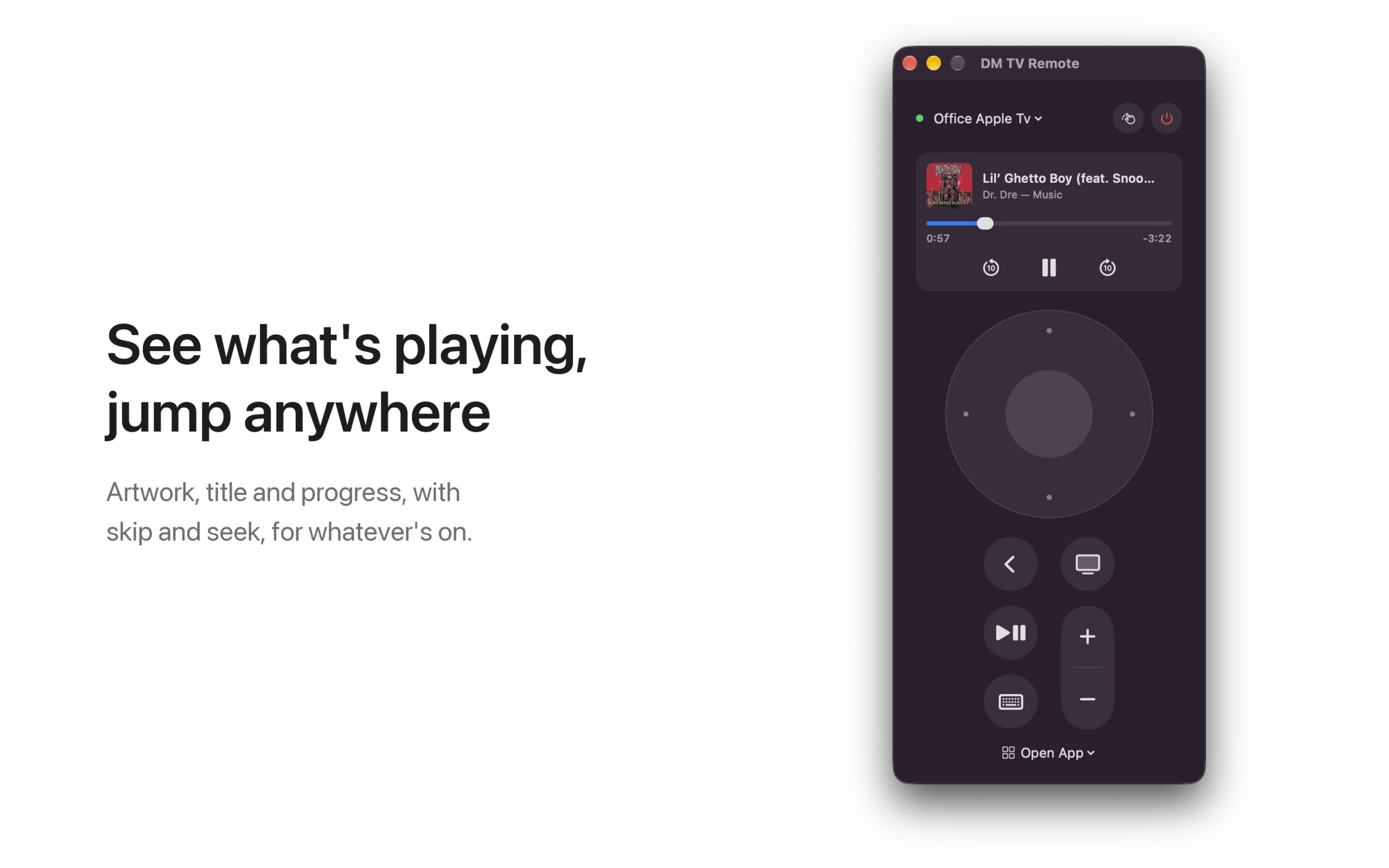
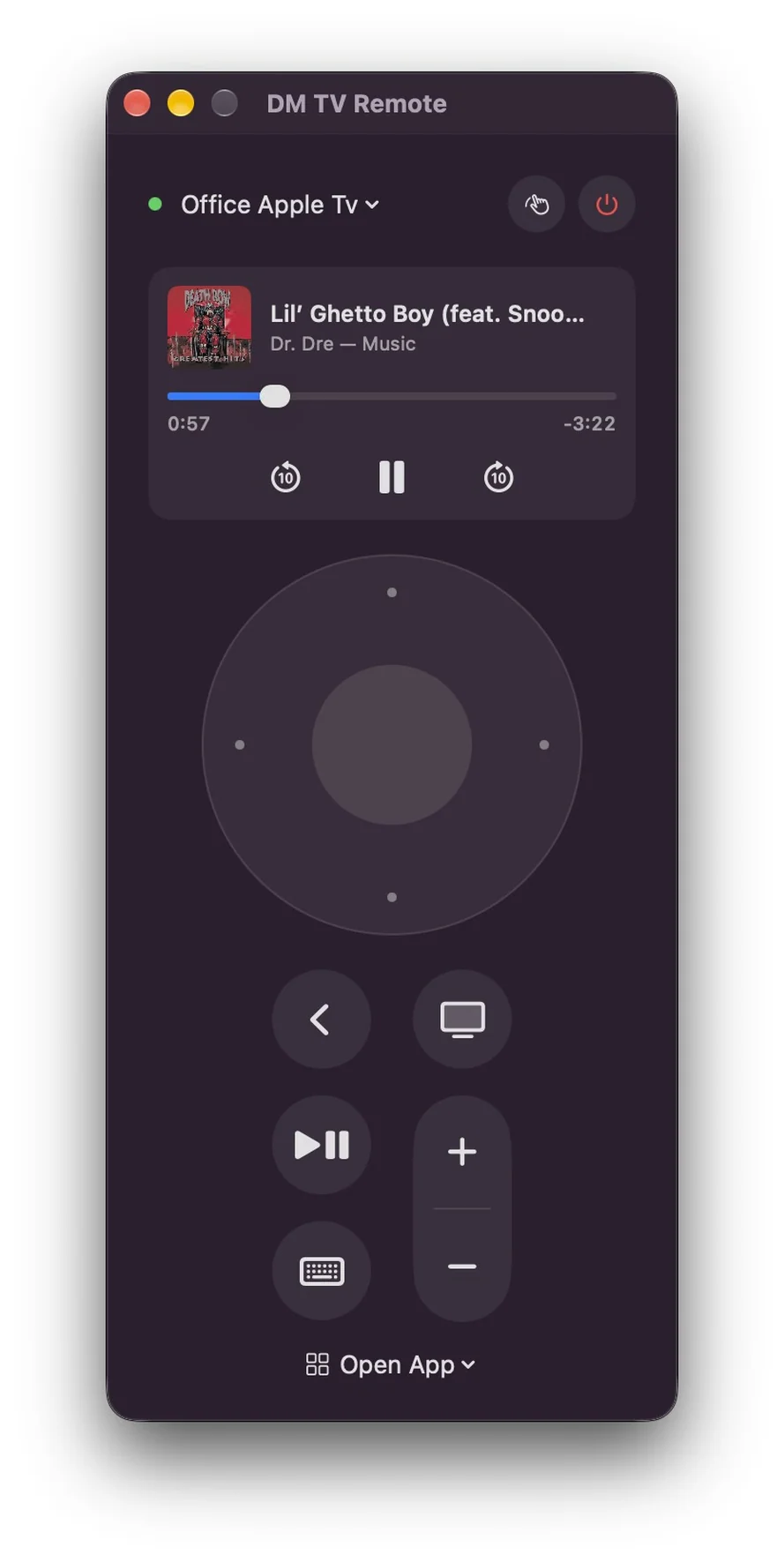
The Apple TV remote is small, silver and somewhere in the couch. DM TV Remote puts it on your Mac instead: pair once with the code your TV shows, then get around with a clickpad on screen, your keyboard or your trackpad. It’s free, with no ads.
See it in action
Everything the remote does
Click the edges of the clickpad to move and the centre to select. Back, TV/Home, Play/Pause and volume are there too, and every button holds for as long as you hold it, just like the real remote. You can also put your Apple TV to sleep and wake it.
Or use your keyboard and trackpad
With the remote in front, the arrow keys move, Return selects, Esc goes back and Space plays and pauses. H takes you home, and + and − change the volume. Swipe with two fingers on the clickpad to fly through long lists, or press T for trackpad mode, where the pad becomes the remote’s touch surface: drag to move the highlight, click to select.
Type searches on a real keyboard
When a search box or other text field is selected on your TV, a text field opens on your Mac. Type there and the text appears on the TV, with no more picking letters one at a time.
See what’s playing
When something is playing on the TV, the remote shows its artwork, title and progress. Skip back or forward ten seconds, pause, or drag the progress bar to jump anywhere. Prefer a plain remote? Right-click the card to hide it.
Open any app, on any Apple TV in the house
The Open App menu lists every app installed on your Apple TV; pick one and it opens. Have more than one Apple TV? Switch between them from the menu at the top. Keep the remote in its own window, or open it from the menu bar.
Private by default
No account, no ads, no analytics. The app talks only to the Apple TVs on your own network, over an encrypted connection, and its pairing keys stay in your Mac’s keychain. See the privacy policy.
Coming to the Mac App Store
DM TV Remote is free, and is with Apple for review now. It needs macOS 14 or later and an Apple TV on the same network. The volume buttons work when your Apple TV controls your TV’s volume. Apple TV is a trademark of Apple Inc.; this app is not made or endorsed by Apple.
DM Game Swarm
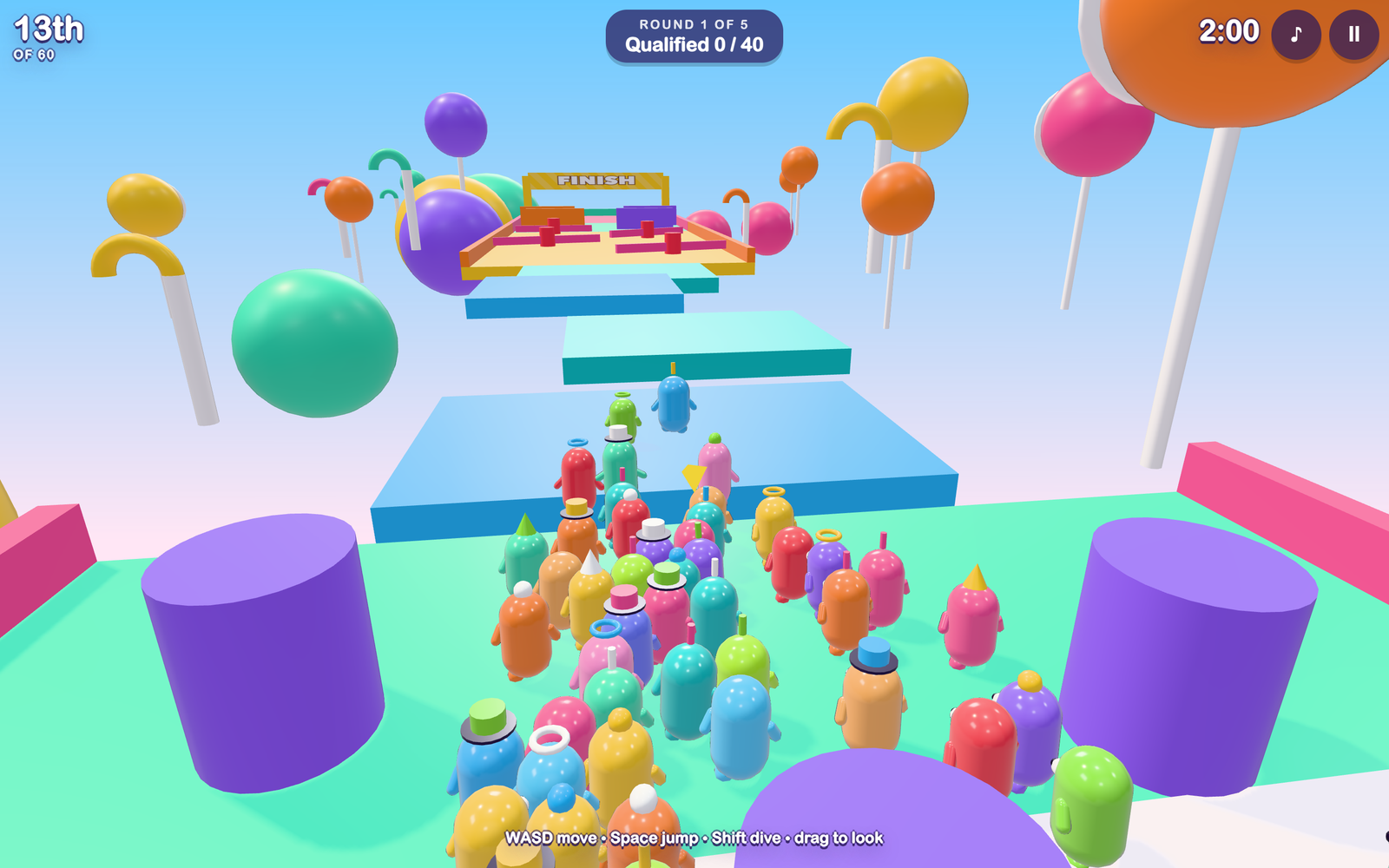
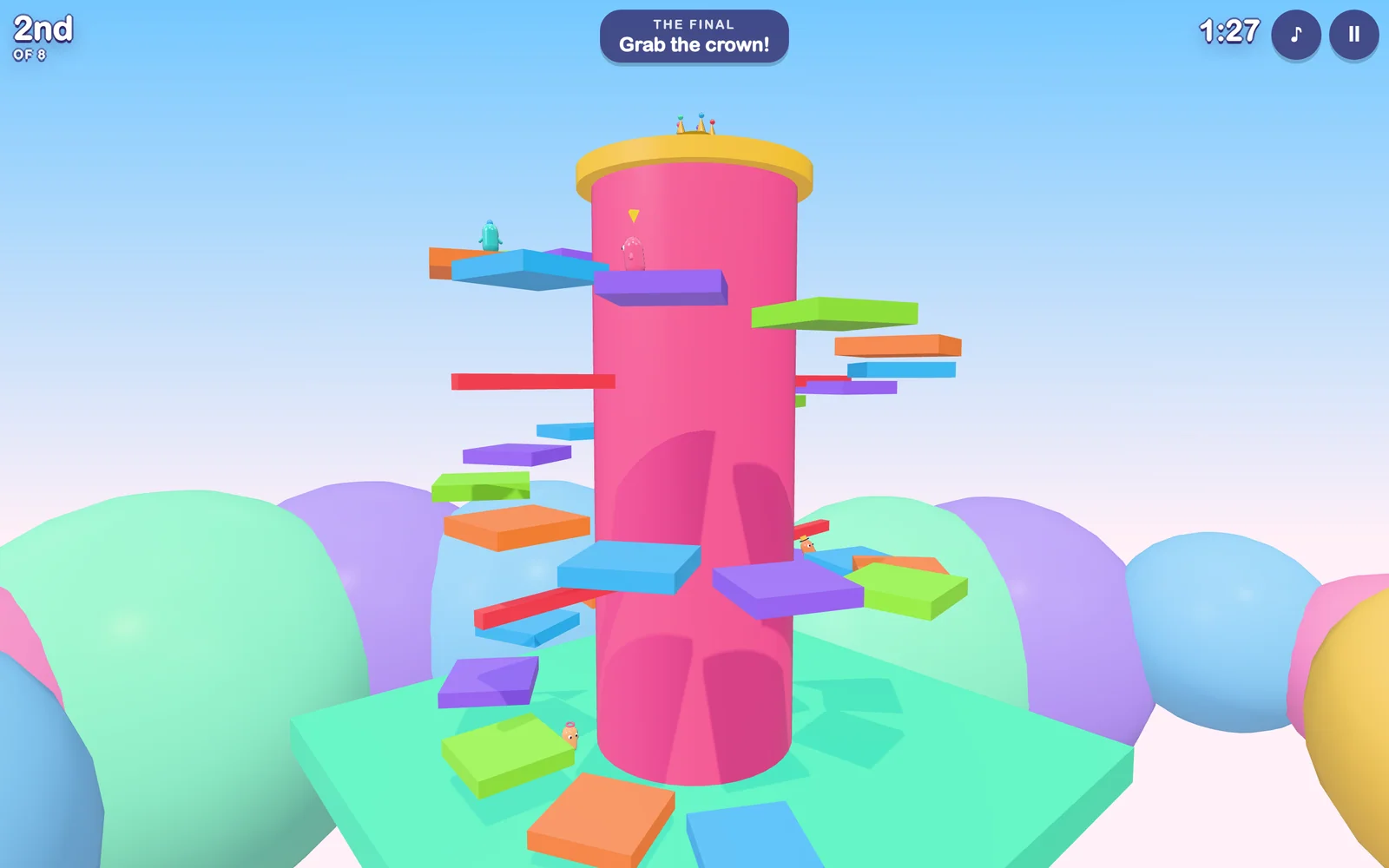
Sixty jellybeans walk onto a game show. Five rounds later, one of them is wearing the crown. DM Game Swarm is a colourful knockout party game for iPhone, iPad and Mac where you are one of the sixty and the other fifty-nine are goofy bots who stumble, mistime their jumps and get bumped just like you do.
Five rounds, one crown
Every round knocks out more beans, and every round plays differently.
- Gumdrop Gauntlet is a race: hurdles, gaps, spinning bars and sliding walls. The first forty across the line move on.
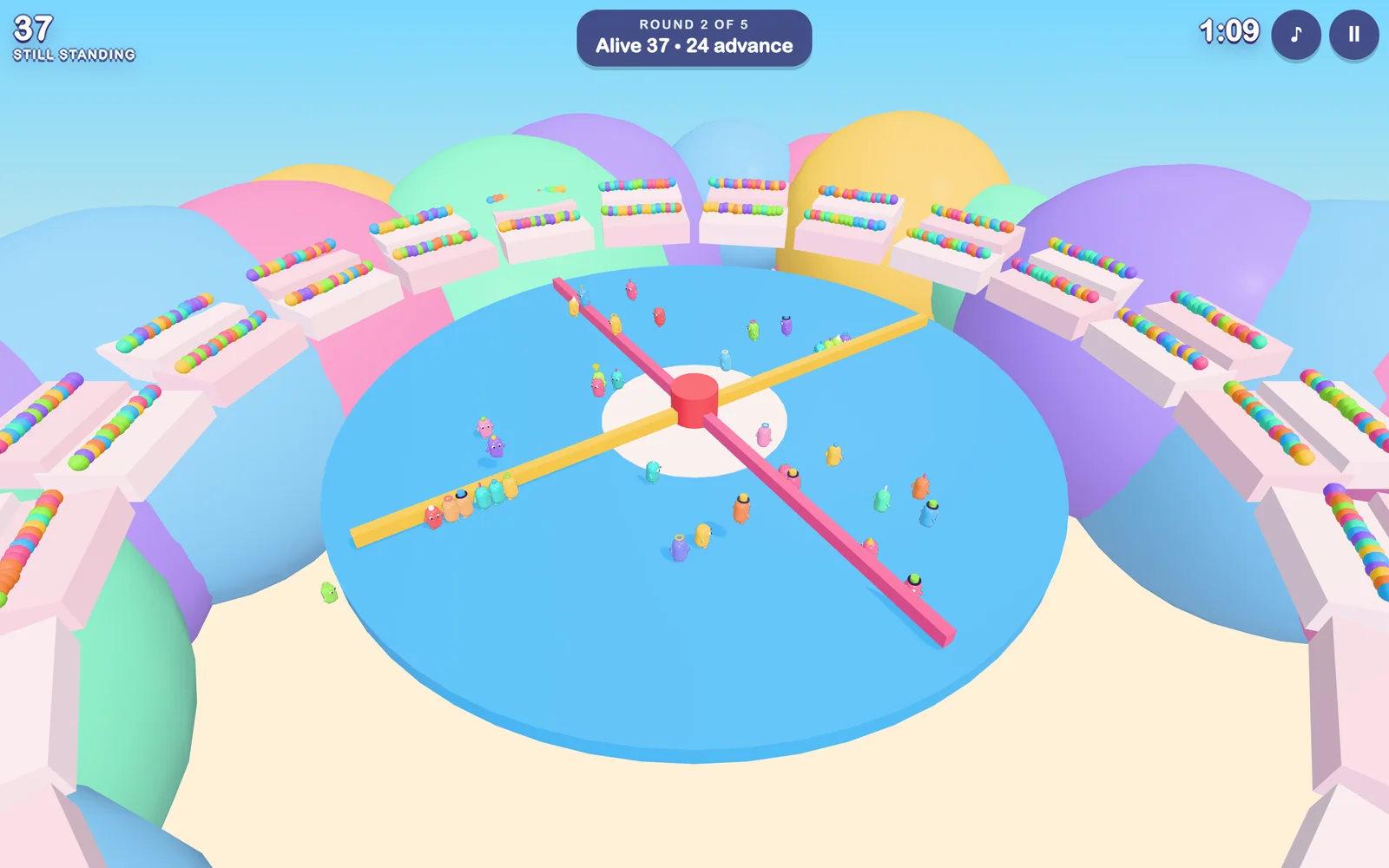
- Sweeper Sprinkles is survival on a spinning disc. Jump the arms and stay on, and do not ride an arm: every few seconds it flashes a warning and pops out spikes. Twenty-four survive.
- Bumper Boulevard is a race across conveyor belts, bouncy bumpers and a slippery downhill ramp.
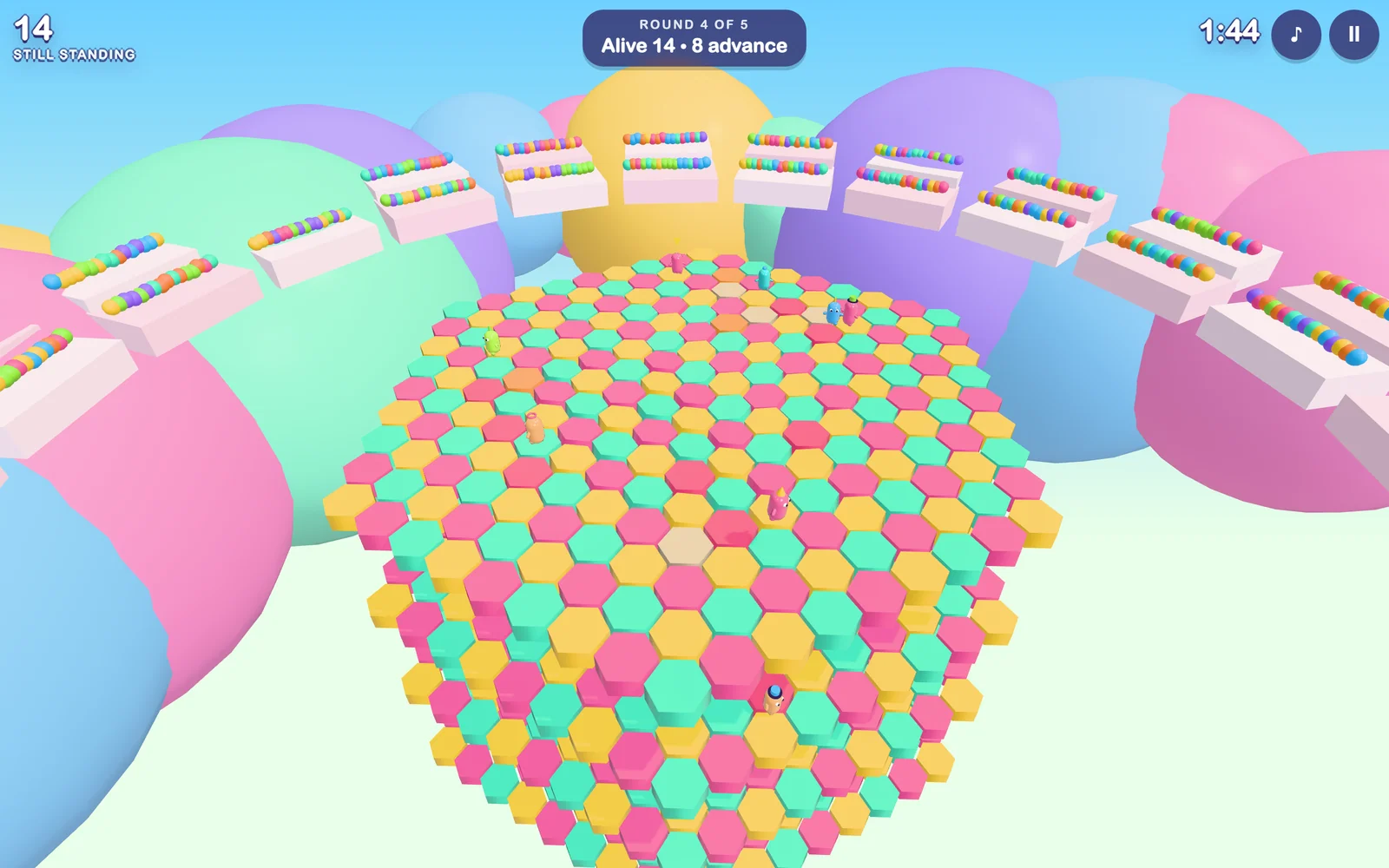
- Hex-a-Gum is survival on tiles that crumble once you touch them, over four layers. The last eight standing move on.
- Crown Climb is the final: race up a candy mountain and be the first to grab the crown.
A world map to pick your level
Between rounds your bean hops across an overworld map, in the spirit of the classic platformer maps. Clear a level and it gets a check mark. Win the final and your bean gets a crown on the map. You can also go back to the map to practise any level you have reached.
Easy by default, so anyone can win
The game starts on Easy: hazards move slower and the bots make more mistakes, so a casual player has a real shot at the crown. Medium and Hard are one tap away when you want a fight. The bots are not scripted to lose. They look for gaps and swinging hazards the way you do, and they make human mistakes: a late jump, a wobbly turn, a moment of not paying attention.
Weighty, wobbly, fun to move
Beans are glossy, squishy and a little heavy. They lean into turns, squash when they land, tumble when a spinner clips them and flatten anyone they dive into. The courses are bright candy colours, and all of the music and sound effects are made in code as you play.
Play it your way
On iPhone and iPad you steer with a thumb stick, drag the right side of the screen to look around, and use the JUMP and DIVE buttons. On a Mac it is the keyboard and mouse: WASD or the arrow keys to move, Space to jump, Shift to dive, drag to look.
Free, and private by default
DM Game Swarm is free. There are no ads, no in-app purchases and no accounts. The game runs entirely on your device and never connects to the internet, so it collects nothing about you. All it remembers is your name, your difficulty and your sound settings, and those stay on the device.
Coming to the App Store
DM Game Swarm for iPhone, iPad and Mac is being submitted to the App Store now.
Scan It, Open It in Blender — DM Scanner 3D Is Coming to the App Store
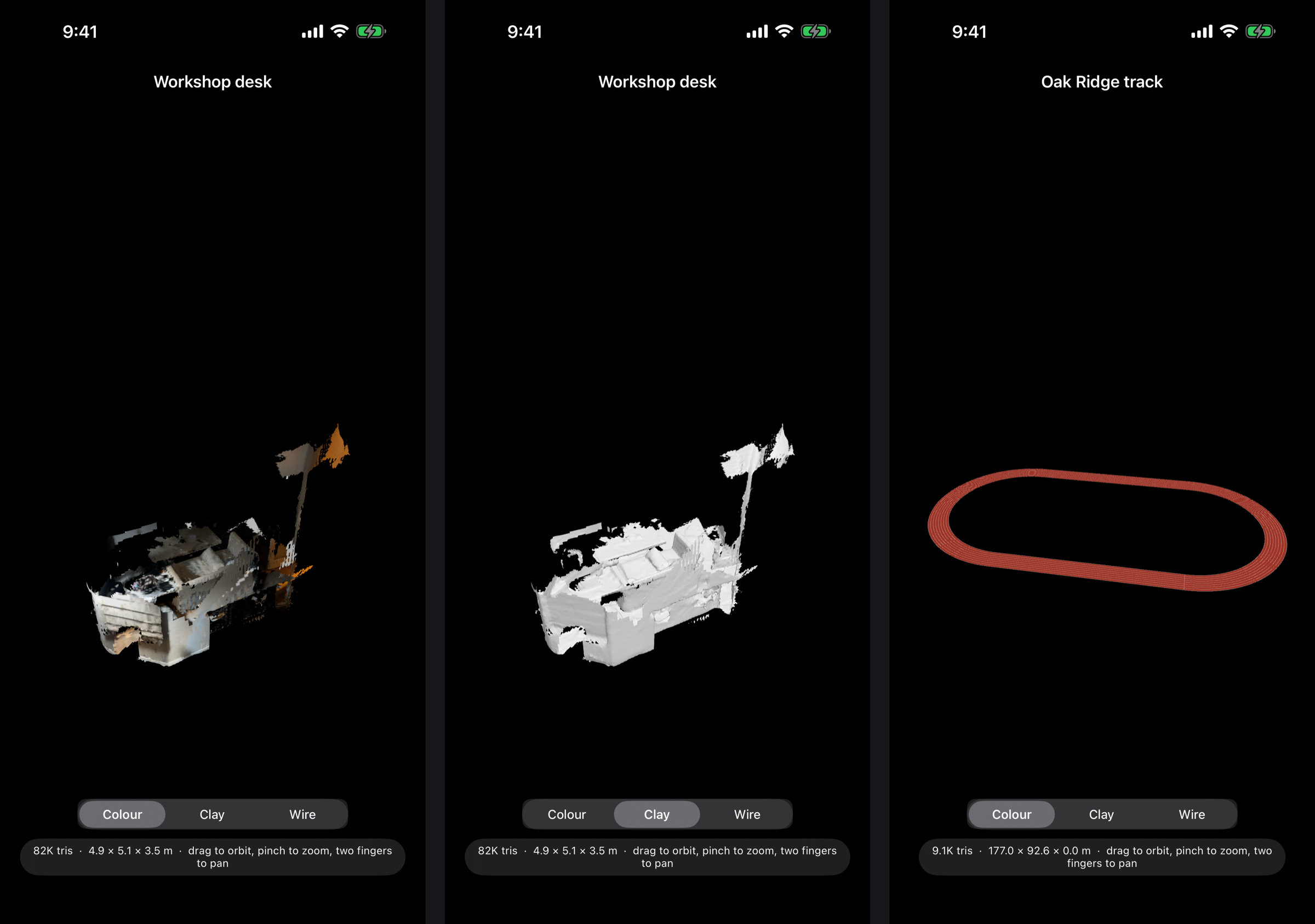
Every 3D scanning app can make a mesh. The trouble starts when you bring it into Blender: it arrives on its side, a hundred times too big, and you spend the first ten minutes fixing the file instead of using it. DM Scanner 3D is an iPhone app built for people who finish their work in Blender. Everything it exports is Z-up and in metres, so a room, an object or a face lands the right way round, at real-world scale, with nothing to fix up.
Scan a scene
Sweep a room or a venue with the LiDAR sensor and watch the mesh build live on the camera view, coloured from the camera as you go. It takes seconds, not minutes.
Capture an object
For a single thing rather than a space, guided photogrammetry walks you around it and builds a fully textured model on the device.
Scan a face
The TrueDepth camera captures a textured face mesh with the same topology every time — ready for rigging, and for swapping between characters — plus the surrounding head fused from depth. Face scans are processed and kept on the phone, as the privacy policy spells out.
Made for Blender
Scene scans export as OBJ, PLY or USDZ, and object captures as USDZ. Share a scan by AirDrop or pick it up from the Files app, then File → Import in Blender and it’s there — Z-up, in metres, right side up.
Built for accuracy
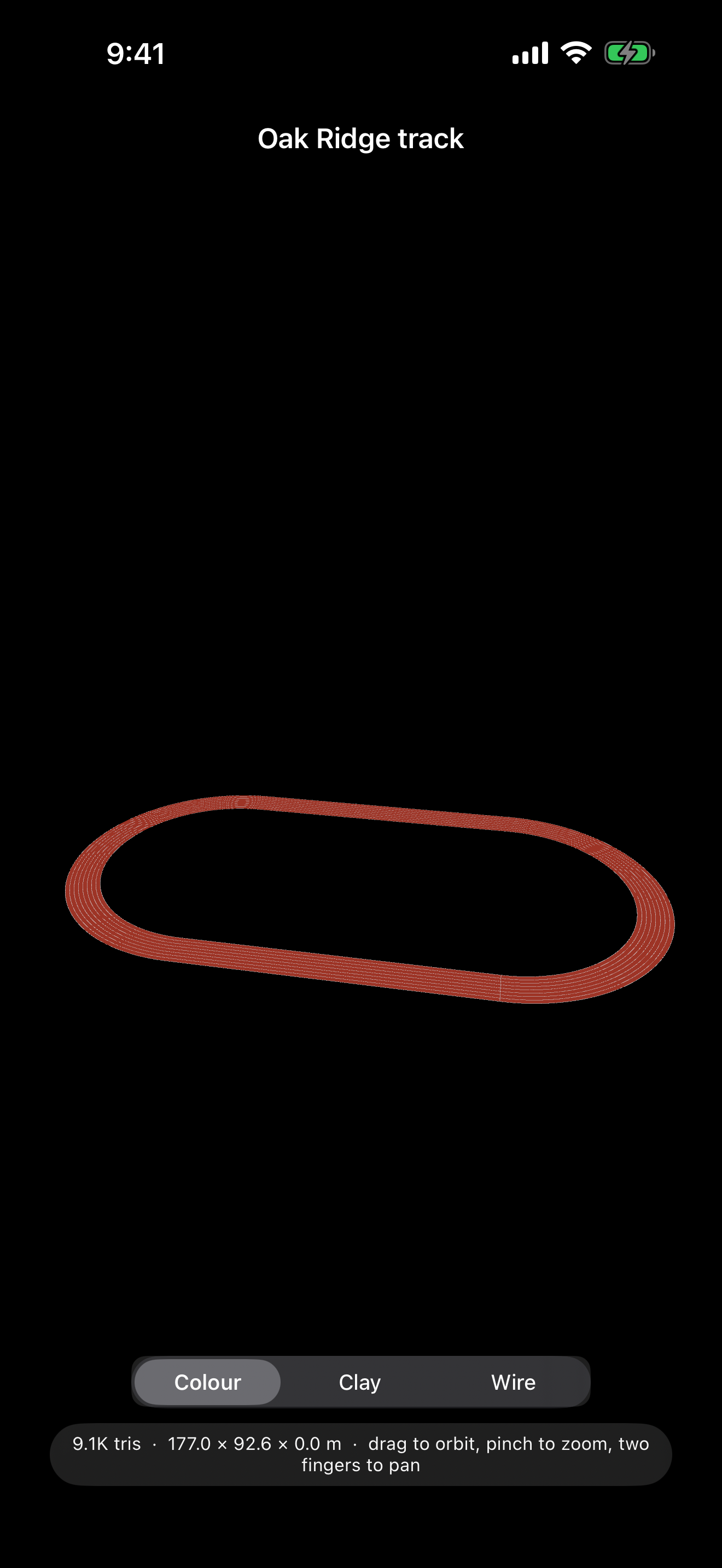
Tap-to-measure checks a scan against a real tape measure. A printable control marker gives separate scans a shared origin, so they merge without any alignment step. And if the venue is a running track, register the scan to the standard 400 m layout by tapping painted landmarks, and export the exact rulebook track alongside it.
View and organise
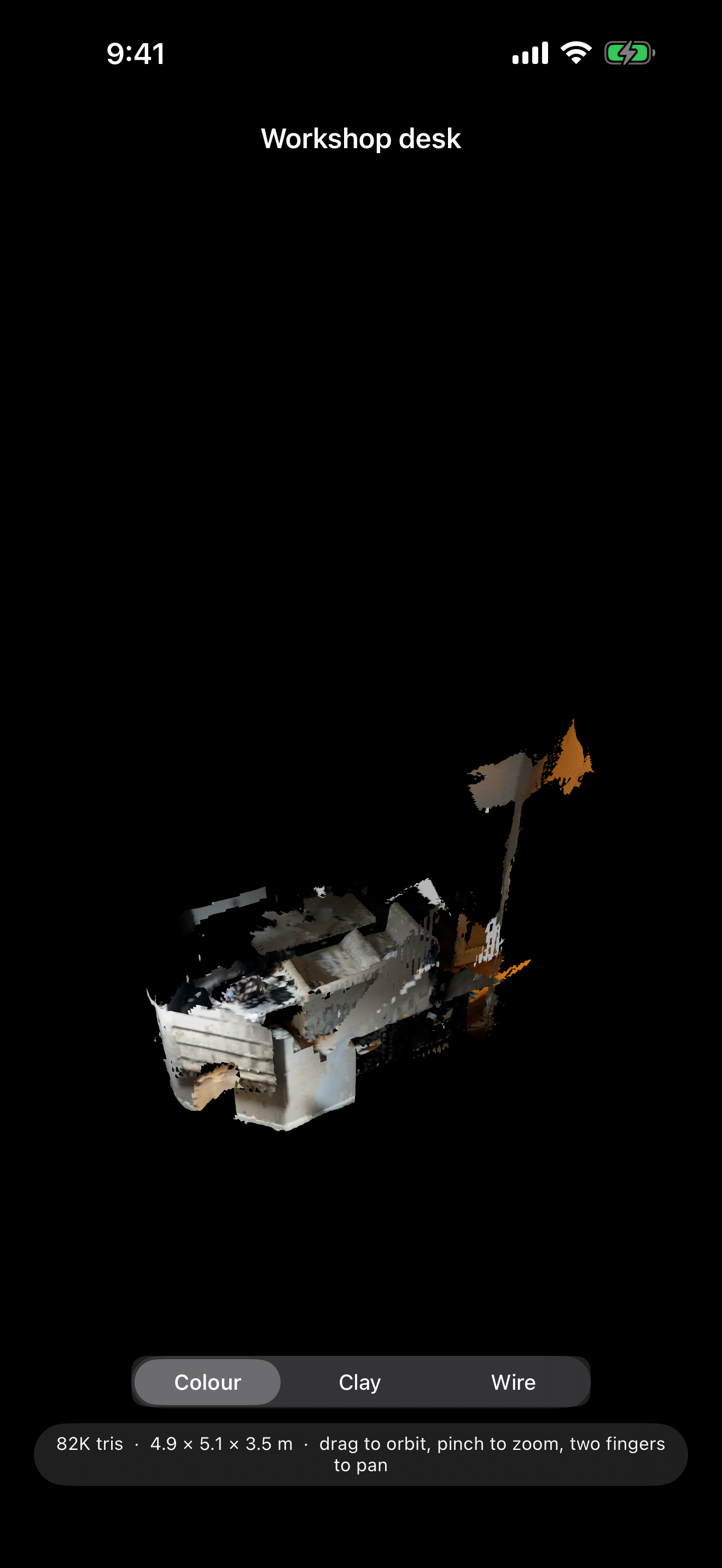
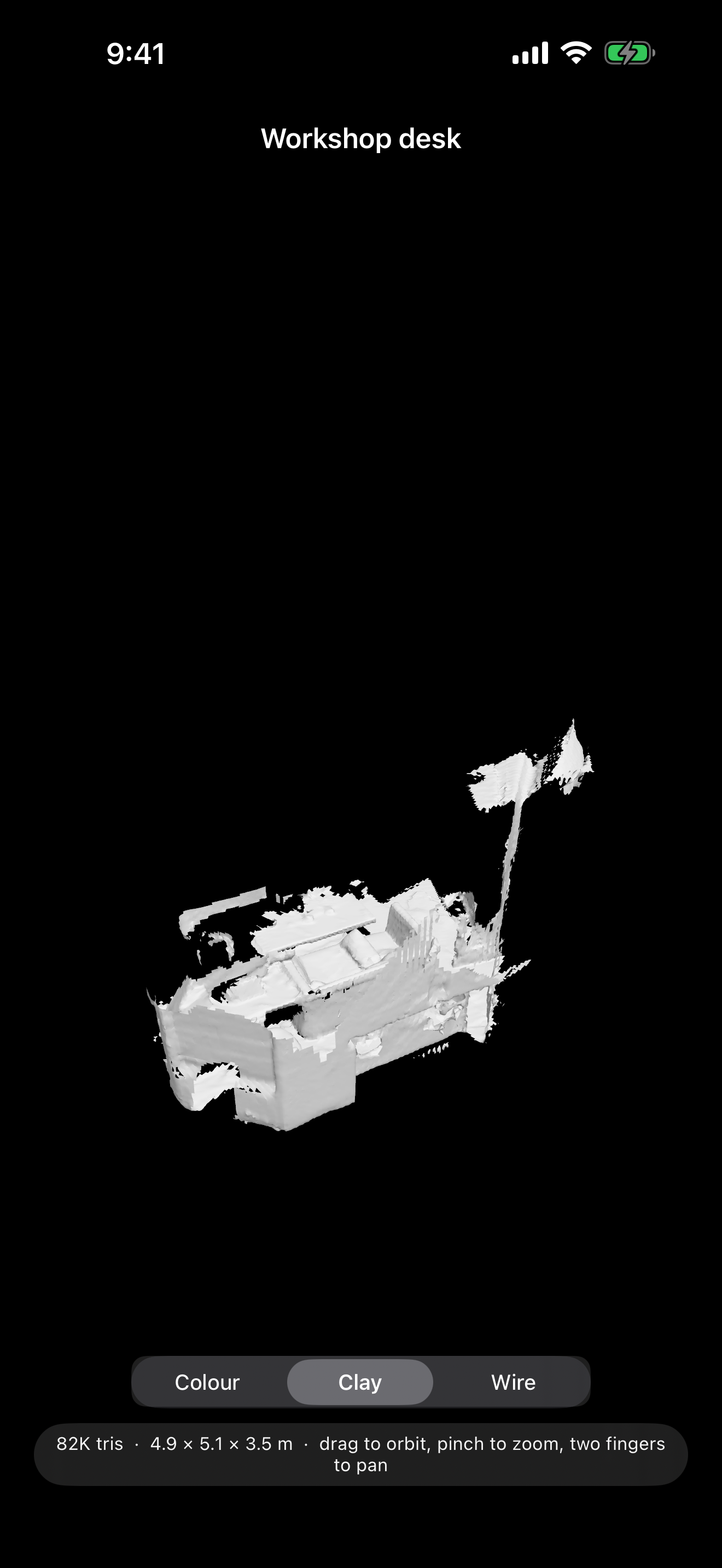
Orbit any scan in full colour, as bare clay to judge the shape, or as wireframe. Search your library by name, type or date.
Private by default
Your scans stay on your device unless you choose to share them. No account, no ads, no tracking, and no network access at all. Questions are answered on the support page.
Coming to the App Store
DM Scanner 3D is free, and is with Apple for review now. Scene scanning needs an iPhone with a LiDAR scanner (the Pro models). Face scanning needs a TrueDepth (Face ID) camera.
Hear Every Reply — DM Read Aloud Is Coming to the Mac App Store
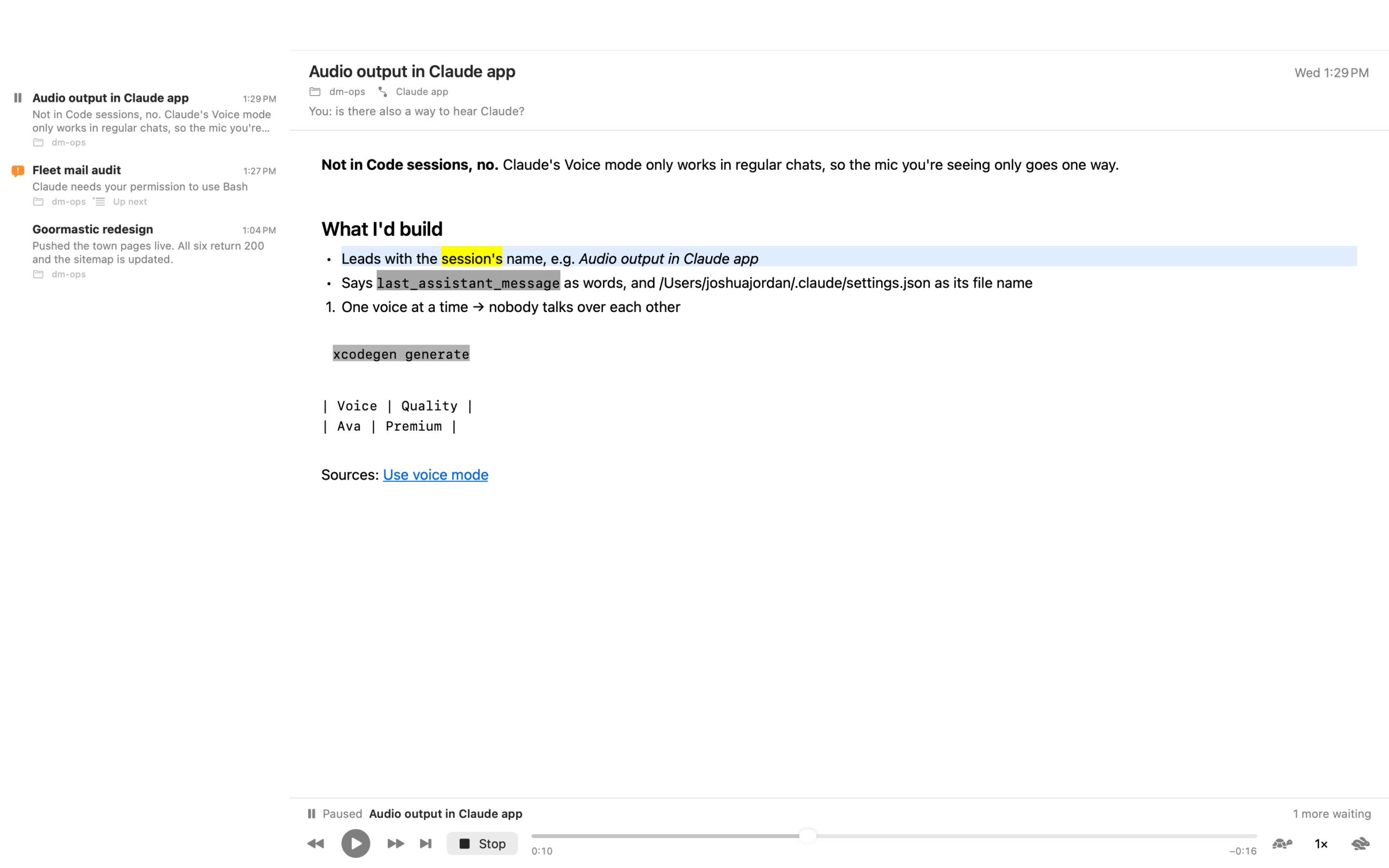
You start a task in Claude Code, and then you do the sensible thing and go do something else. Now you’re glancing back at the screen every minute to see whether it has finished. DM Read Aloud is a Mac app that reads each reply to you the moment it lands, in your Mac’s own voice, highlighting every word as it’s spoken — so you can keep your hands and eyes elsewhere, and glance back only when it says something worth a look.
Built for Claude Code
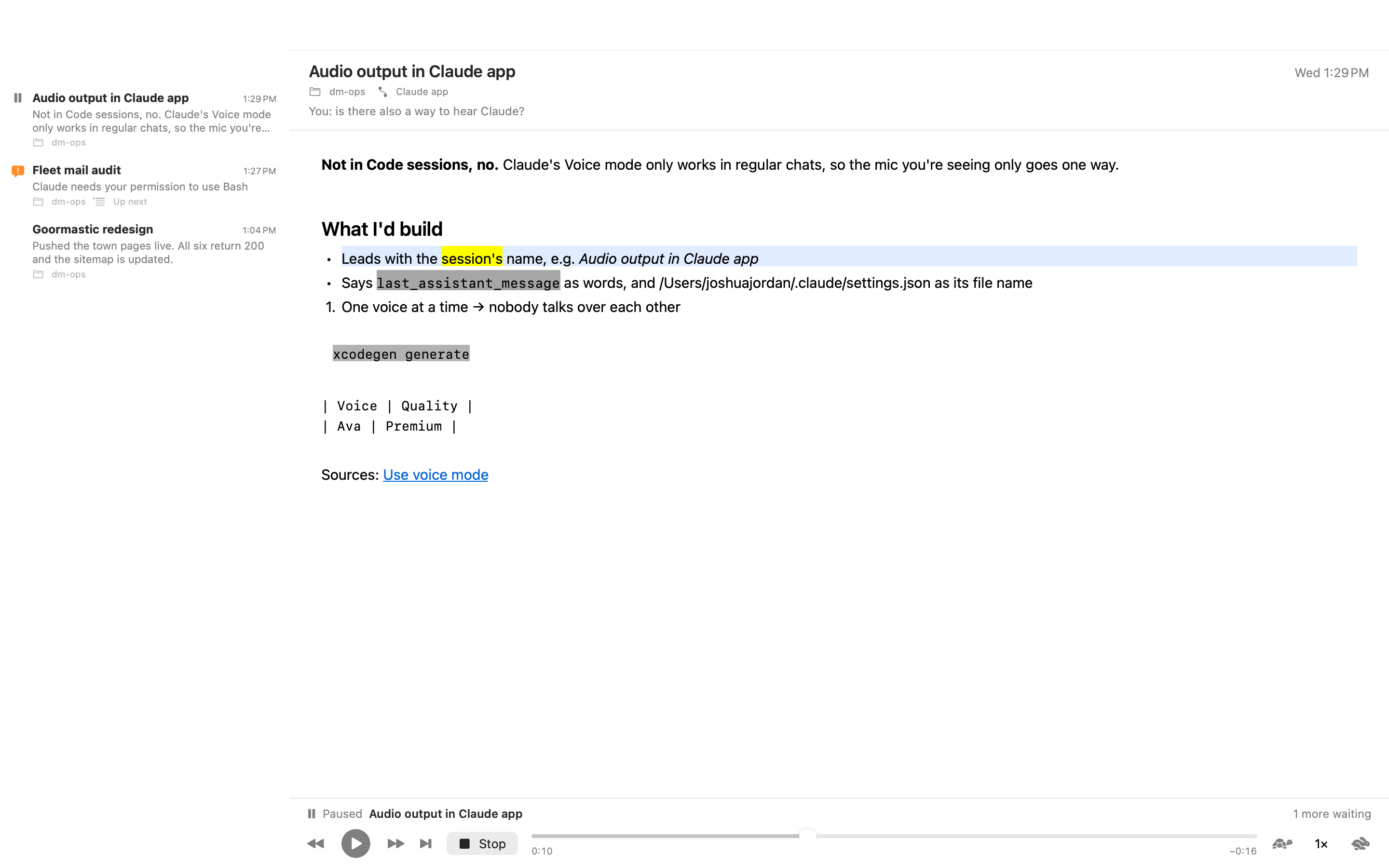
Set-up is one step: point the app at your ~/.claude folder and it installs its hook and adds it to your settings. From then on, every reply Claude finishes is read to you — the session’s name first, then the reply, with code blocks read or skipped as you prefer. When a session needs your permission or has a question, a short notice interrupts the reading and the reply picks up where it stopped. Answer a session, and its reply stops being read.
Listening on your terms
Play, pause, stop, step back or forward a sentence, or jump to the next reply — from the window, the menu bar player, the Dock menu or the keyboard. Speed runs from 0.75× to 3.5×, with a Slower / Faster / Normal shortcut. Use any voice installed on your Mac; Premium and Enhanced voices are listed first. Click any word to read from there. A stopped reply remembers where it was.
Mute a session you don’t need to hear from. Mark replies read, copy their text. The app can open itself when a reply arrives, and open at login.
It reads anything else, too
Press Read Clipboard, open a text or Markdown file, or drop one on the app’s icon. Same voice, same word-by-word highlighting.
Private by default
No account, no network, no analytics. Everything is read by macOS’s built-in speech, on your Mac. Replies are kept only in the app’s own history, which you can clear. See the privacy policy.
Coming to the Mac App Store
DM Read Aloud is free, and is with Apple for review now. It needs macOS 14.4 or later. Claude Code is a product of Anthropic; this app is not affiliated with Anthropic.
Move What You’ve Drawn, Keep It Sharp — DM Warp for iPad, Free on the App Store
You finish the face and one eye is sitting lower than the other. Every drawing app gives you two ways to fix it, and both are bad: cut and paste leaves a hole with a hard edge, and the nudge brush turns the eye to mush. DM Warp is a drawing app for iPad built around a third way. Loop the eye, drag it into place. It keeps its shape exactly, the skin around it stretches to follow, and nothing goes soft.
Drawn in DM Warp
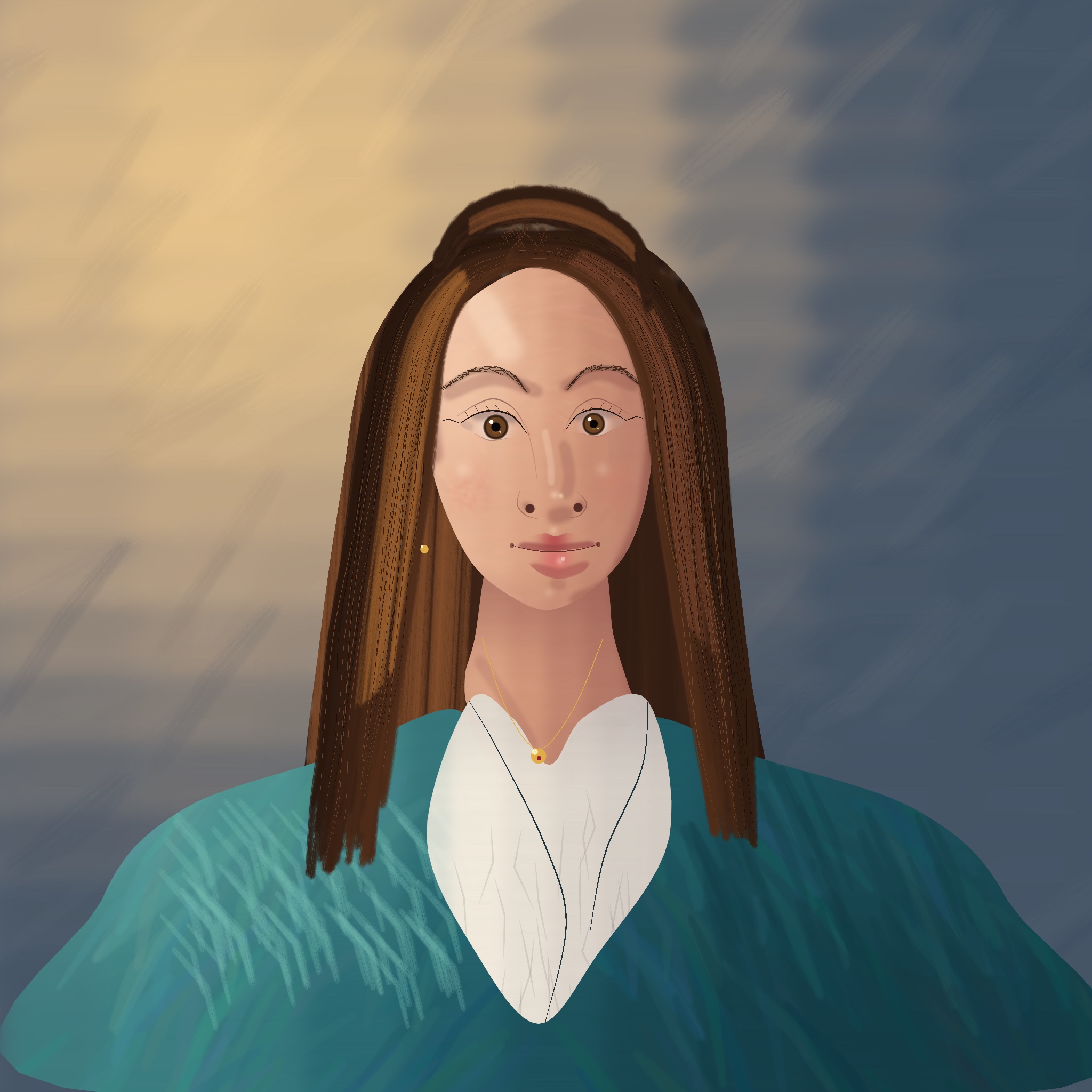
A portrait painted stroke by stroke with the app’s own brushes and layers: soft and bristle brushes for the skin and hair, a fine pen for the lashes and brows, and a separate layer for the backdrop, the hair, the coat, the face and the details.
And here is the whole portrait being painted, from the first wash of the backdrop to the last highlight in the eyes.
Nine more, drawn the way a teacher shows it
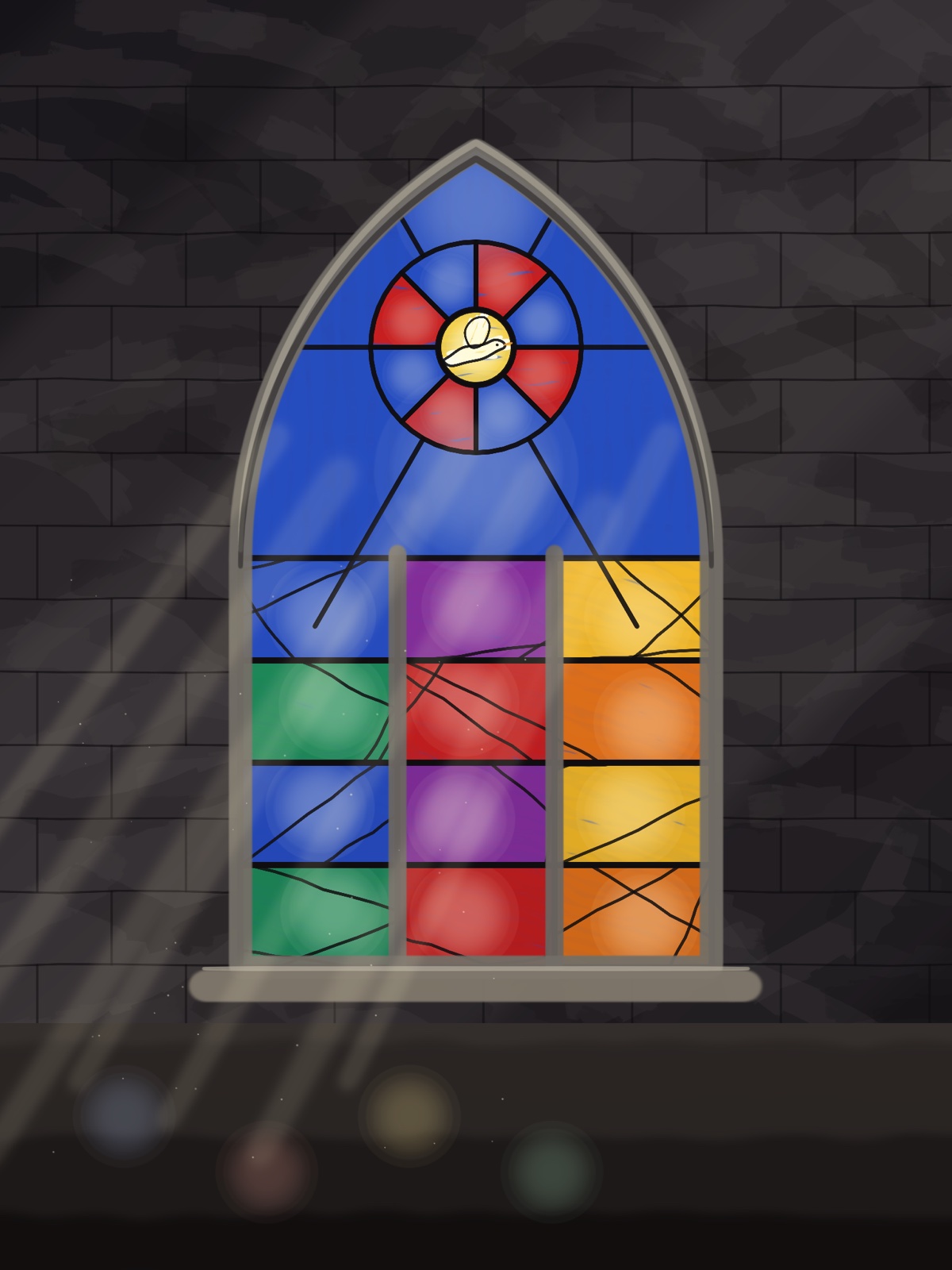
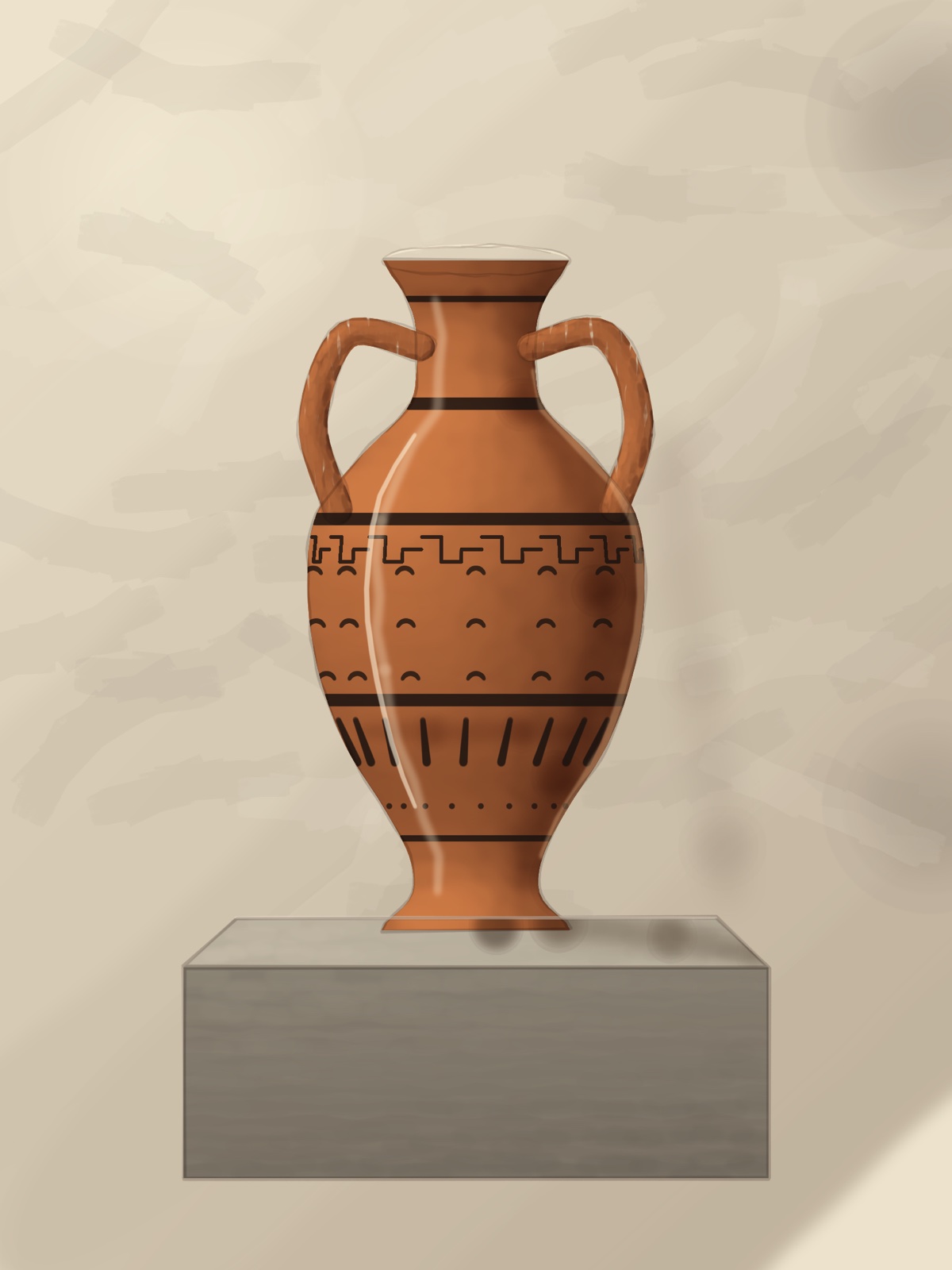
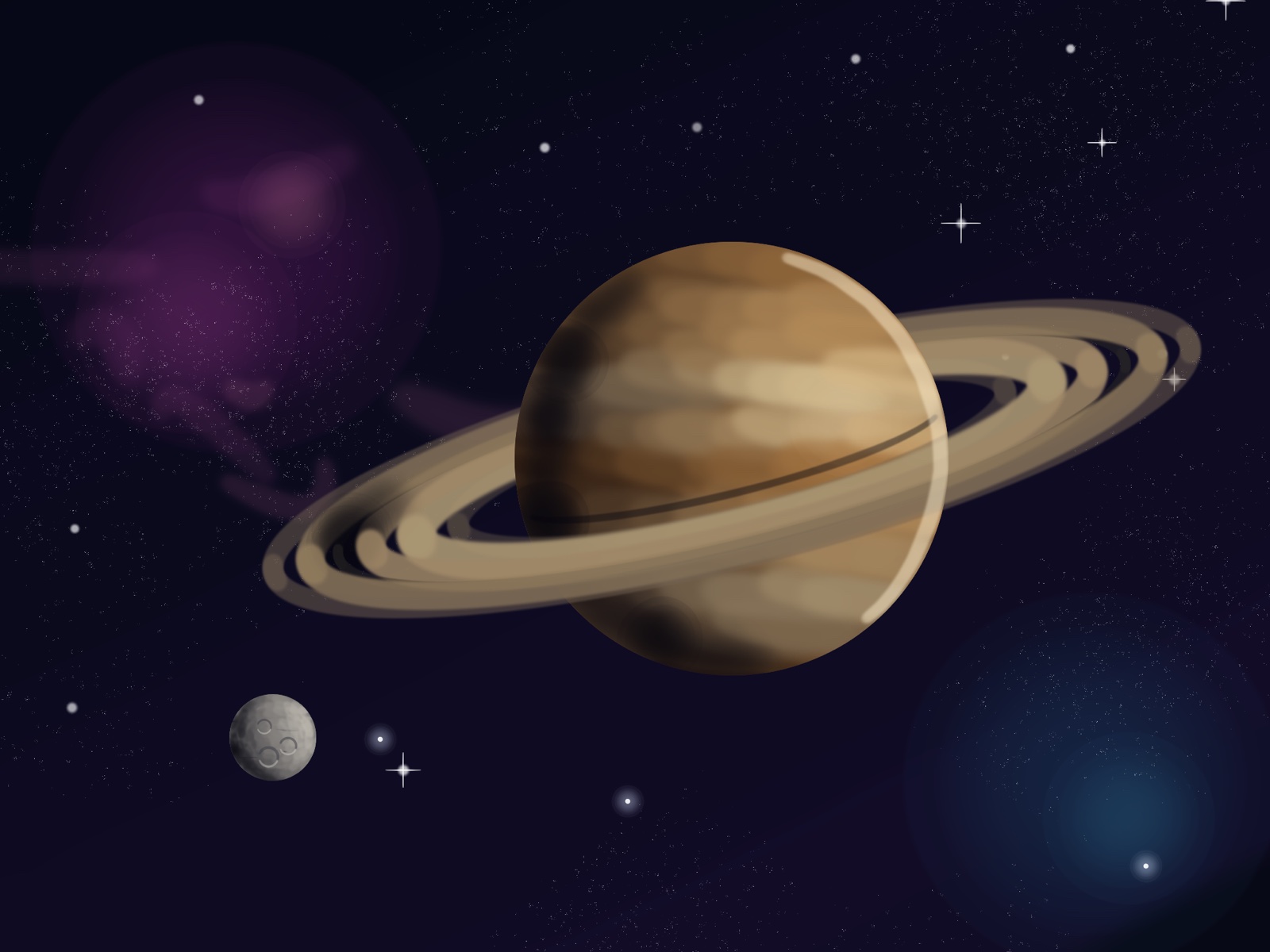
Each of these was drawn in DM Warp in the order an art teacher demonstrates: a light sketch of the shapes, the outline, a wash for the background, the big shapes blocked in, then the shading, the details, and the construction lines rubbed out at the end. The soft shading is done the airbrush way, by holding the brush still and letting the paint build up; that is a brush setting coming in the next update. Every stroke and every hold is kept in the drawing’s history, so the timeline plays each one back and the time-lapse comes straight out of the app.
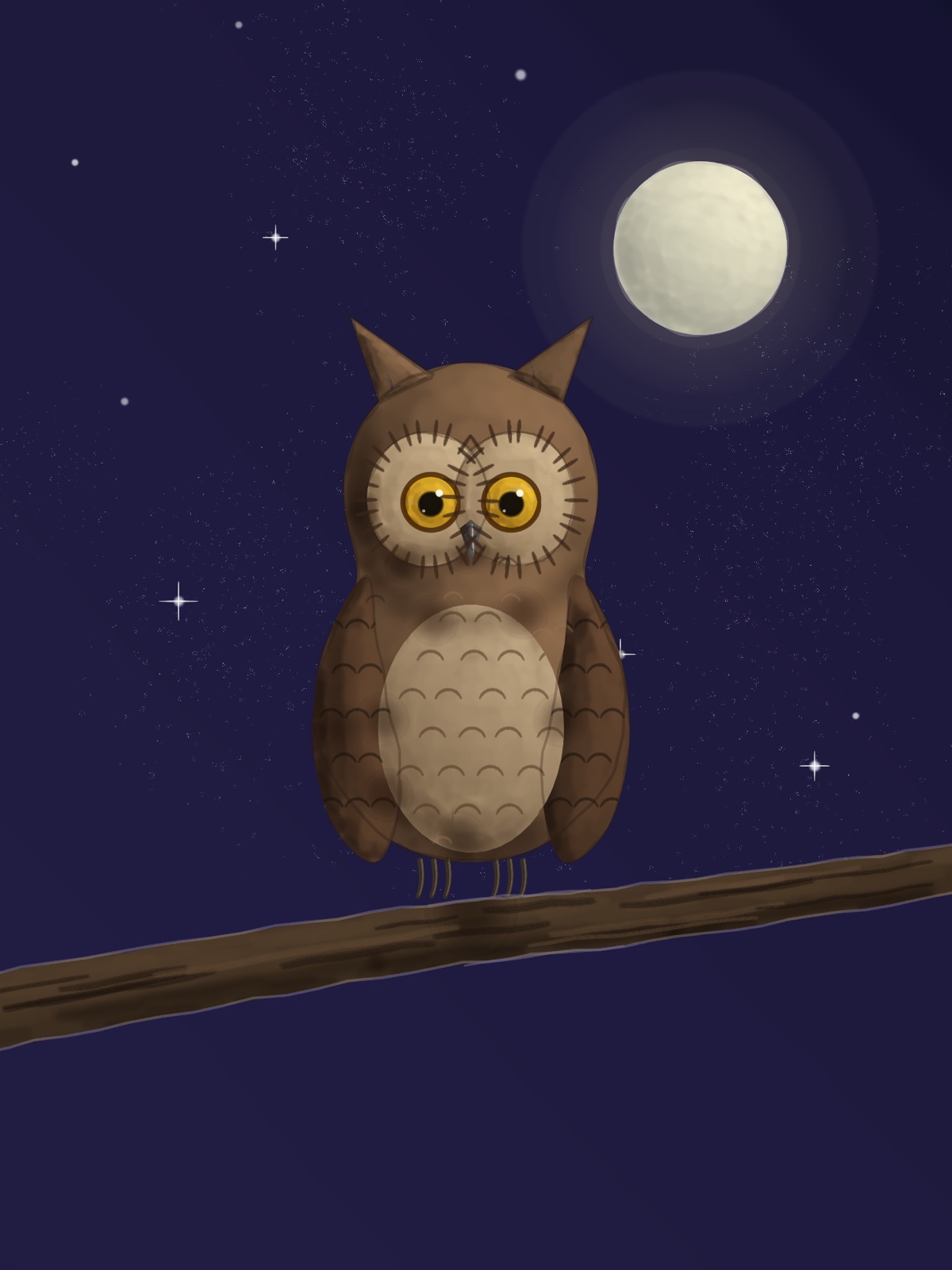


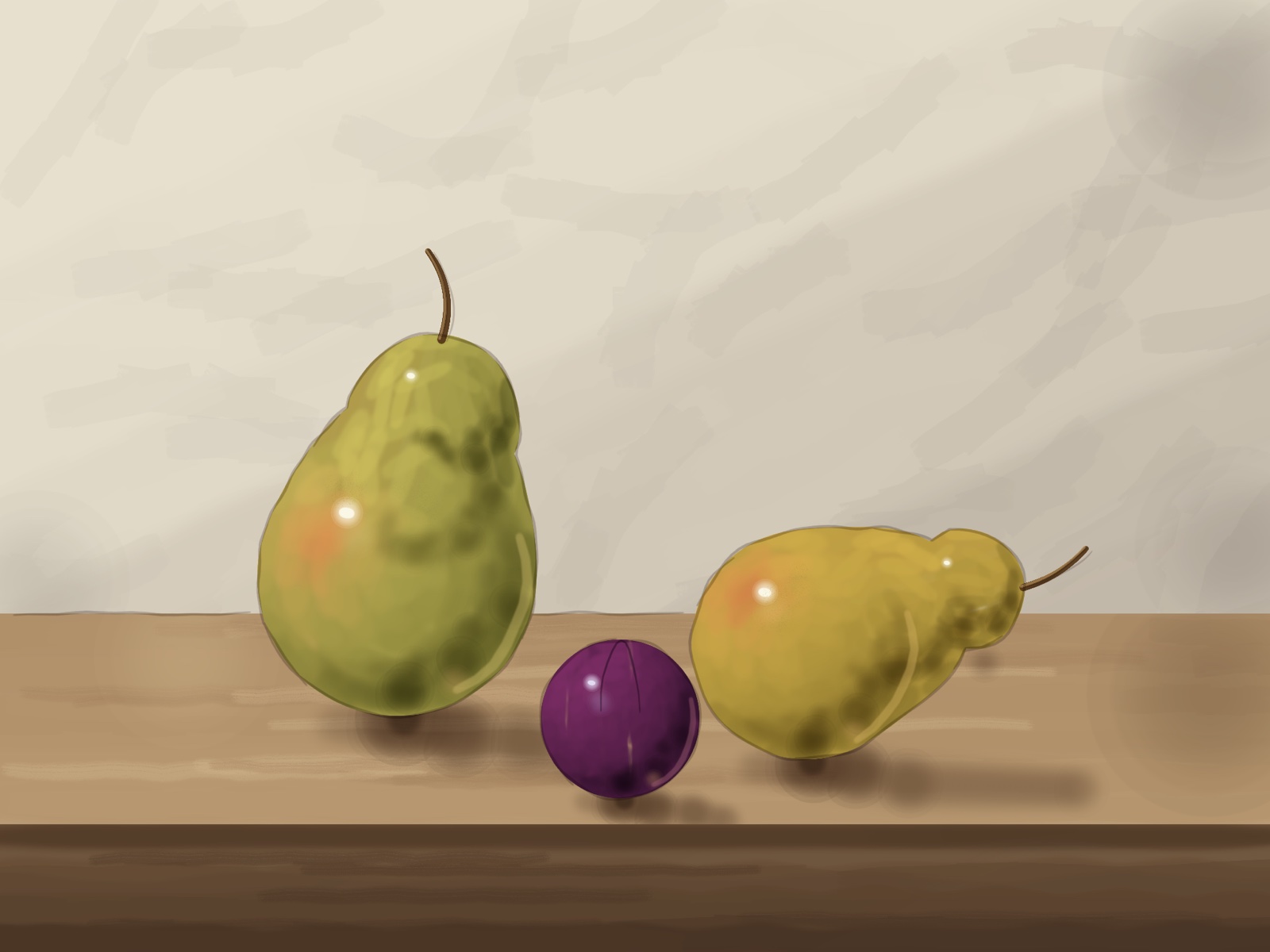
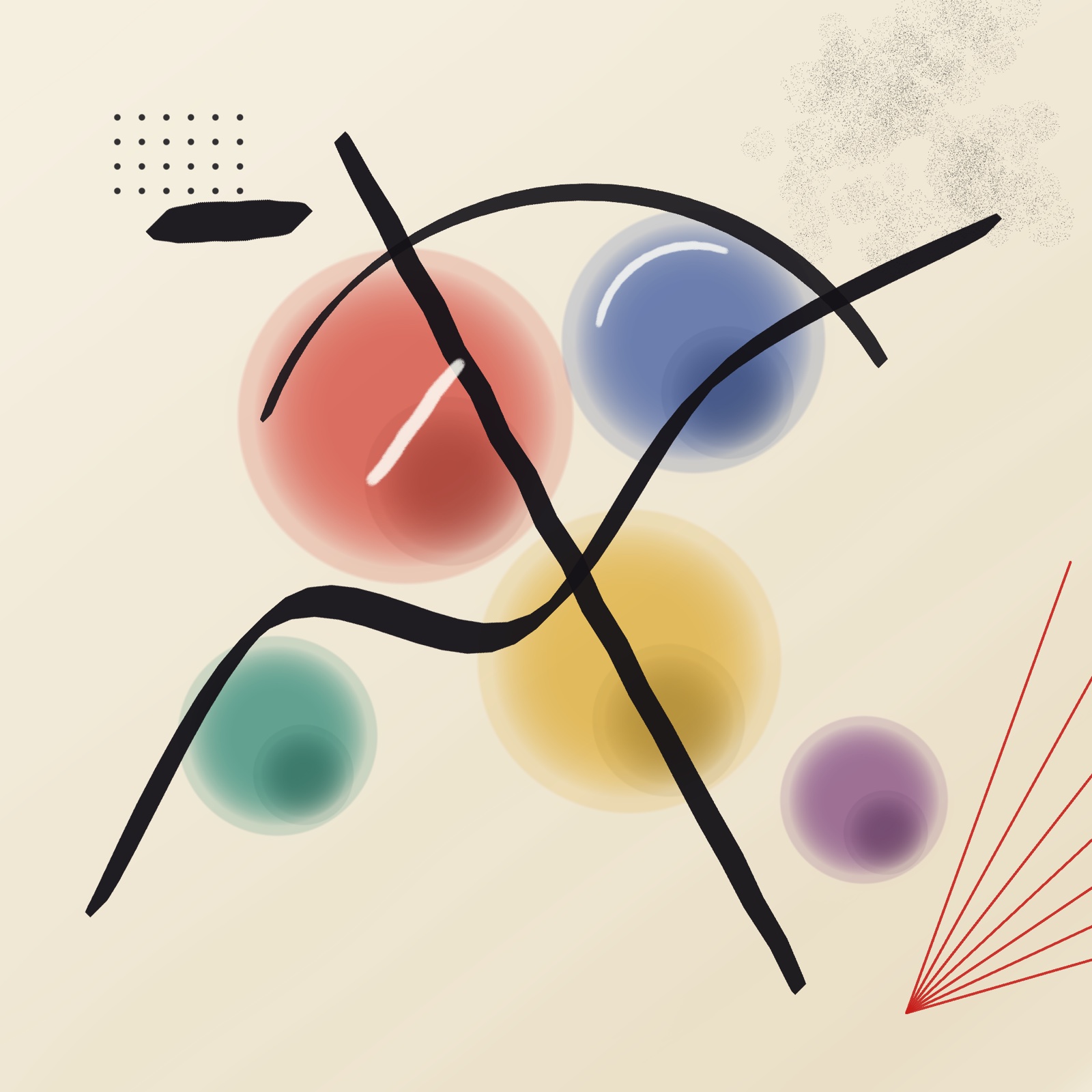
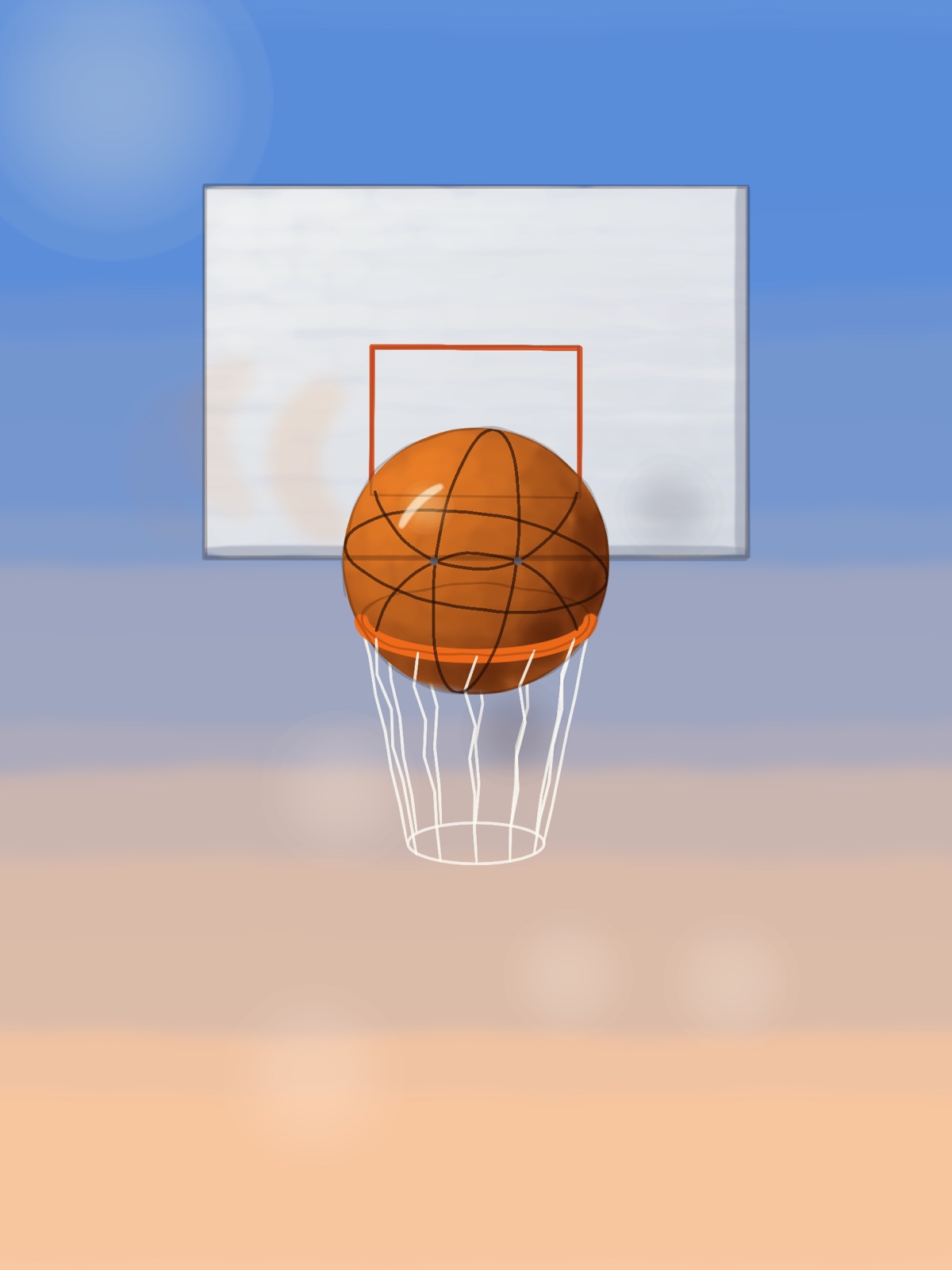
The owl, stage by stage, from the first two circles to the finished bird:
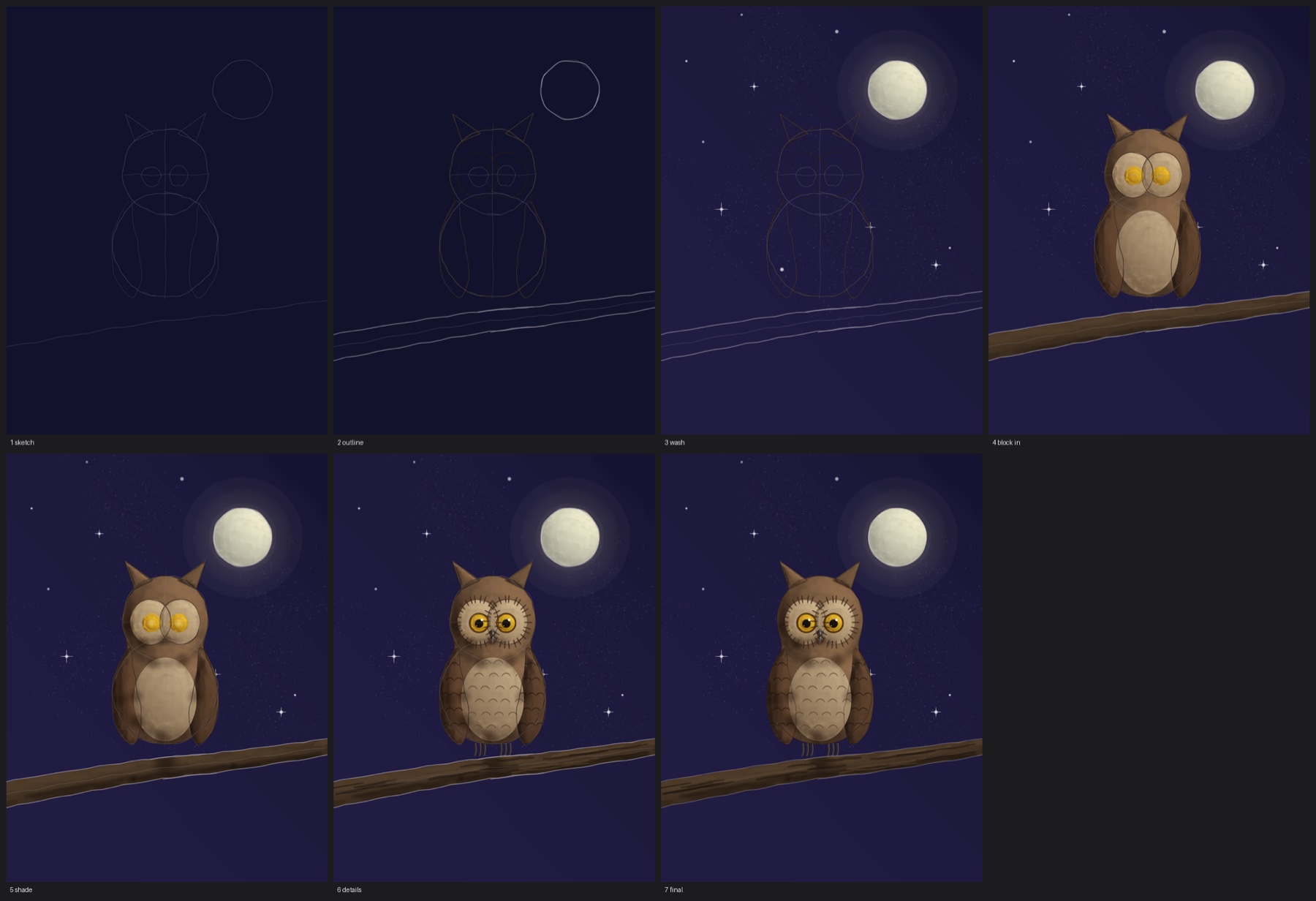
Three of them being drawn, start to finish:
The others: the pears, the planet, the rocket, the shore, the abstract and the basketball.
Move what you’ve already drawn
Pick Move, draw a loop around anything, and drag. Inside the loop the pixels travel as one piece. Outside it, a feather band you set in real pixels stretches the surroundings to meet them. There is no hole, because nothing was cut out, and no seam, because nothing was pasted.

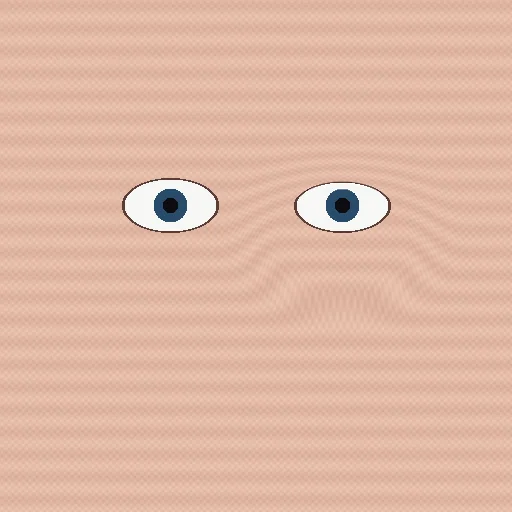
Nudge does the same thing with a brush instead of a loop. Its middle moves as a solid core while only the outer ring bends — the control the nudge tools in other apps are missing, and the reason theirs soften while this one doesn’t. Protect lets you paint over anything that must stay put.
It stays sharp because it never resamples twice
Smudge and liquify tools blur because they redraw the pixels on every step of the stroke. Two hundred steps is two hundred rounds of interpolation, and detail dies a little each time. DM Warp never redraws the pixels at all. Your strokes build up a map of where each pixel should go, and the picture is read from the untouched original through that map exactly once. However many times you push something around, it is as crisp as the day you drew it.
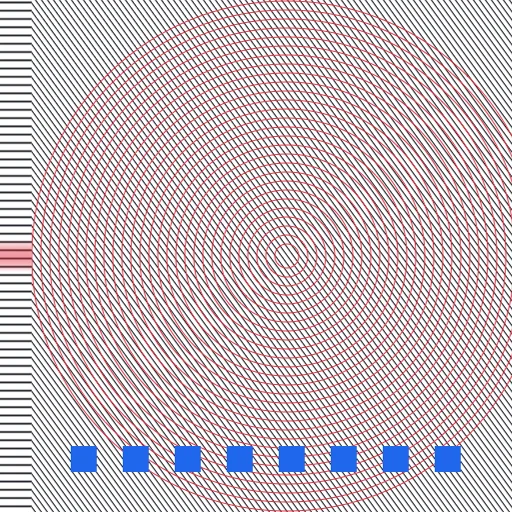
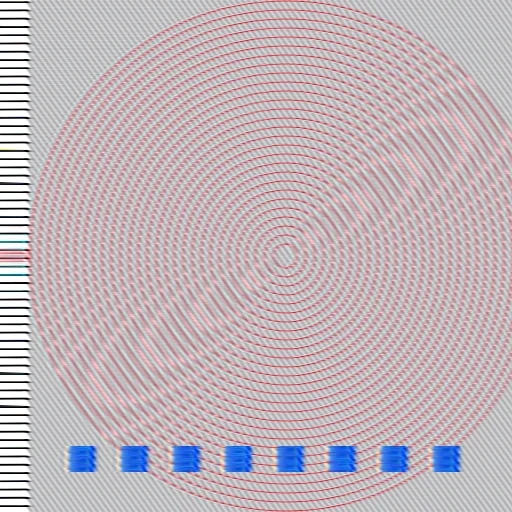
Measured, not claimed: on a 30-pixel move applied in 200 stroke steps, DM Warp keeps 94% of the original’s fine detail. The conventional approach keeps 24%.
Your Photoshop brushes come with you
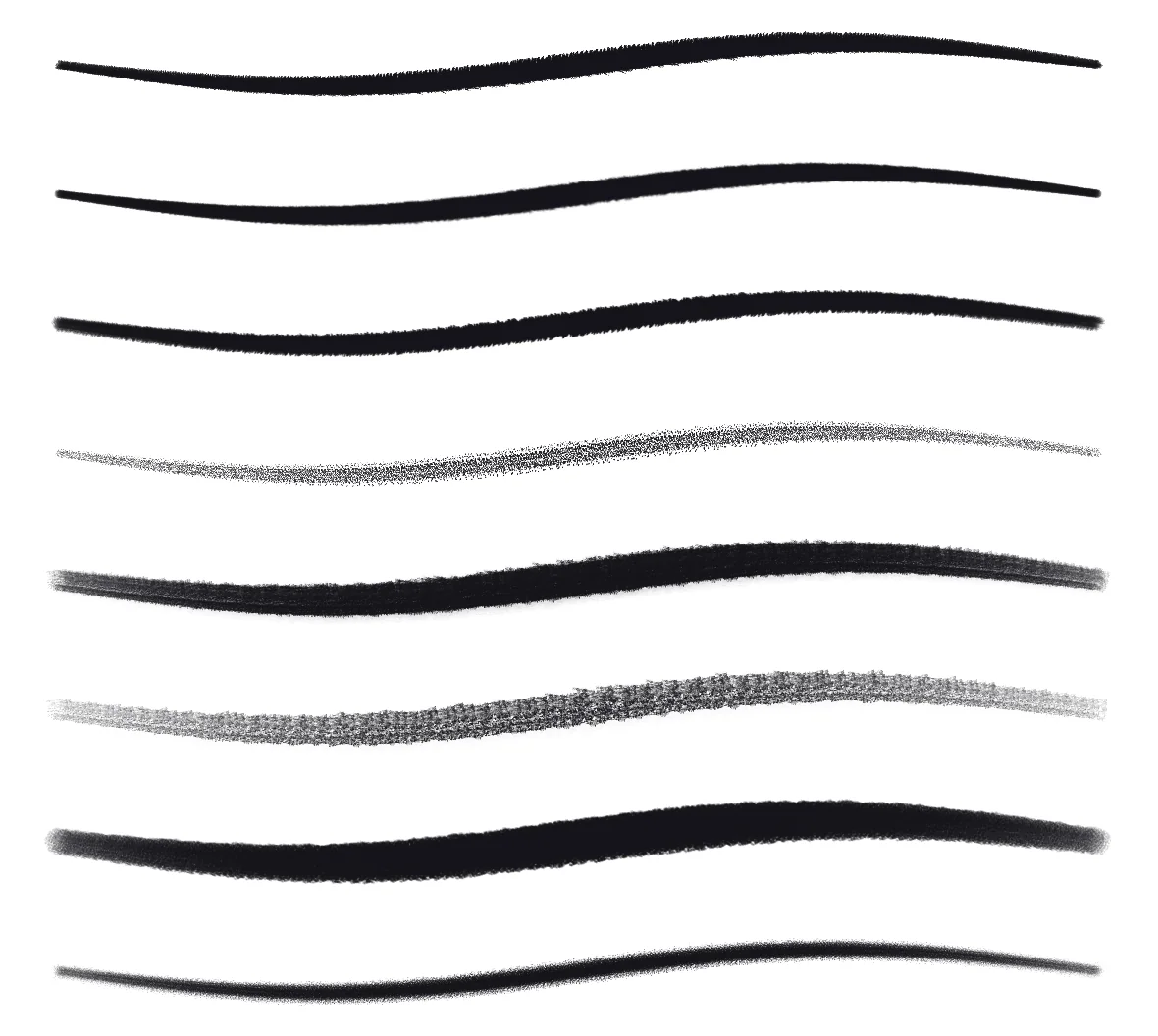
DM Warp reads Photoshop .abr brush sets directly. Drop a file into its folder in Files and every tip in it is ready to paint with — its shape, size, spacing and angle intact. It also reads the brush panel file Photoshop keeps in its own settings, so the brushes you already have loaded come across without exporting anything.
A library that fits the job in hand
Twenty-two brushes are built in — pencils, inks, markers, paint, textures and erasers — grouped the way you would expect. Star the handful a project needs and switch the panel to Favorites; the rest get out of the way. Each brush remembers its own colour, so moving between a dark liner, a pale shader and the eraser does not mean picking the colour again every time.
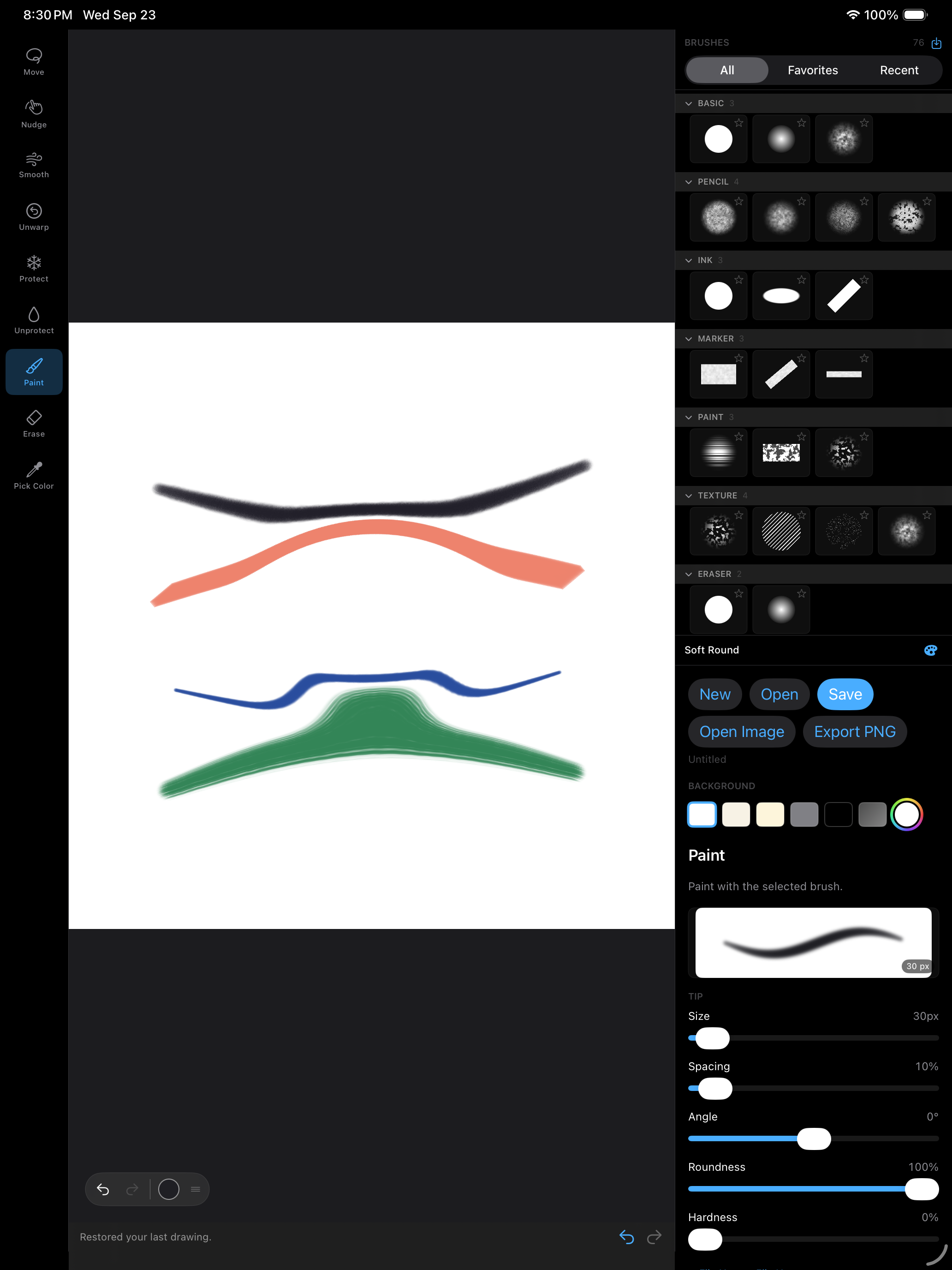
Every slider has a live stroke preview above it, painted by the same engine as the canvas, so you can see what spacing, roundness or scatter will do before you touch the paper.
Layers, the way you already know them
Layers with all sixteen standard blend modes, opacity, reorder, duplicate and merge. Each layer carries its own warp, so you can shift a feature on one layer while the sketch underneath sits still.
More made with DM Warp
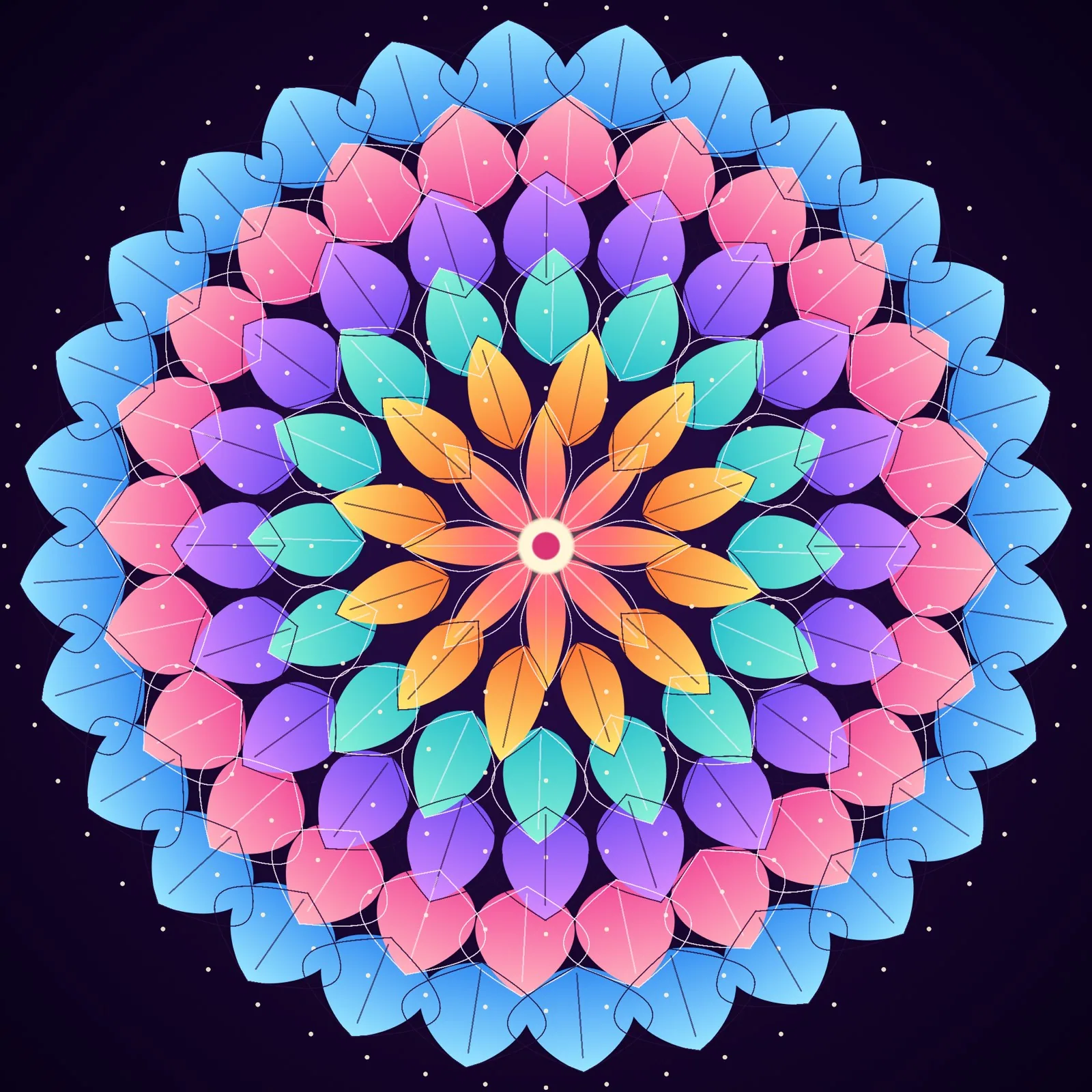
Sample artwork made with the app: a night landscape built from nine layers, with Screen blends for the stars and the glow around the moon, and a mandala of inked petals.

Every move stays a move
A DM Warp document does not bake your edits into the pixels. It keeps them as the strokes that made them. Open a drawing a week later and the eye you moved is still a thing you can move again, or undo — not a flattened picture of where it ended up. Documents are small for the same reason; a full canvas of warping is a few kilobytes on top of the image.
Private by default
There is no account and no server. The app contains no networking code at all, so it cannot send your work anywhere. Drawings live on your device or wherever you put them in Files, and the only thing that ever leaves is a file you chose to export.
Available now on the App Store
DM Warp for iPad is on the App Store now, and it’s free. A Mac version is coming.
DM Track Timer — Run the Whole Meet from One iPad
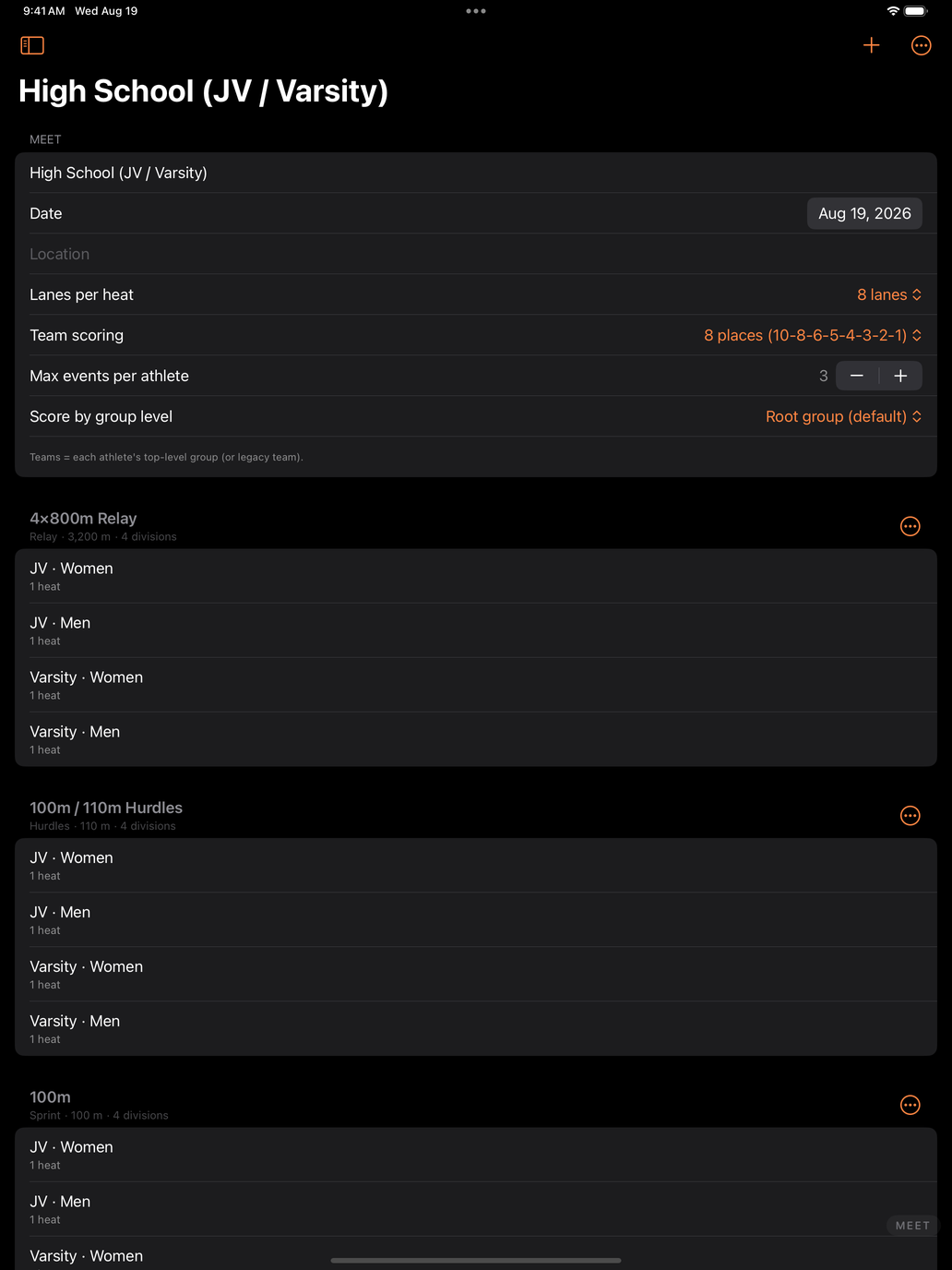
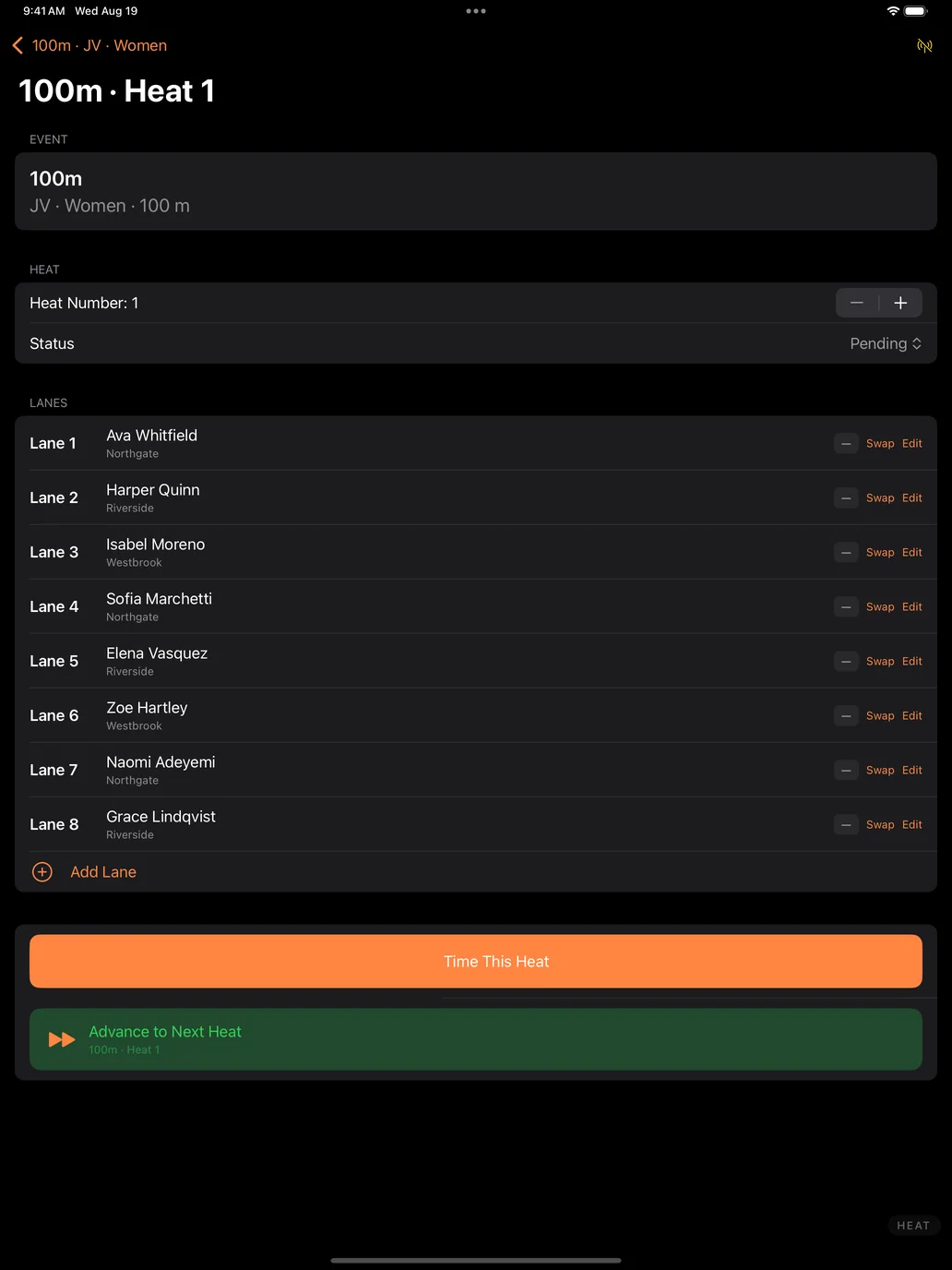
A track meet is a scheduling problem wearing a stopwatch. Eleven events, four divisions each, eight lanes at a time, and a clipboard that has to survive the whole afternoon. DM Track Timer puts the entire scoring table on one iPad — the schedule, the roster, the heats, the timing, and the results — and it works start to finish with no network connection and no account.
Start with a real schedule, not a blank page
Create a meet from a built-in template — High School (JV / Varsity), Middle School with divisions, or sprints and relays for a practice meet. Each one builds the full event list, split by division and gender, with a heat under every division. You are editing a meet within seconds instead of typing one out.
Build the roster once, use it all season
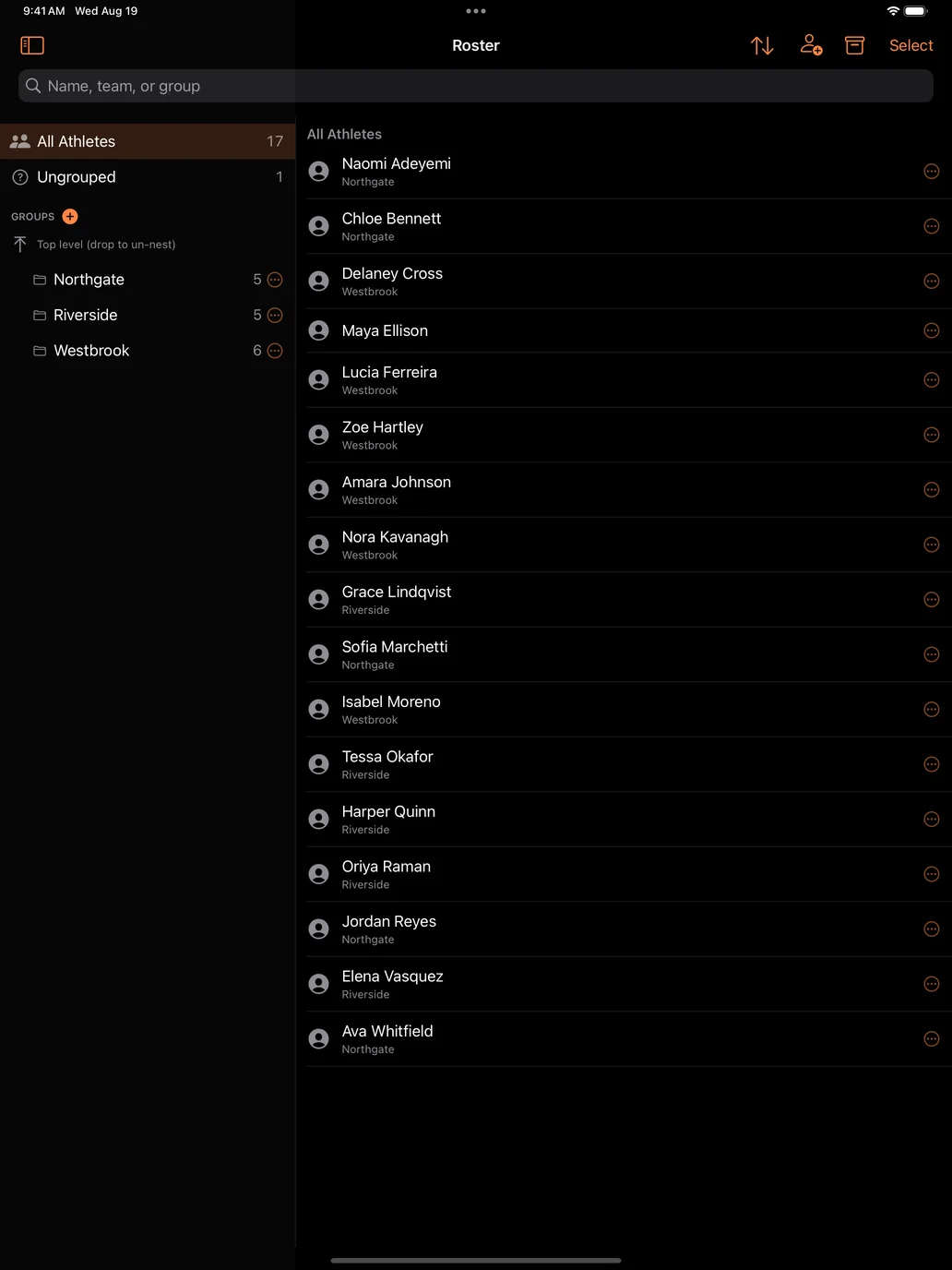
Athletes live in teams and groups that carry across the season. Paste a whole roster in at once, assign event entries, mark who is out and why, and reuse the same list meet after meet. Heats can seed themselves from past marks, so lanes are filled sensibly instead of by hand at the scoring table.
Time every race
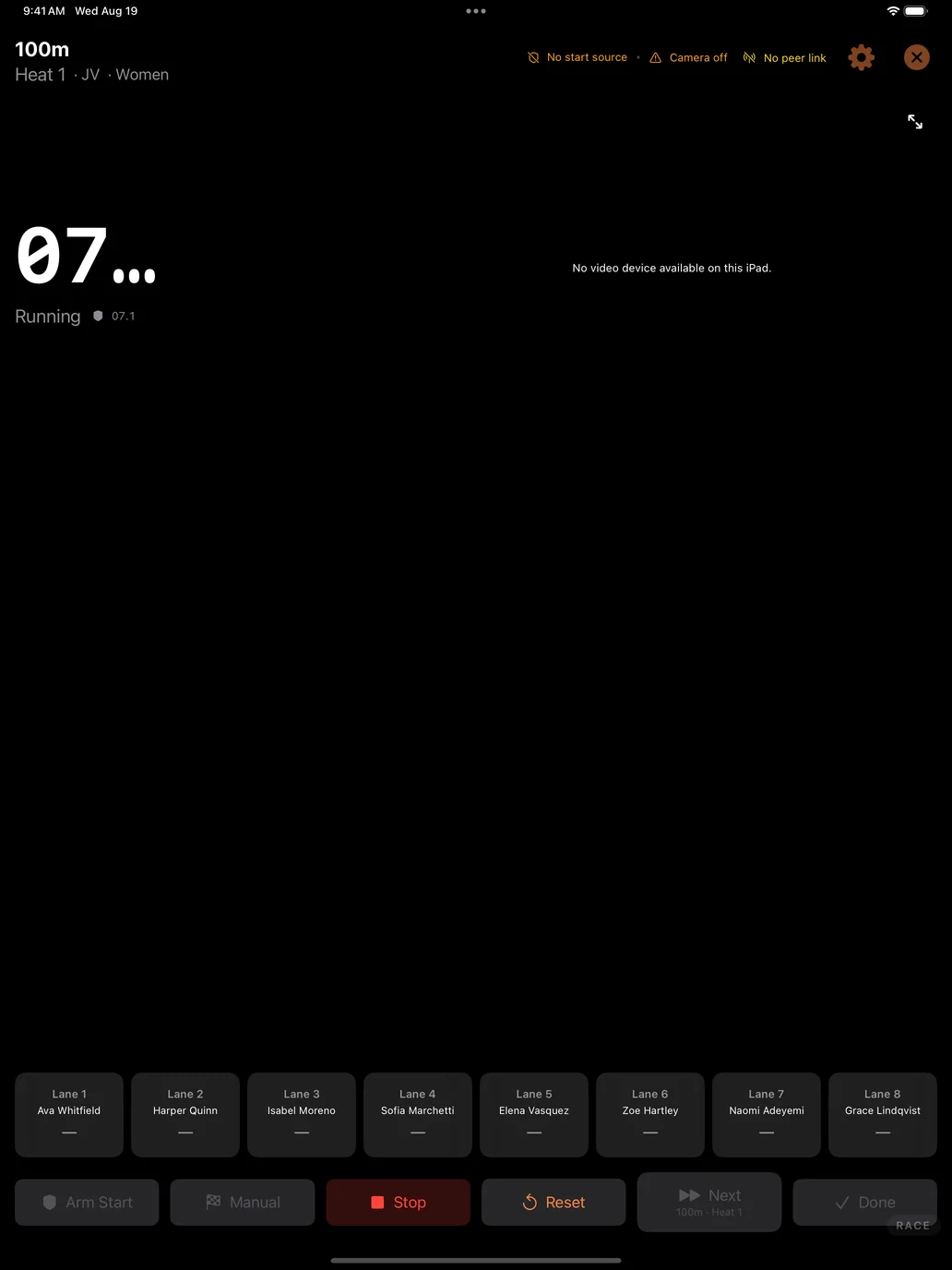
Arm the race, start on the gun, and tap lanes as athletes cross. Point the iPad’s camera at the finish line and it can detect the crossings for you. Camera and detection are set at the meet level, so you calibrate once at the start of the afternoon and every heat after that inherits it — there is nothing to redo between races.
Results and team scoring keep themselves current
Places, times, and team points update as heats finish, with configurable scoring depth. Field events are supported with proper tie handling. Standings are always up to date, so nobody is waiting on a spreadsheet to find out where the meet stands.
Put it on the big screen
Send live results and heat information to an Apple TV so athletes, coaches, and parents can follow along between races — the meet stops being a rumour in the bleachers.
Add cameras when you want them
Bring in iPhones running DM Track Remote as extra camera angles for finish-line video and review. Add a Mac to run a full broadcast with graphics and replays. Start with just the iPad and add pieces only when a bigger meet asks for them.
Private by default
Meet and roster data stays on your iPad. There are no ads and no trackers, and cloud sync — for sharing a team’s data across your own devices — is opt-in and off until you turn it on. The full DM Track Privacy Policy has the details, including how athlete records are handled for schools.
Video belongs to the meet, and the meet belongs to the school
Cameras at a track meet record everyone in the race, not just one athlete. A finish-line clip of your daughter also contains five other people’s children. We think that fact should decide how the video is handled, so it does.
Recording is authorised by the host school, not assumed from the crowd. The school or organisation running the meet decides whether cameras are used, what is kept afterwards, and whether race video may ever be offered to families. It is the same basis schools already use for team photographs, yearbook coverage, and streamed games — and the same basis every sports-video company works on. We are not in the business of asking one parent for permission to film another parent’s child.
What that means in practice:
- The school sets the terms. No cameras, cameras for timing only, or cameras plus video families can see — their call, meet by meet.
- Nothing from the crowd reaches a screen on its own. Any message or video a spectator submits waits for a meet official to approve it. There is no path from a stranger’s phone to the venue screen that skips a person.
- Your own cameras are directed from the booth. During a race the booth can cut between the meet’s cameras and post replays hands-free, so one person can run a whole afternoon. That automation covers the school’s own cameras, pointed where the school pointed them — and it can be switched off entirely, so that nothing reaches the screen until an official approves each shot.
- The footage stays the school’s. We do not sell meet video to third parties, license it for advertising, or use it to train anything.
- If race video is ever offered to families, the school agrees to it first — and shares in it. A meet’s video is the school’s asset, not ours.
Athletic directors are welcome to ask for this in writing before a single camera is set up. We would rather have that conversation early than explain ourselves afterwards.
Coming to the App Store
DM Track Timer for iPad is heading to TestFlight and the App Store, alongside DM Track Remote for iPhone and the Mac control-room app, DM Track Booth. If you coach or officiate and want early access, get in touch at [email protected]. Setup questions are answered on the support page.
Record the Call, Read It Back — DM Record & Transcribe for Mac
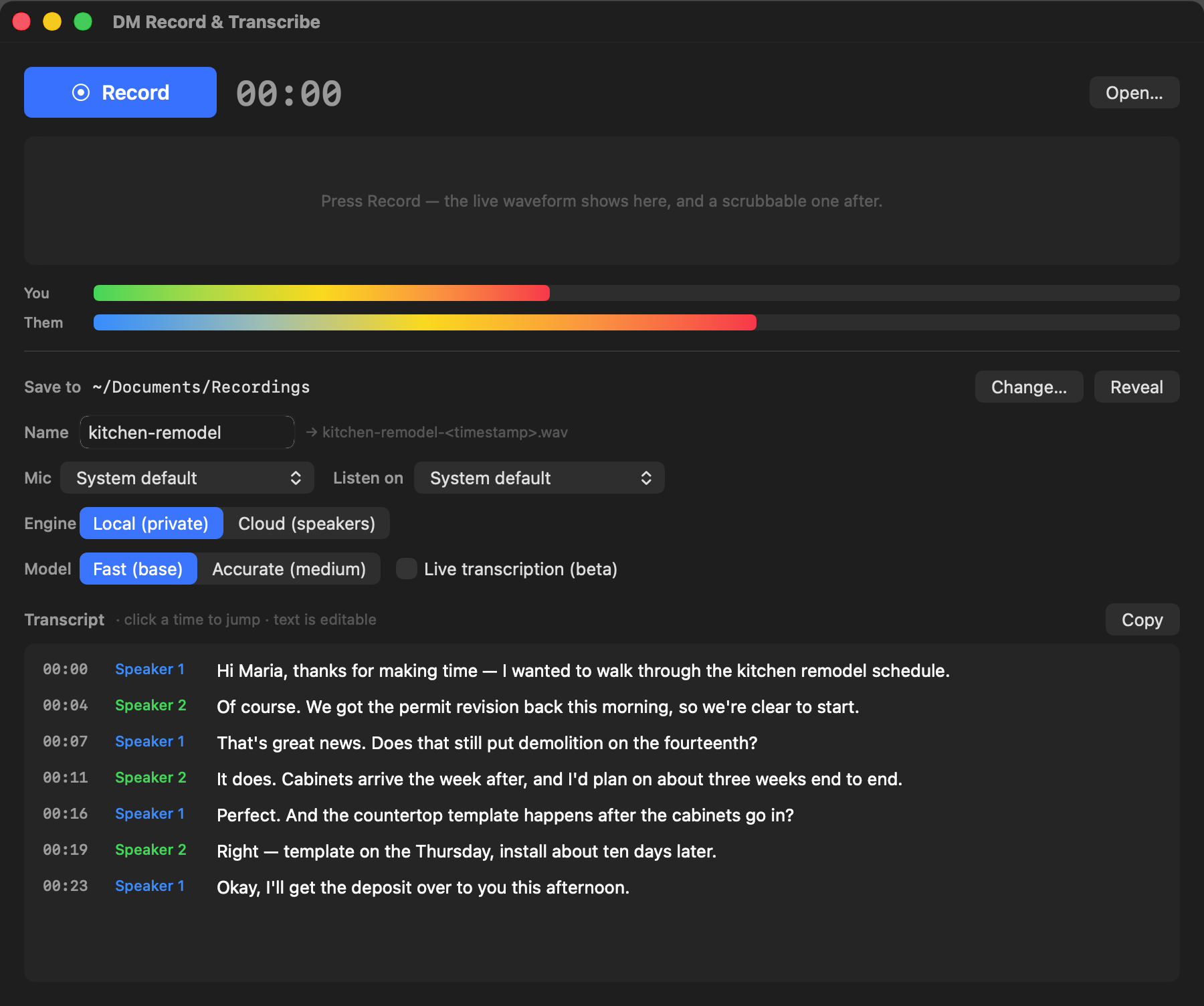
Every important call has a moment you wish you’d written down. The price they quoted. The date they promised. The exact wording of the thing everyone later remembers differently. DM Record & Transcribe is a native Mac app built for those moments: press Record, have your call, and get back a readable transcript — with each side of the conversation labeled — without your audio ever leaving your Mac.
One click, both sides, no plumbing
Recording a call on a Mac used to mean virtual audio drivers, reboots, and rearranged sound settings. DM Record & Transcribe uses macOS’s modern system-audio capture instead: click Record, approve one permission the first time, and the app captures your microphone and the other side of the call — Google Voice, Zoom, Meet, FaceTime, anything you can hear — while you keep hearing everything exactly as normal. Nothing to install, nothing to undo afterward.
Transcripts that read like a script
When you stop, the built-in Whisper engine — running entirely on your Mac — turns the recording into a time-synced transcript. Click any line to jump the playback there; edit any line in place. Because the app records you and the other side as separate channels, Pro can label every line You: or Them: with an accuracy cloud services can’t match, since it never has to guess who’s speaking.
Every recording in one window
Version 3.0.2 adds a Recordings window (Window › Recordings, or ⌘L): every recording in your save folder, newest first, with its date, length and transcript. Search names and everything that was said, and the matches are marked in the transcript. Play a recording straight from the list, transcribe any that doesn’t have a transcript yet — or all of them at once — and export a transcript as plain text, subtitles (.srt) or web captions (.vtt). Rename a recording or move it to the Trash and its transcript files go with it.
Private by architecture
No account. No cloud. Your recordings are ordinary files in a folder you choose, and transcription happens on your machine. (An optional bring-your-own-key cloud engine is there if you want diarized transcripts of multi-speaker meetings — your key, your call, literally.)
Fair pricing, familiar promise
Recording and on-device transcription are free. Pro — speaker-labeled scripts, live transcription while you talk, and the cloud engine — is a one-time $19.99. Like everything we ship: not a subscription.
DM Record & Transcribe is on the Mac App Store now. It needs macOS 14.4 or later. Get it on the Mac App Store. Have a workflow it should fit? Tell us — we’re not shy about shipping fixes fast.
Describe It, Get a Flowchart — DM Flowchart Designer for Mac & iPad
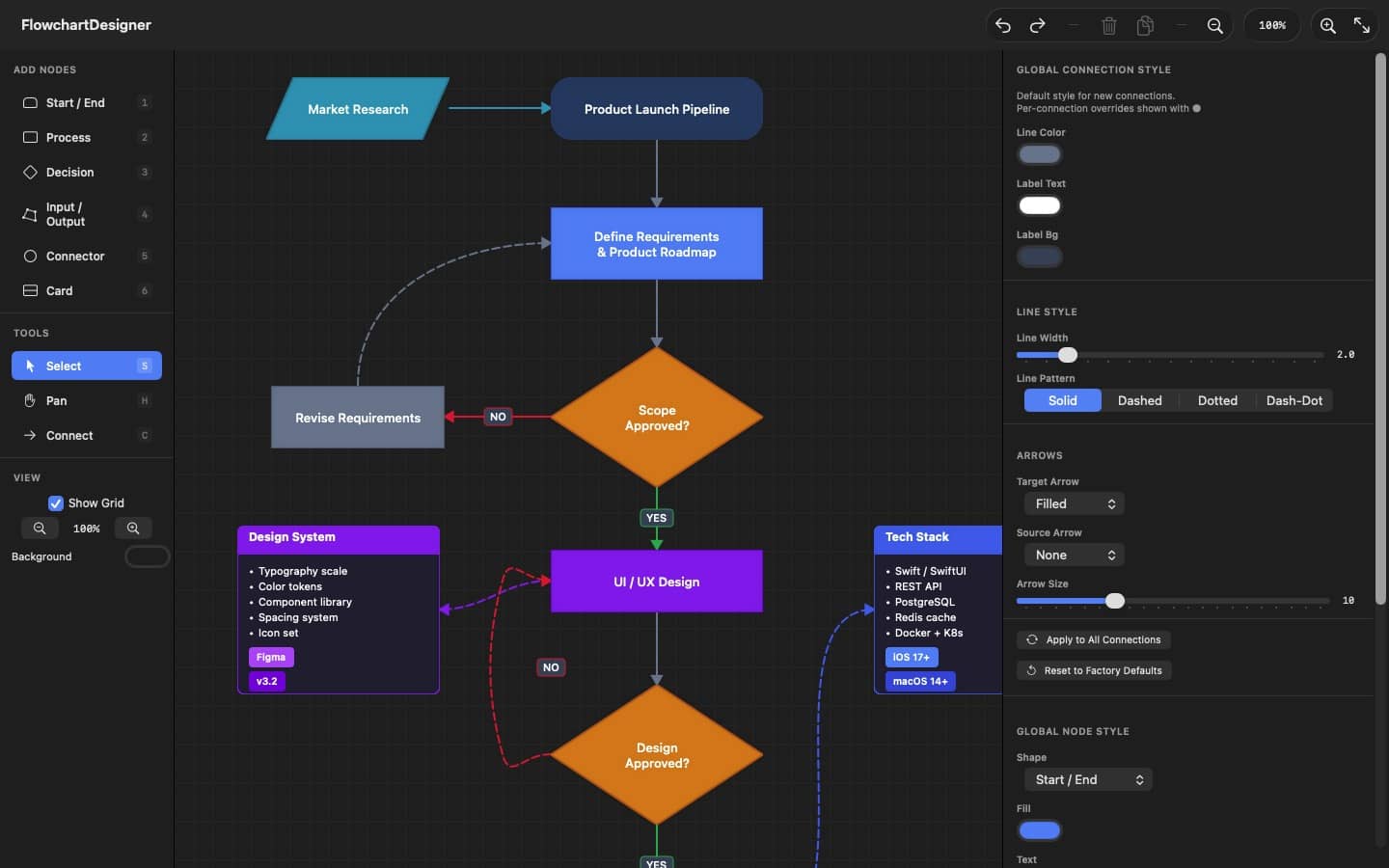
Some ideas only make sense once you can see them. A process with a decision in the middle. A support flow with three escalation paths. The way your CI pipeline actually works, as opposed to the way everyone assumes it works. DM Flowchart Designer is a native app for Mac and iPad built for exactly those moments — and if drawing boxes isn’t your thing, you can just describe the diagram in plain language and let the built-in AI assistant draw it for you.
Describe it, get a flowchart
Type “an onboarding flow for a new hire, with an IT-equipment branch and a manager sign-off at the end” and a complete, styled, connected flowchart appears on the canvas — ready to edit like you’d made it yourself. The AI assistant is bring-your-own-key: plug in your own Anthropic, OpenAI, Google, or xAI API key, stored safely in your Keychain and sent only to the provider you chose. No subscription to us for the privilege.
A real editor, not a toy
Seven node shapes with number-key shortcuts, an infinite canvas with a minimap, smart connection routing that walks around obstacles, gradients, patterns, per-shape global styles, card nodes with badges, image and PDF import that keeps vector data, grouping, layers, and fifty levels of undo. Keyboard-first on the Mac, touch-friendly on iPad, and your files are plain local documents — no account, no cloud, nothing leaves your machine.
Start from a template
Eight built-in templates — basic flowcharts, decision trees, troubleshooting guides, CI/CD pipelines, hiring processes, and more — give you a polished starting point instead of a blank page.
Free to use, fair to upgrade
The free version is a complete flowchart editor with PNG export. A one-time $9.99 Pro purchase — not a subscription — adds AI generation, PDF & SVG export, multiple tabs, and every template.
Want the full tour? The complete User Guide is on the web (and built into the app), with a printable PDF manual. Or see the product page for screenshots and the feature rundown.
Empty Alt Text? Let Claude Write It — AI Image Metadata for WordPress
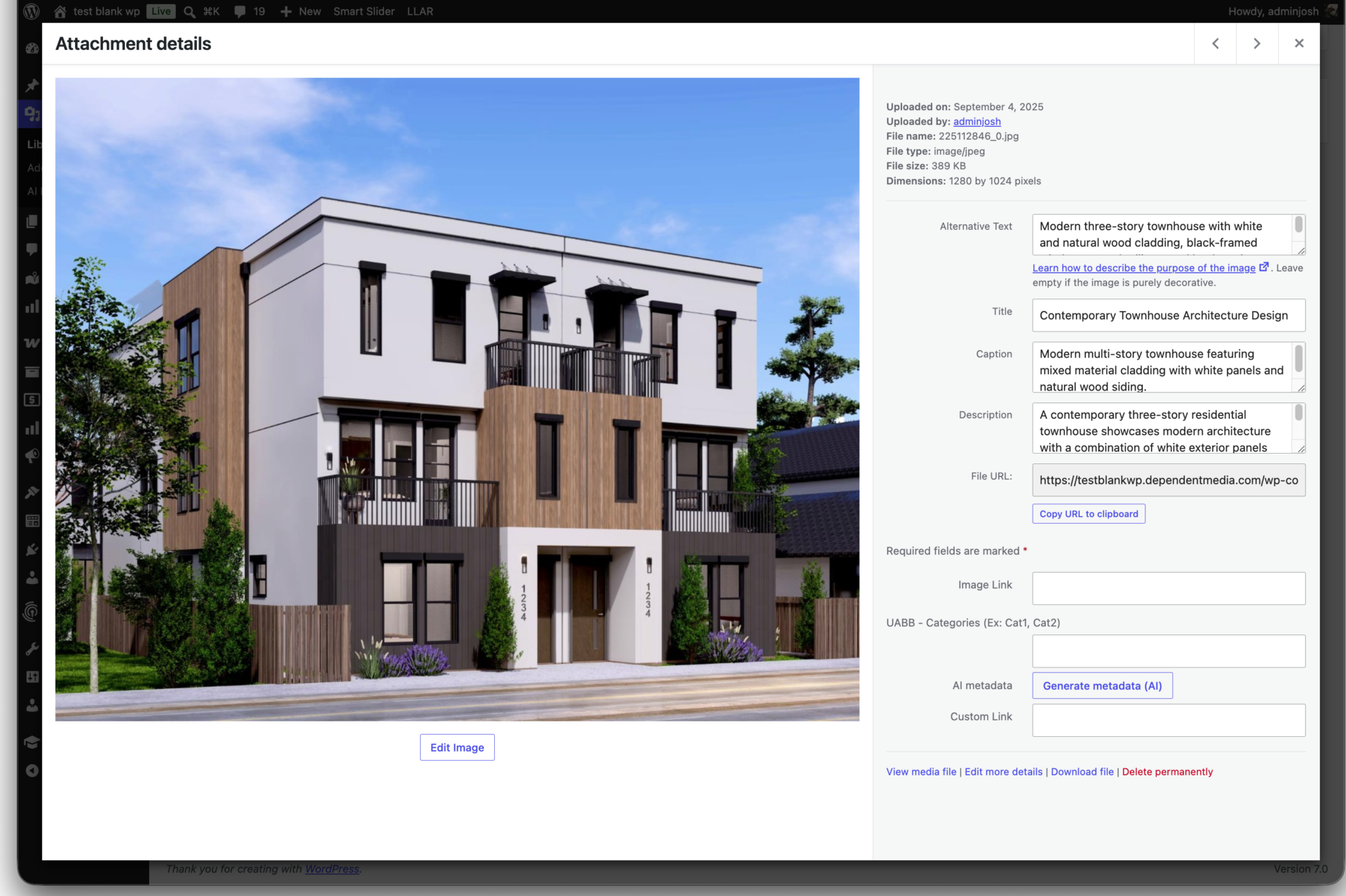
Every image you upload to WordPress has four empty text fields. Most of them never get filled in.
Alt text, title, caption, description — WordPress stores all four for every attachment, and they matter. Alt text is what screen readers announce and what Google reads to understand your images. Good captions and descriptions help both. But writing them by hand, one image at a time, across a library of hundreds? That's the job nobody ever gets to.
AI Image Metadata by Dependent Media does it for you. It looks at each image with Claude (Anthropic) vision and writes all four fields — accurate, concise, and tuned for accessibility and SEO.
One image, or your entire library
Open any attachment and generate metadata on the spot — you review the suggestions and save only what you like. Or select hundreds of images at once and run a background batch with a live progress bar, a timer, and an estimated finish time. Nothing is written until you choose to apply it.
You're in control of the voice — and the cost
- Pick a voice: SEO-descriptive, Editorial, or Minimal.
- Choose your model to balance quality and price.
- Protect what you've written: leave "only fill empty fields" on and the plugin skips anything you've already filled in. Turn it off to refresh everything.
- Write in your language: an output-language option means metadata comes back in the language your audience reads.
No middleman. No monthly fee.
This is the part that makes it different: you bring your own Anthropic API key. There's no subscription to Dependent Media for usage and no service sitting between you and the AI. You pay Anthropic directly for exactly what you use — typically just a few cents to a dollar for a whole library, because images are downscaled before they're sent. Your key is stored encrypted in your database, and your original files are never touched.
Built for people who manage a lot of sites
If you run more than one WordPress site, the little things add up. AI Image Metadata adds an "AI Metadata" status column to your Media list so you can see at a glance what still needs work, a "Test connection" button with a cost estimate before you commit, and a WP-CLI command (wp dm-aim generate) for scripting bulk runs across a fleet. Rate limits are handled automatically with retry-and-backoff, so big jobs just finish.
Supports JPEG, PNG, WebP, and GIF.
Get it
Licensed sites get automatic updates delivered straight to the WordPress dashboard. (Add your price / license terms here.)
AI Image Metadata by Dependent Media is not affiliated with or endorsed by Anthropic. "Claude" and "Anthropic" are trademarks of Anthropic, used here only to describe the service the plugin integrates with. The plugin sends a downscaled copy of the images you choose to process to the Anthropic API only when you trigger generation.